# DONATE by National Funding Scheme — full text Every published page on nationalfundingscheme.org as plain text. Generated 2026-10-26. Index: https://www.nationalfundingscheme.org/llms.txt --- # About Us — the charity behind DONATE | National Funding Scheme URL: https://www.nationalfundingscheme.org/about The National Funding Scheme is a UK registered charity (1149800 / SC045106). Its DONATE platform serves charities of every size, schools, clubs, faith groups, arts venues, community groups and companies. --- title: "About Us — the charity behind DONATE | National Funding Scheme" description: "The National Funding Scheme is a UK registered charity (1149800 / SC045106). Its DONATE platform serves charities of every size, schools, clubs, faith groups, arts venues, community groups and companies." links: [] --- --- image-side: right primary-cta-href: "#get-started" primary-cta-label: Start fundraising secondary-cta-href: /contact secondary-cta-label: Contact us strapline: About us title: A charity, built to help charities fundraise. --- ## Who we are The National Funding Scheme is a UK registered charity — no. 1149800 in England and Wales and SC045106 in Scotland — that exists for one purpose: to help other charitable organisations raise more money, more easily. We operate the DONATE™ platform: a single system for raffles (/solutions/raffles), auctions (/solutions/auctions), campaigns (/solutions/campaigns), text giving (/solutions/text-giving), online donations (/solutions/web-giving) and contactless tap-to-donate terminals (/solutions/terminals). Since launching in the early 2010s we have processed millions of pounds in donations for thousands of charitable organisations across the UK — from national institutions to village churches, schools and PTAs. Because we are a charity ourselves, our incentives are different from commercial fundraising platforms. We price to cover our costs, publish our fees openly, and put an interactive comparison of every major UK platform (/compare) — including ourselves — on our own website. We welcome the scrutiny. ## How we're regulated Trust matters when a platform handles charitable money. The National Funding Scheme is: - A registered charity with the Charity Commission for England and Wales (no. 1149800) and the Scottish Charity Regulator, OSCR (SC045106), with public accounts filed annually. - Built for small society lotteries. Every raffle on DONATE is the organisation's own small society lottery, run under its registration with its local council. We record the licence details and show them on every raffle page. - Registered with the Fundraising Regulator, committed to the Code of Fundraising Practice. - PCI-compliant in all payment processing, with donations handled through regulated payment providers, and UK GDPR compliant in how donor data is collected and used. ## What we believe Fundraising should be affordable for every cause. No setup fees and no lock-in — organisations of any size get the same platform. Gift Aid should be effortless. We collect declarations and administer claims to HMRC automatically, adding up to 25% to eligible donations without paperwork for the charity — see how digital Gift Aid works (/tips/digital-gift-aid). Giving should meet donors where they are. In person by tap-to-donate (/solutions/terminals), by text message (/solutions/text-giving), online by card, Apple Pay, Google Pay or PayPal — one platform, every channel. Transparency beats marketing. Our pricing page (/pricing) and platform comparison tool (/compare) show exactly where every penny goes. ## Where to find us Our registered office is at 1 Golden Court, Richmond, Surrey TW9 1EU. The easiest ways to reach the team are the contact page (/contact) or hello@nationalfundingscheme.org. If you're a journalist, researcher or regulator looking for formal records: our charity registrations can be verified on the Charity Commission register (https://register-of-charities.charitycommission.gov.uk/) and the OSCR register (https://www.oscr.org.uk/). ## Ready to fundraise with us? Whether you're a registered charity, a school, a community group or an individual fundraiser, you can be up and running in minutes. :charity-lookup --- # Academy of Ancient Music – Raising Funds Through Online Concerts URL: https://www.nationalfundingscheme.org/case-studies/academy-of-ancient-music How the Academy of Ancient Music raised £17,998 during lockdown through weekly YouTube streaming concerts and email fundraising to support their musicians. --- title: Academy of Ancient Music – Raising Funds Through Online Concerts description: How the Academy of Ancient Music raised £17,998 during lockdown through weekly YouTube streaming concerts and email fundraising to support their musicians. date: 2020-04-01 image: /images/case-studies/academy-of-ancient-music.jpg category: Emergency Appeal tags: - text-giving - arts --- During the 2020 Coronavirus lockdown, the Academy of Ancient Music launched an emergency campaign to support their musicians, many of whom had lost all income as concerts and tours were cancelled overnight. ## The Strategy The team built their campaign around three pillars: 1. Email outreach to their existing list of 3,000 subscribers 2. Weekly "Streaming Sunday" sessions on YouTube - combining music with clear, honest calls-to-action 3. Transparent storytelling that emphasised the direct impact on individual musicians The combination of high-quality free content and authentic fundraising asks proved highly effective. Supporters were given something of value - a concert to enjoy - and responded generously. ## The Result Amount raised: £17,998 *"The DONATE platform was really easy to set up and is easy to use for donors too, providing a positive experience all round."* - Liz Brinsdon, Head of Development, Academy of Ancient Music --- # Art 4 Grenfell: Online and Live Auction URL: https://www.nationalfundingscheme.org/case-studies/art-4-grenfell How the Kensington & Chelsea Foundation raised £22,500 through a combined online and live art auction in the City, with artworks donated by London's artist community following the Grenfell fire. --- title: "Art 4 Grenfell: Online and Live Auction" description: How the Kensington & Chelsea Foundation raised £22,500 through a combined online and live art auction in the City, with artworks donated by London's artist community following the Grenfell fire. date: 2018-03-01 image: /images/case-studies/art-4-grenfell.png category: Online Auction tags: - online-auction - arts - community - emergency --- An online and offline art auction held in London raised funds for families affected by the Grenfell fire, benefiting the Kensington & Chelsea Foundation. ## The Event The Kensington & Chelsea Foundation organised a combined online and offline art auction in the City. Artworks were donated by London's artist community, with Bonhams and NatWest serving as co-sponsors. Bidders could participate through the DONATE platform during the weeks before the live event, with payments processed as bids were accepted both online and in-room on the night. ## The Result Amount raised: £22,500 *"We chose the DONATE platform as it provided all the fundraising services we needed at a fraction of the cost of other platforms."* - Susan Dolton, Director, Kensington & Chelsea Foundation --- # Auction of Promises: Shuttleworth Veteran Aeroplane Society URL: https://www.nationalfundingscheme.org/case-studies/auction-of-promises-shuttleworth How the Shuttleworth Veteran Aeroplane Society raised £10,600 through a 28-lot online auction featuring rare aviation experiences, replacing cancelled air shows during the pandemic. --- title: "Auction of Promises: Shuttleworth Veteran Aeroplane Society" description: How the Shuttleworth Veteran Aeroplane Society raised £10,600 through a 28-lot online auction featuring rare aviation experiences, replacing cancelled air shows during the pandemic. date: 2021-05-01 image: /images/case-studies/shuttleworth-auction.jpeg category: Online Auction tags: - online-auction - silent-auction - arts --- The Shuttleworth Veteran Aeroplane Society maintains a unique collection of working vintage aircraft and funds visitor experiences at their Bedfordshire base. When air shows were cancelled due to the pandemic, they lost crucial revenue - and turned to a digital auction to replace it. ## The Auction The collection featured 28 carefully curated lots, designed with Christmas gifting in mind: - Flight experiences in vintage aircraft - Private behind-the-scenes tours - Day packages for aviation enthusiasts - Exclusive access experiences One standout lot - a Cockpit Crazy Tour - raised £1,312.50 including Gift Aid alone. ## Reaching the Right Audience Promotional efforts targeted the right people through multiple channels: - Existing member communications - Regional press coverage - Radio features - Social media outreach ## The Result Amount raised: £10,600.00 Number of lots: 28 *"The DONATE™ online auction service provided us with the easiest opportunity to raise auction funds when they were needed most. The set-up and support given by your team was smooth and efficient. Bidding was straightforward and we were delighted with the success of our first online auction."* - Matthew Studdert-Kennedy, Shuttleworth Veteran Aeroplane Society --- # Battersea Arts Centre: Rising from the Ashes URL: https://www.nationalfundingscheme.org/case-studies/battersea-arts-centre-fire How Battersea Arts Centre raised £81,273 via web giving after a devastating fire in 2015 - £10,500 in the first 12 hours, with 83% of donors adding Gift Aid and 99% opting in for future contact. --- title: "Battersea Arts Centre: Rising from the Ashes" description: How Battersea Arts Centre raised £81,273 via web giving after a devastating fire in 2015 - £10,500 in the first 12 hours, with 83% of donors adding Gift Aid and 99% opting in for future contact. date: 2015-03-13 image: /images/case-studies/battersea-arts-centre.jpg category: Emergency Appeal tags: - emergency - arts - web-giving --- Battersea Arts Centre (BAC) is a local arts organisation in Southwest London operating from a historic Town Hall. Known for experimental work and community engagement, BAC faced a crisis when a major fire on March 13, 2015 destroyed its Grand Hall and Lower Hall. ## The Response A fundraising campaign launched using the DONATE™ platform within hours of the fire. Rather than promoting text-giving options, BAC focused exclusively on web donations to better communicate the fire's impact and encourage larger gifts. Within one hour, donations reached £1,500. By twelve hours, the total climbed to £10,500. Within four days, over £78,000 had been raised from 2,553 donations. Social media played a crucial role, with coverage from London Live and Southwest Trains announcing the campaign to commuters. Celebrity endorsements also amplified reach. ## The Result Total raised: £81,273 - 62% of traffic came via Facebook and Twitter - 63.5% of traffic originated from mobile or tablet devices - 87.5% completion rate for the donation process - 83% of donors added Gift Aid - 99% opted in for ongoing contact - 40% of donors were under 35 years old - 85% of donations came through DONATE™ rather than BAC's direct website link *"A traditional emergency fundraising campaign using volunteers with donation buckets might have resulted in £5–10,000; at £50,000 in less than 3 days DONATE™ has moved us to a completely new level."* - Kane Moore, Head of Development, Battersea Arts Centre --- # Bishopsland & FloatArt: Gala Fundraiser at the Gherkin URL: https://www.nationalfundingscheme.org/case-studies/bishopsland-and-floatart-fundraiser How two arts charities combined live auction, silent auction, text raffle and direct donations at a Gherkin gala dinner to raise £63,740 in a single evening from just 120 guests. --- title: "Bishopsland & FloatArt: Gala Fundraiser at the Gherkin" description: How two arts charities combined live auction, silent auction, text raffle and direct donations at a Gherkin gala dinner to raise £63,740 in a single evening from just 120 guests. date: 2016-04-01 image: /images/case-studies/bishopsland-floatart.jpg category: Online Auction tags: - online-auction - live-auction - text-raffle - gala-dinner - arts --- A gala dinner held at the Gherkin in London brought together supporters of two arts charities to raise funds through a combination of live auction, silent auction, text raffle, and direct donations - all powered by mobile technology. ## The Charities Bishopsland, based in Oxfordshire, offers one-year residential courses for silversmiths. With over 170 graduates in twenty years and a 75% retention rate in the craft, it is one of the UK's most important training grounds for the next generation of silversmiths. FloatArt provides startup funding for emerging artists transitioning from art school and curates exhibitions of their work. ## The Four Fundraising Channels ### Live Auction Silverware, art, and experiences were sold to the highest bidder via mobile payment technology, with Gift Aid applied to all eligible lots. Raised: £37,500 ### Silent Auction Mobile bidding enabled all 120 guests to bid and pay via their phones, removing the chaos of paper bid sheets and creating competitive, real-time bidding. Raised: £23,500 ### Text Raffle Guests texted a keyword at £10 per entry (up to three tickets each). Raised: £1,240 - in just 3 minutes ### Direct Donations Additional contributions collected via app or Gift Aid envelopes. Raised: £1,500 ## The Result Total amount raised: £63,740 from 120 guests *"Hats off to DONATE™! The team was amazing...the guests used their mobiles to bid, make payments and participate in the text raffle."* - Glyn McIntosh, Senior Charities Administrator --- # Bournemouth Parks Foundation: Local Authority Fundraising URL: https://www.nationalfundingscheme.org/case-studies/bournemouth-parks-foundation How Bournemouth Parks Foundation enabled residents and visitors to donate to parks and open spaces via text, QR codes, and web - helping a local authority charity replace reduced government funding. --- title: "Bournemouth Parks Foundation: Local Authority Fundraising" description: How Bournemouth Parks Foundation enabled residents and visitors to donate to parks and open spaces via text, QR codes, and web - helping a local authority charity replace reduced government funding. date: 2015-01-01 image: /images/case-studies/bournemouth-parks-foundation.png category: Text Giving tags: - text-giving - contactless - environment - community --- In 2015, Bournemouth County Council transitioned its parks and open spaces to the newly established Bournemouth Parks Foundation. Due to reduced local government budgets, the organisation needed to develop strategies for encouraging public donations to support the Council's non-statutory services. ## The Solution DONATE™ partnered with Bournemouth Parks Foundation to enable residents and visitors to contribute to various initiatives including the local aviary, new benches, sculpture trail enhancements, and general community projects. Multiple donation methods were deployed across recreational spaces: - Text messaging for simple on-the-go giving - Mobile web access via QR codes on signs throughout the parks - Direct web giving for visitors at home ## The Result The flexible integrated platform allowed a small charity to reach supporters wherever they were - whether walking through the parks or browsing at home. *"After a market consultation, we chose the DONATE™ service since it provided a flexible and integrated mobile giving platform and being a charity itself, fitted well with our objects. The DONATE™ team have always been on hand to support the integration providing both practical and technical advice."* - Michael Rowland, Parks Development Manager, Bournemouth Parks Foundation --- # BT Tower Thanksgiving Dinner: Children's Radio Foundation URL: https://www.nationalfundingscheme.org/case-studies/bt-tower-thanksgiving-dinner How Children's Radio Foundation raised £30,000+ at a Thanksgiving dinner at the top of the BT Tower, using mobile silent auction bidding, live auctions, text raffles, and automated Gift Aid processing. --- title: "BT Tower Thanksgiving Dinner: Children's Radio Foundation" description: How Children's Radio Foundation raised £30,000+ at a Thanksgiving dinner at the top of the BT Tower, using mobile silent auction bidding, live auctions, text raffles, and automated Gift Aid processing. date: 2016-12-01 image: /images/case-studies/bt-tower-thanksgiving.png category: Online Auction tags: - online-auction - silent-auction - gala-dinner - text-raffle - arts --- Children's Radio Foundation trains young reporters across Africa, equipping them with skills to amplify their voices. The organisation hosted a fundraising dinner at the top of the BT Tower in London to support this mission. ## The Evening The Thanksgiving Dinner took place at the top of the BT Tower with 80 attendees who participated in both silent and live auctions using their mobile phones and provided iPads. The DONATE™ platform automated Gift Aid processing, managed silent auction bidding, processed immediate payments for auction lots, and handled general donations. ## The Result £30,000+ raised through a combination of live auctions, silent auctions, text raffles, and general donations. *"We decided early on to use DONATE™ to give our fundraising a boost...The system automates Gift Aid payments, which is much more efficient than using forms...The DONATE™ team was more than helpful through the event run up and on the night."* - Katie Abbotts, Director, Children's Radio Foundation --- # Charlie Watkins Foundation: White-Collar Boxing Night URL: https://www.nationalfundingscheme.org/case-studies/charlie-watkins-foundation-boxing How the Charlie Watkins Foundation raised £6,856 through personalised text and web giving links at a white-collar boxing fundraiser, with integrated contactless giving on the night. --- title: "Charlie Watkins Foundation: White-Collar Boxing Night" description: How the Charlie Watkins Foundation raised £6,856 through personalised text and web giving links at a white-collar boxing fundraiser, with integrated contactless giving on the night. date: 2018-04-01 image: /images/case-studies/charlie-watkins-foundation.jpg category: Text Giving tags: - text-giving - sports - community --- The Charlie Watkins Foundation celebrates the life of Charlie, who died by suicide at age 22 following unresolved trauma from losing his mother at nine. The foundation raises funds supporting young people dealing with mental illness. ## The Campaign The foundation partnered with Fighting for Charity to organise a boxing night fundraiser. The DONATE platform provided each participant with personalised text and web links to solicit donations from their networks before and on the night. Platform features used: - Dedicated account management - Personalised text and web links for each fighter - Integrated text and web-giving platform - Real-time donation alerts - Gift Aid and GDPR compliance ## The Result Amount raised: £6,856 *"DONATE provides us not only with a platform that is easy to use but offering a single text and web service means that supporters can give what they want, how they want."* --- # Case Study: Community Sports Club Raffle URL: https://www.nationalfundingscheme.org/case-studies/community-sports-club How a local football club raised £4,850 in 14 days using NFS DONATE's online raffle platform. --- title: "Case Study: Community Sports Club Raffle" description: How a local football club raised £4,850 in 14 days using NFS DONATE's online raffle platform. tags: - text-giving - sports - community --- --- strapline: Community Sports Club title: £4,850 raised in 14 days primary-cta-href: /contact primary-cta-label: Start your raffle --- ## Overview Organisation - Local amateur football club Goal - Fund new training equipment and pitch hire Solution - Online raffle via NFS DONATE ## The Challenge Paper raffles and cash collection limited the club's reach and created unnecessary admin for volunteers. Supporters outside the local area couldn't participate, and tracking entries was time-consuming. ## The Solution The club launched an online raffle promoted through social media, messaging apps, and SMS. Supporters could enter from anywhere, paying by credit card, Apple Pay, or SMS - with everything tracked automatically. In just 14 days - exceeding the club's original target. With no cash handling or manual entry tracking. Automatic winner draw, reporting, and notifications handled by the platform. "The raffle paid for our entire season's equipment in two weeks. Setup was simple and supporters found it easy to take part." - Club Secretary ## Ready to run your own raffle? Talk to us → (/contact) --- # Contactless Giving for Conservation URL: https://www.nationalfundingscheme.org/case-studies/contactless-giving-for-conservation How the Wildfowl & Wetlands Trust rolled out contactless giving across 70% of their UK reserves, capturing donations from visitors who no longer carry cash. --- title: Contactless Giving for Conservation description: How the Wildfowl & Wetlands Trust rolled out contactless giving across 70% of their UK reserves, capturing donations from visitors who no longer carry cash. date: 2021-04-01 image: /images/case-studies/wwt-contactless.jpeg category: Contactless Giving tags: - contactless - conservation --- The Wildfowl & Wetlands Trust (WWT) operates ten reserves across the UK, maintains 3,000 hectares of wetland habitat, and provides experiences designed to help people appreciate wetlands and their wildlife. ## The Challenge In response to social-distancing priorities and a broader shift away from cash, card payments became the preferred transaction method at WWT sites. Fewer visitors were carrying cash, meaning traditional collection points were capturing a fraction of the goodwill that existed. ## The Solution Following an initial trial in 2020, WWT expanded contactless donations to 70% of their locations across England and Wales. DONATE™ static contactless devices were installed at centres to minimise touchpoints and enhance visitor safety. Devices were positioned near: - Registration and ticketing desks - Site exits Preset donation amounts of £3, £5, and £10 were configured, with a £20 option also being tested. ## The Result Amount raised: £2,000 *"With visitor attractions opening up and a change in attitude to carrying cash, we see contactless giving as a growing channel for our visitors who wish to support our vital conservation work."* - Lynne Walker, Head of Commercial Operations, WWT --- # Covid-19: Big Issue North Hardship Fund URL: https://www.nationalfundingscheme.org/case-studies/covid19-big-issue-north How Big Issue North raised £22,347 to support homeless vendors when street magazine sales were suspended at the start of the UK lockdown in March 2020. --- title: "Covid-19: Big Issue North Hardship Fund" description: How Big Issue North raised £22,347 to support homeless vendors when street magazine sales were suspended at the start of the UK lockdown in March 2020. date: 2020-06-01 image: /images/case-studies/big-issue-north.jpg category: Emergency Appeal tags: - emergency - covid-19 - text-giving - community --- On 23rd March 2020, shortly before the UK lockdown announcement, Big Issue North ceased street magazine sales to protect vendors and customers. This suspension threatened the income of homeless individuals who depend on selling the magazine to survive. ## The Response Big Issue North established a hardship fund through DONATE™ to support vulnerable vendors, providing: - Emergency accommodation - Rent assistance - Help with bills - Shopping support where foodbanks weren't accessible ## The Campaign The campaign attracted 822 donations, split almost equally between channels: - 54% via web giving - 46% via text giving - Average donation: £39.31 The relatively high average donation reflects the depth of public concern for the vendors - people who had been visible presences on high streets across the North of England. ## Why DONATE™ *"We chose the DONATE platform because we liked both its flexibility and ease of use so that we can manage our campaigns and offer both text and web giving through a single platform. We've found the team behind it really helpful and have in the last few weeks raised nearly £15,000."* - Bronte Schiltz, Fundraising and Communications Officer, Big Issue North ## The Result Amount raised: £22,347 --- # Covid-19: Food 4 Heroes Epic Auction URL: https://www.nationalfundingscheme.org/case-studies/covid19-food-4-heroes-auction How Food 4 Heroes raised £23,066 through an online auction to fund nutritious meal deliveries for frontline NHS workers, closing with a live-streamed VIP event for 250 guests. --- title: "Covid-19: Food 4 Heroes Epic Auction" description: How Food 4 Heroes raised £23,066 through an online auction to fund nutritious meal deliveries for frontline NHS workers, closing with a live-streamed VIP event for 250 guests. date: 2020-10-01 image: /images/case-studies/food-4-heroes-auction.jpg category: Online Auction tags: - online-auction - covid-19 - emergency --- The Food 4 Heroes Epic Auction mobilised donated items and experiences through an online bidding platform to fund nutritious meal deliveries for frontline NHS workers across England during the pandemic. ## The Auction The campaign leveraged donated artwork, holidays, sporting event tickets, and cooking experiences. Prize values ranged dramatically: - Top prize: £5,000 - Smallest prize: A homegrown spider plant at £20 This range demonstrates a key strength of online auctions: every lot has value to someone, and no donation of a prize is too small. ## The Grand Finale The auction concluded with a live-streamed event for 250 VIP guests, featuring: - A cocktail masterclass - A magic performance - Commentary by cricket personality Phil Tufnell The event created excitement and a sense of occasion that drove final bids higher in the closing hours. ## The Result Amount raised: £23,066.00 *"Without DONATE's help we would not have been able to continue feeding our NHS staff for as long as we have been able to. The auction was straightforward for us and our supporters to use."* - John Brownhill, Co-Founder, Food 4 Heroes --- # Covid-19: Intensive Care Society Emergency Appeal URL: https://www.nationalfundingscheme.org/case-studies/covid19-intensive-care-society How the Intensive Care Society raised £161,904 to support ICU staff on the Covid-19 frontline, with celebrity endorsements including Dame Helen Mirren amplifying the text giving campaign. --- title: "Covid-19: Intensive Care Society Emergency Appeal" description: How the Intensive Care Society raised £161,904 to support ICU staff on the Covid-19 frontline, with celebrity endorsements including Dame Helen Mirren amplifying the text giving campaign. date: 2020-06-15 image: /images/case-studies/intensive-care-society.jpg category: Emergency Appeal tags: - emergency - covid-19 - text-giving results: - value: "£161,904" label: "Raised" - value: "National" label: "Celebrity-amplified reach" - value: "Text" label: "Primary channel" solution: to: /solutions/text-giving label: "Launch an emergency text appeal" --- The Intensive Care Society, a national charity supporting ICU staff, launched an urgent fundraising campaign at the height of the Covid-19 pandemic. The appeal aimed to provide psychological and educational support to intensive care doctors and nurses working on the frontlines - many of them facing unprecedented pressure and trauma. ## The Campaign The campaign launched on the National Funding Scheme DONATE platform in March 2020. Celebrity endorsements helped amplify the message to a national audience. Dame Helen Mirren posted in support: *"In return for this pic of me literally first thing in the morning, please donate to the intensive care support… thanks so much."* Dr Hugh Montgomery, Professor of Intensive Care Medicine at University College London, provided medical context: *"By giving to the ICS charity, you will be saying thank you to staff, enabling them to be supported as well as educated if they are new to the field."* ## The Result Amount raised: £161,904 *"We set up the fundraiser on the National Funding Scheme DONATE platform in March and have been immensely grateful for their support."* - Dr Sandy Mather, CEO of Intensive Care Society --- # Covid-19: St John's Hospice Comedy Night URL: https://www.nationalfundingscheme.org/case-studies/covid19-st-johns-hospice How a Bank Holiday comedy show with Jon Richardson reached 114,000 viewers and raised £3,077 for St John's Hospice through text giving during and after the live performance. --- title: "Covid-19: St John's Hospice Comedy Night" description: How a Bank Holiday comedy show with Jon Richardson reached 114,000 viewers and raised £3,077 for St John's Hospice through text giving during and after the live performance. date: 2020-06-01 image: /images/case-studies/st-johns-hospice.jpeg category: Text Giving tags: - emergency - covid-19 - text-giving --- A Bank Holiday comedy show featuring Jon Richardson and friends, presented by United we Stream, brought together five charitable organisations including St John's Hospice. The event supported the hospice's palliative care and community nursing services during a period when all normal fundraising activity had been suspended. ## The Event The two-hour live performance leveraged SMS giving through both verbal calls to action from the performers and on-screen donation prompts. Text donations were collected during and after the event. Viewers: 114,000 The scale of the online audience demonstrates how virtual events can reach far more people than a typical in-person fundraiser - and how text giving converts that reach into actual donations. ## The Result | Channel | Amount | |---------|--------| | Text donations on the night | £2,919.00 | | Additional contributions | £158.00 | | Total raised | £3,077.00 | *"Our supporters and community are very generous...About a third of our funding comes from the local NHS, with the remaining two-thirds raised by our amazing community."* - Catherine Butterworth, Director of Income Generation, St John's Hospice --- # Delete Blood Cancer UK: Let's Make A Spark Gala URL: https://www.nationalfundingscheme.org/case-studies/delete-blood-cancer-uk How Delete Blood Cancer UK raised £12,500 at a glamorous corporate awards evening hosted by Naga Munchetty at Shakespeare's Globe Theatre, using DONATE™ to power the silent auction and donation processing. --- title: "Delete Blood Cancer UK: Let's Make A Spark Gala" description: How Delete Blood Cancer UK raised £12,500 at a glamorous corporate awards evening hosted by Naga Munchetty at Shakespeare's Globe Theatre, using DONATE™ to power the silent auction and donation processing. date: 2015-11-05 image: /images/case-studies/delete-blood-cancer-uk.jpg category: Silent Auction tags: - silent-auction - gala-dinner - corporate --- Delete Blood Cancer UK raises funds for registering potential blood stem cell donors on the UK Stem Cell Registry, ensuring blood cancer patients can find matching transplant donors. ## Let's Make A Spark A glamorous corporate awards event hosted by broadcaster and journalist Naga Munchetty at the UnderGlobe, Shakespeare's Globe Theatre, with 151 guests. The evening on November 5, 2015 featured a prosecco reception, Shakespeare Exhibition tour, three-course meal, awards ceremony, live band, dancing, and a silent charity auction - all with DONATE™ providing fundraising services throughout. ## The Result Amount raised: £12,500 *"DONATE™'s services and professionalism ensured the smooth running of the fundraising aspect of our event and contributed to the success of the evening. I would highly recommend them!"* - Caroline Richardson, Senior Fundraising Manager, Delete Blood Cancer UK --- # Dixons Carphone for The Mix URL: https://www.nationalfundingscheme.org/case-studies/dixons-carphone-for-the-mix How Dixons Carphone used a text raffle of surplus inventory to raise £1,856 for mental health charity The Mix, while reducing costs, eliminating cash handling, and increasing staff participation. --- title: "Dixons Carphone for The Mix" description: How Dixons Carphone used a text raffle of surplus inventory to raise £1,856 for mental health charity The Mix, while reducing costs, eliminating cash handling, and increasing staff participation. date: 2018-04-01 image: /images/case-studies/dixons-carphone.png category: Text Raffle tags: - text-raffle - corporate --- The Mix, a mental health charity supported by Dixons Carphone, partnered with the company to conduct fundraising through its workforce. Rather than a traditional charity day, Dixons Carphone used a text raffle of surplus inventory - TVs, phones, and other tech - to engage staff in a way that felt natural given the business they work in. ## How It Worked Employees texted a specific keyword (e.g., BRAVO_TV) to a charity shortcode. Charges of £3, £5, or £10 were applied to their mobile bills. The DONATE™ platform randomly selected winners from participating phone numbers. Funds were subsequently transferred to The Mix. ## Why It Worked Better Than Before Compared to previous cash and paper methods, the digital text raffle delivered: - Reduced costs - no printing, no cash handling, no manual administration - Simplified process management - the central team had real-time visibility - Increased employee participation - easier to enter means more entrants - Eliminated cash handling - no security concerns or banking complexity - Better alignment with culture - a tech company using tech to fundraise ## The Result Amount raised: £1,856 *"Making it easy for corporates to raise funds from their employees for supported charities."* --- # East Sheen Primary School: Gala Fundraiser Silent Auction URL: https://www.nationalfundingscheme.org/case-studies/east-sheen-primary-school-gala How East Sheen Primary School PTA raised £14,000 at their annual gala dinner using mobile silent auction bidding, with a Tuscany villa lot achieving 2.5 times its commercial value. --- title: "East Sheen Primary School: Gala Fundraiser Silent Auction" description: How East Sheen Primary School PTA raised £14,000 at their annual gala dinner using mobile silent auction bidding, with a Tuscany villa lot achieving 2.5 times its commercial value. date: 2017-06-01 image: /images/case-studies/east-sheen-primary-school.jpg category: Silent Auction tags: - silent-auction - schools - gala-dinner --- A local primary school fundraising event utilised DONATE's silent auction service to offer various prizes ranging from gardening and gym vouchers to a luxury Tuscany villa. The fundraising committee encouraged parental donations of £20 for children's artwork across year groups, creating over 110 items for the auction. ## How It Worked The auction opened before the event to enable both attendees and those unable to attend to place bids. Each lot had set reserves and individual bid increments. Key features of the platform: - Mobile phone bidding without pre-registration - Outbid alerts via text or email - Real-time bid displays on screens throughout the venue - Post-event payment links via text or email for card or PayPal transactions - Gift Aid capability on donations and auction items ## The Result Amount raised: £14,000 The luxury Tuscany villa achieved a sales value 2.5 times above its commercial value. *"We chose the DONATE silent auction service for our annual fundraising dinner due to its low cost structure and strong functionality."* - Sarah Mountcastle and Sophie Heap, East Sheen Primary PTA --- # The Environment Trust: Text Giving at a Community Talk URL: https://www.nationalfundingscheme.org/case-studies/environment-trust-community-talk How The Environment Trust raised £114 from a single community lecture - with a third of the 70-strong audience donating on the spot via text after Dame Fiona Reynolds asked them to support the cause. --- title: "The Environment Trust: Text Giving at a Community Talk" description: How The Environment Trust raised £114 from a single community lecture - with a third of the 70-strong audience donating on the spot via text after Dame Fiona Reynolds asked them to support the cause. date: 2017-02-01 image: /images/case-studies/environment-trust.png category: Text Giving tags: - text-giving - environment - community --- A local talk hosted by The Environment Trust for approximately 80 guests at a church hall featured celebrated environmentalists Dame Fiona Reynolds, Daniel Raven-Ellison, and Rowan Conway discussing natural environmental beauty. ## How It Worked At the conclusion of the presentation, Dame Fiona Reynolds asked the audience to support The Environment Trust by texting the word BEAUTY to 70970 for a £5 donation. A PowerPoint display provided written prompts showing the keyword and text number throughout the ask. No set-up required. No monthly charges. Just a simple text ask. ## The Result 33% of the audience donated - £114 raised from approximately 70 attendees *"It was so easy; no set-up or monthly charges and when we asked the audience in the hall to give over a third did."* - Maeve Adams, Events and Fundraising Manager, The Environment Trust --- # Find a Better Way: Gala Dinner Fundraising URL: https://www.nationalfundingscheme.org/case-studies/find-a-better-way-gala How Sir Bobby Charlton's landmine clearance charity raised £11,200 at their 2014 gala dinner - a 29% increase on the prior year - with 93% of dinner guests donating and 70% adding Gift Aid. --- title: "Find a Better Way: Gala Dinner Fundraising" description: How Sir Bobby Charlton's landmine clearance charity raised £11,200 at their 2014 gala dinner - a 29% increase on the prior year - with 93% of dinner guests donating and 70% adding Gift Aid. date: 2014-01-01 image: /images/case-studies/find-a-better-way.jpg category: Text Giving tags: - text-giving - gala-dinner - community --- Find a Better Way was established by Sir Bobby Charlton to investigate innovative approaches for addressing global landmine clearance, which through conventional methods could require approximately 1,000 years to complete. ## The Evening The organisation used DONATE™ technology to enhance their 2014 gala dinner fundraising, building on their 2013 success where they raised 17 times more than the year before. DONATE™ features used: - Live totaliser screen displaying running donation amounts - Fundraising volunteers and table prompts - Multiple iPads and devices for collection - Guests donated via personal phones or provided devices - Ticket sales integrated into the system - Continued online fundraising link after the event ## The Result Total raised: £11,200 - 93% of dinner guests donated - 29% increase from the previous year's dinner - 3.75 times the £3,000 target - Web app donations: 46% of donors, 95% of total funds - 70% of web app donors added Gift Aid, contributing £917.50 *"DONATE™ has really boosted fundraising at our events...They take care of all payments and collect Gift Aid – it really is a win win!"* - Sir Bobby Charlton, Founder, Find a Better Way --- # Fire Brigade Union – Uniting in Times of Need URL: https://www.nationalfundingscheme.org/case-studies/fire-brigade-union-uniting-in-times-of-need How the Fire Brigades Union uses DONATE™ to create memorial donation pages for bereaved families following the death of firefighters, raising £16,000 since January 2021. --- title: Fire Brigade Union – Uniting in Times of Need description: How the Fire Brigades Union uses DONATE™ to create memorial donation pages for bereaved families following the death of firefighters, raising £16,000 since January 2021. date: 2021-03-01 image: /images/case-studies/fire-brigade-union.jpg category: Memorial Giving tags: - text-giving - community --- The Fire Brigades Union (FBU) partnered with DONATE™ to create a dignified and accessible way for the firefighting community to support bereaved families following the death of a firefighter in the line of duty or otherwise. ## How It Works When a firefighter passes away, a dedicated memorial donation page is created through DONATE™. Each page includes: - Background information about the individual - Personal photographs - A text and web giving channel accessible to supporters worldwide Friends, colleagues, and supporters can contribute remotely from anywhere in the world. Gift Aid adds up to 25% additional value to eligible donations. All money raised supports bereaved families directly, or goes to causes of their choosing. ## The Impact Since January 2021, the FBU memorial giving programme has raised £16,000 for bereaved firefighter families - money raised by colleagues, friends, and a public that wants to say thank you. Amount raised: £16,000 (since January 2021) *"The firefighting family has always stood together in times of need...DONATE™ provides us with modern and easy ways to help our wider membership."* - Riccardo la Torre, National Officer, Fire Brigade Union --- # Fundraising for Survival: Paxton House URL: https://www.nationalfundingscheme.org/case-studies/fundraising-for-survival-paxton-house How Paxton House, a historic Borderlands property that lost 90% of its income in lockdown, raised over £10,000 through an emergency digital campaign to ensure its survival. --- title: "Fundraising for Survival: Paxton House" description: How Paxton House, a historic Borderlands property that lost 90% of its income in lockdown, raised over £10,000 through an emergency digital campaign to ensure its survival. date: 2020-06-20 image: /images/case-studies/paxton-house.jpg category: Emergency Appeal tags: - text-giving - arts --- Paxton House is a historic Borderlands property that depends entirely on visitor revenue. When the first national lockdown arrived in March 2020, the organisation lost approximately 90% of its income overnight. ## The Emergency Campaign With their income gone and their future uncertain, Paxton House launched an emergency fundraising campaign with a target of £20,000 by June 20th - the amount needed to enable reopening. The campaign was promoted through: - Social media channels - Direct email outreach to previous visitors and supporters Donors from both the UK and internationally responded, many leaving messages on the DONATE™ campaign page expressing their appreciation for the historic house and their hope for its future. ## An Ongoing Legacy Although the formal campaign concluded in June 2020, the response transformed how Paxton House raises money. The property continues to receive both regular monthly and one-off donations via their campaign page - a lasting digital fundraising channel that didn't exist before the crisis. ## The Result Amount raised: £10,350 *"We've been blown away by the generosity of our friends and visitors. DONATE™ has opened up new..."* - Frances Reid, Paxton House --- # Furnishing Industry's Fast and Furious Fundraiser URL: https://www.nationalfundingscheme.org/case-studies/furniture-makers-company-charity-auction How the Furniture Makers' Company raised £12,500 in their first online charity auction, featuring 40 lots including Chelsea Flower Show tickets, artwork, and luxury experiences. --- title: Furnishing Industry's Fast and Furious Fundraiser description: How the Furniture Makers' Company raised £12,500 in their first online charity auction, featuring 40 lots including Chelsea Flower Show tickets, artwork, and luxury experiences. date: 2020-09-01 image: /images/case-studies/furniture-makers-company.jpg category: Online Auction tags: - online-auction - gala-dinner --- When the Furniture Makers' Company summer fundraiser was cancelled, the organisation turned to a month-long online charity auction - their first ever. The event needed to replace a significant income stream while engaging a community used to meeting in person. ## The Auction 40 lots were carefully curated for maximum appeal, including: - Original artwork - Chelsea Flower Show tickets - Limited edition prints - A four-day chair making course - A luxury London hotel stay with dinner - Golf experiences ## International Bidding The DONATE™ platform enabled bidders to participate via computers and mobile devices, with international participation capabilities. This created genuine competitive tension in the closing hours, as bidders from across the country and beyond competed for the most sought-after lots. ## The Result Amount raised: £12,500 *"We were impressed with the system, it was very easy to upload and manage the auction lots and the straightforward bidding process made it incredibly simple for users to bid on items. We were able to raise over £12,500 for our charity and we will definitely be using the DONATE™ platform again for future events."* - Alistair Gough, Fundraising Chairman, Furniture Makers' Company --- # Gunge Off! Family Holiday Association at TTG Travel Awards URL: https://www.nationalfundingscheme.org/case-studies/gunge-off-family-holiday-association How TTG Media raised nearly £3,000 for the Family Holiday Association through a live vote-to-gunge fundraiser at the TTG Travel Awards, using text and web giving with a split totaliser display. --- title: "Gunge Off! Family Holiday Association at TTG Travel Awards" description: How TTG Media raised nearly £3,000 for the Family Holiday Association through a live vote-to-gunge fundraiser at the TTG Travel Awards, using text and web giving with a split totaliser display. date: 2015-09-28 image: /images/case-studies/gunge-off.jpg category: Text Giving tags: - text-giving - community - gala-dinner --- TTG Media partnered with the Family Holiday Association at their TTG Travel Award ceremony on September 28th, 2015, launching a "Gunge Off!" fundraiser where donors voted via text to save either Pippa or Giles - with the person receiving fewer votes getting gunged. ## How It Worked The DONATE™ platform served as the immediate giving mechanism. Participants could text a vote code to donate £5, or text "Pippa" or "Giles" to receive a web link for donating any amount. Campaign awareness was built through email and social media prior to the event. A split totaliser displayed live donation amounts during the Awards ceremony to encourage continued giving and friendly rivalry between the two camps. ## The Result Nearly £3,000 raised through text and web donations, with valuable Gift Aid and donor data captured for the Family Holiday Association. *"The 'Gunge-Off' was a massive hit!...The ease of the 'text to web link' solution made giving really easy on the night."* - Michelle Shepherd, Events Manager, TTG Media --- # Help for Heroes: Hit for 6 Cricket Day at the Kia Oval URL: https://www.nationalfundingscheme.org/case-studies/help-for-heroes-cricket How Help for Heroes raised over £60,000 through DONATE™ at a star-studded T20 cricket day at the Kia Oval, with 96% of funds by value coming through mobile web giving. --- title: "Help for Heroes: Hit for 6 Cricket Day at the Kia Oval" description: How Help for Heroes raised over £60,000 through DONATE™ at a star-studded T20 cricket day at the Kia Oval, with 96% of funds by value coming through mobile web giving. date: 2015-09-17 image: /images/case-studies/help-for-heroes.jpg category: Stadium Fundraising tags: - stadium - sports - text-giving - web-giving --- On 17th September 2015, the Kia Oval hosted the first international Help for Heroes Twenty20 cricket fundraising event, featuring stars including Andrew Strauss, Darren Gough, Brendon McCullum, Graeme Smith, MS Dhoni, and Brian Lara. ## How DONATE™ Powered the Day Lunchtime giving: Attendees made text or mobile-web donations before lunch. Auction lot payments were processed via DONATE™, with guests donating through mobile phones using unique codes or at a payment desk. A live totaliser tracked amounts raised in real time. Crowd giving: During the matches, spectators were encouraged to donate via text. The main ground screen displayed giving instructions and running totals, supplemented by PA announcements, perimeter boards, and programme advertising. ## The Result Over £60,000 raised through DONATE™ on the day Total event proceeds exceeded £350,000 including ticket sales and hospitality. Of the £60,000 raised through DONATE™: - 9% of donations by number came via mobile web - but accounted for 96.2% by value - The remainder were text donations --- # Inaugural Auction for the Tiggy Hancock Trust URL: https://www.nationalfundingscheme.org/case-studies/inaugural-auction-tiggy-hancock-trust How the newly founded Tiggy Hancock Trust raised £59,000 in their first ever auction, supporting young equestrians' mental health in memory of 15-year-old show-jumper Tiggy Hancock. --- title: Inaugural Auction for the Tiggy Hancock Trust description: How the newly founded Tiggy Hancock Trust raised £59,000 in their first ever auction, supporting young equestrians' mental health in memory of 15-year-old show-jumper Tiggy Hancock. date: 2021-12-10 image: /images/case-studies/tiggy-hancock-trust.png category: Online Auction tags: - online-auction - live-auction --- The Tiggy Hancock Trust was established following the death of 15-year-old show-jumper Tiggy Hancock in June 2021. The trust provides mental health support, training, and education to young equestrians. On December 10th, 2021, Cheltenham Racecourse turned yellow in Tiggy's honour. ## The Auction The silent auction featured 54 freely-donated lots, drawing extraordinary levels of engagement from the Irish and British racing communities. Some individual lots received forty bids, a remarkable testament to the goodwill surrounding Tiggy's memory. The DONATE™ platform provided: - Individual bid increment reserves per lot - Bidding via both text and web - International bidding across Ireland and the UK - Enhanced imagery and content presentation for each lot ## The Challenge As a brand new organisation, the Trust had no prior experience of running a fundraising auction. They needed a partner with the technology and the support to ensure they raised the maximum amount possible from their community. ## The Result Amount raised: £59,000.00 *"We were new to organising a fundraising auction and wanted to find a partner...whose technology would ensure that we would raise the maximum amount from our supportive community. The DONATE™ team was fantastic."* - Frank Hancock, Tiggy's father and founder of the Trust --- # Case Studies URL: https://www.nationalfundingscheme.org/case-studies Real stories from charities, schools, and community groups raising funds with NFS DONATE. --- title: Case Studies description: Real stories from charities, schools, and community groups raising funds with NFS DONATE. --- ## How organisations are raising more with NFS DONATE From local sports clubs to national charities, see how NFS DONATE is helping organisations raise more - with less effort. A local football club raised £4,850 in 14 days with an online raffle - no cash handling, minimal volunteer time. Read case study → (/case-studies/community-sports-club) --- # Injured Jockeys Fund: Graham Lee Auction URL: https://www.nationalfundingscheme.org/case-studies/injured-jockey-fund-graham-lee-auction How the Injured Jockeys Fund raised £40,000 in a December auction for injured jockey Graham Lee, featuring lots from trainers Paul Nicholls, Karl Burke and a golf round with Sir AP McCoy. --- title: "Injured Jockeys Fund: Graham Lee Auction" description: How the Injured Jockeys Fund raised £40,000 in a December auction for injured jockey Graham Lee, featuring lots from trainers Paul Nicholls, Karl Burke and a golf round with Sir AP McCoy. date: 2023-12-16 image: /images/case-studies/injured-jockey-fund.jpg category: Online Auction tags: - online-auction - live-auction - sports results: - value: "£40,000" label: "Raised in one evening" - value: "£2,650" label: "Top golf lot" - value: "1" label: "December auction" solution: to: /solutions/auctions label: "Host your own charity auction" --- The Injured Jockeys Fund organised an online auction throughout December 2023 to support Graham Lee, a 47-year-old North Yorkshire-based jockey from Galway who had suffered life-sustaining injuries. The final bid closed at 9pm on 16th December. ## The Auction Lots ranged from exclusive racing experiences to sought-after hospitality packages, all generously donated by the racing community: - Mornings on the gallops with trainers Paul Nicholls, Karl Burke, Harry Derham, Donald McCain, and Fergal O'Brien - Stud tours and racecourse hospitality packages - A four-ball golf round with retired champion jockey Sir AP McCoy, which alone raised £2,650 ## The Challenge With a shortened timetable and lots being offered across the community, the Fund needed a flexible platform and a responsive team to help manage the auction and collect funds efficiently. ## The Result Amount raised: £40,000 *"With a shortened timetable and lots being offered across the community, we needed not only a flexible platform but a responsive team that would support us in managing the auction and collecting the funds. The DONATE™ team was fantastic and their platform delivered."* - Alice Brooke, Injured Jockeys Fund --- # King's Community Church: Sunday Service Text Giving URL: https://www.nationalfundingscheme.org/case-studies/kings-community-church How King's Community Church in Southampton generates nearly £400 per month from casual visitors and students through text giving prompted during Sunday services. --- title: "King's Community Church: Sunday Service Text Giving" description: How King's Community Church in Southampton generates nearly £400 per month from casual visitors and students through text giving prompted during Sunday services. date: 2019-07-01 image: /images/case-studies/kings-community-church.jpg category: Text Giving tags: - text-giving - community --- King's Community Church in Southampton implemented DONATE™'s text-giving service during their Sunday services after their previous text-giving platform closed down. They were attracted by the service's flexibility and, importantly, by its charitable status. ## The Approach The church uses both text and visual prompts during Sunday services to inspire supporters to give by text. The calls-to-action are woven naturally into the service, giving worshippers a simple and immediate way to contribute. The approach is particularly effective for two groups: - Casual visitors who attend occasionally and may not have set up a standing order - Students who move around frequently and prefer a flexible, commitment-free giving option Both groups can donate in the moment, from their phone, without needing to carry cash or remember to follow up later. ## An Expanding Vision Encouraged by the monthly results, the church began exploring how to extend the text-giving service to support a local food bank and other community initiatives - demonstrating how a successful initial implementation naturally creates appetite for more. ## The Result Amount raised: approximately £400 per month *"DONATE™ text and web giving facilities provide an easy route for casual visitors and students to make one-off donations. We particularly liked the charitable status of DONATE™."* - Graham Bromley, Finance and Commercial Manager, King's Community Church --- # Mayor's Fund for London – Contactless Giving in Retail URL: https://www.nationalfundingscheme.org/case-studies/mayors-fund-for-london How community barber salon Barber Streisand raised £4,302 in five days for the Mayor's Fund for London's Kitchen Social campaign, with contactless donations accounting for 86% of the total. --- title: Mayor's Fund for London – Contactless Giving in Retail description: How community barber salon Barber Streisand raised £4,302 in five days for the Mayor's Fund for London's Kitchen Social campaign, with contactless donations accounting for 86% of the total. date: 2018-02-01 image: /images/case-studies/mayors-fund-for-london.jpg category: Contactless Giving tags: - text-giving - community --- Community barber salon Barber Streisand in Exmouth Market partnered with the Mayor's Fund for London to donate one week of takings to support the Kitchen Social campaign, which provides healthy food to children during school holidays. ## The Campaign A DONATE™ contactless device was installed in the salon to capture charitable donations from customers paying by card. The campaign ran for five days. The setup was simple: customers who came in for a haircut could tap the DONATE™ unit on their way out, making their card payment do double duty - paying for their cut and making a charitable contribution. ## The Numbers | Channel | Amount | Share | |---------|--------|-------| | Contactless | £3,716 | 86% | | Cash | £586.41 | 14% | | Total | £4,302.41 | | | Average donation | £25 | | The average donation of £25 is exceptionally high for contactless giving, reflecting the engagement level of a community that actively chose to come in and support the campaign. ## The Wider Vision *"This has been a huge success for us... fully intend to roll out the service and look forward to replicating the model with other London retailers."* - Patzi Shepperson, Head of Development, Mayor's Fund for London One customer summed up the value proposition perfectly: *"I don't usually carry much cash. Having the card machine available made this a really simple and convenient way to donate."* - Ian Watts, Clerkenwell Total amount raised: £4,302.41 in five days --- # Middlesbrough FC & Teesside Hospice: Stadium Text Raffle URL: https://www.nationalfundingscheme.org/case-studies/middlesbrough-fc-teesside-hospice How Middlesbrough FC partnered with Teesside Hospice to raise £1,365 in two days through a text raffle for signed shirts, eliminating cash handling and paper tickets for over 460 supporters. --- title: "Middlesbrough FC & Teesside Hospice: Stadium Text Raffle" description: How Middlesbrough FC partnered with Teesside Hospice to raise £1,365 in two days through a text raffle for signed shirts, eliminating cash handling and paper tickets for over 460 supporters. date: 2018-04-01 image: /images/case-studies/teesside-hospice.png category: Text Raffle tags: - text-raffle - sports - stadium --- Middlesbrough Football Club partnered with Teesside Hospice to raise funds using an innovative text-raffle service. The hospice leveraged three signed football shirts donated by the club to maximise fundraising efficiency while managing volunteer recruitment, cash security, and operational constraints during halftime. ## How It Worked Supporters texted the keyword BORO to a premium number at £3 per entry. Mobile numbers were collected and randomised post-game to determine three winners, eliminating the need for paper tickets and reducing cash handling. The process was entirely self-managed through the DONATE™ portal. Over 460 fans participated. ## The Result Amount raised: £1,365 in two days - £3 donation per entry - 460+ participants *"The DONATE text-raffle service raised £1,365 in two days for Teesside Hospice. The text raffle made it easy for our supporters to give and added fun to the process."* - Debbie Coulson, Marketing & Fundraising Manager, Teesside Hospice --- # My Name'5 Doddie Foundation: Stadium Text Giving URL: https://www.nationalfundingscheme.org/case-studies/my-names-doddie-foundation How the My Name'5 Doddie Foundation raised £26,900 through text giving at rugby matches, with 82% of donations through the £5 channel and options for recurring monthly gifts. --- title: "My Name'5 Doddie Foundation: Stadium Text Giving" description: How the My Name'5 Doddie Foundation raised £26,900 through text giving at rugby matches, with 82% of donations through the £5 channel and options for recurring monthly gifts. date: 2019-01-01 image: /images/case-studies/doddie-foundation.jpg category: Text Giving tags: - text-giving - sports results: - value: "£26,900" label: "Raised by text" - value: "3" label: "Rugby matches" - value: "82%" label: "Via the £5 channel" solution: to: /solutions/text-giving label: "Set up stadium text giving" --- The My Name'5 Doddie Foundation raises funds to support research into Motor Neurone Disease causes and investigate potential cures. Led by Doddie Weir, a Scotland Rugby international, the foundation leverages public donations to advance its mission while raising awareness of the disease. ## The Campaign A text giving campaign was deployed at three rugby matches, offering both £5 and £10 donation channels with the option to establish recurring monthly gifts. A web channel received 12 donations despite minimal promotion. The text keyword DODDIE was promoted through perimeter signage during kick-off when Weir and his family appeared on pitch. Stadium announcements encouraged attendees to donate via phone. Additional promotion occurred through media appearances on BBC's One Show and ITV's Lorraine, and through match day programmes. ## The Result Total raised: £26,900 - 82% of donations through £5 text channel - 15% of text donations were Gift Aided - 75% of web donations were Gift Aided *"Text giving is hugely important for us. We used DONATE due to its flexibility, scalability and low cost and we loved donors having the ability to set-up regular monthly text giving. With over £25,000 given to date, text giving is a proven winner."* --- # Natural England: Restoring Bergum Wood through Outdoor Fundraising URL: https://www.nationalfundingscheme.org/case-studies/natural-england-bergum-wood How Natural England raised £12,951 to restore Bergum Wood near the Stiperstones National Nature Reserve through a 3-month text and web giving campaign combining signage, community events, and digital outreach. --- title: "Natural England: Restoring Bergum Wood through Outdoor Fundraising" description: How Natural England raised £12,951 to restore Bergum Wood near the Stiperstones National Nature Reserve through a 3-month text and web giving campaign combining signage, community events, and digital outreach. date: 2017-02-20 image: /images/case-studies/natural-england-outdoor.jpg category: Text Giving tags: - text-giving - environment - conservation results: - value: "£12,951" label: "Raised" - value: "3 months" label: "Campaign length" - value: "2" label: "Giving channels (text + web)" solution: to: /solutions/campaigns label: "Launch a fundraising campaign" --- DONATE™ provided Natural England with mobile fundraising resources to raise funds through text and mobile web giving, enabling supporters to contribute via multiple channels to support woodland restoration near the Stiperstones National Nature Reserve in Shropshire. ## The Campaign Between February 20 and May 29, 2017, the campaign used signage throughout the wood, requests at local pubs and community events, plus postal, email, and social media promotion. Donation options offered: - £5 via text (NENG001 to 70970): supports 250 bluebells and one holly bush - £10 via text (NENG001 to 70191): supports 500 bluebells and 2 holly bushes - Custom amounts via web for larger gifts The restoration transforms a barren conifer plantation into upland oak woodland with spring bluebells, supporting native species including bats, tree pipits, pied flycatchers, dormice, and speckled wood butterflies. ## The Result Total raised: £12,951 - 120 DONATE™ donations: £6,644 - Gift Aid: £807.75 - Total through DONATE™: £7,451.75 - Offline pledge: £5,000 - Web: 90 donations (75%), average £79.74 including Gift Aid, 72% Gift Aid uptake - Text: 30 donations (25%), average £8.60 including Gift Aid, 33% Gift Aid uptake *"DONATE™ has allowed us to maximise our fundraising results...we raised £7.5k through DONATE™ and with the £5k from a local charitable trust, reaching our target of £12,000."* - Simon Cooter, Senior Reserve Manager, Natural England --- # A Piece of Company History: an Energy Company's Charity Auction URL: https://www.nationalfundingscheme.org/case-studies/north-sea-energy-company-auction How a major North Sea energy company ran a private, password-protected live auction of 72 lots of its own artwork and memorabilia, raising £7,468 for Scotland's Charity Air Ambulance and CLAN Cancer Support without a penny passing through company accounts. --- title: "A Piece of Company History: an Energy Company's Charity Auction" description: How a major North Sea energy company ran a private, password-protected live auction of 72 lots of its own artwork and memorabilia, raising £7,468 for Scotland's Charity Air Ambulance and CLAN Cancer Support without a penny passing through company accounts. date: 2026-07-07 category: Corporate Auction tags: - online-auction - corporate results: - value: "£7,468" label: "Raised for two Scottish charities" - value: "275 bids" label: "On 72 lots, in two and a half days" - value: "1 second" label: "Between the final bid and the close" solution: to: /corporate-fundraising label: "See how corporate fundraising works" --- Not every fundraiser starts in a charity. This one started on the office walls of a major North Sea energy company: decades of commissioned artwork, platform photography and memorabilia from a long working history offshore. Rather than let it sit in storage, the company decided to auction it to colleagues and friends of the business, and give the proceeds to charity. ## The Challenge A company is not a charity, and corporate fundraising carries a legal wrinkle most businesses have never heard of: the moment you tell people the proceeds are going to charity, that money was never yours to hold. Add 72 lots, dozens of bidders, payment collection and winner notifications, and a well-meaning idea starts to look like a compliance and admin headache for somebody's day job. ## The Solution The company ran the whole auction through DONATE™ with a corporate account: - A page for every lot. All 72 pieces listed with photos and their story, easy to browse and share internally. - Password-protected. The auction was private: only people with the company's password could see the lots and bid, keeping a staff event for staff. - Real-time live bidding. Prices updated live as bids came in, from any phone or laptop, and the moment someone was outbid they were told, so they could come straight back with a higher offer. - A hard close time. Every lot closed at 5pm sharp on the final day, which is exactly what turned browsing into bidding. - Winners handled automatically. Winning bidders were notified and paid online by card, with nothing to chase. - The money never touched company accounts. Donations were made to National Funding Scheme, itself a UK registered charity, and passed straight to the company's chosen causes. The commercial participator problem removed at the root. - Two charities, one auction. Proceeds were split equally between Scotland's Charity Air Ambulance and CLAN Cancer Support, with the split handled by the platform rather than the finance team. ## The Result The auction ran for just two and a half days, opening on a Tuesday morning and closing at 5pm on the Thursday. Twenty-six colleagues placed 275 bids across the 72 lots, prices climbing in real time as outbid alerts went out, and the final bid landed one second before the close. When the virtual hammer fell, the auction had raised £7,468, with the most sought-after piece fetching £2,550. Staff took home a piece of their company's history, two charities shared the proceeds, and nobody in the finance team had to work out what to do with charity money in a company account. --- # Northampton Saints: Signed Shirt Text Raffle URL: https://www.nationalfundingscheme.org/case-studies/northampton-saints-signed-rugby-shirt How the Northampton Saints Charitable Foundation raised £1,100 from a text raffle for a signed season shirt, testing digital fundraising with their 15,000-strong fanbase during closed-doors matches. --- title: "Northampton Saints: Signed Shirt Text Raffle" description: How the Northampton Saints Charitable Foundation raised £1,100 from a text raffle for a signed season shirt, testing digital fundraising with their 15,000-strong fanbase during closed-doors matches. date: 2020-08-01 image: /images/case-studies/northampton-saints.jpg category: Text Raffle tags: - text-raffle - sports --- During the closure of sports clubs and schools, the Northampton Saints Charitable Foundation needed to find innovative fundraising approaches for their Premiership Rugby matches. With their typical crowd of 15,000 unable to attend, they needed a digital method for generating charitable income from a passionate but physically absent fanbase. ## The Campaign The Foundation chose a text raffle as the perfect format - simple, familiar, and ideally suited to an engaged sports audience. The prize: A signed and framed 2019/20 season Saints shirt Supporters texted the keyword SAINTS to donate £10 per entry. The raffle was promoted to the club's fanbase across social media channels. ## The Result Amount raised: £1,100 The campaign proved so successful that plans for a second text raffle were already underway before the results of the first were even finalised. *"We are really pleased with the way our first Text DONATE raffle has gone. So pleased in fact that we are already planning a second one!"* - Sue Wright, Northampton Saints Foundation --- # Oasis Partnership: The Art Box Online Auction URL: https://www.nationalfundingscheme.org/case-studies/oasis-partnership-art-auction How the Oasis Partnership raised £2,000 through a three-week online auction of 26 exclusive signed monochrome portraits of musicians by photographer Simon Sarin, with a Debbie Harry print surging from £50 to £505. --- title: "Oasis Partnership: The Art Box Online Auction" description: How the Oasis Partnership raised £2,000 through a three-week online auction of 26 exclusive signed monochrome portraits of musicians by photographer Simon Sarin, with a Debbie Harry print surging from £50 to £505. date: 2019-10-01 image: /images/case-studies/oasis-partnership.jpg category: Online Auction tags: - online-auction - arts --- The Oasis Partnership, a Buckinghamshire-based drugs charity, partnered with photographer Simon Sarin to conduct an online art auction featuring 26 exclusive, signed monochrome portraits of renowned musicians. ## The Auction The Oasis Art Box auction featured 26 unseen framed monochrome images, each exclusive and signed by Simon Sarin. Featured musicians included Ed Sheeran, Stormzy, Noel and Liam Gallagher, Biffy Clyro, and Jake Bugg. An iconic portrait of Debbie Harry wearing distinctive glasses emerged as the auction's highlight. Beginning at £10, bids on this lot reached £505 within two weeks - surging dramatically after it appeared on page three of The Daily Telegraph. The event generated substantial press coverage, appearing in The Daily Telegraph, The Metro, and BBC Radio 3. The charity promoted the auction across social media throughout the three-week campaign. ## The Result Amount raised: £2,000 *"One particularly memorable moment was seeing the bids for the Debbie Harry print surge from £50 to £500 in a very short time on the morning it appeared on page three of the Telegraph."* - Caroline Peal, Oasis Partnership --- # Pharmacist Support: Gala Event Text Raffle URL: https://www.nationalfundingscheme.org/case-studies/pharmacist-support-gala-raffle How Pharmacist Support uses DONATE™ text raffles at nationwide gala events to eliminate cash handling and give their central team instant visibility of funds raised, averaging £720 per raffle. --- title: "Pharmacist Support: Gala Event Text Raffle" description: How Pharmacist Support uses DONATE™ text raffles at nationwide gala events to eliminate cash handling and give their central team instant visibility of funds raised, averaging £720 per raffle. date: 2016-10-01 image: /images/case-studies/pharmacist-support.jpg category: Text Raffle tags: - text-raffle - gala-dinner --- Pharmacist Support is an independent charity supporting pharmacists and their families, MPharm students, pre-registration trainees, and former pharmacists across Great Britain. The organisation fundraises through events run by local supporters across the country. ## The Challenge Traditional fundraising at gala events meant dealing with cash, paper raffle tickets, ticket stubs, manual draws, and the complexity of banking collections from multiple regional events. For a central charity team, this created significant administrative burden and delayed visibility of how much had been raised. ## The Solution The text raffle replaces all of this with a simple, digital process: 1. Event guests text a keyword to enter 2. Their mobile number becomes their raffle ticket 3. DONATE™ provides the organiser access to pull winners from entered numbers during the evening 4. Funds are automatically collected and reported No cash handling. No banking. Instant results. ## The Result Total raised via text raffle programme: £2,233.75 Average text raffle fundraise per event: £720 *"DONATE™ answers our need to engage our supporters at our community fundraising events. The text raffle is so simple to set up and use."* - Emma Ronan-Peate, Fundraiser, Pharmacist Support --- # Red for Ruth: Manchester Test Match URL: https://www.nationalfundingscheme.org/case-studies/red-for-ruth How the Ruth Strauss Foundation raised £289,523 during the England vs West Indies Test at Old Trafford, using text giving promoted via Sky broadcast to fund pre-bereavement cancer support. --- title: "Red for Ruth: Manchester Test Match" description: How the Ruth Strauss Foundation raised £289,523 during the England vs West Indies Test at Old Trafford, using text giving promoted via Sky broadcast to fund pre-bereavement cancer support. date: 2020-07-25 image: /images/case-studies/red-for-ruth.jpg category: Text Giving tags: - memorial - text-giving --- The Ruth Strauss Foundation held an England vs. West Indies Test Match at Old Trafford on 25th July, broadcast on Sky behind closed doors. The event promoted text-based donations to fund pre-bereavement support services for families affected by cancer. ## The Campaign With no fans in the ground, every impression had to be generated through broadcast. Promotion ran through: - In-match stadium screen announcements - On-air celebrity interviews - Sky broadcast coverage throughout the day The £20 text giving denomination was used - a deliberate choice that reflected the scale of the broadcast audience and the emotional weight of the cause. ## The Numbers | Channel | Amount | |---------|--------| | Text donations | £259,355 | | Gift Aid uplift | £30,168 | | Total | £289,523 | Gift Aid added an additional £30,168 - 11.6% more - to the total at no cost to donors. ## The Result Total amount raised: £289,523 *"A match-winning result."* - Ruth Strauss Foundation --- # Religious Festival Giving – Mauritian Marathi Society URL: https://www.nationalfundingscheme.org/case-studies/religious-festival-giving How the Mauritian Marathi Society used text and web giving during a virtual Ganesh Chaturthi festival to raise donations from participants unable to attend in person. --- title: Religious Festival Giving – Mauritian Marathi Society description: How the Mauritian Marathi Society used text and web giving during a virtual Ganesh Chaturthi festival to raise donations from participants unable to attend in person. date: 2020-09-01 image: /images/case-studies/mauritian-marathi-society.jpg category: Text Giving tags: - text-giving - community --- The Mauritian Marathi Society leveraged DONATE's platform to fundraise during the Hindu festival of Ganesh Chaturthi, which celebrates Lord Ganesha and new beginnings. Due to pandemic restrictions, the festival operated at reduced capacity with a virtual component alongside the in-person event. ## The Approach The organisation selected DONATE for three key reasons: 1. Integrated text and web giving - one platform for both channels 2. Real-time reporting - immediate visibility of donations during the event 3. Ease of use - simple enough for a small team to manage alongside the event itself During the live stream broadcast of the festival, the team encouraged text donations and promoted giving methods across their website and social media channels, allowing community members who couldn't attend in person to still participate financially. ## The Result Amount raised: £189 Average donation: £13.50 *"We found the DONATE system to be very handy and were surprised we generated as much as we did. We will be using the system at future Hindu festivals to encourage those not present to also give."* - Gavin Hunma, Secretary, Mauritian Marathi Society --- # Saving the Scottish Wildcat URL: https://www.nationalfundingscheme.org/case-studies/saving-the-scottish-wildcat How Wildcat Haven raised £20,113 through text and web giving from their 80,000-strong online community to fund conservation of Scotland's critically endangered wildcat in Clashindarroch Forest. --- title: Saving the Scottish Wildcat description: How Wildcat Haven raised £20,113 through text and web giving from their 80,000-strong online community to fund conservation of Scotland's critically endangered wildcat in Clashindarroch Forest. date: 2020-08-01 image: /images/case-studies/scottish-wildcat.jpg category: Conservation Fundraising tags: - conservation - web-giving - text-giving --- Wildcat Haven is a grassroots, community-driven conservation initiative dedicated exclusively to protecting Scottish wildcats - identified as "the rarest cat in the world" - in their natural habitat. The group currently focuses on preserving the Clashindarroch Forest, a critical stronghold threatened by logging operations. Without action, the habitat of the last known population of Scottish wildcats could be destroyed. ## The Community Wildcat Haven had built an online community of over 80,000 supporters, including prominent government figures and scientists. This engaged, passionate audience was their greatest asset - but converting online support into financial contributions required the right tools. ## The Campaign The organisation integrated DONATE's text keyword and web-giving options into their regular supporter communications. This enabled both domestic and international contributions toward their conservation action plan - important for an organisation with a global following of wildlife enthusiasts. Supporters could give via text or online, with Gift Aid available to UK taxpayers. The simplicity of the giving options matched the urgency of the cause. ## The Result Amount raised: £20,113 *"We have been delighted by how well our audience has responded and we now see this platform as a key fundraising tool going forward...We have also been very pleasantly surprised by how easy it was to set up..."* - Dr Paul O'Donoghue, Wildcat Haven CIC --- # Sea Shepherd: a Standing Start and a Month of Challenges URL: https://www.nationalfundingscheme.org/case-studies/sea-shepherd-challenge-month How the team behind Sea Shepherd's UK affiliate went from a standing start to a three-team challenge month, with open sign-up, a personal page for every supporter and £2,740 raised in their first month of fundraising. --- title: "Sea Shepherd: a Standing Start and a Month of Challenges" description: How the team behind Sea Shepherd's UK affiliate went from a standing start to a three-team challenge month, with open sign-up, a personal page for every supporter and £2,740 raised in their first month of fundraising. date: 2026-05-30 image: /images/case-studies/sea-shepherd-walk.jpg category: Team Challenge tags: - team-challenge - conservation - community results: - value: "£2,740" label: "Raised in their first challenge month" - value: "3 teams" label: "Walk, cycle and swim, all open to join" - value: "15" label: "Supporters, each with their own page" solution: to: /solutions/team-challenges label: "See how team challenges work" --- Sea Shepherd Global is known around the world for direct action to protect the oceans. In spring 2026, a small team set out to launch a UK national affiliate, which meant starting the fundraising from scratch: no donor base, no systems, and no time to build any. ## The Challenge A brand-new organisation has a chicken-and-egg problem. You need supporters to raise funds, and you need fundraising in place before you can ask supporters to help. The launch team wanted their earliest supporters to be able to do more than donate: to get out and fundraise themselves, walking, cycling and swimming for the cause, without the team having to build or buy any infrastructure first. ## The Solution They set up a single SEASHEP campaign on DONATE™ and attached three team challenges to it for the month of May: - Three ways to take part. A 10-mile walk around Hampstead Heath on 30 May, a "Cycle for 10" challenge and a "Swim 10 times" challenge, each with its own team page, story and target. - Open to anyone. All three teams were set to open membership, so any supporter could sign themselves up without waiting to be invited or approved. - A page and code for every member. Everyone who joined got their own fundraising page and unique code to share, and every donation was attributed to them as well as to the team and the campaign. - A deadline that did the motivating. Each challenge ran to 30 May, giving supporters a reason to share their page now rather than later. - Every way to give. Card, Apple Pay, Google Pay and PayPal online, plus donations by text to the SEASHEP keyword. - Nothing to build, nothing to pay up front. No setup fees and no subscription; the campaign, the teams and every member page came with the platform. ## The Result Fifteen supporters signed themselves up across the three teams, and by the end of May the challenge month had raised £2,740 from 54 donations, most of it through the Hampstead Heath walking team. A fundraising programme, a supporter community and a repeatable format for the next event, all from their very first month of fundraising. --- # Shakespeare Schools Foundation: Contactless Giving at Comedy Night URL: https://www.nationalfundingscheme.org/case-studies/shakespeare-schools-foundation How Shakespeare Schools Foundation raised five times more through contactless giving than cash at a 370-person comedy evening, proving that tap+DONATE reaches donors that cash cannot. --- title: "Shakespeare Schools Foundation: Contactless Giving at Comedy Night" description: How Shakespeare Schools Foundation raised five times more through contactless giving than cash at a 370-person comedy evening, proving that tap+DONATE reaches donors that cash cannot. date: 2018-07-01 image: /images/case-studies/shakespeare-schools-foundation.jpg category: Contactless Giving tags: - contactless - arts - schools results: - value: "5×" label: "More than cash giving" - value: "370" label: "Audience size" - value: "1" label: "Comedy night" solution: to: /solutions/terminals label: "Take tap to donate to your events" --- Cultural education charity Shakespeare Schools Foundation (SSF) recognised their audiences carried fewer cash but had contactless cards available. They deployed a tap+DONATE™ unit at a comedy evening with 370 attendees, enabling card-based donations alongside traditional cash giving. ## How It Worked The contactless unit was passed along audience rows, allowing individual patrons to tap their cards for a £5 donation. This approach successfully reached donors who wouldn't have carried cash while simultaneously reducing security concerns associated with handling large amounts of currency. ## The Result - £515 raised through contactless giving - £103 raised through cash donations - Contactless donations exceeded cash by 5 times - 370-person audience - Standard donation: £5 per tap *"Not only did tap+DONATE™ allow us to reach donors that cash cannot reach but with fewer security concerns."* - Georgie Brehaut, Events Manager, Shakespeare for Schools --- # Shelter: Giving on Tap with Contactless Technology URL: https://www.nationalfundingscheme.org/case-studies/shelter-contactless-giving How Shelter used tap+DONATE contactless terminals at winter carol concerts and public gatherings to raise £1,212 from 404 frictionless donations averaging £3 each. --- title: "Shelter: Giving on Tap with Contactless Technology" description: How Shelter used tap+DONATE contactless terminals at winter carol concerts and public gatherings to raise £1,212 from 404 frictionless donations averaging £3 each. date: 2017-12-01 image: /images/case-studies/shelter-contactless.png category: Contactless Giving tags: - contactless results: - value: "£1,212" label: "Raised in 7 days" - value: "404" label: "Donations" - value: "£3" label: "Average tap" solution: to: /solutions/terminals label: "Add contactless giving to your events" --- Shelter, the housing support charity, helps millions of people annually struggling with bad housing or homelessness by providing advice, support and legal services. The fundraising team used tap+DONATE to provide frictionless fundraising as part of their winter events fundraising programme. ## The Challenge The winter season represents a busy period for Shelter, with homelessness receiving significant public attention. To support their collection efforts at carol concerts and public gatherings, Shelter needed "a frictionless, instant donation system which could quickly take payments whilst people were on the move." ## The Solution Shelter selected the tap+DONATE™ payments system for its familiar contactless donation solution. The team configured the system through their mobile phone networks for data security and set terminals to facilitate £3 donations, adjustable as needed. ## The Result £1,212 raised over 7 days - 404 total donations - £3 average donation per transaction *"Contactless is the future for casual giving."* See how a tap-to-donate contactless terminal (/solutions/terminals) could work at your own sites and events. --- # St Cadoc's Youth Club: Kiev Champions League Final Raffle URL: https://www.nationalfundingscheme.org/case-studies/st-cadocs-youth-club-kiev How St Cadoc's Youth Club raised nearly £20,000 from 3,975 donations in two weeks using a text raffle for Champions League final tickets, amplified by Liverpool player Andrew Robertson's Instagram post. --- title: "St Cadoc's Youth Club: Kiev Champions League Final Raffle" description: How St Cadoc's Youth Club raised nearly £20,000 from 3,975 donations in two weeks using a text raffle for Champions League final tickets, amplified by Liverpool player Andrew Robertson's Instagram post. date: 2018-05-01 image: /images/case-studies/st-cadocs-youth-club.jpg category: Text Raffle tags: - text-raffle - sports - community --- Two donated tickets to St Cadoc's Youth Club by former Scotland international Tony Higgins raised just under £20,000 for the organisation from 3,975 donations over two weeks using DONATE™'s charity text raffle service. ## The Campaign St Cadoc's youth club leveraged two complimentary tickets to the Kiev Champions League final to generate substantial fundraising revenue. Participants texted the keyword KIEV18 to enter a drawing for the valuable tickets at £5 per entry. The campaign was promoted through social media channels, email, and outreach communications. Liverpool player Andrew Robertson's Instagram post substantially amplified reach, driving a significant surge in entries. ## The Result Total raised: £19,870 - 3,975 donations - £5 per entry - Average daily revenue: £1,952 over 14 days *"The text raffle service is genius, it worked brilliantly and is utterly simple. With so many Liverpool fans we wanted as democratic a process as possible."* --- # Text Raffles for Schools and PTAs URL: https://www.nationalfundingscheme.org/case-studies/text-raffles-for-schools-and-ptas How schools and parent-teacher associations across the UK replaced traditional paper raffles with digital text raffles, with results including £870 profit for Grand Avenue Primary and double the previous year for Eversholt Academy Trust. --- title: Text Raffles for Schools and PTAs description: How schools and parent-teacher associations across the UK replaced traditional paper raffles with digital text raffles, with results including £870 profit for Grand Avenue Primary and double the previous year for Eversholt Academy Trust. date: 2020-12-01 image: /images/case-studies/text-raffles-schools.jpg category: Text Raffle tags: - text-raffle - schools results: - value: "£870" label: "Profit — Grand Avenue Primary" - value: "2×" label: "Previous year's total — Eversholt" - value: "£0" label: "Printing & ticket costs" solution: to: /solutions/raffles label: "Run an online raffle for your school or PTA" --- Paper raffles have been a staple of school and PTA fundraising for decades - but they come with significant overhead: designing and printing tickets, selling them door to door, collecting cash, and manually drawing winners. Text raffles replace all of that with a mobile-first experience. ## How It Works Supporters buy raffle tickets by texting a keyword. Their mobile number becomes their ticket. DONATE™ handles the entry, the draw, and the winner notification automatically. Available ticket prices: £3, £5, £10, £20, and £30 ## Real Results from Real Schools ### Friends of Rodings Primary *"Our first ever text raffle...we managed to raise £585 using the DONATE™ text raffle service."* - Jennifer Juttner ### Eversholt Academy Trust Doubled their previous year's fundraising total compared to their traditional paper raffle. *"We have raised a phenomenal amount - double what we raised last year using the paper raffle."* - Maz Preen ### Grand Avenue Primary Made £870 profit from their text raffle, with the savings on printing and ticket preparation contributing significantly to the net result. *"The whole process has been brilliant...we found this was well worth paying, for all the printing and ticket folding it saved!"* - Lauren Crawford ## The Bottom Line For schools and PTAs, text raffles eliminate the admin burden, remove cash handling risk, and make it easy for parents to buy tickets from wherever they are - at pick-up time, at home in the evening, or from family and friends further afield. --- # Vauxhall City Farm: Contactless Giving URL: https://www.nationalfundingscheme.org/case-studies/vauxhall-city-farm-contactless How Vauxhall City Farm transformed their donation income with contactless giving - raising £2,974 through 2,961 transactions - and maintained giving levels post-lockdown despite reduced visitor numbers. --- title: "Vauxhall City Farm: Contactless Giving" description: How Vauxhall City Farm transformed their donation income with contactless giving - raising £2,974 through 2,961 transactions - and maintained giving levels post-lockdown despite reduced visitor numbers. date: 2020-10-01 image: /images/case-studies/vauxhall-city-farm.jpg category: Contactless Giving tags: - contactless - community results: - value: "£2,974" label: "Raised" - value: "2,961" label: "Transactions" - value: "£6.10" label: "Average contactless donation" solution: to: /solutions/terminals label: "Add a contactless donation box to your venue" --- Vauxhall City Farm, an urban community farm in London, noticed declining cash donations as fewer visitors carried physical money. They initially tested contactless giving at the 2019 Lambeth Country Show, where it exceeded expectations - and then expanded the system across the farm itself. ## The Rollout Following the success of the Country Show trial, contactless donation units were installed at the farm permanently. QR codes were also deployed at key points across the site, capturing donations from visitors who preferred to give via their phone. ## Post-Lockdown Performance After reopening from Covid-19 lockdowns, the farm maintained similar donation levels despite significantly reduced visitor capacity. This indicates that the average donation per visitor increased - contactless giving was converting more visitors and capturing larger gifts. ## The Numbers | Metric | Value | |--------|-------| | Total raised | £2,974 | | Total transactions | 2,961 | | Web transactions | 533 (18%) | | Average web donation | £13.21 | | QR code share of web | 53% | | Contactless donations | 2,022 | | Average contactless donation | £6.10 | ## The Result Total amount raised: £2,974 *"The true difference has been using the contactless unit back at the farm...We have been astonished by the difference it has made in visitors donating to Vauxhall City Farm."* - Michelle Frank, Marketing Coordinator, Vauxhall City Farm Explore the contactless donation box (/solutions/terminals) options Vauxhall City Farm used — mains-powered static units and battery-powered handhelds for events. --- # Watts Gallery: Saving the Collection with Text & Web Giving URL: https://www.nationalfundingscheme.org/case-studies/watts-gallery-physical-energy-challenge How Watts Gallery raised £10,672 through a 100-mile Physical Energy Challenge from London to the Isle of Wight, with over 70% of donations coming through DONATE™ and an average gift of £63. --- title: "Watts Gallery: Saving the Collection with Text & Web Giving" description: How Watts Gallery raised £10,672 through a 100-mile Physical Energy Challenge from London to the Isle of Wight, with over 70% of donations coming through DONATE™ and an average gift of £63. date: 2015-09-26 image: /images/case-studies/watts-gallery.png category: Text Giving tags: - text-giving - arts --- Watts Gallery – Artists' Village in Guildford celebrates the life of Victorian artist GF Watts. The organisation houses a collection of over 7,000 artworks requiring £21,000 annually for conservation and care. ## The Campaign During September 26–27, 2015, staff, trustees, and supporters completed the Physical Energy Challenge, covering 100 miles from London to the Isle of Wight. This journey drew inspiration from one of Watts's masterpieces and aimed to fund collection conservation efforts. A ten-person fundraising team leveraged the DONATE™ platform through multiple channels: website links, social media, email campaigns, on-site notices, and visitor flyers. Team members encouraged donations via text code and shortened URL, with support from the local mayor and press coverage. ## The Result Total raised: £10,672 - Over 70% of donations came through DONATE™ - 180+ total donations received - Average donation: £35 (£63 excluding £5 text gifts) - 5.5 times the 2014 donor count *"Each of the challenge participants used the platform to raise funds from their network. The combination of text giving and sponsorship provided all we needed."* --- # Breaking the Cycle: The Weavers’ 380-mile Ride URL: https://www.nationalfundingscheme.org/case-studies/weavers-breaking-the-cycle-ride How the Worshipful Company of Weavers turned five riders into a £26,000+ team fundraiser for women in prison, with a personal page for every rider, £12,500 in match funding and nothing to reconcile at the end. --- title: "Breaking the Cycle: The Weavers’ 380-mile Ride" description: How the Worshipful Company of Weavers turned five riders into a £26,000+ team fundraiser for women in prison, with a personal page for every rider, £12,500 in match funding and nothing to reconcile at the end. date: 2026-07-18 image: /images/case-studies/weavers-cycle26.jpg category: Team Challenge tags: - team-challenge - sports - community results: - value: "£26,640" label: "Raised, including £12,500 match funding" - value: "182" label: "Donations, 73% with Gift Aid added" - value: "380 miles" label: "Durham to London, 10 prisons in 6 days" solution: to: /solutions/team-challenges label: "See how team challenges work" --- The Worshipful Company of Weavers is celebrating 900 years of history, and marking it by extending its long-standing support for people in the criminal justice system. In July 2026, five members set out to do something about one issue in particular: the imprisonment of women and mothers on short sentences, which affects 15,000 to 20,000 children every year. ## The Challenge Charles, Jackie, Spadge, Robert and William planned to ride 380 miles from Durham to London over six days, visiting 10 of the 12 women's prisons along the way. A brilliant idea, with a familiar fundraising problem attached: five riders, each with their own friends, family and colleagues to ask, and no easy way to give each rider something personal to share without ending up with five separate pages on five separate platforms and a spreadsheet to stitch the totals together. ## The Solution The Weavers set up their CYCLE26 campaign on DONATE™ and added a team challenge to it. Setup was quick, and everything they needed was already built in: - A team page for the ride. The "Wobbling Weavers" page carried the story, the route, the dates and the £25,000 target. - A personal page and code for every rider. Each of the five riders automatically got their own fundraising page and unique code to share, so supporters gave to the rider they knew, and every donation counted towards the rider, the team and the campaign at once. - Match funding built in. Two supporters pledged £12,500 in match funding, set up directly on the campaign, so every donation was doubled while the pot lasted. Nothing extra to administer. - Every way to give. Card, Apple Pay, Google Pay, PayPal and Direct Debit online, donations by text to the CYCLE26 keyword, and a contactless tap plaque the Weavers took on the prison tour itself. - Gift Aid handled automatically. Declarations collected at the point of donation and claimed for them, adding up to 25% to eligible gifts. - One report, live. Totals per rider, per team and per campaign, straight from the portal, with nothing to add up by hand. ## The Result By the end of the ride, 182 supporters had given £14,140, and the full £12,500 of match funding had been unlocked: more than £26,600 for the campaign, past the £25,000 target before Gift Aid was counted. 73% of donors added Gift Aid to their donation, and every pound was attributed rider by rider, reported in one place, without a single spreadsheet. “Fundraising is always a challenge and especially for team events. The flexibility of the DONATE platform provided the Weavers’ Company with a fundraising service that required no effort from our small office team. And, giving an incentive via match-funding, maximised the amount that members and others gave.” \- James Gaselee, Clerk, Worshipful Company of Weavers --- # Wintershall CIO: Passion of Jesus in Trafalgar Square URL: https://www.nationalfundingscheme.org/case-studies/wintershall-cio-passion-of-jesus How Wintershall CIO raised £1,321 through text donations during a live Trafalgar Square performance with simultaneous Facebook livestream reaching 6,900 viewers. --- title: "Wintershall CIO: Passion of Jesus in Trafalgar Square" description: How Wintershall CIO raised £1,321 through text donations during a live Trafalgar Square performance with simultaneous Facebook livestream reaching 6,900 viewers. date: 2022-05-01 image: /images/case-studies/wintershall-passion-of-jesus.jpg category: Text Giving tags: - text-giving - community - arts --- Wintershall CIO runs the Passion of Jesus performance in London's Trafalgar Square - an annual event that draws over 20,000 attendees. The 2022 edition marked the return of the live performance following a two-year pandemic hiatus. ## The Event The 90-minute performance was conducted live in Trafalgar Square with simultaneous livestreaming via Facebook. Donation keywords and text numbers were displayed on large video screens both at the venue and during the broadcast, giving both the live audience and online viewers an easy route to donate. The Facebook livestream achieved 6,900 views and the video was subsequently uploaded to Wintershall's YouTube channel, continuing to generate donations after the event. Donations were split between production costs and Wintershall's Ukraine fundraising initiatives. ## The Result Amount raised: £1,321.00 *"We are very pleased that the text donations performed so well for us during the Passion of Jesus."* - Charlotte de Klee, Trustee, Wintershall CIO --- # DONATE vs Enthuse: UK Fundraising Platform Comparison | DONATE URL: https://www.nationalfundingscheme.org/compare/donate-vs-enthuse DONATE vs Enthuse compared for UK charities: transaction fees, subscriptions, Gift Aid, raffles, auctions, text giving and contactless. With worked examples. --- title: "DONATE vs Enthuse: UK Fundraising Platform Comparison | DONATE" description: "DONATE vs Enthuse compared for UK charities: transaction fees, subscriptions, Gift Aid, raffles, auctions, text giving and contactless. With worked examples." links: [] --- # DONATE vs Enthuse Enthuse is a well-regarded UK platform, particularly for branded event fundraising, race registrations and peer-to-peer challenges. DONATE is a multi-channel giving platform run by a registered charity, built around raffles, auctions, campaigns, text and contactless giving. They overlap on donation pages and Gift Aid, but their pricing models and feature sets are very different, and which is cheaper depends almost entirely on how your supporters give. ## Pricing, side by side | | DONATE | Enthuse | |---|---|---| | Transaction fee (charity) | 4.5% + 22p without Gift Aid; with Gift Aid, no percentage fee (22p only) | 1.9% + 30p; none on the Donations plan | | Platform fee | None | 0% on every plan | | Gift Aid | Managed; you keep 60% of the Gift Aid, and our 40% replaces the 4.5% fee | 5% of the Gift Aid claimed | | Monthly subscription | None (£3 usage fee per week, only in weeks donations reach £10, capped at £12 a month) | £0 to £39.99 + VAT, by plan (Donations plan £39.99 + VAT) | | Payout fee | Fixed (from £3) | None listed on their pricing page | | Donor tips | Optional (donors can add a tip for DONATE or choose No thanks) | Optional | Enthuse's prices are shown excluding VAT, and which plan you need depends on what you run: donations, fundraising pages, event registration or mass participation events. On the Donations plan there is no payment fee, so the cost is mostly the £39.99 + VAT subscription. For a charity whose donors give £500/month with 30% Gift Aid, the comparison calculator (/compare) puts the net at £473.25 on DONATE and £487.63 on Enthuse's Donations plan. At around £300/month the two come out level, and below that DONATE's lack of a subscription leaves the charity more. Add text giving, which Enthuse does not offer, and DONATE pulls well ahead: with 40% of that £500 given by text, the charity receives £473.25 on DONATE against £273.38 on Enthuse, because those text gifts have nowhere to go. Run your own numbers (/compare) before deciding. ## Feature coverage Choose Enthuse if your fundraising is built around branded event registrations and sponsored challenges: that's its home ground, and features like event registration are genuinely strong. Choose DONATE if you need channels Enthuse does not offer on its site: - Online raffles (/solutions/raffles): run under your organisation's own lottery licence from your council, with the draw handled for you - Charity auctions (/solutions/auctions): silent, live and online with mobile bidding - Text giving (/solutions/text-giving): keyword donations from £1 to £40, ideal for services, stadiums and broadcast appeals - Contactless tap-to-donate (/solutions/terminals): donation boxes and handheld terminals at 2.95% Both platforms handle online donation pages (/solutions/web-giving) and recurring giving well; DONATE also covers campaign pages (/solutions/campaigns) with targets and multi-channel payment support. --- title: DONATE vs Enthuse FAQs items: - q: "Is Enthuse cheaper than DONATE?" a: "It depends on how much you raise. Enthuse charges 1.9% + 30p a donation on most plans and no payment fee on its Donations plan, with a subscription of up to £39.99 + VAT a month depending on the plan. DONATE charges charities 4.5% + 22p on a donation without Gift Aid and no percentage fee on one with Gift Aid (it keeps 40% of the Gift Aid instead), has no subscription, and charges £3 only in weeks donations reach £10. For a charity raising around £300 a month with some Gift Aid the two come out about level; below that DONATE usually leaves you more, above it Enthuse's Donations plan usually does. Model your own donation mix with the comparison tool." - q: "Does Enthuse support raffles or auctions?" a: "We could not find raffles or auctions on Enthuse's site, which focuses on donations, events and peer-to-peer fundraising. DONATE runs online raffles under your organisation's own lottery licence, and full charity auctions, on the same platform as your donation pages." - q: "Who handles Gift Aid on each platform?" a: "Both platforms process Gift Aid for you. Enthuse charges 5% of the Gift Aid claimed. DONATE manages the claim to HMRC, and on a Gift Aided donation there is no percentage fee: the charity keeps the whole donation less 22p, plus 60% of the Gift Aid. Our fee is the other 40% of the Gift Aid." --- ## See the full picture This page covers the two platforms charities most often ask us about. The interactive comparison tool (/compare) adds JustGiving, GoFundMe and FundraisingBox, with sources for every rate. See also DONATE vs Zeffy (/compare/donate-vs-zeffy) and DONATE vs GoFundMe (/compare/donate-vs-gofundme). Or start fundraising with DONATE (/): no setup fees, cancel any time. :charity-lookup --- # DONATE vs GoFundMe: UK Charity Fundraising Compared | DONATE URL: https://www.nationalfundingscheme.org/compare/donate-vs-gofundme DONATE vs GoFundMe for UK charities: fees, Gift Aid and donor tips, plus raffles, auctions and text giving. Checked October 2026. --- title: "DONATE vs GoFundMe: UK Charity Fundraising Compared | DONATE" description: "DONATE vs GoFundMe for UK charities: fees, Gift Aid and donor tips, plus raffles, auctions and text giving. Checked October 2026." links: [] --- # DONATE vs GoFundMe GoFundMe is the best-known crowdfunding site in the world, and its name helps when a personal appeal is shared widely. For charities it offers low processing fees and passes Gift Aid on in full. DONATE is a multi-channel giving platform run by the National Funding Scheme, a registered charity, covering donations, text giving, raffles, auctions, team challenges, voting and contactless. The two are built for different jobs: GoFundMe for a single appeal shared online, DONATE for a charity's whole fundraising programme. ## Pricing, side by side | | DONATE | GoFundMe | |---|---|---| | Transaction fee (charity) | 4.5% + 22p without Gift Aid; with Gift Aid, no percentage fee (22p only) | 1.9% + 20p for verified charities (2.9% + 25p for personal fundraisers) | | Fee to start | None (£3 usage fee per week, only in weeks donations reach £10, capped at £12 a month) | None | | Gift Aid | Claimed for you by DONATE, with no HMRC Gift Aid registration needed. You keep 60% of the Gift Aid; our 40% replaces the 4.5% fee | Claimed by PayPal Giving Fund; the charity receives 100% of it, 15 to 45 days after the donation is paid out | | Donor tips | Optional, and sized to our fee. A tip pays the fee on that gift, so the charity keeps the whole donation and all its Gift Aid | Donors are asked for an optional tip to GoFundMe; the charity still pays the 1.9% + 20p | On online donations GoFundMe's fee is lower, and it passes all of the Gift Aid on. But a tip on GoFundMe goes to GoFundMe, while a tip on DONATE pays our fee, so when a supporter tips, your charity keeps the whole gift on DONATE and still pays the fee on GoFundMe. The comparison changes when you need anything beyond a donation page: GoFundMe's terms do not allow raffles, giveaways or anything given in return for a gift, and we could not find text giving or contactless on its UK site. Run your own numbers (/compare) before deciding. ## Feature coverage Choose GoFundMe if you are running one appeal that you expect to be shared widely online, and online card donations are all you need. Choose DONATE if you need any of these: - Tips that work for your charity: a donor's tip pays our fee on their gift, so the charity keeps the whole donation and its Gift Aid - Online raffles (/solutions/raffles): run under your organisation's own lottery licence, with the draw handled for you. GoFundMe's terms prohibit raffles - Charity auctions (/solutions/auctions): silent, live and online, with Gift Aid on the part paid above a lot's value - Text giving (/solutions/text-giving): keyword donations from £1 to £40 and monthly giving by text - Voting events (/solutions/voting) where every vote is a donation - Contactless terminals (/solutions/terminals) and tap plaques (/solutions/tap-plaques) for venues and events - Team challenges (/solutions/team-challenges) where you set up every member's page, code and QR code for them, all adding up to one campaign Both platforms take online donations by card and wallet, and both handle Gift Aid without you claiming it yourself. --- title: DONATE vs GoFundMe FAQs items: - q: "How much does GoFundMe charge a UK charity?" a: "GoFundMe charges verified charities 1.9% + 20p per donation, with no fee to start a fundraiser, and donors are asked for an optional tip to GoFundMe. Gift Aid is claimed by PayPal Giving Fund and passed on in full. DONATE charges charities 4.5% + 22p on a donation without Gift Aid, or no percentage fee on one with Gift Aid, where we keep 40% of the Gift Aid instead." - q: "Can I run a raffle or auction on GoFundMe?" a: "No. GoFundMe's terms do not allow organisers to offer anything in return for a donation, including raffles, contests, giveaways or rewards. DONATE runs online raffles under your organisation's own lottery licence, and full charity auctions, alongside your donation pages." --- ## See the full picture GoFundMe facts on this page were checked on GoFundMe's own website and help centre in October 2026. The interactive comparison tool (/compare) adds JustGiving, Enthuse, Zeffy and FundraisingBox. Or start fundraising with DONATE (/): no setup fees, cancel any time. :charity-lookup --- # DONATE vs JustGiving: UK Charity Platforms Compared | DONATE URL: https://www.nationalfundingscheme.org/compare/donate-vs-justgiving DONATE vs JustGiving for UK charities: fees, plans, Gift Aid, donor tips, peer-to-peer pages, raffles, auctions and text giving. Checked October 2026. --- title: "DONATE vs JustGiving: UK Charity Platforms Compared | DONATE" description: "DONATE vs JustGiving for UK charities: fees, plans, Gift Aid, donor tips, peer-to-peer pages, raffles, auctions and text giving. Checked October 2026." links: [] --- # DONATE vs JustGiving JustGiving is the UK's best-known fundraising site, and its name helps when supporters ask friends and family to sponsor them. DONATE is a multi-channel giving platform run by the National Funding Scheme, a registered charity, covering donations, text giving, raffles, auctions, team challenges, voting and contactless. Both handle online donations, Gift Aid and sponsorship. The differences are in who sets up the fundraising pages, what a donor's tip pays for, and which channels you can take money through. ## Pricing, side by side | | DONATE | JustGiving | |---|---|---| | Transaction fee (charity) | 4.5% + 22p without Gift Aid; with Gift Aid, no percentage fee (22p only) | 1.9% + 30p | | Monthly plan | None (£3 usage fee per week, only in weeks donations reach £10, capped at £12 a month) | Start: free for charities new to JustGiving. Grow: £15 + VAT a month up to £15,000 a year raised, £39 + VAT above that | | Gift Aid | Claimed for you by DONATE, with no HMRC Gift Aid registration needed. You keep 60% of the Gift Aid; our 40% replaces the 4.5% fee | 5% of the Gift Aid when JustGiving claims it (optional: you can claim it yourself) | | Donor tips | Optional, and sized to our fee. A tip pays the fee on that gift, so the charity keeps the whole donation and all its Gift Aid | A voluntary contribution to JustGiving, reported at 17% by default in 2025; the charity still pays the 1.9% + 30p | On an online donation that no one tips on, JustGiving's processing fee is lower than ours. The comparison changes when supporters tip, because on DONATE the tip pays our fee and your charity keeps the whole gift, and when you count the Grow subscription and the channels JustGiving does not offer. Run your own numbers (/compare) before deciding. ## Tips your donors can say no to Tips have been JustGiving's most criticised feature. In October 2025 Civil Society reported (https://www.civilsociety.co.uk/news/regulator-to-tighten-fundraising-platforms-zero-tip-rules-from-next-month.html) that JustGiving added a 17% tip to every donation by default, and a donor who wanted to give nothing extra had to choose a custom amount and type in £0. The Fundraising Regulator's Code, in force from 1 November 2025, requires platforms to give a zero tip equal prominence and make choosing it straightforward. On DONATE, the tip we suggest is our fee on that gift, with No thanks right beside it. And a tip does a job for your charity: it pays our fee, so the charity keeps the whole donation and all its Gift Aid. ## Peer-to-peer, without asking supporters to build a page On JustGiving, a sponsored fundraiser usually has to sign up, create their own page and link it to your charity or event before they can ask anyone for money. Every step is a point where a willing supporter drops out. Team challenges (/solutions/team-challenges) on DONATE work the other way round. You add your fundraisers or send them an invite, and each one's page, short link and QR code are already set up, linked to your campaign and ready to share. Every donation is credited to the person who raised it and counts towards your total. ## Feature coverage Choose JustGiving if your supporters already know it, most of your income is online sponsorship and donations, and you want the widest recognition for individual fundraisers. Choose DONATE if you need any of these: - Tips that work for your charity: a donor's tip pays our fee on their gift, so the charity keeps the whole donation and its Gift Aid - Pages ready for your fundraisers: you set up every team member's page, code and QR code for them - Online raffles (/solutions/raffles) with ticket sales, the draw and winner notification handled for you, under your own lottery licence. JustGiving allows raffles on charity pages, but you run them yourself - Charity auctions (/solutions/auctions): silent, live and online, with Gift Aid on the part paid above a lot's value. JustGiving has no auction tool - Text giving (/solutions/text-giving): keyword donations from £1 to £40 and monthly giving by text. JustGiving closed its JustTextGiving service in 2019 - Voting events (/solutions/voting), contactless terminals (/solutions/terminals) and tap plaques (/solutions/tap-plaques), all in the same account and reports Both platforms take one-off and monthly donations online and handle Gift Aid for you. --- title: DONATE vs JustGiving FAQs items: - q: "How much does JustGiving charge a UK charity?" a: "JustGiving charges 1.9% + 30p per donation and 5% of the Gift Aid when it claims the Gift Aid for you, which is optional. Its Start plan is free for charities new to JustGiving; its Grow plan is £15 + VAT a month for charities raising up to £15,000 a year and £39 + VAT above that. Donors are offered a voluntary contribution to JustGiving. DONATE has no monthly plan and charges 4.5% + 22p on a donation without Gift Aid, or no percentage fee on one with Gift Aid; a donor's tip pays that fee." - q: "Can a charity set up fundraising pages for its supporters?" a: "On DONATE, yes. In a team challenge you add your fundraisers or invite them, and each one's page, short link and QR code are ready to share, linked to your campaign. On JustGiving, sponsored fundraisers usually create their own pages." - q: "Can I run a raffle or auction on JustGiving?" a: "JustGiving allows raffles on charity pages, with the charity holding the lottery licence, but it does not sell tickets or run the draw for you, and its crowdfunding terms ban raffles and auctions. DONATE runs online raffles from ticket sales to the draw and winner notification, and full charity auctions, alongside your donation pages." --- ## See the full picture JustGiving facts on this page were checked on JustGiving's own website and help centre in October 2026. See also our guide to JustGiving alternatives (/compare/justgiving-alternative), or use the interactive comparison tool (/compare) to model your own donation mix. Or start fundraising with DONATE (/): no setup fees, cancel any time. :charity-lookup --- # DONATE vs Zeffy: UK Charity Fundraising Compared | DONATE URL: https://www.nationalfundingscheme.org/compare/donate-vs-zeffy DONATE vs Zeffy for UK charities: fees, donor tips, Gift Aid through Swiftaid and its 5% fee, text giving, raffles and auctions. --- title: "DONATE vs Zeffy: UK Charity Fundraising Compared | DONATE" description: "DONATE vs Zeffy for UK charities: fees, donor tips, Gift Aid through Swiftaid and its 5% fee, text giving, raffles and auctions." links: [] --- # DONATE vs Zeffy Zeffy launched in the UK in October 2025 with a simple pitch: no fees for the charity. It is funded by asking donors for an optional contribution to Zeffy at checkout. DONATE is a multi-channel giving platform run by the National Funding Scheme, a registered charity, covering donations, text giving, raffles, auctions, team challenges, voting and contactless. Both are good at online donations. The differences are in how Gift Aid works, which channels you can take money through, and who pays for the platform. ## Pricing, side by side | | DONATE | Zeffy | |---|---|---| | Transaction fee (charity) | 4.5% + 22p without Gift Aid; with Gift Aid, no percentage fee (22p only) | £0 | | Donor tips | Optional, and sized to our fee. A tip pays the fee on that gift, so the charity keeps the whole donation and all its Gift Aid. With no tip, the fee comes off the gift | Optional contribution to Zeffy, which funds the platform; Zeffy's own example suggests £5 on a £50 gift. Charities cannot switch the prompt off | | Gift Aid | Claimed for you by DONATE. No HMRC Gift Aid registration and no other account needed. You keep 60% of the Gift Aid; our 40% replaces the 4.5% fee | Through your own Swiftaid account, and your charity must be registered with HMRC for Gift Aid. Swiftaid is free on the first £6,000 of Gift Aid a tax year, then 5% + VAT of the Gift Aid (2.5% + VAT on its £25 + VAT a month plan) | | Where Gift Aid applies | Donations online and by text, team challenge sponsorship, donations at ticket checkout, and auction payments above a lot's value | Donation forms, peer-to-peer and added donations; not on tickets, shop sales or Tap to Pay | | Subscription | None (£3 usage fee per week, only in weeks donations reach £10, capped at £12 a month) | None | Both platforms ask donors for an optional tip. On DONATE the tip pays our fee, so when a supporter tips, your charity receives the whole gift, the same as on Zeffy. When a supporter says no thanks, Zeffy still costs the charity nothing on that card gift, while DONATE takes its fee. The comparison changes once you count Gift Aid admin, the 5% Swiftaid fee on larger claims, and the gifts you can only take by text or contactless. Run your own numbers (/compare) before deciding. ## Feature coverage Choose Zeffy if most of your income comes from online donation forms and event tickets, your charity is already registered with HMRC for Gift Aid, and you want the lowest possible cost on card payments. Choose DONATE if you need any of these: - Tips that work for your charity: a donor's tip pays our fee on their gift, so the charity keeps the whole donation and its Gift Aid. We only ask for what the fee is, not a contribution on top - Gift Aid without the paperwork: DONATE claims it for you. You do not need your own HMRC Gift Aid registration or a separate Gift Aid service, and there is no 5% third party fee on top - Text giving (/solutions/text-giving): keyword donations from £1 to £40 and monthly giving by text, which Zeffy does not offer - Voting events (/solutions/voting): live vote by donation with a big screen leaderboard - Contactless terminals (/solutions/terminals) and tap plaques (/solutions/tap-plaques) for venues, desks and collection points - Team challenges (/solutions/team-challenges) where you set up every member's page, code and QR code for them Both platforms run raffles (/solutions/raffles), auctions (/solutions/auctions), event tickets and peer-to-peer fundraising, and both take one-off and monthly donations. --- title: DONATE vs Zeffy FAQs items: - q: "Is Zeffy really free for charities?" a: "For card payments, yes: Zeffy charges the charity no platform, transaction or card fee. It is paid for by an optional contribution donors are asked for at checkout, which charities cannot switch off. DONATE also asks for an optional tip, but ours pays our fee on that gift, so a supporter who tips leaves your charity the whole donation. Gift Aid is a separate cost: it goes through your own Swiftaid account, which is free on the first £6,000 of Gift Aid a tax year and then charges 5% + VAT of the Gift Aid." - q: "Does Zeffy charge for Gift Aid?" a: "Zeffy itself does not, but Gift Aid on Zeffy is claimed through Swiftaid, a separate service your charity signs up to. Swiftaid's basic plan is free up to £6,000 of Gift Aid a tax year, then 5% + VAT of the Gift Aid processed. Your charity also needs to be registered with HMRC for Gift Aid. On DONATE, Gift Aid is claimed for you with no HMRC registration needed: you keep 60% of it, and our 40% replaces the 4.5% transaction fee." - q: "Can I take text donations on Zeffy?" a: "We could not find text giving on Zeffy's UK site. DONATE runs text giving with your own keyword, gifts from £1 to £40, Gift Aid by a follow-up link and monthly giving by text reply, in the same account as your web donations." --- ## See the full picture Zeffy facts on this page were checked on Zeffy's and Swiftaid's own websites in October 2026. The interactive comparison tool (/compare) adds JustGiving, Enthuse, GoFundMe and FundraisingBox. Or start fundraising with DONATE (/): no setup fees, cancel any time. :charity-lookup --- # JustGiving Alternatives UK: An Honest Comparison for Charities | DONATE URL: https://www.nationalfundingscheme.org/compare/justgiving-alternative Looking for a JustGiving alternative? Compare UK fundraising platform fees, Gift Aid handling, raffles, auctions and text giving, with real worked examples. --- title: "JustGiving Alternatives UK: An Honest Comparison for Charities | DONATE" description: "Looking for a JustGiving alternative? Compare UK fundraising platform fees, Gift Aid handling, raffles, auctions and text giving, with real worked examples." links: [] --- # JustGiving alternatives for UK charities JustGiving is the best-known fundraising site in the UK, and for peer-to-peer sponsorship it remains a strong choice: its brand recognition genuinely helps individual fundraisers collect from friends and family. But charities shopping for a platform of their own often find the fit less obvious: the Grow plan adds a monthly subscription (£15 or £39 + VAT, depending on how much you raise), text giving and contactless come through third-party integrations, Gift Aid processing costs 5% of the claim when JustGiving claims it, auctions are not on their site, and donors are prompted at checkout to add a "voluntary" tip to JustGiving, money that could have gone to your cause. If any of those points is why you're searching for an alternative, here is an honest look at the options. ## Peer-to-peer, without asking supporters to build a page On JustGiving, a sponsored fundraiser usually has to sign up, create their own page and link it to your charity or event before they can ask anyone for money. Every step is a point where a willing supporter drops out. Team challenges (/solutions/team-challenges) on DONATE work the other way round. You add your fundraisers or send them an invite, and each one's page, short link and QR code are already set up, linked to your campaign and ready to share. Every donation is credited to the person who raised it and counts towards your total, with Gift Aid managed for you. ## What to compare, beyond the headline rate Any platform comparison should look at five numbers, not one: 1. Transaction fee: the advertised percentage plus the per-donation fixed fee (the fixed pennies matter enormously for £3 to £10 donations). 2. Gift Aid fee: 5% of the claim is common. On DONATE, Gift Aid replaces the fee: a Gift Aided donation carries no percentage fee, the charity keeps the whole gift less 22p plus 60% of the Gift Aid, and our fee is the other 40%. 3. Subscription: a £39/month plan costs a small charity raising £300/month more than its transaction fees do. 4. Payout and hidden fees: payout charges, donor tipping prompts, currency fees. 5. Feature coverage: if you need raffles (/solutions/raffles), auctions (/solutions/auctions) or text giving (/solutions/text-giving) and the platform doesn't offer them, you'll pay for a second platform anyway. ## The alternatives at a glance - DONATE (that's us, run by the National Funding Scheme, a registered UK charity (/about)): raffles, auctions, campaigns, peer-to-peer team challenges (with pages you set up for your fundraisers), text giving, web donations and contactless on one platform. 4.5% + 22p for charities, or no percentage fee when the donor adds Gift Aid (you keep 60% of the Gift Aid), no subscription (£3 usage fee only in weeks donations reach £10, capped at £12 a month), managed Gift Aid, raffles run under your organisation's own council lottery licence. Donors can add an optional tip for DONATE or choose No thanks. - Enthuse: strong branded event fundraising and registrations; plans from £0 to £39.99 + VAT a month, 1.9% + 30p a donation (none on the Donations plan), 0% platform fee and no payout fee listed; raffles, auctions and text giving are not offered on their site. See our detailed DONATE vs Enthuse comparison (/compare/donate-vs-enthuse). - GoFundMe: no subscription and simple crowdfunding at 1.9% + 20p for charities, with Gift Aid on UK charity fundraisers claimed by PayPal Giving Fund (the charity receives 100%). Its terms prohibit raffles and auctions, each fundraiser benefits one charity, and text giving is only on GoFundMe Pro, which may not be available in the UK. - Zeffy / free platforms: genuinely £0 fees funded by optional donor tips at checkout, with ticketing, raffles and auctions. Weigh how your donors will feel about the tip prompt; Zeffy collects Gift Aid through a Swiftaid connection (not on Tap to Pay) and does not offer text giving itself. For the full side-by-side numbers, including a £500/month worked example (30% Gift Aid, 40% by text) where the charity receives £473.25 on DONATE, £470.63 on JustGiving Grow, £310.80 on GoFundMe and £273.38 on Enthuse's Donations plan (neither of the last two takes text gifts), use our interactive platform comparison (/compare). The sliders let you model your own donation mix, and we publish our sources. --- title: JustGiving alternative FAQs items: - q: "What is the cheapest JustGiving alternative in the UK?" a: "It depends on your donation mix and what you need to run. On fees alone, GoFundMe (1.9% + 20p for charities, no subscription, Gift Aid passed on in full) and Enthuse's Donations plan (no payment fee, £39.99 + VAT a month) often leave a charity more than DONATE once it raises a few hundred pounds a month. DONATE has no subscription and runs text giving, raffles, auctions and voting on the same platform, which those platforms do not offer on their sites. Use the interactive comparison tool at nationalfundingscheme.org/compare to model your own numbers." - q: "Can I run a raffle on JustGiving?" a: "JustGiving allows raffles on charity pages only, with the charity holding the lottery licence, and its terms ban them on crowdfunding pages. GoFundMe's terms prohibit raffles. DONATE runs online charity raffles under your organisation's own council lottery licence, including ticketing, the draw and winner notification." - q: "Can a charity set up fundraising pages for its supporters?" a: "On DONATE, yes. In a team challenge you add your fundraisers or invite them, and each one's page, short link and QR code are ready to share, linked to your campaign, so nobody has to build a page or connect it to your charity. On JustGiving, sponsored fundraisers usually create their own pages." - q: "Is it hard to switch fundraising platforms?" a: "No: most charities run the two side by side for a campaign cycle. Your JustGiving pages keep working while you launch new campaigns, raffles or auctions on the new platform, then you consolidate once you have compared real results." --- ## Try the numbers yourself For a head-to-head on fees, tips and features, see DONATE vs JustGiving (/compare/donate-vs-justgiving). The fairest way to choose is to model your own fundraising: compare UK fundraising platform fees (/compare) with our calculator, or get started with DONATE (/): there are no setup fees, so trying it costs nothing. :charity-lookup --- # Complaints URL: https://www.nationalfundingscheme.org/complaints How to make a complaint about the National Funding Scheme or DONATE, what happens next, and how to escalate to the Fundraising Regulator. --- title: Complaints description: How to make a complaint about the National Funding Scheme or DONATE, what happens next, and how to escalate to the Fundraising Regulator. links: [] --- # Complaints We want to hear when something has gone wrong. Whether you are a donor, a supporter or an organisation using DONATE, telling us lets us put it right and improve how we work. ## How to make a complaint Complaints are handled by our Compliance Officer, Sharon Shingler. You can complain in whichever way suits you best: - Email: hello@nationalfundingscheme.org (mailto:hello@nationalfundingscheme.org), marked for the attention of the Compliance Officer - Phone: 020 3637 0340 - Post: Sharon Shingler, Compliance Officer, National Funding Scheme, 1 Golden Court, Richmond, Surrey TW9 1EU To help us look into it quickly, please tell us what happened, when it happened, the name of the organisation or campaign involved if there is one, and what you would like us to do about it. If your complaint concerns a donation, the amount and approximate date will help us find the record. ## What happens next 1. Acknowledgement. We will acknowledge your complaint within 5 working days of receiving it. 2. Investigation. We will look into what happened and give you a full response within 20 working days. If we need longer, for example where a third party is involved, we will tell you why and give you a new date. 3. Outcome. We will explain what we found, what we are doing about it, and what happens next. ## If you are not satisfied If you are unhappy with our response, reply and ask for it to be reviewed. A senior colleague who was not involved in the original decision will look at your complaint again and respond within 20 working days. ## Escalating to the Fundraising Regulator We are registered with the Fundraising Regulator and follow the Code of Fundraising Practice. If you remain unhappy after our review, or if we have not responded within the times set out above, you can ask the Fundraising Regulator to consider your complaint. They ask that you complain to us first, and that you contact them within two months of our final response. - Online: fundraisingregulator.org.uk/make-a-complaint (https://www.fundraisingregulator.org.uk/make-a-complaint) - Phone: 0300 999 3407 ## Complaints about a raffle or lottery Raffles on DONATE are small society lotteries, each run by the organisation under its own registration with its local council. If your complaint is about a raffle and you are not satisfied with our final response, you can escalate it as above, contact the council that registered the lottery (shown on the raffle page), and find guidance on the Gambling Commission website (https://www.gamblingcommission.gov.uk/). ## Complaints about how we handle your data If your complaint is about how we have used your personal information, please read our Privacy Policy (/privacy-policy) first, which explains your rights and how to exercise them. You can also complain directly to the Information Commissioner's Office at ico.org.uk (https://ico.org.uk/make-a-complaint/). ## Complaints about a charity we work with DONATE processes donations on behalf of many charitable organisations. If your complaint is about how a particular charity has behaved rather than about our platform or our service, please raise it with that organisation directly. If you are not sure who to approach, contact us and we will point you in the right direction. --- # Contact Us URL: https://www.nationalfundingscheme.org/contact Get in touch with the DONATE team. We're here to help with fundraising, account queries, and partnership enquiries. --- title: "Contact Us" description: "Get in touch with the DONATE team. We're here to help with fundraising, account queries, and partnership enquiries." --- # Contact Us We'd love to hear from you. Whether you have a question about our fundraising services, need help with your account, or want to discuss a partnership, our team is here to help. ## Get in Touch For general enquiries, account support, and partnership discussions: hello@nationalfundingscheme.org Available during office hours (Monday to Friday, 9am - 5pm): 020 3637 0340 National Funding Scheme 1 Golden Court Richmond Surrey TW9 1EU ## Send Us a Message Drop us an email and we'll get back to you as soon as we can. Email us at hello@nationalfundingscheme.org (mailto:hello@nationalfundingscheme.org){.inline-block .rounded-md .bg-primary .px-6 .py-2.5 .text-sm .font-medium .text-white .no-underline .hover:bg-primary/90 .transition} ## Find Us Our registered office is in Richmond, Surrey — well connected by rail and road from central London. National Funding Scheme A charity registered in England and Wales (Charity No.: 1149800) and Scotland (SC045106). --- # Cookie Policy URL: https://www.nationalfundingscheme.org/cookie-policy How the National Funding Scheme uses cookies on its website. --- title: Cookie Policy description: How the National Funding Scheme uses cookies on its website. links: [] --- # Cookie Policy The National Funding Scheme (details of which are given at the end of this Policy) uses cookies on its website at platform.nationalfundingscheme.org (the Website). This Policy explains how we use cookies. ## What are cookies? A "cookie" is a small text file that is placed on a website user's device/computer hard drive by a website. There are several types of cookie and they have different functions or uses. For example, some cookies help us improve the experience of our Website or help us tailor our services to you. ## The type of cookies we use Different terminology is used to describe cookies (and a lot of websites and organisations use different types of terminology which can be confusing). To help you understand the table below setting out the cookies used on this Website, we have categorised the 3 types of cookies we use on our Website as: - Performance Cookies (also often called analytic cookies) - that help us collect information about your use of the Website to improve the Website and your user experience - Functionality Cookies - that help the Website function better for you by, for example, personalising areas of the Website for you once you are a return visitor - Essential Cookies - that are essential for you to use parts of the Website ## Cookies used on this Website | Cookie | Type | Purpose | |---|---|---| | Google Analytics | Performance | A common performance cookie that many websites use. It allows us to collect anonymous information about how you and other users use the Website and helps us to improve the Website. | | utma | Performance | Tracks your and other users' amount of visits to the Website. Known as a repeat user analytic or performance cookie. | | utmb | Performance | Tracks how long you stay on the Website. Known as a user activity analytic or performance cookie. | | utmz | Performance | Tracks where you came from when visiting the Website. Known as a user activity analytic or performance cookie. | | add_this | Performance | A social analytics tracking cookie that analyses how you use the Website. | | language | Functionality | Enables the default language to load on the Website. | | currency | Functionality | Enables the default currency for donations to show on Website pages. | | Name | Functionality | Enables the Website to display a personalised "welcome back [user name]" message for return visitors. | | PHPSESSID | Essential | A session cookie that persists only while you have the browser open. It creates a unique server ID for your session and is not stored on your device when you close the browser. | More detail on cookies is available at www.allaboutcookies.org (http://www.allaboutcookies.org/). ## Website cookie acceptance By using our Website you consent to our use of cookies as updated from time to time and the cookies we use will be stored on your device (unless rejected or disabled by your browser). We have a visible banner on our Website to remind users that by using the Website they consent to our use of cookies. Internet browsers normally accept cookies by default. However, it is possible to set an internet browser to reject cookies. If you do not accept our use of cookies as set out in this policy, please set your internet browser to reject cookies. We may update our cookies from time to time and this Policy, so please check this Policy regularly. --- # Corporate fundraising for charity, made simple | DONATE URL: https://www.nationalfundingscheme.org/corporate-fundraising Run team challenges and fundraising events for the charities your company chooses. Set how proceeds are shared and leave payments and payouts to DONATE. --- title: "Corporate fundraising for charity, made simple | DONATE" description: "Run team challenges and fundraising events for the charities your company chooses. Set how proceeds are shared and leave payments and payouts to DONATE." links: [] --- --- body: Run team challenges and fundraising events for the charities your company chooses. Set how the proceeds are shared, see what your teams raise, and leave the payments and charity payouts to DONATE. image-side: right primary-cta-href: "https://portal.easydonate.org/signup?type=corporate" primary-cta-label: Open a corporate account secondary-cta-href: "#call" secondary-cta-label: Talk to our team strapline: For companies title: Bring your teams together for good --- #image :graphics-funds-split-demo Team challenges (/solutions/team-challenges) · Campaigns (/solutions/campaigns) · Raffles (/solutions/raffles) · Auctions (/solutions/auctions) · Tickets (/solutions/tickets) · Text giving (/solutions/text-giving) · Tap to Donate (/solutions/terminals) --- image-side: left tone: white --- ## Make team fundraising easier to run A walk between offices. A month of team challenges. A raffle at the summer party. Give colleagues different ways to get involved, while keeping the fundraising connected to one company programme. Choose the charities you want to support and set a percentage split between them. Your teams can focus on taking part and raising money; you can see the activity and results in one place. #image :graphics-solutions-cluster --- image-side: right tone: muted --- ## Set up a team in minutes Add your people and each one gets their own fundraising page, short link and QR code, ready to share. Your charities are already chosen, so no one has to set anything up. #image :graphics-team-setup-demo --- image-side: left tone: primary --- ## All your fundraising in one report Every team, fundraiser and activity reports into one place. See who has raised what across your challenges, raffles and auctions, with Gift Aid already counted, without collecting spreadsheets from each office. When it is time to pay out, each charity receives its own transfer and its own statement, and you get one summary showing where every pound went. No spreadsheets to merge and nothing to reconcile at month end. #image :graphics-central-reporting-demo ## More than a team fundraising page Team challenges may be where you start, but your fundraising does not have to stop there. Every DONATE solution is available to your company, through the same corporate account: - Campaigns (/solutions/campaigns), Team Challenges (/solutions/team-challenges), Auctions (/solutions/auctions), Raffles (/solutions/raffles), Voting (/solutions/voting) and Tickets (/solutions/tickets) - Every way to donate: Text to Donate (/solutions/text-giving), QR Codes (/solutions/qr-codes), Terminals (/solutions/terminals) and Point of Sale (/solutions/point-of-sale) Raffles follow the same lottery rules as for any organiser. You can set a default split for your chosen charities and change it for a particular activity. That means a local team challenge and a company-wide event can support different causes without your finance team having to collect donations and divide the proceeds. --- image-side: right tone: muted --- ## Match your team's giving Want to double what your staff raise? Add your company as a match funding sponsor on any campaign or team challenge. Set the amount you will match, and every donation is matched until your pledge is used up. Supporters see what their gift is worth before they pay. Donations still never pass through your company bank account. #image :graphics-team-challenge-demo ## How it works Tell us about your company and the fundraising you have in mind. Search for the causes you want to support and set their share of the proceeds. Launch a challenge or another fundraising activity and give colleagues a clear way to take part. See what your teams raise across your activities. DONATE collects donations and pays each approved charity its share. ## Less admin for your team Charity approvals and agreements are built into the setup. Donations do not pass through your company bank account, and we manage the distribution to your chosen charities. Your team has more time to encourage participation and make the fundraising worthwhile. :inspiration-block{tag="corporate"} --- items: - q: "Can a company raise money for a charity?" a: "Yes, and thousands do. A business that promotes goods, services or events on the basis that money goes to a charity is a commercial participator under Part II of the Charities Act 1992, which asks for a written agreement with the charity, a clear statement on the promotion, and prompt payment of funds. A DONATE corporate account puts all three in place for you." - q: "Does my company need a written agreement with the charity?" a: "Yes, the Charities Act requires one before you tell people their money will benefit a charity. On a DONATE corporate account every nominated charity signs its agreement online before your fundraising goes live, so this is handled for you." - q: "How long can a business hold money raised for charity?" a: "Under the Charitable Institutions (Fund-Raising) Regulations 1994, funds must be held securely and paid to the charity as soon as reasonably practicable, and within 28 days at the latest. With a corporate account the question never arises, because donations go straight to a registered charity rather than through your company." - q: "Can a company claim Gift Aid on money it collects for charity?" a: "No. Gift Aid belongs to the individual donor's gift and is claimed by the charity that receives it, so donations routed through a company account generally lose it. On a corporate account donations are made to a charity directly, so eligible gifts keep their Gift Aid, worth up to 25p per £1." - q: "Can we support more than one charity?" a: "Yes. Nominate as many beneficiary charities as you like and set the percentage split per campaign, raffle or auction. Each one signs its own agreement, and each receives its share automatically." - q: "What does a corporate account cost?" a: "Nothing for your company: no setup fee and no subscription. Donations are processed at our standard charity rates, deducted from the funds raised: 4.5% + 22p, or no percentage fee when the donor adds Gift Aid (the charity keeps 60% of the Gift Aid and our fee is the other 40%). See the pricing page for the full breakdown." --- ## See what we’ve built Open a corporate account and get started today, or arrange a short call and we’ll walk you through how it could work for your teams. Open a corporate account → (https://portal.easydonate.org/signup?type=corporate) :call-request-form{context="Corporate fundraising"} No setup fee or subscription for your company. Our standard charity processing and payout fees apply to funds raised. See pricing (/pricing) --- # Donations URL: https://www.nationalfundingscheme.org/donations Accept one-off and recurring donations simply and securely. --- title: Donations description: Accept one-off and recurring donations simply and securely. --- :hero-section{imageSide="left" title="Donation flow"} All donations are handled securely with the latest security technology in place Just give us the go ahead and we'll ensure your donation has Gift Aid applied and boosted by 25% - all of which can be written off against your taxes. Donating is quick and easy with all top payment methods included: SMS, credit card, PayPal and BACS With just a tick of a box you can support your favourite organisations by making your donation a monthly donation via SMS or credit card. It's as easy to set up as it is to stop at any time Community is everything in the world of fundraising. Let others know about your support and follow your favourite organisations' progress by opting in to their newsletters --- # Unified fundraising for charities, communities and companies URL: https://www.nationalfundingscheme.org/ One platform for every way to raise: campaigns, team challenges, tickets, raffles, auctions, text and tap giving. Run by a UK charity, 0% setup fees. --- title: Unified fundraising for charities, communities and companies description: "One platform for every way to raise: campaigns, team challenges, tickets, raffles, auctions, text and tap giving. Run by a UK charity, 0% setup fees." hideLead: false links: [] --- --- body: "One platform for everyone raising money for good causes: registered charities, schools, clubs, churches, community groups and the companies that support them." image-side: left primary-cta-href: "#get-started" primary-cta-label: Start fundraising secondary-cta-href: /contact secondary-cta-label: Talk to us title: Unified fundraising platform --- --- stats: - value: 15+ label: Years serving UK charities - value: Millions label: Of pounds raised for good causes - value: 1,000s label: Charities and community groups - value: 25p label: Gift Aid added to every eligible £1 variant: compact --- #image :graphics-uk-org-map DONATE™ is from the National Funding Scheme, a charity registered in England and Wales (1149800) and Scotland (SC045106). ## One platform, every way to give Every giving channel in one place, one portal and one set of reports. Pick what you want to run, then pick how your supporters pay for it. Start with a single raffle or run your whole fundraising programme. ### Solutions What you run: the fundraising itself, from an everyday appeal to an event night. --- icon: lucide:megaphone title: Campaigns to: /solutions/campaigns --- A branded home for every one of your good causes, supported by every donation channel. --- badge: New icon: lucide:trophy title: Team Challenges to: /solutions/team-challenges --- Peer-to-peer fundraising with a personal page and code for every team member. Online bidding with payment collected automatically the moment the hammer falls. Sell tickets by text and online, draw winners automatically and stay compliant. --- badge: New icon: lucide:vote title: Voting to: /solutions/voting --- Your audience votes by donating, counted live on the big screen. --- icon: lucide:repeat title: Regular Giving to: /solutions/regular-giving --- Monthly giving by card, Direct Debit or a one-number text reply. --- badge: New icon: lucide:sparkles title: AI-ready to: /solutions/ai-fundraising --- Run campaigns, raffles and challenges from Claude or another AI assistant. ### Ways to donate How the money arrives: every channel feeds the same reporting and the same payout. --- icon: lucide:credit-card title: Web Giving to: /solutions/web-giving --- Card, Apple Pay, Google Pay, PayPal and Direct Debit, one-off or monthly. --- icon: lucide:message-square title: Text to Donate to: /solutions/text-giving --- A keyword and shortcode for your cause, with recurring giving built in. --- icon: lucide:qr-code title: QR Codes to: /solutions/qr-codes --- Scan to give from posters, screens and programmes. No app, no typing. --- icon: lucide:radio title: Terminals to: /solutions/terminals --- Contactless card terminals for venues, visitor attractions and events. --- badge: New icon: lucide:smartphone-nfc title: Point of Sale to: /solutions/point-of-sale --- Take donations anywhere with Tap to Pay on a phone. No extra hardware needed. ## Built for how you fundraise Whether you hold charitable status or not, there is a route to raising more with DONATE. --- icon: lucide:heart-handshake kicker: Registered with the Charity Commission or OSCR title: Registered Charities --- Every giving channel in one portal, Gift Aid captured and claimed for you, and reporting your trustees can rely on. From your first raffle to a national appeal. --- icon: lucide:school kicker: Schools, PTAs, clubs, churches and community groups title: Charitable organisations --- No charity number needed: a charitable purpose is enough. Run raffles, events and cashless giving with the compliance and payments handled for you. --- no-signup: true icon: lucide:building-2 kicker: Companies fundraising for good causes title: Corporates to: /corporate-fundraising --- Raise money for your nominated charities without ever holding it. Donations go straight to a registered charity, keeping you the right side of the commercial participator rules. --- icon: lucide:building-2 image-side: right title: Corporate fundraising --- Your company can raise money for charity without ever holding it. DONATE is itself a registered charity, so donations from your staff and customers go straight to a charity, never through your business account, keeping you the right side of the commercial participator rules. - Nominate one charity or several, with the split applied automatically - A signed agreement per charity, built into sign-up - Gift Aid still claimed on eligible donations, at charity rates Learn about corporate fundraising → (/corporate-fundraising) #image :graphics-funds-split-demo --- icon: lucide:trophy image-side: left title: Team challenges that run themselves tone: muted --- Marathon teams, treks, readathons and step challenges, fully managed. Every member gets a personal page and unique code, so every donation is attributed to the person who inspired it. Add people yourself, invite them, or approve requests to join. - A fundraising page and code for every team member - A short link and QR code for every member to share - Approvals, reporting and refunds controlled from your portal Set up a team challenge → (/solutions/team-challenges) #image :graphics-team-challenge-demo --- icon: lucide:message-square image-side: right title: Text to donate --- The simplest way to give: a text message. Supporters text your keyword and give from £1 to £40, with no app, no card entry and no sign-up. Made for events, print, radio and on-screen appeals. - Memorable campaign keywords, like GIVE5 or HELP10 - Gift Aid follow-up sent automatically to every donor - Every text lands in the same reporting as the rest of your fundraising Start text giving → (/solutions/text-giving) #image :graphics-text-donate-demo We needed a flexible platform and a responsive team. The DONATE team was fantastic and their platform delivered. Alice Brooke, Injured Jockeys Fund ## Results our charities talk about --- icon: lucide:gavel title: £40,000 in one evening tone: dark --- The Injured Jockeys Fund's online auction for Graham Lee, with payment collected automatically and full reporting the next morning. Read the story → (/case-studies/injured-jockey-fund-graham-lee-auction) --- icon: lucide:heart-pulse title: £161,904 for ICU staff tone: dark --- The Intensive Care Society's Covid-19 text appeal, amplified to a national audience by celebrity endorsements. Read the story → (/case-studies/covid19-intensive-care-society) --- icon: lucide:trophy title: £26,900 in three matches tone: dark --- My Name'5 Doddie Foundation's stadium text giving, with 82% of donations through the £5 channel. Read the story → (/case-studies/my-names-doddie-foundation) See all case studies → (/case-studies) ## Why organisations choose DONATE --- icon: lucide:heart-handshake title: UK charity specialists tone: white --- Run by the National Funding Scheme, a UK registered charity (no. 1149800), serving the sector for over 15 years. Declarations captured in every giving flow and claims managed for you, adding up to 25p to every eligible £1. No setup fees and no subscription. Simple per-transaction pricing, and no percentage fee at all on Gift Aided donations to charities: the Gift Aid covers it. Plus £3 in any week you raise £10 or more, capped at £12 a month. See pricing → (/pricing) --- icon: lucide:life-buoy title: Real human support tone: white --- A responsive UK team that helps you plan, launch and grow your fundraising, from first raffle to national appeal. --- icon: lucide:sparkles title: Built for AI assistants tone: white --- Draft fundraisers and check donations and payouts from Claude or another AI assistant, at no extra cost. See how → (/solutions/ai-fundraising) ## Start fundraising today Find your organisation and be up and running in minutes, or talk to us about corporate accounts and larger programmes. :charity-lookup Prefer to talk? Book a call with the team → (/contact) --- # Integrations and data exports | DONATE URL: https://www.nationalfundingscheme.org/integrations Get your DONATE data where you need it: CSV exports from your portal, an AI assistant connector and a data API for your own systems. --- title: "Integrations and data exports | DONATE" description: "Get your DONATE data where you need it: CSV exports from your portal, an AI assistant connector and a data API for your own systems." links: [] --- --- body: "DONATE keeps every channel in one set of reports, and makes it easy to get that data into the tools you already use." image-side: right primary-cta-href: "#get-started" primary-cta-label: Get started secondary-cta-href: "#book-a-call" secondary-cta-label: Talk to us strapline: Integrations title: Your data, where you need it --- #image :graphics-central-reporting-demo ## Ways to use your data Connect Claude or another MCP assistant to ask about donations and payouts, and draft new fundraisers in plain English. Learn more → (/solutions/ai-fundraising) Download your donations as a CSV from the portal, with amounts, dates, campaigns and Gift Aid values. Auction results, ticket holders and team challenge members download too, along with your payout statements. A read-only API for your own systems: fundraisers, donations, monthly gifts and payouts, with keys you create and control. Available on request. Read the docs → (https://api.easydonate.org/docs) Our exports and API work with any CRM that imports data. Want a direct connection? Tell us which CRM you use, and it helps us decide which to connect first. Register interest → (/contact) ## Private by default Gift Aid declarations and home addresses stay with us for HMRC and are never exported. Donor details appear in exports and the API only as far as each donor agreed to share them. ## Get Started One account, one set of reports, and your data wherever you need it. :charity-lookup{label="Get started"} --- # Key Features URL: https://www.nationalfundingscheme.org/key-features Everything you need to run successful fundraising campaigns. --- title: Key Features description: Everything you need to run successful fundraising campaigns. --- --- image-alt: Key Features image-side: right image-src: /mountains.webp strapline: Key Features title: DONATE. The platform you can rely on. --- Stay on the right side of the law without lifting a finger. We handle UK raffle regulations, data protection, and financial reporting so you don't have to. Fully managed Gift Aid declarations. Claim back 25p for every £1 donated by eligible UK taxpayers, fully HMRC compliant. Launch campaigns, manage draws, upload content, and pull reports yourself - no developer or support ticket required. Connect with the tools you already use - Stripe, PayPal, Salesforce, Mailchimp, and more - via native integrations and open APIs. Add your whole team with role-based access. Fundraisers, admins, and finance staff each see exactly what they need - nothing more. --- image-alt: Compliance dashboard image-side: right image-src: /mountains.webp --- ## Built-in Compliance Fundraising regulations are complex and ever-changing. DONATE keeps your campaigns compliant by default - from ticket sale limits and draw controls to transparent audit trails and mandatory reporting. No legal team required. No compliance headaches. --- image-alt: Gift Aid image-side: left image-src: /mountains.webp tone: muted --- ## Maximise with Gift Aid For every £1 donated by a UK taxpayer, you can claim an additional 25p from HMRC - at no cost to the donor. DONATE captures declarations automatically, validates eligibility, and produces HMRC-ready claim submissions so your team can focus on fundraising, not paperwork. --- image-alt: Self service portal image-side: right image-src: /mountains.webp --- ## Truly Self Service Fully self service donation platform, but with a great support team should you need us --- # Pay as you go charity fundraising pricing | DONATE URL: https://www.nationalfundingscheme.org/pricing Only ever pay for what you use: every DONATE tool and all your reporting included, no setup fee or subscription. Gift Aid or donors often cover the fee. --- title: "Pay as you go charity fundraising pricing | DONATE" description: "Only ever pay for what you use: every DONATE tool and all your reporting included, no setup fee or subscription. Gift Aid or donors often cover the fee." links: [] --- --- body: Our fee structure is designed to work with organisations large and small. image-alt: Pricing image-side: left primary-cta-href: '#get-started' primary-cta-label: Get started secondary-cta-href: /compare secondary-cta-label: Compare platforms strapline: Pricing title: Only ever pay for what you use. --- ## Every tool included There is nothing to buy before you start and nothing to pay while you are not raising money. Every organisation gets the full platform: Campaigns (/solutions/campaigns), team challenges (/solutions/team-challenges), raffles (/solutions/raffles), auctions (/solutions/auctions), tickets (/solutions/tickets) and voting (/solutions/voting). Card, Apple Pay, Google Pay, PayPal, Direct Debit, text (/solutions/text-giving) and QR codes (/solutions/qr-codes), with one-off and monthly giving (/solutions/regular-giving). Live totals, donor and Gift Aid reports, payout statements and CSV exports (/integrations), in one portal. We claim it from HMRC for you. No HMRC registration and no separate Gift Aid service. A UK team to help you plan, launch and grow, at no extra cost. Optional extras are priced up front: a premium text code, the £20, £30 and £40 text amounts, and contactless terminals (/solutions/terminals). ## You only pay when money comes in Most of the time the fee does not come out of the gift at all: When a donor adds Gift Aid, HMRC adds 25% and our fee comes out of that. There is no percentage fee on the donation. Online donors can add an optional tip sized to our fee. When they do, the tip pays the fee and you receive the whole gift. :pricing-table ## Gift Aid pays our fee For a registered charity, every donation carries either our 4.5% fee or a share of the Gift Aid, never both. When a donor adds Gift Aid there is no percentage fee at all: you keep the whole donation less 22p, plus 60% of the Gift Aid. Our fee is the other 40% of the Gift Aid. | A £10 donation | Without Gift Aid | With Gift Aid | |---|---|---| | Gift Aid from HMRC | none | £2.50 | | Our fee | 4.5% (45p) + 22p | 40% of the Gift Aid (£1.00) + 22p | | Taken from the donation | 67p | 22p | | You receive | £9.33 | £11.28 | Figures are before VAT on our fee, the weekly usage fee and the payout charge. The same applies to web, text and team challenge donations and to donations made at ticket checkout. Raffle tickets, votes and event tickets never qualify for Gift Aid, so they carry the standard fee. Auction lots follow the same rule: the part of the winning bid up to the lot's value carries 4.5% + 22p, and the part paid above it, the only part that qualifies for Gift Aid, carries 40% of its Gift Aid instead. Non-charity organisations pay 5% + 22p, or, when the donor adds Gift Aid, DONATE claims it as a charity and keeps it instead of the 5%. #### Platform comparison We aim to offer the fairest service on the market for organisations both large and small. It is for this reason our pricing is broken into different parts. What really matters is to see how much of the money donated reaches you. To this end, we built an interactive platform comparison tool to break it all down to what really matters: Click here to see the platform comparison tool (/compare). ## FAQs :faq-list{tag="payments-fees"} --- # Fundraise with your AI assistant | DONATE URL: https://www.nationalfundingscheme.org/solutions/ai-fundraising Set up campaigns, raffles and team challenges, and check donations and payouts, from Claude or another MCP assistant. No extra cost. --- title: "Fundraise with your AI assistant | DONATE" description: "Set up campaigns, raffles and team challenges, and check donations and payouts, from Claude or another MCP assistant. No extra cost." links: [] --- --- body: "Ask in plain English and your assistant drafts campaigns, raffles and team challenges, checks your donations and tells you what is in your next payout. No exports and no digging through the portal." image-side: right primary-cta-href: "#get-started" primary-cta-label: Get started secondary-cta-href: "#book-a-call" secondary-cta-label: Talk to us strapline: AI assistants · New title: Run your fundraising from your AI assistant --- #image :graphics-assistant-demo ## Your fundraising, one question away Finding last month's Gift Aid, checking a payout or setting up a new appeal usually means logging in, finding the right report and copying figures into an email. DONATE™ connects directly to AI assistants like Claude, so you can ask instead. The assistant works on your own DONATE account through a secure connector. It answers from your live figures and prepares new fundraisers as drafts for you to check. ## What you can ask "Draft a campaign for our roof appeal with a £10,000 target." Your assistant drafts campaigns, raffles, team challenges and votes for you to review and publish. "How much did we raise in October, and how much was Gift Aid?" Summaries of donations and monthly gifts in seconds. "What's in our next payout?" See pending and past payouts without opening a report. ## Safe by design - Everything your assistant creates is a draft. Nothing goes live until you have seen exactly what will be published and confirmed it yourself. - It sees only your organisation's account, and you choose what to share when you connect. Donor details can be left out. - If your assistant changes a live fundraiser, ask it to undo the change. - Only your organisation's portal admins can connect, and you can disconnect at any time from your portal. ## How to connect 1. Ask us to switch on the AI connector for your organisation. We are turning it on account by account. 2. In your AI assistant, add a custom connector (in Claude: Settings, then Connectors) with the address https://mcp.easydonate.org/v1 3. Sign in with the email you use for the DONATE portal and choose what your assistant can see. No extra fee. The connector is included with your DONATE account. Anything you set up through it is charged exactly as it would be in the portal. See pricing (/pricing) --- title: AI assistant FAQs items: - q: "Which AI assistants work with DONATE?" a: "Claude, and other assistants that support MCP connectors. You add DONATE as a custom connector using the address https://mcp.easydonate.org/v1, then sign in with your DONATE portal email." - q: "Can the assistant publish anything without me?" a: "No. Everything it creates is a draft. A fundraiser only goes live after you have seen exactly what will be published and confirmed it yourself." - q: "What can the assistant see?" a: "Only your own organisation's account, and only what you agree to share when you connect. You can leave donor details out, and disconnect at any time from your portal." - q: "Does it cost extra?" a: "No. The connector is included with your DONATE account. Anything you set up through it, such as a premium text code, is charged exactly as it would be in the portal." --- ## Get Started Your fundraising data already lives in DONATE. Now you can simply ask for it. Find your organisation to get started, or talk to us (#book-a-call) about switching on the connector. :charity-lookup{label="Get started"} --- # Fully compliant online auctions | DONATE URL: https://www.nationalfundingscheme.org/solutions/auctions Run silent, live or online charity auctions with real-time mobile bidding, automated payment collection and managed Gift Aid. 0% setup fees. --- title: "Fully compliant online auctions | DONATE" description: "Run silent, live or online charity auctions with real-time mobile bidding, automated payment collection and managed Gift Aid. 0% setup fees." links: [] --- --- body: Real time auctions, fully managed image-side: right primary-cta-href: "#get-started" primary-cta-label: Start an auction secondary-cta-href: /faqs#auctions secondary-cta-label: Read FAQs strapline: Live Auctions title: Online charity auctions --- #image :graphics-auction-demo ## Key Benefits Competitive bidding drives higher final prices, helping you maximise the value of donated items, experiences and prizes. Built to meet UK fundraising and auction regulations, with clear bidder controls, transparent pricing and full reporting. Supporters bid on any phone or computer, get outbid alerts by email or text, and follow every lot in real time. Perfect for events and galas. Share your auction by text, email and social media, with its link or QR code, or link to it from your website, turning every channel into a bidding opportunity. Winning bids are processed securely and automatically. reducing admin and eliminating awkward payment chasing. --- image-alt: Charity Gala Auction image-side: right image-src: /images/case-studies/injured-jockey-fund.jpg tone: muted --- ## Case Study: Charity Gala Auction Organisation: Injured Jockeys Fund Goal: Raise funds to support Graham Lee The Challenge: How to promote and manage an auction of fantastic lots including exclusive racing experiences to sought-after hospitality packages, all generously donated by the racing community. The Solution: A live online auction with mobile bidding, promoted before and during the event via SMS and QR codes. The Results - £40,000 raised in one evening - Over 196 active bidders - Automatic payment collection - No post-event admin backlog - Full reporting for trustees and finance "*With a shortened timetable and lots being offered across the community, we needed not only a flexible platform but a responsive team that would support us in managing the auction and collecting the funds. The DONATE*™ *team was fantastic and their platform delivered.*" \- Alice Brooke, Injured Jockeys Fund :inspiration-block{tag="online-auction"} ## Get Started Online auctions are one of the most effective ways to raise significant funds from engaged supporters, whether at an event or fully online. Bring energy, competition and momentum to your next fundraiser, without the administrative burden. :charity-lookup{label="Start an auction"} --- # Fundraising campaign pages for UK charities | DONATE URL: https://www.nationalfundingscheme.org/solutions/campaigns Launch fully customisable campaign pages with multi-channel giving, recurring donations and managed Gift Aid. 0% setup fees. --- title: "Fundraising campaign pages for UK charities | DONATE" description: "Launch fully customisable campaign pages with multi-channel giving, recurring donations and managed Gift Aid. 0% setup fees." links: [] --- --- body: Unlimited codes, Recurring payments, Managed Gift Aid image-side: right primary-cta-href: "#get-started" primary-cta-label: Start a campaign secondary-cta-href: /faqs#general secondary-cta-label: Read FAQs strapline: Campaigns title: Fundraising campaign pages --- #image :graphics-campaign-demo ## Key Features Donation pages built to work on mobile as well as desktop Don't worry about reclaiming Gift Aid or dealing with tax requests. It's all fully managed within the platform All standard donation methods supported: Apple Pay, Google Pay, credit cards, with text giving included at no extra charge Every donor is offered a monthly gift by default, by card, Direct Debit or a one-number text reply, fully managed by DONATE™. Regular giving → (/solutions/regular-giving) Add a sponsor's pledge and every donation is matched while it lasts. Donors see what their gift is worth before they pay. See it in action → (/case-studies/weavers-breaking-the-cycle-ride) Track total raised, payment breakdown, Gift Aid visibility and recurring donors in real time. Receive scheduled, reconciled payouts with structured reporting. --- image-alt: Community Appeal Campaign image-side: right image-src: /images/Doddie-text-fundraise-stadium-branding.jpg tone: muted --- ## Case Study: Stadium Text Giving Organisation: My Name's Doddie Foundation Goal: Support research into Motor Neurone Disease The Solution: text giving campaign was deployed at three rugby matches, offering both £5 and £10 donation channels The Results - £26,900 raised in six weeks - 82% of donations through £5 text channel - 15% of text donations were Gift Aided - 75% of web donations were Gift Aided "*Text giving is hugely important for us. We used DONATE due to its flexibility, scalability and low cost and we loved donors having the ability to set-up regular monthly text giving. With over £25,000 given to date, text giving is a proven winner.*" - John Barrad ## Get Started Online campaigns are one of the most effective ways to raise funds, without adding to your admin. Start your next campaign with confidence. :charity-lookup{label="Start a campaign"} --- # Charity Fundraising Solutions UK: Campaigns, Auctions, Raffles & Contactless | DONATE URL: https://www.nationalfundingscheme.org/solutions Every DONATE fundraising solution on one page: campaigns, team challenges, tickets, auctions, raffles and voting, with text, QR code, web and contactless giving, and corporate fundraising. --- title: "Charity Fundraising Solutions UK: Campaigns, Auctions, Raffles & Contactless | DONATE" description: "Every DONATE fundraising solution on one page: campaigns, team challenges, tickets, auctions, raffles and voting, with text, QR code, web and contactless giving, and corporate fundraising." links: [] --- --- image-side: right primary-cta-href: "#get-started" primary-cta-label: Get started secondary-cta-href: /compare secondary-cta-label: Compare platforms strapline: Solutions title: Every way to fundraise, on one platform. --- #image :graphics-solutions-cluster ## One platform for all your fundraising DONATE™ gives UK charities, schools, churches and community groups one account, one login and one monthly payout, with Gift Aid claimed for you (/tips/digital-gift-aid) throughout. There is no setup fee and no subscription, so you can try any of these and add more as you grow. There are two halves to it: the solutions you run, and the ways to donate that collect the money. Every solution works with every way to donate. ## Solutions: what you run --- image-side: left tone: white icon: lucide:megaphone title: Campaigns --- A branded home for every appeal, supported by every way to donate. Set it up in minutes, try it on a preview link, then switch it live. - Your own text code, short link and QR code, safe to print before you launch - One-off and monthly giving by card, Apple Pay, Google Pay, PayPal and text - Gift Aid claimed for you, and match funding that doubles gifts while it lasts Launch a campaign → (/solutions/campaigns) #image :graphics-campaign-demo --- image-side: left tone: muted icon: lucide:trophy title: Team challenges --- Marathons, treks, swims and office step challenges, run from one place. You set the challenge up once and add your people: nobody has to build a page or link it to your charity. - A fundraising page, short link and QR code for every member, automatically - Add or invite members, or let supporters ask to join and approve them - Every member's total adds up into the team and the campaign Set up a team challenge → (/solutions/team-challenges) #image :graphics-team-challenge-demo --- image-side: left tone: white icon: lucide:ticket-check title: Tickets --- Sell tickets for your dinner, show or open day, and check guests in at the door on any phone. - Ticket types, tables, family tickets and timed entry - A QR code ticket by email for every guest, scanned at the door - Guests can add a donation at checkout, and that part can carry Gift Aid See how tickets work → (/solutions/tickets) #image :graphics-ticket-buy-demo --- image-side: left tone: muted icon: lucide:gavel title: Auctions --- Online, silent and live auctions with bidding on supporters' own phones, from a single lot to a full gala night. - Real-time bidding with reserves and a hard close - Winners are sent a link to pay, so there is nothing to chase - Private, password-protected auctions for invited guests Host a charity auction → (/solutions/auctions) #image :graphics-auction-demo --- image-side: left tone: white icon: lucide:ticket title: Raffles --- Online and text raffles run as your own small society lottery, with none of the ticket books, cash or folding. - Tickets bought online or by text, from anywhere in the UK - Your licence details shown on every raffle page - Draw the winners in your portal, and DONATE tells them for you Run an online raffle → (/solutions/raffles) #image :graphics-raffle-demo --- image-side: left tone: muted icon: lucide:vote title: Voting --- Dance contests, talent shows, bake-offs and best-dressed trees, where every vote is a donation. - Votes by card, phone or text, counted live on the big screen - Judges' points alongside the audience vote - A reveal at the end of the night, with the winner on screen Run a voting event → (/solutions/voting) #image :graphics-vote-demo --- image-side: left tone: white icon: lucide:repeat title: Regular giving --- Turn one-off supporters into monthly donors on every channel, including a single text reply. - One-off or monthly on every donation page, by card, Apple Pay, Google Pay or Direct Debit - Text donors start a monthly gift by texting back a number, charged to their phone bill - Gift Aid on every eligible monthly payment, claimed for you Start regular giving → (/solutions/regular-giving) #image :graphics-campaign-demo --- image-side: left tone: muted icon: lucide:sparkles title: AI assistants --- Run your fundraising from Claude or another AI assistant that supports MCP connectors. New. - Draft campaigns, raffles, team challenges and votes in plain English - Ask about donations, Gift Aid, monthly gifts and payouts - Nothing goes live until you confirm it, at no extra cost Fundraise with your AI assistant → (/solutions/ai-fundraising) #image :graphics-assistant-demo ## Ways to donate: how supporters give --- image-side: left tone: white icon: lucide:message-square title: Text to donate --- Donations by text message with your own keyword: no app, no card details, and it works on any mobile phone. - Gifts of £1, £3, £5, £10, £20, £30 or £40 - A thank-you text with a link to add Gift Aid - Ideal for events, posters, radio and anyone without a card to hand Set up text giving → (/solutions/text-giving) #image :graphics-text-donate-demo --- image-side: left tone: muted icon: lucide:qr-code title: QR codes and donation pages --- Every campaign, lot, raffle, candidate and team member has its own QR code. A scan opens the donation page, ready to give. - Download your codes from the portal and print them on anything - Any amount from £1, by card, Apple Pay, Google Pay, PayPal or Direct Debit - No app for supporters to download Get your QR codes → (/solutions/qr-codes) #image :graphics-web-donations-demo --- image-side: left tone: white icon: lucide:radio title: Terminals and point of sale --- Contactless donation terminals for venues, desks and events, so people standing in front of you can tap a card or phone and give in seconds. - Static terminals for a fixed spot, or rent one for an event - Reporting by device, location, event and campaign - Point of sale: Tap to Pay donations on a volunteer's own phone with the DONATE App, on Android now Add a terminal → (/solutions/terminals) #image :graphics-pos-demo ## For companies --- image-side: left tone: white icon: lucide:building-2 title: Corporate fundraising --- Companies raise money for the charities they support without ever holding it. - Choose several charities and split what is raised by percentages you set - DONATE checks each charity's agreement and bank account and pays them directly - Campaigns, team challenges, auctions and voting all work for companies Read about corporate fundraising → (/corporate-fundraising) #image :graphics-funds-split-demo ## Not sure where to start? Most organisations begin with the fundraising closest to what they already do: appeals start with a campaign (/solutions/campaigns), sponsored events run as team challenges (/solutions/team-challenges), and event nights add a raffle (/solutions/raffles), an auction (/solutions/auctions) or a vote (/solutions/voting). Then add the ways your supporters actually pay. Browse case studies (/case-studies) from organisations like yours, read the step-by-step guides (/guides), see pricing (/pricing), or compare us with other UK platforms (/compare). :charity-lookup --- # Point of sale donations: Tap to Pay on a phone | DONATE URL: https://www.nationalfundingscheme.org/solutions/point-of-sale Take card and wallet donations on a standard phone with the DONATE App, with no card reader. For street collections, events and pop-ups. On Android now, iPhone coming soon. --- title: "Point of sale donations: Tap to Pay on a phone | DONATE" description: "Take card and wallet donations on a standard phone with the DONATE App, with no card reader. For street collections, events and pop-ups. On Android now, iPhone coming soon." links: [] --- --- body: "The DONATE App turns a volunteer's phone into a donation point. Supporters tap a card, Apple Pay or Google Pay against the phone itself, and the donation lands in your fundraising reporting like any other." image-side: right primary-cta-href: https://play.google.com/store/apps/details?id=org.nationalfundingscheme.pos primary-cta-label: Get it on Google Play secondary-cta-href: /solutions/terminals secondary-cta-label: See contactless terminals strapline: Point of sale title: Every volunteer's phone, a donation point. --- ## Available now on Android The DONATE App is on Google Play (https://play.google.com/store/apps/details?id=org.nationalfundingscheme.pos) now. The iPhone version is coming soon to the App Store. Your volunteers download it, scan your invite QR, and they are collecting for you minutes later. ## Collections without a card reader Cash collections lose money every year as fewer supporters carry any. Buying a terminal for every collector is rarely worth it for a handful of days a year, so the tin keeps coming out. Point of sale giving removes the hardware from the problem. A volunteer signs in on their own phone, picks your campaign, and hands the phone to the supporter to tap: - Tap to Pay on a standard phone, with no card reader to buy, ship or charge - Contactless cards, Apple Pay and Google Pay, the way supporters already pay - Set one fixed amount for the day, or let supporters choose their own, with a short line beside each amount - Gift Aid offered at the tap, and claimed for you afterwards - Every donation reported by volunteer, campaign and day ## Built for the street, the stand and the door Invite a volunteer with their own QR or code, or show one briefing QR to a whole group at once. Remove someone and their access stops at once. Donations go straight to the charity, never through a volunteer's account. Every tap is recorded against the person who collected it for your own reporting. The screen faces the donor in your charity's colours: a large amount, one clear action, a buzz and a chime on success, and a brief pause before the next tap so nobody is charged twice. Lock a phone to one campaign for an unattended stand, with a PIN to unlock. While it waits, it can show your campaign's pictures full screen with a large Donate button. Taps arrive in the same portal and the same payout as your text, web and terminal donations, with no separate reconciliation. Each donation is authorised as it happens, so the phone needs mobile data or wifi at the moment of the tap. Somewhere with no signal is a job for a QR code (/solutions/qr-codes) or a scheduled collection instead. --- title: Point of sale FAQs items: - q: "Where do we get the DONATE App?" a: "It is on Google Play for Android phones now. The iPhone version is coming soon to the App Store." - q: "How do volunteers join our charity in the app?" a: "Only the people you let in can collect for you. Send someone a single-use invite from the portal, or show your briefing QR to a group of volunteers and they all scan it. Each person confirms their mobile with a text code." - q: "Do we need to buy card readers?" a: "No. That is the point of it: the phone is the reader. Supporters tap a contactless card, Apple Pay or Google Pay directly against a volunteer's phone." - q: "Will it work on any phone?" a: "It needs an Android phone with contactless (NFC) and a mobile data or wifi connection. The Google Play listing tells you if a phone is supported. iPhones are coming soon." - q: "Does it work without a signal?" a: "No. Every donation is authorised at the moment of the tap, so the phone must be online. For places with no signal, a QR code on printed material is the better tool." - q: "Can volunteers collect money for themselves?" a: "No. Donations always go to the charity. A volunteer is only ever collecting on your behalf, and you can see who collected what." - q: "Can we collect Gift Aid at the point of sale?" a: "Yes. The supporter can complete a Gift Aid declaration at the time of the donation, and DONATE manages the claim to HMRC afterwards." - q: "Can the same app check guests in at our events?" a: "Yes. If you sell tickets with DONATE, your volunteers scan each guest's QR ticket at the door with the same app." --- ## Get started Download the DONATE App, then invite your volunteers from the portal. Get it on Google Play → (https://play.google.com/store/apps/details?id=org.nationalfundingscheme.pos) --- # QR code donations for charities | DONATE URL: https://www.nationalfundingscheme.org/solutions/qr-codes QR codes that scan straight to your branded donation page. Put them on posters, screens, orders of service and packaging, with Gift Aid handled. --- title: "QR code donations for charities | DONATE" description: "QR codes that scan straight to your branded donation page. Put them on posters, screens, orders of service and packaging, with Gift Aid handled." links: [] --- --- body: "Every campaign, raffle, auction and team member on DONATE™ gets its own short code and QR code. Point a phone camera at it and your donation page opens, ready to give." image-side: right primary-cta-href: "#get-started" primary-cta-label: Get your QR code secondary-cta-href: /solutions/campaigns secondary-cta-label: See campaign pages strapline: QR codes title: Scan, give, done. --- ## The shortest route from a poster to a donation A QR code turns anything you print or display into a giving point. Your supporter points their camera at it, your branded donation page opens on their own phone, and they pay with Apple Pay, Google Pay, a card or PayPal. There is nothing to order and nothing to wait for. Create a campaign and the QR code is there in your portal, ready to download as an image and drop into whatever you are making: - Posters, banners, leaflets and collection tins - Orders of service, programmes and menus - Screens at events, in receptions and on stage - Packaging, receipts, name badges and stickers - Slides, emails and social posts ## Key Features Every campaign, raffle, auction lot, voting candidate and team member has its own code, so the QR you print is tied to the exact thing you are raising for. Grab the QR as an image from your portal and put it on anything, print or screen. No design software and no developer needed. Phone cameras read it natively. Supporters land on your branded page with your story, your target and your preset amounts. The declaration is captured as they give, and we manage the claim to HMRC, adding up to 25% to eligible donations. QR donations land in the same portal, reporting and payout as your text, terminal and online giving. The code behind it is a short DONATE link. Rename your campaign or change its page and printed codes keep working. ## People really do scan them At Vauxhall City Farm, QR codes drove 53% of the web donations alongside their contactless units, with those gifts averaging more than double a contactless tap. Printed codes reach the supporters who want to read first, give a larger amount, or add Gift Aid while they are standing there. Read the Vauxhall City Farm story → (/case-studies/vauxhall-city-farm-contactless) ## QR codes or terminals? Both collect from people who are in the room. They differ in what you put in front of them: - QR codes cost nothing and go on anything you already print or display. Best for posters, programmes, screens and packaging. - Terminals (/solutions/terminals) take the payment on the device itself, for staffed desks and busy entrances where nothing should be asked of the donor's phone. A QR donation is an online donation (/solutions/web-giving), so it is priced at our standard web rates rather than the contactless rate. --- title: QR code FAQs items: - q: "How do we get a QR code for our charity?" a: "Create a campaign in your DONATE portal and its QR code is generated with it. Download it as an image and use it anywhere. Raffles, auctions, voting candidates and team members each get their own as well." - q: "Do supporters need an app to scan it?" a: "No. Modern iPhone and Android cameras read QR codes natively. The supporter points the camera, taps the link that appears, and your donation page opens in their browser." - q: "Can we claim Gift Aid on QR donations?" a: "Yes. A scan opens your normal donation page, which collects the Gift Aid declaration as part of giving, and we manage the claim to HMRC for you." - q: "What does a QR code cost?" a: "Nothing. There is no setup fee and no charge for the code itself. Donations that come through it are priced at our standard web rates, the same as any other online gift." - q: "Will our printed codes still work if we change the campaign?" a: "Yes. The QR points at a short DONATE link rather than a page address, so renaming a campaign or editing its page does not break codes that are already in the wild." - q: "Can we tell how much a QR code raised?" a: "Donations are reported against the campaign, lot or team member whose code was scanned, so give each thing you promote its own code and the split is visible in your reporting." --- ## Get Started A QR code is the cheapest giving point you will ever add: create your campaign, download the code and put it in front of people. :charity-lookup{label="Get your QR code"} --- # Fully compliant online raffles | DONATE URL: https://www.nationalfundingscheme.org/solutions/raffles Run a charity raffle online with automated draws, unlimited prizes and 0% setup fees. UK-compliant platform trusted by charities, schools and PTAs. --- title: "Fully compliant online raffles | DONATE" description: "Run a charity raffle online with automated draws, unlimited prizes and 0% setup fees. UK-compliant platform trusted by charities, schools and PTAs." links: [] --- --- body: Simple ticket sales. No technical setup. No admin headache. image-side: right primary-cta-href: "#get-started" primary-cta-label: Start a raffle secondary-cta-href: /faqs#raffles secondary-cta-label: Read FAQs strapline: Text and Web raffles title: Online raffles for UK charities --- #image :graphics-raffle-demo Build buzz by offering unique prizes, cash or both. Sell multiple tickets, via text or web to increase revenue. Built to meet UK raffle regulations, with clear entry limits, draw controls, and transparent reporting. Promote your raffle by SMS, email and social media, share its link or QR code, or add a button to your website (/guides/website-button) that opens its page. Track ticket sales, income, and entries live, with automatic winner selection and a full audit trail. --- image-alt: Community Sports Club Raffle image-side: right image-src: /images/case-studies/st-cadocs-youth-club.jpg --- ## Case Study: Community Youth Club Raffle Organisation: St Cadoc's youth club Goal: Raise funds for St Cadoc's Youth Club The Challenge: Generate maximum buzz and donations for 2 tickets to the Champions League final in Kiev The Solution: Participants texted the keyword KIEV18 to purchase their £5 ticket The Results: - £20,000 raised in 14 days - Over 3,975 tickets sold - No cash handling - Minimal volunteer time required :inspiration-block{tag="text-raffle"} ## Get Started Online raffles are one of the fastest ways to raise funds for charities, schools, clubs, and community groups - without the administrative overhead. Start your next raffle with confidence. :charity-lookup{label="Start a raffle"} --- # Monthly and regular giving for charities | DONATE URL: https://www.nationalfundingscheme.org/solutions/regular-giving Turn one-off supporters into monthly donors by card, Direct Debit and text. Text donors start a monthly gift with one reply, with no form. --- title: "Monthly and regular giving for charities | DONATE" description: "Turn one-off supporters into monthly donors by card, Direct Debit and text. Text donors start a monthly gift with one reply, with no form." links: [] --- --- body: "Regular donors are the most valuable supporters a charity has. DONATE makes monthly giving an easy choice on every channel, including the only one with no form at all: a text message." image-side: right primary-cta-href: "#get-started" primary-cta-label: Start regular giving secondary-cta-href: /pricing secondary-cta-label: See pricing strapline: Regular Giving title: Turn one-off gifts into monthly support --- #image :graphics-text-donate-demo ## Monthly support without the paperwork One-off gifts arrive when you have an appeal running, then stop. Monthly gifts keep coming, so you can plan. The catch is usually the sign-up: a long form, bank details, a mandate to post back. DONATE™ offers monthly giving at the moment a supporter has just given, in the same few taps or a single text reply, and keeps every monthly gift in the same reports as the rest of your income. ## Key Features After a text gift under £20, supporters are invited to give the same amount every month by texting back a number. It goes on their phone bill: no app, no form, no card details. Every donation page (/solutions/web-giving) offers one-off or monthly giving, by card, Apple Pay, Google Pay or Direct Debit, unless you turn monthly off. Supporters can give monthly by Direct Debit, at the same fee as any other payment method. Nothing extra to set up. One declaration covers future gifts, so every eligible monthly payment carries Gift Aid (/tips/digital-gift-aid), adding up to 25% at no cost to the donor. Monthly donors cancel themselves from their account at easydonate.org, or text STOP for a text gift. No calls, no forms, no bank. Your portal shows card and text monthly donors, last month's regular income and a month by month breakdown, beside every other channel. "Text giving is hugely important for us. We used DONATE due to its flexibility, scalability and low cost, and we loved donors having the ability to set up regular monthly text giving. With over £25,000 given to date, text giving is a proven winner." \- My Name'5 Doddie Foundation --- title: Regular Giving FAQs items: - q: "How can supporters give monthly?" a: "By card, Apple Pay, Google Pay or Direct Debit on any donation page that has monthly giving on, or by text: after a text gift under £20, supporters are invited to give the same amount each month by texting back a number. PayPal is for one-off gifts only." - q: "Can monthly donors manage their own giving?" a: "Yes. They can cancel at any time from their account at easydonate.org, or text STOP for a monthly text gift. To change the amount, they cancel and set up a new monthly gift." - q: "Do monthly gifts carry Gift Aid?" a: "Yes, eligible ones do. A supporter's Gift Aid declaration covers their future gifts, and once a text donor has declared, later text gifts from the same mobile carry Gift Aid automatically." - q: "What does regular giving cost?" a: "The same as any other donation, with no setup fee and no subscription: 4.5% + 22p for registered charities, or no percentage fee when the donor adds Gift Aid, because you keep 60% of the Gift Aid and our fee is the other 40% (5% + 22p for non-charity fundraisers). The fee is the same whichever payment method the supporter uses." --- ## Get Started Every campaign can take monthly gifts from day one. Switch it on, and the next supporter who gives once can become one who gives every month. :charity-lookup{label="Start regular giving"} --- # Peer-to-peer team challenges for charities | DONATE URL: https://www.nationalfundingscheme.org/solutions/team-challenges Peer-to-peer team fundraising for marathons, treks and challenge events. A personal page and code for every member, join requests you approve and no setup fees. --- title: "Peer-to-peer team challenges for charities | DONATE" description: "Peer-to-peer team fundraising for marathons, treks and challenge events. A personal page and code for every member, join requests you approve and no setup fees." links: [] --- --- body: "Boost your fundraising by harnessing the power of your community: marathon and trek teams, fun runs, school readathons, office step challenges, sponsored swims." image-side: right primary-cta-href: "#get-started" primary-cta-label: Start a challenge secondary-cta-href: /pricing secondary-cta-label: See pricing strapline: Team Challenges title: Run team challenges with ease! --- #image :graphics-team-challenge-demo ## Fully managed team fundraising If you find it complex to set up team challenges that link multiple apps and are managed via multiple spreadsheets, take a look at our team challenge solution. Manage unlimited team challenges from your portal, with key features including: - Auto generated unique code and page for every member - Automated, individual email alerts of fundraising - Challenges can be free or pay to join - Challenges can be public or private - Centrally managed reporting - Allow external team leaders to manage teams - Add a button to your website (/guides/website-button) that opens a team's page ## Peer-to-peer fundraising: your supporters are your best fundraisers People give to people. A friend asking for sponsorship gets a response that an email from a charity rarely does. Team challenges put that power behind your cause, without asking anyone to build a fundraising page. Pages ready before they join. You add your fundraisers or send them an invite, and each one's page, code and QR code are already set up, linked to your campaign and ready to share. Every pound is credited to the person who inspired it. ## Key Features Add people yourself, invite them, or let supporters ask to join from the public page. Approve each request, or let them straight in. Every member gets their own page, code and link to share. Each donation is attributed, so per-person totals are automatic. Create and edit challenges, approve requests to join, and drill into donations by challenge or by member. Promote trusted members to team admins who can add and invite members and watch totals, with no access to your portal. Switch on suggestions and anyone can propose a challenge for your cause. Nothing goes live until you approve it. Every member's total counts towards your campaign, and sponsorship gets managed Gift Aid (/tips/digital-gift-aid), adding up to 25% automatically. --- title: Team Challenges FAQs items: - q: "How much does team challenge fundraising cost?" a: "There are no setup fees and no subscription. You only pay when you raise money: sponsorship donations cost registered charities 4.5% + 22p, or no percentage fee at all when the donor adds Gift Aid (you keep 60% of the Gift Aid and our fee is the other 40%). Non-charity fundraisers pay 5% + 22p. There is also the £3 usage fee in any week donations reach £10 (at most £12 a month). See the pricing page for the full rate card." - q: "Can supporters set up their own challenges?" a: "If you want them to. Each campaign has a suggestions toggle. Switch it on and anyone can propose a challenge, which arrives in your portal for approval before anything is published. Switch it off and only your organisation can create challenges." - q: "What is peer-to-peer fundraising?" a: "Peer-to-peer fundraising is when your supporters raise money for you from their own friends, family and colleagues, usually by taking on a challenge like a run, trek or swim. On DONATE nobody has to create a page: you add or invite your members, and each one's page, code and QR code are ready to share. Every donation is credited to them and adds up to your campaign total, with Gift Aid managed for you." - q: "Do team members need access to our portal?" a: "No. Members manage their own page from their supporter account, and you can promote trusted members to team admins who can add and invite members and see totals, all without access to your organisation's portal, which stays yours alone." --- ## Get Started Team challenges turn one campaign into dozens of personal fundraising pages, each with a name, a face and a reason to give. Get your first team on the start line. :charity-lookup{label="Start a challenge"} --- # Tap to donate: contactless donation terminals | DONATE URL: https://www.nationalfundingscheme.org/solutions/terminals Contactless donation boxes and handheld terminals for venues and events. Supporters tap a card, Apple Pay or Google Pay, with managed Gift Aid. --- title: "Tap to donate: contactless donation terminals | DONATE" description: "Contactless donation boxes and handheld terminals for venues and events. Supporters tap a card, Apple Pay or Google Pay, with managed Gift Aid." links: [] --- --- image-side: right primary-cta-href: "#get-started" primary-cta-label: Enquire about terminals strapline: Terminals title: Contactless giving made simple. --- #image :graphics-pos-demo ## Contactless donation boxes and terminals for UK charities Enable fast, secure in-person donations with contactless donation boxes and handheld terminals. Supporters tap a debit card, credit card, Apple Pay or Google Pay, and the donation is done in seconds: tap to donate, with nothing asked of the supporter's own phone. That is what makes a terminal the quickest way to give at a staffed desk, a doorway or a busy event. Fewer and fewer visitors carry cash: our own research with the Shakespeare Schools Foundation found contactless giving raised five times more than a cash collection (/tips/research-shows-donate-is-5x-more-effective-than-cash-giving) from the same audience. A terminal at your entrance, exhibit or collection point captures the supporters a cash bucket now misses. No cash handling. No counting, banking or floats. No complicated setup: devices arrive configured for your cause, and every tap appears in your DONATE reporting alongside your text (/solutions/text-giving), web (/solutions/web-giving) and campaign (/solutions/campaigns) donations. See how to incorporate contactless giving into your venue (/tips/how-to-incorporate-contactless-giving-into-your-venue) for practical placement tips. Want giving points in several places? Our point of sale app (/solutions/point-of-sale) turns a volunteer's phone into a donation point. ## Transparent contactless pricing - 2.95% per donation for registered charities (5% for non-charity fundraisers) — one of the lowest contactless rates in the UK charity sector. - No setup fee to join the DONATE platform. - Devices are either purchased once (Static) or rented per event (Rent) — request the order form for current device pricing. - Payouts are scheduled and fully reconciled, with reporting by device, location, event and campaign. Compare that with the full cost of other platforms, including subscriptions and Gift Aid fees, with our platform comparison tool (/compare), or see the full pricing page (/pricing). ## Key Benefits Remove friction at events, services and venues. Supporters can donate in seconds: simply tap and confirm. Accept contactless cards, Apple Pay and Google Pay. Fast, secure and familiar for donors. Set predefined donation amounts or open amount entry, with one-off or monthly options where enabled. Perfect for events, churches, schools and community spaces. PCI-compliant processing, secure connectivity, Gift Aid collection supported, and structured reporting, with no payment gateway complexity. Track donations by device, location, event and campaign. Receive scheduled, reconciled payouts with full reporting. ## Pick the unit that fits your venue We offer two tap+DONATE™ units. The Static is mains-powered, built for permanent points of donation. The Rent is a brandable, battery-powered handheld for events and pop-ups.
tap+DONATE Static unit

For purchase

tap+DONATE™ Static

Compact, mains-powered terminal for foyers, galleries, parish halls and community spaces. Up to £30 per tap, three preset amounts, optional branded frame.

Explore Static →
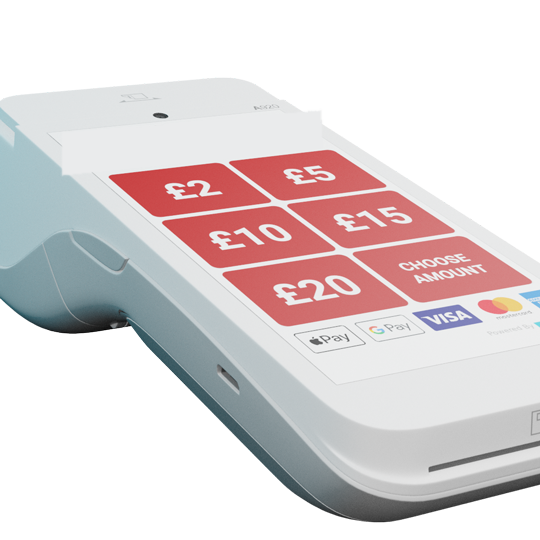
tap+DONATE Rent — PAX A920 handheld terminal

For rental

tap+DONATE™ Rent

Brandable, battery-powered PAX A920 handheld for events, pop-ups and outreach. Up to £100 contactless plus chip+PIN, five preset amounts, Gift Aid via on-screen QR.

Explore Rent →
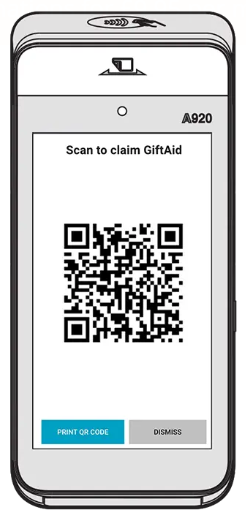
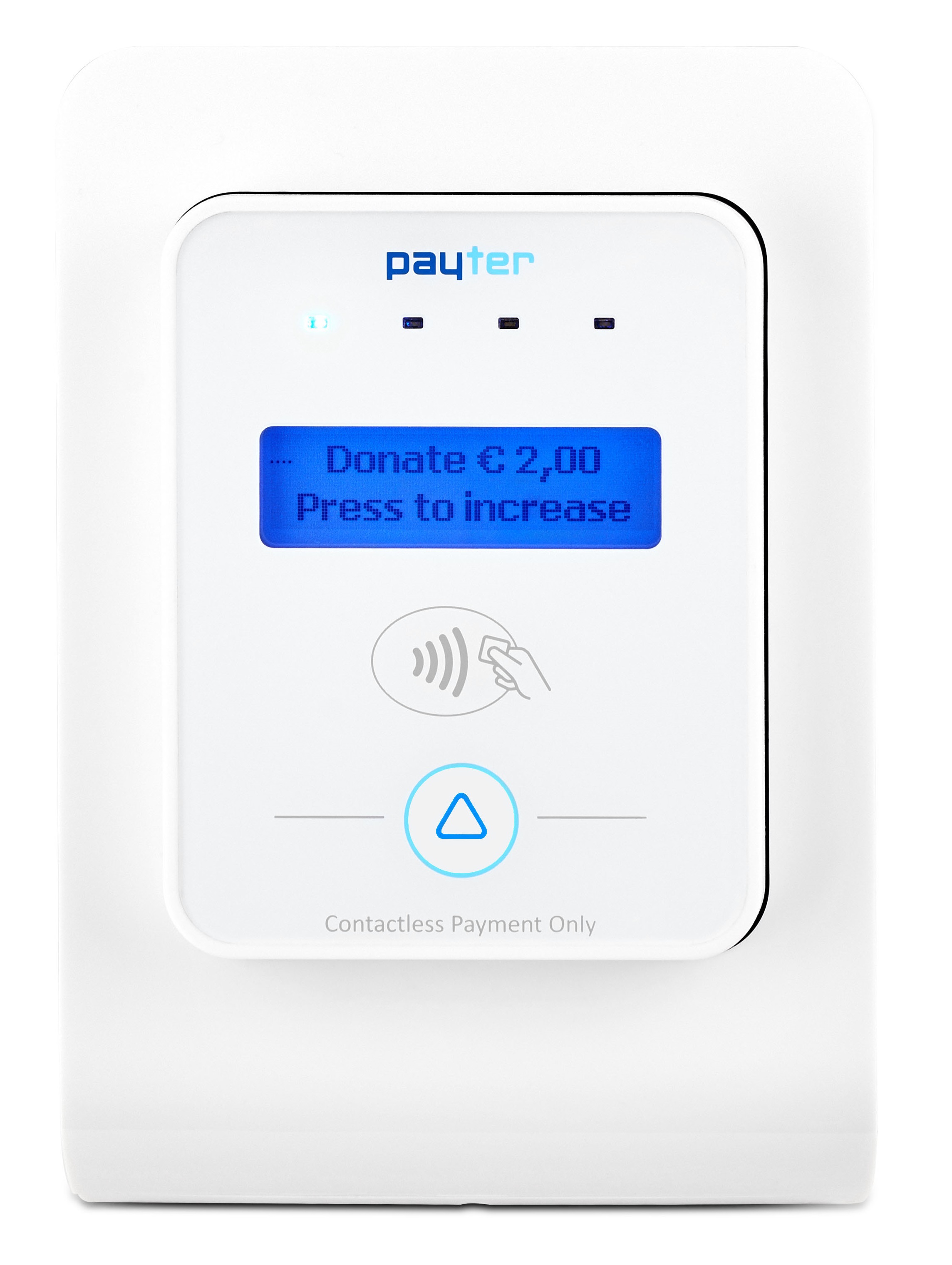
--- image-alt: Vauxhall City Farm Contactless Giving image-side: right image-src: /images/case-studies/vauxhall-city-farm.jpg tone: muted --- ## Case Study: Vauxhall City Farm Organisation: Vauxhall City Farm, London Goal: Replace declining cash donations with a modern, frictionless giving method The Challenge: Fewer visitors carried physical money, and cash donations were falling. After a successful trial at the 2019 Lambeth Country Show, the farm expanded contactless giving across the site. The Solution: Permanent contactless donation units installed at key points across the farm, combined with QR codes for visitors who preferred to give via their phone. The Results - £2,974 raised from 2,961 transactions - 2,022 contactless donations averaging £6.10 each - 533 web donations (18%) averaging £13.21 - 53% of web donations driven by QR codes - Donation levels maintained post-Covid despite reduced visitor capacity "The true difference has been using the contactless unit back at the farm. We have been astonished by the difference it has made in visitors donating to Vauxhall City Farm." \- Michelle Frank, Marketing Coordinator, Vauxhall City Farm :inspiration-block{tag="contactless"} --- title: Tap to Donate FAQs items: - q: "How much does a contactless donation box cost?" a: "Donations are processed at 2.95% for registered charities (5% for non-charity fundraisers), with no setup fee to join the platform. The tap+DONATE Static unit is a one-off purchase and the tap+DONATE Rent handheld is rented per event — request the order form for current device pricing." - q: "What payments can supporters use on a tap-to-donate device?" a: "Contactless debit and credit cards, Apple Pay and Google Pay. The Rent handheld additionally accepts chip and PIN, allowing contactless donations up to £100." - q: "What donation amounts can we set?" a: "The Static unit supports up to three preset amounts up to £30 per tap. The Rent handheld supports five preset amounts, contactless up to £100 plus chip-and-PIN, and open amount entry where enabled." - q: "Can we collect Gift Aid on contactless donations?" a: "Yes. The devices can invite donors to complete a Gift Aid declaration digitally — the Rent unit shows an on-screen QR code — and DONATE then manages the claim to HMRC automatically, adding up to 25% to eligible donations." - q: "Do the devices need mains power or an internet connection?" a: "The Static unit is mains-powered and designed for permanent points of donation such as foyers and galleries. The Rent handheld is battery-powered and portable, built for events, pop-ups and outreach. Both use secure, PCI-compliant connectivity managed for you." - q: "How quickly do we receive the money?" a: "Donations are paid out on a scheduled, fully reconciled basis with reporting by device, location, event and campaign, alongside any text, web and campaign donations you take through DONATE." --- ## Get Started Contactless giving is one of the fastest ways to increase donations at events, venues and community spaces, without adding admin. Bring modern giving to your supporters. :charity-lookup{label="Enquire about Tap to Donate"} --- # tap+DONATE™ Rent — handheld contactless terminal | DONATE URL: https://www.nationalfundingscheme.org/solutions/terminals/rent Brandable handheld contactless terminal for events and pop-ups. Apple Pay, Google Pay, contactless cards and chip+PIN — donations from £1 to £100 plus, with Gift Aid via QR. --- title: "tap+DONATE™ Rent — handheld contactless terminal | DONATE" description: "Brandable handheld contactless terminal for events and pop-ups. Apple Pay, Google Pay, contactless cards and chip+PIN — donations from £1 to £100 plus, with Gift Aid via QR." links: [] --- --- image-alt: PAX A920 handheld contactless donation terminal image-side: right image-src: /images/tap-donate/rent-pax-a920.png primary-cta-href: "order-form:/docs/tap-donate/rent-order-form.pdf|Download the Rent order form|Rent" primary-cta-label: Rent a tap+DONATE unit secondary-cta-href: /solutions/terminals/static secondary-cta-label: Compare with Static strapline: tap+DONATE™ Rent title: Brandable, battery-powered, ready to go. --- ## Built for events, pop-ups and outreach The tap+DONATE™ Rent unit is a PAX A920 — a handheld touchscreen terminal with built-in battery, branding via image upload, and contactless plus chip+PIN giving up to £100 and beyond. Configure up to five preset donation amounts, plus an open "other" option. Apple Pay, Google Pay and contactless cards are all supported. Gift Aid is available via an on-screen QR code. Available for rental only. Short-term event leases may be available subject to availability. ## At a glance Up to 10 hours per charge. Take donations anywhere — events, festivals, carol concerts, fundraisers. Rental keeps things flexible. See the order form below for unit, transaction and monthly charges. Up to five preset amounts plus 'other' for self-selection. Chip+PIN handles donations above £100. Integrated SIM for mobile data, or connect to local Wi-Fi when you've got it. Upload your branding image directly to the user interface. No printed frame required. Donors can scan a QR code on the terminal to add Gift Aid — a first for contactless giving. ## Frequently asked questions ### 1. What does it cost? How do I order? {#order} Unit rental, transaction charges and any monthly charges are listed on the order form. Download and complete the tap+DONATE™ Rent order form (PDF) (/docs/tap-donate/rent-order-form.pdf), then email it to hello@nationalfundingscheme.org (mailto:hello@nationalfundingscheme.org). ### 2. What does the product look like?
PAX A920 contactless terminal
PAX A920 handheld terminal.
PAX A920 — on-screen Gift Aid QR code
Gift Aid QR screen.
### 3. What are the unit's dimensions? L × W × H: 17.6 × 7.8 × 5.7 cm. Weight: 11.3 oz including battery. ### 4. Can any organisation use the tap+DONATE™ service? tap+DONATE™ is available to any charitable organisation registered with DONATE™. Registration is free — become a partner organisation (/become-a-partner-organisation). ### 5. How do we apply our branding? The unit is branded by uploading your image directly to the user-interface — no printed frames or sleeves needed. ### 6. Can I rent, lease or buy units? The Rent unit is available for rental only. Short-term event leases may be available subject to unit availability — contact hello@nationalfundingscheme.org (mailto:hello@nationalfundingscheme.org). For purchase, see tap+DONATE™ Static (/solutions/terminals/static). ### 7. What are the minimum and maximum donation amounts? Minimum £1, maximum £100 per contactless tap. For amounts above £100, donors can insert their card and enter a PIN. ### 8. How are donation levels set? You can specify up to five donation levels between £1 and £100 on the donor screen, plus an 'other' option for self-selection. Changes take effect with 48 hours' weekday notice — email hello@nationalfundingscheme.org (mailto:hello@nationalfundingscheme.org). A £5 fee applies per change. ### 9. Does the unit work on Wi-Fi or 3G/4G? Both. The unit has an integrated SIM for 3G/4G and also connects to local Wi-Fi. ### 10. Can donations be taken outside data range? Yes. The Rent unit stores transactions locally and authorises them automatically when it next has a signal. The reporting portal only shows completed transactions, so pending donations appear once they're authorised. ### 11. Can a receipt be provided to the donor? Yes — donors can receive a receipt via SMS or email. ### 12. Can donations be Gift Aided? Yes. The Rent unit offers Gift Aid via an on-screen QR code that takes the donor to a Gift Aid form. Note that many contactless donors give in a single tap and may not complete an additional form. ### 13. How are funds transferred to our charity? Funds are received by National Funding Scheme (a registered charity) and passed across — less the 2.95% charity fee — under our Affiliation Agreement. See the charities (/docs/charities-terms.pdf) and non-charities (/docs/noncharities-terms.pdf) terms. ### 14. What do we need to provide? Nothing. Once you receive the unit, you can start taking donations immediately. ### 15. What's included with the unit? - Your contactless Rent unit (PAX A920) - 24/7 access to your own reporting portal - Working-hours support - Immediate connectivity to collect payments ### 16. What is the returns policy? The unit can be returned at your cost for a full refund within 30 days. The delivery charge and annual SIM contract cost are non-refundable. A faulty unit can be returned for a free replacement within 90 days. Use a signed-for postal service; postage costs are borne by the customer. ### 17. Can donation refunds be offered? No. Under our Affiliation Agreement, National Funding Scheme does not offer refunds on donations. ### 18. Can the device be secured to a table? The Rent unit is handheld and is not designed to be secured to a surface. If you house it in a separate enclosure, you are responsible for ongoing functionality and the standard returns policy no longer applies. ## Get Started Rent a tap+DONATE™ unit and start taking branded, Gift-Aid-ready contactless donations in days. :charity-lookup{label="Enquire about tap+DONATE Rent"} --- # tap+DONATE™ Static — mains-powered contactless donation unit | DONATE URL: https://www.nationalfundingscheme.org/solutions/terminals/static Permanent, mains-powered contactless donation unit for venues and community spaces. Take Apple Pay, Google Pay and contactless cards from £1 to £30. --- title: "tap+DONATE™ Static — mains-powered contactless donation unit | DONATE" description: "Permanent, mains-powered contactless donation unit for venues and community spaces. Take Apple Pay, Google Pay and contactless cards from £1 to £30." links: [] --- --- image-alt: tap+DONATE Static unit installed at Pound Arts with branding frame image-side: right image-src: /images/tap-donate/static-pound-arts.jpg primary-cta-href: "order-form:/docs/tap-donate/static-order-form.pdf|Download the Static order form|Static" primary-cta-label: Order a Static unit secondary-cta-href: /solutions/terminals/rent secondary-cta-label: Compare with Rent strapline: tap+DONATE™ Static title: A permanent home for contactless giving. --- ## Designed to stay put The tap+DONATE™ Static is a compact, mains-powered contactless terminal built to live in one place — a foyer, a gallery, a parish hall, a community centre. Visitors tap a card, phone or watch, choose from up to three preset amounts, and give in seconds. No cash handling, no PIN pad, no fuss. Available for purchase. Ships with a 3G/4G SIM, a branded frame option, and 24/7 access to your reporting portal. ## At a glance Plug in and go. No batteries to manage, no daily setup. Built for permanent installation. The Static unit is owned outright. See the order form below for unit, transaction and monthly charges. Choose up to three preset donation levels. Donors pick an amount on the unit, then tap to give. Integrated SIM keeps the unit online out of the box — no local Wi-Fi required. Optional A4 branding frame using our template. We supply DONATE™ logo and T&Cs; you supply the artwork. Donations are stored locally and authorised automatically when the unit next has a signal. ## Frequently asked questions ### 1. What does it cost? How do I order? {#order} Unit price, transaction charges and any monthly charges are listed on the order form. Download and complete the tap+DONATE™ Static order form (PDF) (/docs/tap-donate/static-order-form.pdf), then email it to hello@nationalfundingscheme.org (mailto:hello@nationalfundingscheme.org). ### 2. What does the product look like?
Front of the tap+DONATE Static unit without the branding frame
Front, without the branding frame.
tap+DONATE Static unit at Pound Arts with branding frame applied
Front, with the optional branding frame.
Side view of the tap+DONATE Static unit
Side view, showing depth.
### 3. What are the unit's dimensions? Without branding frame: - Height — 150mm - Width — 115mm - Depth — 132mm With branding frame: - Height — 185mm - Width — 125mm - Depth — 140mm Branding frame: 200mm × 125mm ### 4. Do you provide stand-alone units? Through our partners, yes. Email hello@nationalfundingscheme.org (mailto:hello@nationalfundingscheme.org) for details.
A4 wall-mounted contactless donation unit
Wall-mounted — 210mm × 297mm (A4).
Free-standing contactless donation box
Free-standing — 300mm × 300mm × 900mm.
### 5. Can any organisation use the tap+DONATE™ service? tap+DONATE™ is available to any charitable organisation registered with DONATE™. Registration is free — become a partner organisation (/become-a-partner-organisation). ### 6. How do we apply our branding? We provide a branding frame template (/docs/tap-donate/branding-template.pdf) showing mandatory content (DONATE™ logo and our T&Cs). Other formats are available on Google Drive (https://drive.google.com/drive/folders/1PBGt-F83revOC69xF2aCpYBjkL93Ep00?usp=sharing). Include the mandatory content; design the rest as you wish. Branding frames are ordered via the order form. Standard display frame: 125mm × 200mm. ### 7. Can I rent or buy the unit? The Static unit is available for purchase only. If you need a rentable option, see tap+DONATE™ Rent (/solutions/terminals/rent). ### 8. What are the minimum and maximum donation amounts? Minimum £1, maximum £30 per contactless tap. For higher amounts, the Rent unit (/solutions/terminals/rent) supports contactless to £100 plus chip+PIN above. ### 9. How are donation levels set? You can specify up to three preset donation levels between £1 and £30. We configure these during activation. Changes take effect with 48 hours' weekday notice — email hello@nationalfundingscheme.org (mailto:hello@nationalfundingscheme.org). A £5 fee applies per change. Donors select their chosen amount on the unit before tapping. ### 10. Does the unit work on Wi-Fi or 3G/4G? The unit uses an integrated SIM for 3G/4G connectivity. It does not connect to local Wi-Fi. ### 11. Can donations be taken outside data range? Yes. The Static unit stores transactions locally and authorises them automatically when it next has a signal. The reporting portal only shows completed transactions, so pending donations appear once they're authorised. ### 12. Can donations be Gift Aided? No. Contactless donations do not capture personal data, so Gift Aid cannot be applied. If Gift Aid matters to you, the Rent unit (/solutions/terminals/rent) offers it via QR code. ### 13. How are funds transferred to our charity? Funds are received by National Funding Scheme (a registered charity) and passed across — less the 2.95% charity fee — under our Affiliation Agreement. See the charities (/docs/charities-terms.pdf) and non-charities (/docs/noncharities-terms.pdf) terms. ### 14. What do we need to provide? A standard mains power source. Plug it in and the unit starts taking donations. ### 15. What's included with the unit? - Your contactless Static unit - 24/7 access to your own reporting portal - Working-hours support - Immediate connectivity to collect payments - Marketing template for branding artwork (if required) ### 16. What is the returns policy? The unit can be returned at your cost for a full refund within 30 days. The delivery charge and the annual SIM contract cost are non-refundable. A faulty unit can be returned for a free replacement within 90 days. Use a signed-for postal service; postage costs are borne by the customer. ### 17. Can donation refunds be offered? No. Under our Affiliation Agreement, National Funding Scheme does not offer refunds on donations. ### 18. Can the device be secured to a table? Yes — two screw holes are provided in the bottom of the unit. ## Get Started Order a tap+DONATE™ Static unit and start taking contactless donations within a week. :charity-lookup{label="Enquire about tap+DONATE Static"} --- # Text to donate for UK charities | DONATE URL: https://www.nationalfundingscheme.org/solutions/text-giving Accept donations by text from £1 to £40 per message. Custom keywords, managed Gift Aid and 0% setup fees. Works for charities of any size. --- title: "Text to donate for UK charities | DONATE" description: "Accept donations by text from £1 to £40 per message. Custom keywords, managed Gift Aid and 0% setup fees. Works for charities of any size." links: [] --- --- image-side: right primary-cta-href: "#get-started" primary-cta-label: Start text giving secondary-cta-href: /faqs#general secondary-cta-label: Read FAQs strapline: Text/SMS Giving title: Text to donate --- #image :graphics-text-donate-demo ## Key Features Supporters text a keyword and donate immediately. No sign-up, no card entry, no app download. Works on any mobile phone. Choose a memorable keyword for each campaign, like "GIVE5" or "HELP10". Easy to promote on stage, in print, on screen, or across social media. Offer donation levels from £1 to £40 per text. Supporters choose the amount that suits them, and can donate multiple times. Donors receive an automatic follow-up to complete a Gift Aid declaration, boosting your income by 25% at no extra cost. Track donations as they come in. See totals by keyword, campaign and time period, with full reporting and scheduled payouts. --- tone: null image-alt: Red for Ruth - Ruth Strauss Foundation image-side: right image-src: /images/case-studies/red-for-ruth.jpg --- ## Case Study: Red for Ruth Organisation: Ruth Strauss Foundation Goal: Raise funds during a live Sky broadcast of the England vs West Indies Test at Old Trafford The Challenge: With no fans in the ground due to Covid restrictions, every impression had to be generated through broadcast coverage. The Solution: A £20 text giving keyword promoted through stadium screen announcements, on-air celebrity interviews and Sky broadcast coverage throughout the day. The Results - £289,523 raised in total - £259,355 from text donations alone - £30,168 in Gift Aid uplift (11.6%) - All driven through a single broadcast day "Text giving is hugely important for us. We used DONATE due to its flexibility, scalability and low cost, and we loved donors having the ability to set up regular monthly text giving. With over £25,000 given to date, text giving is a proven winner." \- My Name'5 Doddie Foundation :inspiration-block{tag="text-giving"} ## Get Started Text giving is one of the fastest ways to convert supporter enthusiasm into donations, especially at events, broadcasts and appeals. Launch your first text giving campaign today. :charity-lookup{label="Start text giving"} --- # Event tickets with QR check-in for charities | DONATE URL: https://www.nationalfundingscheme.org/solutions/tickets Sell tickets for your dinner, show or open day. QR code tickets by email, timed entry, donations at checkout and door check-in on volunteers' own phones. --- title: "Event tickets with QR check-in for charities | DONATE" description: "Sell tickets for your dinner, show or open day. QR code tickets by email, timed entry, donations at checkout and door check-in on volunteers' own phones." links: [] --- --- body: "Sell tickets for your dinner, show or open day, with ticket types, tables and an optional donation at checkout. Each guest gets a QR ticket by email, and on the night your volunteers welcome them and check them in with the DONATE App app on their own phones." image-side: right primary-cta-href: "#get-started" primary-cta-label: Start selling tickets secondary-cta-href: /guides/tickets secondary-cta-label: Read the guide strapline: DONATE Tickets title: Sell tickets and check guests in --- #image :graphics-ticket-buy-demo ## Tickets for the events you already run Gala dinners, quiz nights, carol concerts, school shows, light trails and Santa's grottos. Set up your event in your DONATE portal, share the link, and DONATE handles payments, tickets and reminder emails. - Ticket types with prices, limits and early bird dates - Tables and family tickets, with a QR code for every person - Timed entry for open days and grottos - Guest names and questions, such as dietary needs - Donations at checkout, or free entry with donations welcome - Door check-in on volunteers' own phones with the DONATE App, even offline - Waitlist, free tickets, cash sales and an event report --- image-side: left tone: muted --- ## Check guests in on the night Your volunteers scan each QR ticket at the door on their own phones with the DONATE App, or find a guest by name. A ticket used twice shows in red, and the count of guests in updates as they arrive. No paper lists to tick off. #image :graphics-ticket-scan-demo ## Key Features Early bird, standard, a table of ten or a family ticket. Each type has its own price, limit and on-sale dates. Hidden types can only be booked from their direct link. For light trails, grottos and open days, sell places at set times, such as 20 places every half hour. Buyers pick a day and a time, and can move their booking later. Ask each guest for their name and anything you need to know, and download the guest list with every answer as a CSV. Let buyers add an optional donation to one of your campaigns. It can carry Gift Aid (/tips/digital-gift-aid) and is kept apart from ticket sales. Or run free entry with donations welcome. Tickets arrive by email straight away, with a reminder 48 hours before. Buyers can put a ticket in a guest's name and have lost tickets sent again. Volunteers scan QR codes or find guests by name with the DONATE App on their own phones, at app.easydonate.org. It keeps the guest list on the phone, so scanning carries on if the signal drops. A ticket used twice shows in red. ## How it works 1. Create your event. Choose a one-off event with one date, or timed entry. Add your ticket types, questions and options. 2. Try it in Preview. Every event starts in Preview. Book test tickets and scan them at your door. No payment is taken and no email is sent. 3. Go live and share. Switch Live on and share your ticket page link, short link or QR code on posters and flyers. The QR code is safe to print while you are still in Preview. 4. Check guests in. Volunteers scan tickets at the door with the DONATE App on their own phones. Open it on each phone with a signal before the doors open: it keeps working if the signal drops, and sends check-ins when it is back. 5. After the event. The event report shows attendance, ticket sales and donations. DONATE emails a thank-you to buyers whose tickets were checked in, and removes guest details after the number of days you choose. The Tickets guide (/guides/tickets) walks through every screen. ## Good to know - Ticket money is ticket sales. A ticket buys entry, so it is never counted as a donation and is kept apart from your fundraising totals. - Gift Aid is only on donations. Tickets never carry Gift Aid. Donations added at checkout can. - Refunds are handled by DONATE. We refund whole bookings for you, including any donation made in the same payment. - Cash at the door counts too. Record cash, cheque or in-person card sales against the event. That money is already with you, so there is no fee on it. - Tickets is switched on by DONATE. It appears as Tickets in your portal menu. If you cannot see it, email hello@nationalfundingscheme.org (mailto:hello@nationalfundingscheme.org) and we will set you up. --- title: Tickets FAQs items: - q: "What does it cost?" a: "Online ticket sales cost 4.5% plus 22p for charities, or 5% plus 22p for other organisations, and no booking fee is added for buyers. Donations at checkout carry your usual donation fees. Sales you take in cash, by cheque or by card in person carry no fee. Payouts carry the usual charges on our pricing page." - q: "Is ticket money a donation?" a: "No. A ticket buys entry, so it is a ticket sale. It never carries Gift Aid and is kept apart from your fundraising totals. Donations people add at checkout are real donations to your campaign, and can carry Gift Aid." - q: "Can I try it before going live?" a: "Yes. A new event starts in Preview. Book test tickets and scan them at your door, then switch Live on. No payment is taken and no email is sent in Preview, and test tickets are deleted when you go live." - q: "How do I sell a table of ten or a family ticket?" a: "Add a ticket type and set how many people it admits, such as 10 for a table or 4 for a family. Each person gets their own QR code." - q: "How do volunteers check guests in?" a: "With the DONATE App, a web app volunteers use on their own phones at app.easydonate.org. Nothing to install. They join your organisation with an invite from your portal, or find you in the app and wait for you to approve them. It scans the QR code and finds guests by name, and once opened with a signal it keeps working if the signal drops." - q: "How do refunds work?" a: "DONATE refunds whole bookings for you. Email hello@nationalfundingscheme.org with the event name and the ticket reference. A full refund also refunds any donation made at checkout in the same payment." - q: "Can I run a free event and still take donations?" a: "Yes. Add a free entry ticket and choose a donation campaign. Entry stays free, and a gift from a UK taxpayer can carry Gift Aid if your organisation is a charity." --- ## Get Started Set up your first event, try it in Preview, and check your guests in with the phones you already have. :charity-lookup{label="Start selling tickets"} --- # Vote-by-donation events for charities | DONATE URL: https://www.nationalfundingscheme.org/solutions/voting Run live voting events where every vote is a donation. Real-time big-screen leaderboards, online and text voting, suspense mode and 0% setup fees. --- title: "Vote-by-donation events for charities | DONATE" description: "Run live voting events where every vote is a donation. Real-time big-screen leaderboards, online and text voting, suspense mode and 0% setup fees." links: [] --- --- body: "Run live voting events where the audience votes for their favourites by donating: dance contests, talent shows, bake-offs, battle of the bands. Votes by card, phone or text, counted live on the big screen." image-side: right primary-cta-href: "#get-started" primary-cta-label: Start a vote secondary-cta-href: /pricing secondary-cta-label: See pricing strapline: Voting title: Every vote is a donation. --- #image :graphics-vote-demo ## Fundraising events people actually join in Audience votes at live events usually mean paper slips, buckets or a show of hands: slow to count, easy to doubt, and completely separate from the fundraising. The result gets totted up backstage while the audience waits, and the money is a different job again. Voting on DONATE™ turns the vote itself into the donation. Set a price per vote, and the audience votes from their phones for the candidate they want to win. Every vote is counted the moment it lands, the leaderboard on the big screen moves in real time, and the fundraising total builds with the excitement: - Each candidate gets their own page, photo, story, code and QR code - Vote online in a few taps, or by text message - A live leaderboard and trend graph for the venue screen - Hide the scores for suspense, then reveal a winners' podium - Add judges' scores alongside the public vote, Strictly style - Run the whole night from your portal ## Key Features Set a price per vote, from £1 to £40. Supporters buy as many votes as they like in one go, by card, Apple Pay, Google Pay or a simple text message. Put the leaderboard on the venue screen with a short link or QR code. Tally bars and a trend graph update in real time, and a dedicated display mode keeps it clean for the stage. Hide the running totals so nobody knows who is winning, then close the vote and reveal a winners' podium: gold, silver and bronze, with everyone celebrated. Add a judges' scorecard alongside the public vote, Strictly style. The final positions follow the combined ranking, and you stay in control of the reveal. Photo, story, a unique code and a downloadable QR code for each candidate, so every act can rally their own supporters before and during the event. Draft the event, open the vote, watch the live board, close and reveal, all from one screen. Set the voting window and it opens and closes itself. --- title: Voting FAQs items: - q: "How does vote-by-donation work?" a: "You set a fixed price per vote and add your candidates, each with their own page and code. Supporters vote by paying that amount, online or by text, and can buy several votes at once. Votes are counted automatically the moment the payment lands, and the leaderboard updates in real time." - q: "Can people vote by text message?" a: "Yes. Each candidate has a keyword, and a text casts a vote at the fixed price, charged to the sender's phone bill. Supporters can cast several votes in one text, and text votes appear on the live leaderboard alongside online ones." - q: "Can we hide the scores until the end?" a: "Yes. Suspense mode hides the running totals from the audience while the vote is open (you still see them in your portal). When you close the vote, you reveal the result as a winners' podium." - q: "Can judges decide the result?" a: "You can add a judges' scorecard alongside the public vote, in the style of TV talent shows: the judges' scores and the public vote combine into one ranking, and the final positions follow it. Or run it on the public vote alone; the choice is yours per event." - q: "What does a voting event cost?" a: "There are no setup fees and no subscription. You only pay when you raise money: votes are processed at our standard platform rates, plus the £3 usage fee in any week donations reach £10 (at most £12 a month). See the pricing page for the full rate card." - q: "Can we claim Gift Aid on votes?" a: "Generally not. A vote buys something (a say in the result), so under HMRC's rules it usually doesn't qualify as a donation for Gift Aid. Plain donations to your campaigns are a different matter, and DONATE manages those claims automatically." --- ## Get Started A voting event turns an audience into fundraisers: every cheer becomes a vote, and every vote becomes a donation. Get your first vote on the board. :charity-lookup{label="Start a vote"} --- # Online donation pages for UK charities | DONATE URL: https://www.nationalfundingscheme.org/solutions/web-giving Branded donation pages with Apple Pay, Google Pay, PayPal and Direct Debit. One-off and recurring giving with managed Gift Aid and 0% setup fees. --- title: "Online donation pages for UK charities | DONATE" description: "Branded donation pages with Apple Pay, Google Pay, PayPal and Direct Debit. One-off and recurring giving with managed Gift Aid and 0% setup fees." links: [] --- --- image-side: right primary-cta-href: "#get-started" primary-cta-label: Set up web giving secondary-cta-href: /faqs#general secondary-cta-label: Read FAQs strapline: Web giving title: Online donation pages that work, beautifully. --- #image :graphics-web-donations-demo ## Accept donations online Give supporters a dedicated page to donate by card, Apple Pay, Google Pay, PayPal or Direct Debit. Share it by email, social media, QR code, or embed it on your website. Supports one-off and recurring donations, Gift Aid, and donor messaging, all managed for you. ## Key Benefits Accept: Text, Apple Pay, Google Pay, PayPal and Direct debits. Let every supporter give in the way that suits them. Build a predictable income stream with managed recurring donations. Gift Aid declarations are collected during the donation flow and recorded automatically. Finance-ready reporting with no manual processing. Promote your page by email, social media and QR codes, or add a Donate button to your website (/guides/website-button). Every link drives supporters straight to giving. Track donations, payment methods, Gift Aid and recurring donors in real time. Receive scheduled, reconciled payouts with structured reporting. --- image-alt: Battersea Arts Centre Emergency Appeal image-side: right image-src: /images/case-studies/battersea-arts-centre.jpg --- ## Case Study: Battersea Arts Centre Organisation: Battersea Arts Centre Goal: Launch an emergency fundraising appeal after a devastating fire destroyed the Grand Hall The Challenge: A major fire on 13 March 2015 destroyed the Grand Hall and Lower Hall. The charity needed to mobilise supporters quickly and at scale. The Solution: A web giving campaign launched within hours of the fire, focused exclusively on online donations to communicate the fire's impact and encourage larger gifts. Social media, London Live and Southwest Trains amplified the campaign. The Results - £81,273 raised in total - £10,500 within the first 12 hours - 83% of donors added Gift Aid - 62% of traffic via Facebook and Twitter - 87.5% donation completion rate - 99% opted in for ongoing contact "A traditional emergency fundraising campaign using volunteers with donation buckets might have resulted in £5-10,000. At £50,000 in less than 3 days, DONATE has moved us to a completely new level." \- Kane Moore, Head of Development, Battersea Arts Centre :inspiration-block{tag="web-giving"} ## Get Started Web giving pages are one of the most versatile fundraising tools available: easy to set up, easy to share, and effective for every type of appeal. Launch your online giving page today. :charity-lookup{label="Set up web giving"} --- # Terms and Conditions URL: https://www.nationalfundingscheme.org/terms-and-conditions Terms and conditions for use of the National Funding Scheme website. --- title: Terms and Conditions description: Terms and conditions for use of the National Funding Scheme website. links: [] --- # Terms and Conditions ## Introduction By using or accessing this Website, you agree to be legally bound by these terms and conditions. If you do not wish to be bound by these terms and conditions, please do not use this Website. ## Information about us This Website is operated by The National Funding Scheme, a company limited by guarantee registered in England and Wales (under company no: 08223187) and a registered charity in England and Wales (1149800) and Scotland (SC045106). Registered office: c/o 1 Golden Court, Richmond, Surrey TW9 1EU. ## Accuracy Whilst we aim to provide you with accurate information on this Website, we are unable to guarantee that the information and content contained in the Website is accurate, verified or complete. We accept no liability if you or any person or organisation relies on or uses the information and/or content. ## Website Use We may at any time and without prior notice to you replace or amend these terms and conditions. Your continued use of this Website after amendments are made means you accept the terms and conditions as updated. Therefore, please visit this page regularly to review these terms and conditions. You may not alter the Website in any way or do anything that might or will damage or disrupt the good working order of the Website. ## Use of Website from outside the UK Whilst we welcome all visitors to this Website, we cannot guarantee that the Website is appropriate or available for use in any territory. Those who visit the Website from outside the UK are responsible for complying with all applicable laws. If use of the Website breaches any law in your jurisdiction(s), you may not use the Website and you must exit immediately. ## Intellectual Property and use of content The content of the Website is owned by us or third parties. No content from the Website may be copied, used or reproduced without our written consent, except: - where extracts from the Website are downloaded or printed for personal and non-commercial use; or - where text from the Website is reproduced for the purpose of reporting in news publications provided that: (a) the text is reproduced accurately and fairly and not in a manner that could confuse or mislead others and (b) this Website is acknowledged as the source of the information. Please send your written requests to use content from the Website to info@nationalfundingscheme.org (mailto:info@nationalfundingscheme.org). ## Content of this Website Please note that in no circumstances may you use: - graphics, trade marks, logos, designs, images or photographs from the Website, except with our prior written consent; or - any content from the Website that is marked as being the property of others, except with our prior written consent. ## Linked sites We make no representations about any other websites. When you access any other website through the Website you understand that it is independent from us and that we have no control over that website and can accept no responsibility in relation to its content or the way you interact with it. ## Linking to the Website You may link to any part of this Website provided you ensure that by doing so you breach no law or rights of others, and that the linking to this Website does not suggest any association, patronage, approval or endorsement, except with our prior written consent. ## Liability We cannot guarantee that the Website will be uninterrupted or error free, or that the Website or your use of it will be free of viruses or harmful material. You are responsible for ensuring that your computer and computer system is suitable to use, and compatible with, the Website. It is your responsibility to ensure that your computer system (including, but not limited to, your hardware, software and data) is not damaged by your use of the Website. In circumstances where you suffer loss or damage arising out of or in connection with the use of the Website, we accept no liability. The limitations and exclusions above only apply to the extent permitted by law. ## English law and jurisdiction These terms and conditions and your use of the Website are governed by English law and you submit to the exclusive jurisdiction of the English courts. ## Contacting us Please contact us at help@nationalfundingscheme.org (mailto:help@nationalfundingscheme.org) if you have any questions or concerns about this Website. If you contact us or we contact you in relation to the Website, we will do so in accordance with our Privacy Policy (/privacy-policy). --- # 12 Giving Days of Christmas URL: https://www.nationalfundingscheme.org/tips/12-giving-days-of-christmas Twelve case studies of charitable organisations demonstrating successful digital fundraising through the DONATE platform during the Christmas season. --- title: 12 Giving Days of Christmas description: Twelve case studies of charitable organisations demonstrating successful digital fundraising through the DONATE platform during the Christmas season. date: 2022-12-01 tags: - text-giving - community --- In the spirit of the twelve days of Christmas, we're celebrating twelve of our DONATE™ partners who have embraced digital fundraising to support their causes. ## 1. Redditch Round Table Community service organisations have successfully fundraised through contactless collections. Redditch Round Table's Christmas Santa Sleigh Run raised £3,057 through a combination of QR codes, web donations, and text donations. Donor messages left on the platform provided additional motivation and appreciation for volunteers. ## 2. Canterbury Food Bank CIC Food banks rely on year-round fundraising, particularly during winter months. Canterbury Food Bank CIC has raised nearly £42,000 through DONATE™. Notably, 58% of donors opted to add Gift Aid, which the platform processes automatically to ensure the organisation receives the full additional amount. ## 3. St Andrews Church, Enfield Religious organisations adapted to pandemic restrictions by launching digital offertory collections. St Andrews Church in Enfield now streams sixteen weekly services online, reaching an additional 200 viewers beyond their physical in-person capacity. The church has raised over £5,000 through text donations made during services. ## 4. Tête À Tête This arts charity has operated hybrid events since 2008 and now reaches an international viewership of over 1 million. Tête À Tête runs over 20 campaigns during their festival season, making regular use of DONATE's free campaign set-up. Lower priced ticket holders often donate most generously when artists ask for donations during shows. ## 5. Mildmay Hospital This healthcare charity manages multiple donation streams for their Christmas appeal, which provides gift hampers to patients who have recently been discharged, bringing festive cheer to those who need it most. ## 6. Penhaligon's Friends This children's charity supports bereaved families and ran a 2021 auction featuring over 45 lots to raise vital funds for their work. ## 7. Sutton Night Watch Homeless This homelessness support organisation raised £950 through a creative campaign selling personalised wooden stars, connecting donors directly with a tangible symbol of their support. ## 8. Aberdeen Football Club Community Trust This sports community organisation deploys DONATE™ contactless giving devices at venue entry points, enabling match-day supporters to make quick, cashless donations as they arrive. ## 9. Big C Cancer Charity This health charity ran three DONATE™ text raffles, raising £2,720 in spring 2021, demonstrating the effectiveness of the text raffle format for health sector organisations. ## 10. The Challenge Fund This international aid organisation raised funds for a hospice in Nepal through a crowdfunding campaign using the keyword CHEERS, with donations ranging from £5 to £1,000. ## 11. St Giles Animal Rescue This animal welfare charity has achieved remarkable donor retention, with over 86% of regular donors continuing their support after one year - a testament to the strength of their donor relationships and the ease of the DONATE™ regular giving platform. ## 12. Conservators of Ashdown Forest This environmental conservation organisation raised over £10,000, with 20% of donations coming through QR code transactions, reflecting the growing adoption of contactless and QR-based giving among visitors to natural spaces. --- # How to Run a Text Giving Campaign: 5 Steps for UK Charities URL: https://www.nationalfundingscheme.org/tips/5-steps-to-a-great-text-giving-campaign-for-your-charity A five-step practical guide for charities on planning, launching and promoting an effective text giving campaign. --- title: "How to Run a Text Giving Campaign: 5 Steps for UK Charities" description: A five-step practical guide for charities on planning, launching and promoting an effective text giving campaign. date: 2023-04-01 tags: - text-giving --- Text giving (/solutions/text-giving) allows charities to accept donations via text message, where charges are made to donors' phone bills. It is one of the simplest and easiest ways for people to donate, requiring minimal effort from supporters. ## Step 1 – Build Your Campaign Begin by gathering your team to brainstorm and define your fundraising objective. Campaigns with specific, tangible outcomes generate stronger donor engagement than general appeals. For example, raising funds for "hand-held GPS devices to map turtle nests" is far more compelling than a general appeal for "research into changing turtle habitats." Include a defined monetary goal, as this motivates both donors and the organisation while providing clear benchmarks for success. ## Step 2 – Choose a Text Giving Platform Select a platform that facilitates SMS donations for your organisation. DONATE™ is one of the easiest-to-use platforms, made especially flexible for small and medium charities. The platform enables self-administration through a secure portal, offers guidance for newcomers, and charges no setup fees or subscription. Multiple campaigns can operate simultaneously. ## Step 3 – Pick the Right Keyword The keyword is your campaign's core - the text string donors use to initiate giving. It should function as your call-to-action, clearly communicating your campaign's purpose. Shorter keywords are preferable to longer ones, as they are easier to remember and less prone to spelling errors. Adding numbers can suggest donation amounts and increase memorability. Examples include "54CLEAN" for clean water donations at £5, or "KITTY999" for a rescued cats campaign. ## Step 4 – Market Your Keyword Employ multi-channel marketing to reach broader audiences. Develop a consistent tagline such as "Text BUZZ to 90909 to donate £5" and use it across all channels - collection plates, radio announcements, social media, local newspapers, and community events. Personal outreach with volunteers distributing printed stickers or mailings can be effective, though verbal announcements are far more effective than written material. ## Step 5 – Gratitude and Tracking Your Campaign Thank donors and update them on campaign results, as satisfied donors are more likely to give again. Analyse your campaign reports and data to identify what succeeded and what didn't, using those insights to improve future fundraising efforts. --- # Add the DONATE portal to your phone URL: https://www.nationalfundingscheme.org/tips/add-portal-app-to-mobile Add the DONATE portal to your phone in a few taps, on iPhone or Android, and be notified in real time. --- title: "Add the DONATE portal to your phone" date: 2026-09-18 description: Add the DONATE portal to your phone in a few taps, on iPhone or Android, and be notified in real time. # Card and meta text only. Without this the description prints as a # standfirst directly above the article's own opening line. hideLead: true --- Your DONATE portal already works like an app. Open it once in your browser, add it to your home screen, and it opens full screen from an icon like anything else on your phone, with no app store, no download and nothing to set up inside the portal itself. Adding it also unlocks the useful part: a quiet notification when donations land, so you can watch an appeal or an event night without sitting on the dashboard refreshing. Open portal.easydonate.org (https://portal.easydonate.org) and log in as usual, then follow the section for your device. ## iPhone and iPad 1. Open the portal in Safari. This only works in Safari, not Chrome or Firefox on iOS. 2. Tap the three dots at the bottom right, next to the address bar. 3. In the popup, tap Share, the square with an arrow coming out of it. 4. Scroll down the share sheet and tap Add to Home Screen. 5. Check the name, which will say DONATE Portal, and tap Add. Diagram of the three taps on iPhone: the three dots beside Safari's address bar at the bottom, the Share row in the popup, then Add to Home Screen in the share sheet. On older iPhones, where Safari puts its buttons in a toolbar along the bottom, there are no three dots: tap the same Share icon directly, then carry on from step 4. The icon appears on your home screen. Open the portal from that icon from now on, not from Safari, because notifications on iPhone only work in the home screen version. ## Android 1. Open the portal in Chrome. 2. Tap the three dots menu, top right. 3. Tap Install app (some versions say Add to Home screen), then confirm. Diagram of the two taps on Android: Chrome's three dot menu at the top right, then the Install app row in the menu that opens. Chrome may also offer to install the portal on its own, with a small banner at the bottom of the screen. Either route gives you the same icon. ## Desktop 1. Open the portal in Chrome or Edge. 2. Look for the install icon at the right hand end of the address bar, a small screen with a downward arrow. 3. Click it, then click Install. Diagram of a desktop browser window showing the install icon at the right hand end of the address bar, next to the portal address. The portal opens in its own window, without browser tabs, and you can pin it to your taskbar or dock. There is no separate desktop download: this is the same portal in a tidier window. ## Turn on notifications Notifications are off until you ask for them, and you switch them on per device, so your phone and your laptop are separate decisions. 1. Open the portal and go to your profile. 2. Under Notifications, turn on Receive notifications on this device. 3. Your browser will ask for permission. Choose Allow. 4. Use Send test to check it works, and pick which alerts you want below the switch. Diagram of the Notifications card in the portal profile: a switch labelled Receive notifications on this device, turned on, with a Send test button beside it. If you skipped the permission prompt or blocked it by accident, the switch cannot turn itself back on. Clear the notification permission for the site in your browser settings, then try again. ## What you will actually receive Donation alerts are batched, not one per donation. At most once every fifteen minutes, you get a single summary, so a busy appeal reads: 23 new donations £412.50 including Gift Aid Tap it and the portal opens on your donations. A quiet fifteen minutes means no notification at all, and a single donation still reads as one. On iPhone, this only works once the portal is on your home screen. Apple does not allow notifications for a site you have only bookmarked or left open in Safari, so if you turned the switch on in Safari and nothing arrives, add the portal to your home screen, open it from the icon and turn the switch on again there. ## Why no app store The portal is a modern web app. It ships with the details a browser needs to treat it as an installable app, which is why it installs under the name DONATE Portal with its own icon, works full screen, and keeps working when you open it from the icon. Because it is the same portal either way, there is nothing to build, enable or configure on your side. Anyone on your team can add it to their own phone, and each person controls their own notifications. --- # How to Plan a Charity Auction URL: https://www.nationalfundingscheme.org/tips/auctions-and-how-to-plan-them A guide to planning and running successful online charity auctions, with a case study from the Friends of Shuttleworth. --- title: "How to Plan a Charity Auction" description: A guide to planning and running successful online charity auctions, with a case study from the Friends of Shuttleworth. date: 2022-07-15 tags: - online-auction - silent-auction - live-auction --- Charity auctions (/solutions/auctions) are an incredibly effective way to raise funds and bring in new donors to your charity. However, during the pandemic, with lockdowns and social distancing restricting public events, real-life auctions were not able to go ahead. As with so many other aspects of our lives, Covid restrictions forced charities to re-think how to implement them digitally. Here we provide what we have seen work well when planning and running online auctions, and then share a digital auction success story from the Friends of Shuttleworth, in aid of the Shuttleworth Veteran Aeroplane Society. ## 1. Start Planning Early Auctions take a lot of preparation to create a successful event but, with time and effort put in, your charity will be rewarded with brilliant support, funding and new long-term supporters. With the fully digital DONATE™ auction service, you are provided with payment options and payment links for winners, lot streaming screens, bid increments, live totalisers, and outbid and winning alerts. Outside of this, you want to think about the lots available to win and how you will procure these, who will be attending, when the event will be, and whether it will be carried out via live stream or as a virtual silent auction. ## 2. Think Wide with Your Lots Carrying out an auction online requires plenty of effort being put into drawing in the audience with really exciting opportunities. Just like Shuttleworth, who chose flight experiences, private tours and day out packages, you should vary your prizes to suit your audience's budget and interests. We recommend offering money-can't-buy experiences which not only provide a talking point but also ensure your supporters gain value from their participation in your event. ## 3. Set Up a Live-Stream or Platform Set up a page, live stream or Facebook Group for your auction. This brings a sense of community to the event, and also ensures supporters have somewhere to go to find out all information. Use the DONATE™ platform to slowly tease what will be available at the auction, as well as tell the human stories and impact of your charity work. This will create incentives to attend and take part in the auction, with supporters having a personal understanding of how they are helping. ## 4. Share, Speak and Get People Talking Make sure the auction is shared, texted and spoken about across different media in the lead up to the event. Auctions provide a brilliant opportunity to attract new supporters, and in turn create awareness around your charity. By getting in some early bids not only do you demonstrate momentum but also ensure more bids when general bidding begins. Lean on your Trustees and known supporters to provide those early bids. ## Case Study: Friends of Shuttleworth One charity that executed an online auction with great success is the Friends of Shuttleworth in aid of the Shuttleworth Veteran Aeroplane Society. They ran an online Auction of Promises at the end of 2020, as part of their Covid-19 Appeal. Like many visitor attractions, seeing their annual air show cancelled meant a loss of significant income that ordinarily would have supported maintenance of the rare aeroplane collection. Their communication leading up to the event made clear the need to help secure the future of the unique Shuttleworth collection. Matthew Studdert-Kennedy at Shuttleworth Veteran Aeroplane Society said: "The DONATE™ online auction service provided us with the easiest opportunity to raise auction funds when they were needed most. The set-up and support given by your team was smooth and efficient. Bidding was straight forward and we were delighted with the success of our first online auction." The Auction of Promises included flight experiences, private tours and days-out packages and other rare and unique lots, totalling 28 individual lots and experiences. The auction was promoted to existing members through regular communications and the charity also reached out to new audiences through regional press, radio and social media coverage. The Cockpit Crazy Tour of the Shuttleworth Collection, conducted by the chief pilot, raised a brilliant £1,312.50. DONATE™ provides many options for online auctions and silent auctions that can be carried out hassle-free and set up within 2 weeks of registering. --- # Autumn Spotlight: Virtual Conferences, Musical Marathons and Religious Giving URL: https://www.nationalfundingscheme.org/tips/autumn-spotlight-virtual-conferences-musical-marathons-and-religious-giving An autumn 2020 showcase of three diverse organisations using DONATE™ - a community food share, a virtual trade conference, and a church receiving text donations during Sunday services. --- title: "Autumn Spotlight: Virtual Conferences, Musical Marathons and Religious Giving" description: An autumn 2020 showcase of three diverse organisations using DONATE™ - a community food share, a virtual trade conference, and a church receiving text donations during Sunday services. date: 2020-09-01 tags: - community - arts --- This autumn edition of Spotlight highlights three fundraising initiatives that demonstrate the versatility of DONATE™ services across very different types of organisations. ## Community Food Share CIC A community food share community interest company utilised DONATE text codes on leaflets, enabling supporters to donate by text as they collected food parcels. This simple addition to their existing communications turned every touchpoint into a fundraising opportunity. For organisations working with communities who may not be digitally confident, text giving offers a familiar and frictionless route to donate - no app, no account, just a text message. ## Virtual Trade Conference As in-person industry events moved online in 2020, one trade association used DONATE™ to integrate fundraising into their virtual conference. Delegates could make donations during the event, supporting a charitable cause chosen by the organising committee. Virtual conferences often struggle to replicate the spontaneous generosity that physical events can inspire. Integrating text giving into the programme provides a structured moment for attendees to contribute. ## Church Text Giving During Sunday Services A church began receiving donations via text during Sunday services, allowing congregation members to give digitally during the service rather than relying solely on the collection plate. As congregations age and cash carrying declines, churches face a growing challenge in maintaining donation income. Text giving during services provides an elegant solution - worshippers can contribute at the moment of inspiration, using their mobile phones. ## The Breadth of Digital Fundraising These three case studies illustrate an important point: digital fundraising tools are not just for large charities or technology-focused organisations. From food banks to faith groups, any organisation with supporters can benefit from making it easier to give. DONATE™ provides charities with a range of mobile fundraising products and services to maximise fundraising campaigns. Contact us to find out more. --- # Best Fundraising Platforms for UK Charities in 2026: An Honest Guide URL: https://www.nationalfundingscheme.org/tips/best-fundraising-platforms-uk A balanced guide to the best fundraising platforms for UK charities in 2026: JustGiving, Enthuse, GoFundMe, Zeffy, DONATE and more, matched to different needs. --- title: "Best Fundraising Platforms for UK Charities in 2026: An Honest Guide" description: "A balanced guide to the best fundraising platforms for UK charities in 2026: JustGiving, Enthuse, GoFundMe, Zeffy, DONATE and more, matched to different needs." date: 2026-10-06 tags: - web-giving - text-giving - team-challenges - raffles - auctions - corporate --- Choosing a fundraising platform is one of the few decisions that touches every donation your charity receives, so it's worth getting right. It's also a decision where "best" genuinely depends on what you do. We run a platform ourselves (DONATE), so read this knowing our perspective. We've tried to be even-handed, we link to every provider, and our comparison calculator (/compare) publishes its sources. ## The short answer, by situation *Updated October 2026: DONATE now covers team challenges, tickets, voting and corporate fundraising, so we've added where it fits next to each platform below.* ### Peer-to-peer sponsorship (marathons, birthday fundraisers) JustGiving: unmatched public brand recognition means friends and family trust the link. There is a free Start plan; the Grow plan is £15 or £39 a month plus VAT depending on income. Gifts through JustGiving pages cost 1.9% + 30p, and donors are asked for a tip, reported as 17% by default. Giving Checkout, a JustGiving donation form on your own website, charges the charity no processing fee, but donors are asked to cover that fee themselves (JustGiving only pays it when they say no), and the 5% fee on Gift Aid still applies. On JustGiving each supporter makes an account, builds a page and links it to your charity. With DONATE team challenges (/solutions/team-challenges) you set the challenge up once, add or invite your people, and each gets a page, short link and QR code automatically. You choose the charity once, and every member's total adds up into the team and the campaign. ### Branded event registrations and challenges Enthuse: strong white-label event tooling. Its main plans run from £0 to £39.99 a month plus VAT, with 5% on Gift Aid claimed. We found no raffles or auctions on its site, and text giving only as a reply with a donation link. See our DONATE vs Enthuse comparison (/compare/donate-vs-enthuse). Team challenges and Tickets (/solutions/tickets) run from the same account as your donations, with no paid plan to upgrade to. Each guest's ticket carries a QR code that's scanned at the door, and guests can add a donation at checkout. ### Individual crowdfunding with no charity admin GoFundMe: free to start and familiar. For UK charities, Gift Aid is claimed through PayPal Giving Fund, but raffles and auctions are prohibited and each fundraiser supports one charity. Your campaign page (/solutions/campaigns) goes live in minutes with a text code and short link included, Gift Aid claimed for you, and raffles, auctions and team challenges under the same campaign. ### Zero-fee budget, tip-tolerant donors Zeffy: fee-free for the charity, funded by donor tips at checkout, and it runs UK raffles and online auctions too. Gift Aid works through a Swiftaid account you connect. No subscription and no setup fee, text gifts as well as web, and Gift Aid claimed by DONATE instead of through a Swiftaid account you connect. You only pay when you raise money, plus £3 in any week donations reach £10. See pricing (/pricing). ### Raffles, auctions and pay-to-vote competitions Other platforms: most donation platforms can't run these. Zeffy runs raffles and online auctions; we found pay-to-vote only on DONATE. Elsewhere you'd need a second provider. On DONATE: raffles (/solutions/raffles) with your licence on every raffle page and the draw run in your portal, auctions (/solutions/auctions) with reserves and pay links for winners, and voting (/solutions/voting) with a live big-screen board. ### Companies raising for charities JustGiving and Enthuse: both offer corporate products that cover several charities. Each GoFundMe fundraiser supports one charity. With DONATE corporate fundraising (/corporate-fundraising), the company never handles the money: DONATE checks each charity's agreement and bank account, pays each charity directly, and splits the money by percentages the company sets. ### Schools and PTAs Parents buy tickets by text or online, you draw in the portal, and winners are told for you. No ticket books, no cash in book bags. See the school and PTA raffle guide (/tips/school-pta-raffle-guide). Everything in one account: DONATE is the only platform on this list run by a registered charity (/about). Donation pages, text giving (/solutions/text-giving), Gift Aid and match funding, team challenges, raffles, auctions, voting and tap-to-donate terminals (/solutions/terminals) all sit in one account. Campaigns can be previewed before going live, and each solution has a step-by-step guide (/guides). ## What each platform offers | Product | DONATE | JustGiving | Enthuse | GoFundMe | Zeffy | FundraisingBox | Charity Hive | Donr | |---|---|---|---|---|---|---|---|---| | Donation pages | [✓]{.tick} | [✓]{.tick} | [✓]{.tick} | [✓]{.tick} | [✓]{.tick} | [✓]{.tick} | [✓]{.tick} | [✗]{.cross} | | Peer-to-peer and team fundraising | [✓]{.tick} | [✓]{.tick} | [✓]{.tick} | [✓]{.tick} | [✓]{.tick} | [✓]{.tick} | [✓]{.tick} | [✗]{.cross} | | Event ticketing | [✓]{.tick} | [✓]{.tick} [through partners]{.cell-note} | [✓]{.tick} | [✗]{.cross} [not in the UK]{.cell-note} | [✓]{.tick} | [✗]{.cross} | [✓]{.tick} | [✗]{.cross} | | Raffles and lotteries | [✓]{.tick} [under your council licence]{.cell-note} | [✗]{.cross} [no tool; allowed on charity pages]{.cell-note} | [✗]{.cross} | [✗]{.cross} [prohibited]{.cell-note} | [✓]{.tick} | [✗]{.cross} | [✓]{.tick} | [✓]{.tick} [text raffles]{.cell-note} | | Auctions | [✓]{.tick} | [✗]{.cross} | [✗]{.cross} | [✗]{.cross} [prohibited]{.cell-note} | [✓]{.tick} [online only]{.cell-note} | [✗]{.cross} | [✓]{.tick} | [✗]{.cross} | | Pay-to-vote | [✓]{.tick} | [✗]{.cross} | [✗]{.cross} | [✗]{.cross} | [✗]{.cross} | [✗]{.cross} | [✗]{.cross} | [✗]{.cross} | | Text giving (SMS) | [✓]{.tick} | [✓]{.tick} [via Fonix]{.cell-note} | [✗]{.cross} [text reply with a link]{.cell-note} | [✗]{.cross} [not in the UK]{.cell-note} | [✗]{.cross} | [✗]{.cross} | [✗]{.cross} | [✓]{.tick} | | Contactless and tap to donate | [✓]{.tick} | [✓]{.tick} [via Toucan]{.cell-note} | [✗]{.cross} | [✗]{.cross} | [✓]{.tick} [Tap to Pay]{.cell-note} | [✗]{.cross} | [✗]{.cross} | [✗]{.cross} | | Gift Aid claimed for the charity | [✓]{.tick} | [✓]{.tick} [5% fee]{.cell-note} | [✓]{.tick} [5% fee]{.cell-note} | [✓]{.tick} [via PayPal Giving Fund]{.cell-note} | [✓]{.tick} [via Swiftaid, if you connect it]{.cell-note} | [✗]{.cross} | [✗]{.cross} [you claim]{.cell-note} | [✗]{.cross} [you claim]{.cell-note} | | Match funding | [✓]{.tick} [sponsor pays you]{.cell-note} | [✗]{.cross} | [✓]{.tick} | [✗]{.cross} [not in the UK]{.cell-note} | [✗]{.cross} | [✗]{.cross} | [✗]{.cross} | [✗]{.cross} | | Company fundraising for several charities | [✓]{.tick} | [✓]{.tick} | [✓]{.tick} [corporate plan]{.cell-note} | [✗]{.cross} [one charity per fundraiser]{.cell-note} | [✗]{.cross} | [✗]{.cross} | [✗]{.cross} | [✗]{.cross} | | No monthly subscription | [✓]{.tick} | [✗]{.cross} [free plan, or £15 to £39 + VAT]{.cell-note} | [✗]{.cross} [£0 to £39.99 + VAT by plan]{.cell-note} | [✓]{.tick} | [✓]{.tick} | [✓]{.tick} [CRM add-on extra]{.cell-note} | [✓]{.tick} | [✓]{.tick} | | Optional donor tips | [✓]{.tick} | [✓]{.tick} | [✓]{.tick} | [✓]{.tick} | [✓]{.tick} [its only income]{.cell-note} | [✗]{.cross} [donors can cover fees]{.cell-note} | [✗]{.cross} | [✗]{.cross} | *Checked October 2026 from each provider's own website. A cross means we could not find it on their site, not that it is impossible.* Sources. JustGiving: pricing (https://www.justgiving.com/for-charities/pricing), fees (https://www.justgiving.com/about/fees), team pages (https://www.justgiving.com/for-charities/products/team-pages), integrations (https://www.justgiving.com/for-charities/integrations), corporates (https://www.justgiving.com/for-corporates), terms (https://www.justgiving.com/about/info/terms-of-service), raffles (https://help.justgiving.com/hc/en-us/articles/10663807130001). Enthuse: pricing (https://enthuse.com/pricing/), corporate fundraising (https://enthuse.com/solutions/enthuse-corporate-fundraising/), customer terms (https://enthuse.com/customer-terms/), help centre (https://help.enthuse.com/en/), text giving (https://enthuse.com/blog/digital-fundraising/3-ways-use-online-donations-events-person/). GoFundMe: pricing (https://www.gofundme.com/en-gb/pricing), terms (https://www.gofundme.com/en-gb/c/terms), Gift Aid (https://support.gofundme.com/hc/en-gb/articles/360056095832), teams (https://www.gofundme.com/en-gb/c/fundraising-tips/team), business fundraising (https://www.gofundme.com/en-gb/c/act/workplace-partnerships-business-fundraising). Zeffy: pricing (https://www.zeffy.com/en-gb/home/free-online-fundraising-platform), peer-to-peer (https://www.zeffy.com/en-gb/home/product-peer-to-peer-campaign), ticketing (https://www.zeffy.com/en-gb/home/ticketing-system-fundraising-events), raffles (https://www.zeffy.com/en-gb/home/online-raffle-nonprofit), auctions (https://www.zeffy.com/en-gb/home/auction), Tap to Pay (https://support.zeffy.com/app-setting-up-zeffy-tap-to-pay-ac2zt), Gift Aid (https://support.zeffy.com/connecting-your-zeffy-account-to-swiftaid-to-claim-gift-aid), text giving (https://www.zeffy.com/blog/text-to-give). FundraisingBox: prices and features (https://fundraisingbox.com/en/prices-features/), peer-to-peer (https://fundraisingbox.com/en/peer-to-peer-fundraising/), donation form (https://fundraisingbox.com/en/donation-form/). Charity Hive: pricing (https://www.charityhive.co.uk/pricing), donations (https://www.charityhive.co.uk/donations), features (https://www.charityhive.co.uk/features). Donr: pricing (https://donr.com/pricing), text giving (https://donr.com/text-giving), text raffles (https://donr.com/text-raffles), Gift Aid (https://knowledge.donr.com/hc/en-gb/articles/19014521813021). DONATE: our solutions (/solutions), guides (/guides) and pricing (/pricing). ## How to actually compare them 1. Total cost, not headline rate. Add transaction fee + fixed per-donation pennies + Gift Aid fee + subscription + payout fee + expected donor tips. A 1.9% platform with a £40 subscription costs a charity raising £300/month far more than a 4.5% platform charging £3 only in weeks donations reach £10. Check the exceptions too: JustGiving's Giving Checkout waives the processing fee on gifts through your own website by asking donors to cover it, and still takes 5% of the Gift Aid. Our guide to fundraising platform fees (/tips/fundraising-platform-fees-explained) breaks each fee type down. 2. Gift Aid handling. Platforms differ on who claims (you or them), what it costs (commonly 5% of the claim), and how declarations are collected. Automated claiming typically recovers far more than manual claiming ever does. See how digital Gift Aid works (/tips/digital-gift-aid). 3. Channel coverage. List the fundraising you'll actually run this year. If raffles, auctions, text or in-person contactless are on the list, check each platform runs them itself: some only offer them through a partner, and running a second platform doubles your admin. 4. Compliance. Online raffles and lotteries are regulated under the Gambling Act 2005. Most charities run a raffle as a small society lottery registered with their local council. DONATE asks for your licence details and shows them on every raffle page. Start with the online raffle rules for UK charities (/tips/online-raffle-rules-uk). 5. Where the money sits and when it arrives. Check how often you are paid, what each payout costs and what reporting comes with it. JustGiving pays UK charities weekly (or at the end of the month when the total is £50 or less). DONATE pays monthly, and a charity pays the greater of £3 or 0.5%, plus £7.50, per payout. Text giving involves mobile network payout cycles on every platform that offers it. 6. Who gets the donor details. Ask what you receive about each donor: name, email and marketing consent. Some plans only show donors who opted in, or only from the day you upgraded, which is how JustGiving's Grow plan works. 7. Try before you pay. Can you try the donation flow before going live? On DONATE, a new campaign works on a preview link, where you can give a test donation without being charged, and texts to your code are free tests until you first go live. ## Run your own numbers Rankings are a starting point, not an answer. The interactive platform comparison (/compare) lets you set your monthly amount, Gift Aid rate and text-giving share, and shows exactly what reaches the charity on each platform, including the fees the pricing pages don't headline. --- # Summer Fundraising Ideas: Capture Tourist Donations URL: https://www.nationalfundingscheme.org/tips/capture-tourist-donations-with-our-summer-fundraising-ideas Four practical strategies for charities and visitor attractions to engage summer tourists as donors using digital giving tools. --- title: "Summer Fundraising Ideas: Capture Tourist Donations" description: Four practical strategies for charities and visitor attractions to engage summer tourists as donors using digital giving tools. date: 2023-06-01 tags: - contactless - text-giving --- Many visitors to the British Isles during summer represent an untapped donor base. Organisations can convert these temporary visitors into committed supporters through strategic initiatives. ## Open Days Host an open day during the week for visitors to experience your organisation behind the scenes. Introduce staff members, open offices, and encourage Trustees and Patrons to participate. Demonstrate your work's value, explain how fundraising benefits your organisation, and facilitate meetings between visitors and beneficiaries. Set up contactless fundraising points (/solutions/terminals), display text donation (/solutions/text-giving) information, showcase DONATE™ web donation pages (/solutions/web-giving), and display QR codes on signage. Train guides, volunteers, and employees to collect visitor contact details and follow up on enquiries. Offer newsletters and regular donation programmes to encourage longer-term commitments. ## Tours and Trails Many organisations maintain historical artefacts, grounds, or conserve national assets. Create guided or self-guided tours to attract new audiences and supporters. Link self-guided tour maps to your DONATE™ fundraising page or establish ticketed campaign pages. Digital donation methods like web, text, and contactless devices are now expected and maximise donations while enabling recurring gifts. Ensure tour guides present compelling cases for support and understand the donation process. ## Online Content Allow supporters to attend local events while on holiday, capturing names, phone numbers, emails, and marketing permissions. Send participants photos and videos afterward, along with newsletters and QR codes. This reconnects visitors to their experience and facilitates sharing with friends and family. Engaging these visitors with online events builds a new supporter base. ## Create a Photo Opportunity Leverage the connection between summer holidays and photography. Collaborate with local artists to create shareable photo opportunities. Display fundraising information prominently and encourage visitors to promote selfies on social media - personal recommendations prove more effective than organisational promotion. The My Name'5 Doddie Foundation statue exemplifies this approach, raising over £58,000 in text donations through social media shares of visitor selfies. --- # Contactless Comes of Age: Vauxhall City Farm URL: https://www.nationalfundingscheme.org/tips/contactless-comes-of-age-vauxhall-city-farm How Vauxhall City Farm trialled contactless giving at the Lambeth Country Fair and raised £400 via tap+DONATE™ - from visitors who had no cash. --- title: "Contactless Comes of Age: Vauxhall City Farm" description: How Vauxhall City Farm trialled contactless giving at the Lambeth Country Fair and raised £400 via tap+DONATE™ - from visitors who had no cash. date: 2019-08-01 tags: - contactless - community --- The UK is transitioning toward a cashless society. According to a UK Finance report, cash payments have declined significantly - from 60% of all transactions in 2008 to just 28% more recently. This shift has created real challenges for charities that rely on cash donations from visitors and passers-by. ## The Challenge Vauxhall City Farm, an urban London farm, noticed decreasing cash contributions from visitors. Recognising the need to adapt, they decided to trial contactless giving at the Lambeth Country Fair in July. The farm had previously used DONATE's text donation service. Before the fair, they added contactless services to give their supporters more ways to give on the day. ## Implementation Michelle Frank, Marketing Co-ordinator at Vauxhall City Farm, praised the support received from the DONATE™ team: *"We had very little time to get everything ordered and set up, and the DONATE™ team were incredibly helpful at ensuring we got the contactless donate unit in time"* - with the team on hand to ensure everything was ready for the event. ## The Results The contactless unit exceeded expectations. At the two-day Lambeth Country Fair, Vauxhall City Farm raised: - £400 through the tap+DONATE™ contactless box - £200 via text donations All from visitors who had no cash - money that would previously have been lost entirely. ## A Lasting Impact Following the success at the fair, the farm now uses contactless donation at the farm year-round. Michelle Frank concluded: *"The true difference has been using the contactless box back at the farm, after the event. We have been astonished by the difference it has made."* For visitor attractions and organisations that interact with the public daily, contactless giving turns every visit into a potential donation opportunity - capturing the generosity of supporters who simply don't carry cash. Ready to do the same for your venue? Explore our contactless donation boxes and tap-to-donate terminals (/solutions/terminals). --- # Contactless vs Web vs Text Giving: Which Is Best for Your Charity? URL: https://www.nationalfundingscheme.org/tips/contactless-web-or-text-which-service-is-best A guide to understanding when to use contactless, web, or text giving - and how to choose the right digital fundraising channel for your situation. --- title: "Contactless vs Web vs Text Giving: Which Is Best for Your Charity?" description: A guide to understanding when to use contactless, web, or text giving - and how to choose the right digital fundraising channel for your situation. date: 2018-06-01 tags: - contactless - text-giving - web-giving --- The digital fundraising world can seem overly confusing. When is contactless preferable to web donations? What limits are there on text giving? Which channel will generate the most income for your specific situation? The answer depends on your audience, your venue, and the nature of your campaign. Here is a quick guide to the three primary channels: contactless giving (/solutions/terminals), web donations (/solutions/web-giving) and text giving (/solutions/text-giving). ## Contactless Giving Best for: Passing traffic, visitor attractions, retail environments, live events with queues or bars. Contactless giving via tap+DONATE™ captures spontaneous generosity from people who have no cash. It works wherever you have passing or queuing visitors - train stations, hospitals, zoos, festivals, shops, and anywhere with a physical footprint. Donation amounts are typically set at a fixed level (e.g. £3 per tap), making it ideal for quick, frictionless contributions from supporters who don't want to stop and fill in a form. ## Text Giving Best for: Audiences at events, campaigns with a single compelling ask, emergency appeals. Text giving works wherever there is a mobile signal and a motivated audience. It is particularly powerful when combined with a live event - a speech, a performance, a broadcast - where supporters are emotionally engaged and want to act immediately. Text giving levels typically run from £1 to £20, allowing supporters to choose an amount that feels right to them. The simplicity of texting a keyword is its greatest strength. ## Web and Mobile Giving Best for: Private events, online campaigns, situations where supporters have time to engage. Web and mobile giving allows for larger donation amounts, Gift Aid collection, and a richer donor journey. It is ideal for supporters who want to give more than £20, read about the cause in detail, or set up a regular giving arrangement. Web giving also works well alongside email campaigns, social media fundraising, and peer-to-peer fundraising pages. ## The Integrated Approach For most charities, the answer is not to choose one channel - it is to use all three together. DONATE™ provides an integrated platform covering text giving, web donations, and contactless giving, allowing every supporter to give in the way that suits them best. Contact the DONATE™ team to find out which combination of services would work best for your organisation. --- # Digital Gift Aid: A Guide for UK Charities URL: https://www.nationalfundingscheme.org/tips/digital-gift-aid How Gift Aid works within the DONATE platform, helping charities claim an additional 25% on eligible donations. --- title: "Digital Gift Aid: A Guide for UK Charities" date: 2021-10-07 description: How Gift Aid works within the DONATE platform, helping charities claim an additional 25% on eligible donations. tags: - text-giving --- Gift Aid represents a crucial revenue stream for charities in both conventional and digital formats. During 2020, approximately one-third of digital transactions processed through DONATE™ included Gift Aid, delivering substantial extra funding to charitable organisations. The Gift Aid scheme permits charities to claim an additional 25 pence from HMRC for every pound contributed by UK taxpayers. National Funding Scheme, which operates DONATE™, collects and processes Gift Aid on eligible donations, then distributes funds to registered charitable partners. For non-charitable organisations with charitable purposes, Gift Aid amounts are retained by the scheme, and donations avoid transaction fees. Web donations (/solutions/web-giving) allow supporters to apply Gift Aid during checkout, with the option also available on auction (/solutions/auctions) winning bids. Text donors (/solutions/text-giving) receive weblinks in reply messages enabling them to add Gift Aid afterward. Contactless donations (/solutions/terminals) cannot include Gift Aid since these transactions do not capture donor information or tax declarations. Data shows that 61% of all web donations include Gift Aid, compared to only 25% of text donations. Strategic communication about Gift Aid benefits significantly improves participation rates. Automated thank-you messages can include Gift Aid reminders, and donors retain the ability to complete declarations later. Since Gift Aid can be backdated up to four years, ongoing donor communication encourages completion of enduring declaration forms. Digital Gift Aid declarations reduce administrative errors compared to paper forms while allowing donors to manage their contributions and declarations through the platform. --- # Fundraising During a Recession: A Guide for UK Charities URL: https://www.nationalfundingscheme.org/tips/fundraising-during-an-economic-downturn Practical guidance for charities on maintaining and growing fundraising income during difficult economic times. --- title: "Fundraising During a Recession: A Guide for UK Charities" description: Practical guidance for charities on maintaining and growing fundraising income during difficult economic times. date: 2022-09-15 tags: - text-giving --- It is a sad reality that, during an economic downturn, we see need increasing and resources decreasing. Whilst there are greater calls on charities to deliver support, donors themselves too have less disposable cash and adopt a more considered approach to giving. As we move through the next two to three years, charities therefore need to work even harder to make the case for support. ## Communication With donations forecast to drop over the coming months and years it is vital that charities are more direct with communications both in tone and target. Charities must hone and simplify their messages to ensure their target beneficiaries are clearly identified and demonstrate the benefit of their work. Also important is to allow the donor an opportunity to explain publicly why they are giving. After all, donors talking about their reasons for support are always more compelling than charities asking for support. That is why DONATE™ campaign web pages allow donors to leave public messages as well as requesting for their data to be shared with the organisations they are supporting. We encourage you to in-turn encourage your donors to leave messages. Finally, and with the economic situation continuing to deteriorate, we encourage you to communicate to donors the benefits to your charity of regular monthly gifts. These can be set up by donors following an initial gift. Do contact us if you need help in setting up regular giving on your DONATE™ campaign pages. ## Reducing Costs Charitable organisations are always looking to reduce operating costs. We support this approach by simplifying the process of setting up fundraising campaigns. As a charity we also keep our costs to a minimum, with no subscription, so charges are only applied when funds are raised. Do remember we are here to provide advice and guidance; it's part of our own charitable commitment. Reach out to one of our advisers by online chat or email to ask us how to optimise your individual fundraising. ## Maximise Gift Aid Income The Government's Gift Aid scheme adds 25% to donations. Encouraging the addition of Gift Aid is a quick and easy way to increase income. DONATE™ makes this even more rewarding with simplified Gift Aid collection on donations made through our services. Ensure you maximise this bonus income at all opportunities. ## Fundraising Creativity New approaches stand out from the more generic asks for donations. The DONATE™ platform now offers not only regular giving but also text-raffles, auctions, bespoke messaging and much more. During the pandemic lockdowns we saw many organisations pivot their events from offline to online engagement. These approaches not only reached new and non-present audiences but also reduced organisational costs. Although audiences are no longer restricted from attending events in person, financial pressures may drive a rise in online attendance during these challenging times. If you are new to any of these approaches, do read our helpful articles and case studies and don't forget to contact us directly if you would like advice or guidance. ## Case Study: Tête À Tête Since 2008, Tête À Tête, an innovator in hybrid events, have been running their festivals and shows as hybrid experiences. Audiences have grown internationally, and the charity now has a viewership of 1m+. Experience shows that the lower priced ticket holders often donate most generously when artists ask for donations during the show. Running over 20+ campaigns during their festival season, Tête À Tête regularly makes use of DONATE's free campaign set-up. --- # Fundraising Platform Fees Explained: What UK Charities Really Pay URL: https://www.nationalfundingscheme.org/tips/fundraising-platform-fees-explained Every fee a UK fundraising platform can charge (transaction, Gift Aid, subscription, payout and donor tips) explained plainly, with a worked example and a comparison calculator. --- title: "Fundraising Platform Fees Explained: What UK Charities Really Pay" description: "Every fee a UK fundraising platform can charge (transaction, Gift Aid, subscription, payout and donor tips) explained plainly, with a worked example and a comparison calculator." date: 2026-07-18 tags: - web-giving --- Fundraising platforms rarely lie about their fees, but they do headline the flattering number and footnote the rest. This guide lists every charge a UK charity can meet on a digital giving platform, so you can compare like with like. (It replaces our older platform pricing guide, fully refreshed for 2026.) ## The six fees to look for 1. Transaction fee (percentage). The headline rate, typically 1.9% to 5% in the UK market, and 0% on some subscription plans. On its own it tells you very little. 2. Fixed per-donation fee. The pennies: commonly 20p to 30p per donation. This is the fee that quietly dominates small-gift fundraising: on a £3 text donation, 30p is 10% before the percentage is even applied. If your donations are small and frequent, weight this heavily. 3. Gift Aid fee. Platforms that process Gift Aid for you commonly charge 5% of the claim. Some platforms don't process it at all, which looks free until you cost the hours of claiming manually through HMRC, or the claims that simply never get made. On DONATE, Gift Aid replaces the fee: a Gift Aided donation to a charity carries no percentage fee, the charity keeps the whole gift less 22p plus 60% of the Gift Aid, and our fee is the other 40%. See how digital Gift Aid works (/tips/digital-gift-aid). 4. Subscription. £0 to about £48/month including VAT across the UK market. Subscriptions punish small organisations: £39.99 + VAT a month (£47.99) is 16% of income for a charity raising £300/month, and trivial for one raising £30,000. Match the plan to your realistic monthly raise, not your ambition. 5. Payout fee. Charged when the money reaches your bank: a fixed charge of a few pounds, sometimes with a percentage on larger payouts. A percentage payout fee is effectively a second transaction fee; treat it as one. 6. Donor tips. "Free" platforms usually fund themselves by asking your donors to tip the platform at checkout, with suggested tips around 10% to 15%. The charity's statement looks clean, but your supporters paid more than your cause received. Decide deliberately whether you're comfortable with that trade. ## A worked example Donors give your charity £500 in a month: about 50 donations of £10, 30% with Gift Aid, 40% by text. After *all* fees on each platform's published rates: | Platform | Charity receives | Effective share | |---|---|---| | DONATE | £473.25 | 94.7% | | JustGiving Grow | £470.63 | 94.1% | | GoFundMe | £310.80 | 62.2% | | Enthuse (Donations plan) | £273.38 | 54.7% | The effective share is of the £500 donors gave. GoFundMe and Enthuse do not offer text giving, so the £200 given by text never arrives there. Between the two platforms that take every gift, the difference comes from the *non-headline* fees: subscriptions, Gift Aid fees and tips. Full workings, sources and sliders to model your own mix are in the platform comparison tool (/compare). ## Questions to ask any platform 1. What is the total cost on a £5 donation? On a £100 donation? 2. Who claims Gift Aid, what does it cost, and what happens to declarations if we leave? 3. Is there a payout fee, and is it fixed or a percentage? 4. Are donors shown a tipping prompt, and can we turn it off? 5. Which channels are included (raffles (/solutions/raffles), auctions (/solutions/auctions), text (/solutions/text-giving), contactless (/solutions/terminals)), and which cost extra or need a second provider? If you're comparing specific providers, start with our honest guides to the best UK fundraising platforms (/tips/best-fundraising-platforms-uk) and JustGiving alternatives (/compare/justgiving-alternative). --- # Gift Aid on Raffle Tickets and Charity Auctions: The Rules URL: https://www.nationalfundingscheme.org/tips/gift-aid-rules-raffles-auctions Can you claim Gift Aid on raffle tickets? No — and auctions are only partly eligible. The HMRC rules for raffles, auctions, event tickets and donations, explained plainly. --- title: "Gift Aid on Raffle Tickets and Charity Auctions: The Rules" description: "Can you claim Gift Aid on raffle tickets? No — and auctions are only partly eligible. The HMRC rules for raffles, auctions, event tickets and donations, explained plainly." date: 2026-07-18 tags: - text-raffle - online-auction --- Gift Aid adds 25% to eligible donations, so it's natural to ask whether it applies to raffle tickets and auction bids. The short answers: raffle tickets — never; auction purchases — only sometimes, in a specific way. Getting this wrong is one of the most common causes of failed HMRC Gift Aid audits, so it's worth being precise. (General guidance, not tax advice — HMRC's Gift Aid rules (https://www.gov.uk/guidance/gift-aid-what-donations-charities-and-cascs-can-claim-on) are the authority.) ## The principle: Gift Aid is for gifts Gift Aid applies to voluntary donations where the donor receives nothing significant in return. The moment a payment buys something — a ticket, a chance to win, an item — it stops being a gift in HMRC's eyes, in whole or in part. ## Raffle and lottery tickets: never eligible A raffle ticket buys a chance to win a prize. That's consideration, so no part of a raffle or lottery ticket qualifies for Gift Aid — even if the buyer says they'd have given the money anyway, and even if the "prize" is modest. This applies equally to online raffles (/solutions/raffles), text raffles and paper tickets at a fete. What to do instead: invite a genuine, separate donation alongside ticket sales ("buy tickets — or add a donation"). A voluntary top-up donation *is* eligible, provided it's truly optional and not a condition of entry. DONATE's raffle pages support exactly this pattern, with the Gift Aid declaration collected digitally and claims managed automatically (/tips/digital-gift-aid). ## Charity auctions: the excess can qualify — carefully An auction winner is buying an item, so the hammer price is generally not a donation. HMRC allows a Gift Aid claim only where all of these hold: 1. The item has a known market value (e.g. its normal retail price), 2. That value was made clear to bidders before the auction, 3. The winner knowingly paid more than that value, and 4. The excess above market value is treated as the donation, with a valid Gift Aid declaration — and the standard donor benefit limits are respected. For unique or "money-can't-buy" lots — celebrity memorabilia, experiences with no retail equivalent — HMRC's view is that the winning bid *is* the market value, so nothing qualifies. Publish market values in your auction catalogue (/solutions/auctions) where they exist, and record them; that documentation is what survives an audit. ## Quick reference | Payment | Gift Aid? | |---|---| | Raffle / lottery ticket | No — never | | Auction bid up to an item's advertised market value | No | | Auction amount knowingly paid above advertised market value | Yes, on the excess, with a declaration | | Unique auction lot with no market value | No | | Event / gala ticket | No (it buys admission) | | Voluntary donation added at checkout | Yes, with a declaration | | Sponsorship for a challenge event | Yes, with a declaration (connected-person rules apply) | --- title: Gift Aid on raffles and auctions — FAQs items: - q: "Can a charity claim Gift Aid on raffle ticket sales?" a: "No. HMRC treats a raffle or lottery ticket as payment for a chance to win, not a gift, so no part of the ticket price is ever eligible for Gift Aid. A genuinely voluntary extra donation made alongside the ticket purchase can be eligible." - q: "Can auction purchases qualify for Gift Aid?" a: "Only the amount a winner knowingly pays above an item's advertised market value, where that value was published before bidding and a Gift Aid declaration is made. For unique lots with no market value, HMRC treats the winning bid as the price, so nothing qualifies." - q: "Why does DONATE handle raffles and Gift Aid separately?" a: "Because the tax treatment is different: ticket revenue is processed as non-Gift-Aid income, while optional add-on donations are processed with declarations and claimed automatically. Keeping the two streams separate is exactly what HMRC expects to see." --- ## Make the compliant route the easy route DONATE separates ticket revenue from voluntary donations automatically, collects declarations digitally and files claims with HMRC for you — across raffles (/solutions/raffles), auctions (/solutions/auctions), campaigns (/solutions/campaigns) and text giving (/solutions/text-giving). Start with how digital Gift Aid works (/tips/digital-gift-aid). --- # How Barclaycard Helped the National Funding Scheme Adapt to Modern Consumer Payment Habits URL: https://www.nationalfundingscheme.org/tips/how-barclaycard-helped-nfs-adapt-to-modern-consumer-payment-habits A case study exploring how the National Funding Scheme partnered with Barclaycard to develop contactless giving technology that enables charities to capture donations from cashless supporters. --- title: How Barclaycard Helped the National Funding Scheme Adapt to Modern Consumer Payment Habits description: A case study exploring how the National Funding Scheme partnered with Barclaycard to develop contactless giving technology that enables charities to capture donations from cashless supporters. date: 2018-03-01 tags: - contactless --- As cash usage in the UK continues its long decline, the National Funding Scheme needed a banking and payment technology partner who could help bring contactless giving to the charitable sector. ## The Challenge The challenge was twofold. First, building a contactless payment experience tailored to charitable giving - where a fixed donation amount, simple branding, and frictionless interaction are more important than the checkout flows designed for retail. Second, enabling charities to receive contactless funds without requiring each organisation to establish its own merchant acquiring relationship with a bank. For smaller charities in particular, setting up card acceptance independently involves significant paperwork, fees, and waiting times - barriers that would prevent widespread adoption. ## The Partnership Barclaycard provided the payment technology infrastructure and banking partnership that allowed the National Funding Scheme to offer a ready-to-use contactless giving service. Charities receive their tap+DONATE™ device and can begin accepting contactless donations immediately - with no need to establish independent banking arrangements. This model - a charity acting as a payment aggregator for other charities - was innovative and required careful regulatory and commercial structuring. The partnership with Barclaycard made it possible. ## The Impact The result is a contactless giving service that is accessible to any registered charity, regardless of size. From urban city farms to cathedrals, from festival stages to hospital corridors, tap+DONATE™ has enabled organisations across the sector to capture the generosity of supporters who carry no cash. The full details of this partnership and its impact are documented in the National Funding Scheme Barclaycard case study, which covers the technical implementation, commercial model, and outcomes achieved since launch. For more information about contactless giving with DONATE™, contact hello@nationalfundingscheme.org. --- # Emergency Fundraising: How Charities Can Maximise Donations URL: https://www.nationalfundingscheme.org/tips/how-charities-can-maximise-fundraising-when-an-emergency-hits Why speed is everything in emergency fundraising appeals, and how text giving enables charities to capitalise on heightened public generosity during a crisis. --- title: "Emergency Fundraising: How Charities Can Maximise Donations" description: Why speed is everything in emergency fundraising appeals, and how text giving enables charities to capitalise on heightened public generosity during a crisis. date: 2019-06-01 tags: - emergency - text-giving --- When disaster strikes, charities have a unique opportunity to capitalise on heightened media attention and public interest. However, timing is critical - the window for a successful emergency appeal is surprisingly narrow. Fast-to-launch channels like text giving (/solutions/text-giving) and web donation pages (/solutions/web-giving) are often the difference between a successful appeal and a missed moment. ## The Importance of Speed *"Time really is of the essence in terms of setting up an emergency appeal as it really is critical to have a method of getting a speedy sign off from the board, setting up communications strategies and building up high profile support."* Media coverage creates momentum that can fade within days. Charities that have pre-agreed processes for emergency appeals - including board sign-off procedures, approved communications templates, and ready-to-activate giving channels - are far better placed to respond when a crisis arises. ## Text Giving as a Solution Text giving is particularly effective during emergencies. SMS donations account for approximately 75% of all donations processed through DONATE™. This method proves invaluable because it is accessible, instantaneous, and requires no prior relationship between the donor and the organisation. When a story breaks in the media, members of the public want to act immediately. Text giving means they can respond right now, without needing to search for a website or go through a lengthy donation process. ## Real-World Examples ### Battersea Arts Centre Phoenix Fund Following a devastating fire in 2015, the Battersea Arts Centre appeal raised over £50,000 in just five days. High-profile supporters, including actors Daniel Kitson and Toby Jones, amplified the campaign's reach, creating *"a real correlation between the media and donations."* ### The Limits of Timing In contrast, a Nice attacks appeal raised only £1,708 - potentially due to lower ongoing media coverage and seasonal factors. The comparison illustrates how important sustained media attention is in driving emergency appeal income. ## Organisational Readiness Bart Leonard, Trustee at DONATE™, notes that *"success comes from charity organisations that are prepared and have the authority to act quickly whilst there is media attention."* Charities should consider: - Having a crisis communications plan in place before a crisis occurs - Pre-configuring giving channels so they can be activated immediately - Building relationships with high-profile supporters who can amplify appeals at short notice - Ensuring board processes allow for rapid decision-making on emergency campaigns Preparation is what separates the charities that raise £50,000 in a crisis from those that raise £1,000. --- # How to Incorporate Contactless Giving into Your Venue URL: https://www.nationalfundingscheme.org/tips/how-to-incorporate-contactless-giving-into-your-venue Five practical tips for visitor attractions and charitable venues to introduce contactless giving systems that maximise donations from visitors. --- title: How to Incorporate Contactless Giving into Your Venue description: Five practical tips for visitor attractions and charitable venues to introduce contactless giving systems that maximise donations from visitors. date: 2022-10-01 tags: - contactless --- With attractions and tourist destinations reopening their doors to visitors, introducing contactless giving is a great way for many to recoup income in an easy and cash-free way. DONATE™'s easy to use contactless giving provides an efficient way of encouraging donations throughout your venue. These can be monitored through the DONATE™ portal and can be up and running, receiving cash-free donations, within a week. One attraction looking to include contactless giving into their venue is The Etches Collection Museum of Jurassic Marine Life in Dorset, which houses a unique collection of fossils dating back over 150 million years. At present, this charitable organisation is already using DONATE™ web giving for their fundraising efforts. Currently, they charge an entry fee to cover costs, however after a tough year, they are appealing for donations to help them to continue to support the museum and its activity centre. ## 1. Set Up a Contactless System on Entrance to the Attraction Placing contactless giving donation points at the entrance to your venue encourages visitors to donate up-front, easily contributing to your cause at the beginning of their visit. This is an optimum placement for donations, where they can be made by an easy tap on the move, in good spirit for what the day will bring. With DONATE™'s contactless giving system, units can be battery operated and monitored by an individual, or set up on a table unit and powered through the mains. The flexibility optimises the opportunity to bring in much needed funds. ## 2. Use Smaller Recommended Donation Amounts Using small donation amounts, such as £3 or £5, increases the likelihood of visitors contributing to the cause. With small amounts, donations are more of an incentive and it is even easier for visitors to support your venue. This ease of giving is an attractive element and encourages one-off donations. ## 3. Use Exits for Visitors to Re-Evaluate Their Contribution Visitors who have gained value from a fulfilling trip are more likely to want to make a donation. Placing a donation station at the exit allows visitors to express their appreciation monetarily. This is a transactional way for visitors to rate and review their experience, ultimately aiding your venue's funding. ## 4. Highlight the Difference Visitors Will Be Making Use banners, posters and flyers to express what the donations will be going towards. Using stories, imagery and clear messages to advertise this by the contactless unit provides a sense of connection and community that draws donors in and makes a difference in helping visitors understand the cause and how they can help. ## 5. Give Donors a Choice Some donors may want to donate £5, while others may want to give £15. Leaving this flexible and up to the donor ensures trust whilst giving donors more control over how they would like to contribute. With the DONATE™ contactless system, the device can be set to either manual or repeat modes. In repeat mode, a pre-set amount between £1 and £30 is selected at the point of setup; in manual mode, any amount can be taken using the keypad. This flexibility brings in a range of donations, and donors can contribute to the cause with no limits. Donations can be monitored live through the DONATE™ portal, with venues able to set up battery-operated portable units or table and wall-fixed units powered through the mains. A streamlined service means that venues can be up and running and receiving donations within a week. To see the devices themselves — presets, donation limits and Gift Aid options — visit our tap-to-donate contactless donation boxes (/solutions/terminals) page. --- # Hybrid Fundraising: A Guide for UK Charities URL: https://www.nationalfundingscheme.org/tips/hybrid-fundraising-into-the-new-year How charities can evolve their digital fundraising strategies into hybrid in-person and online events as the world reopens. --- title: "Hybrid Fundraising: A Guide for UK Charities" description: How charities can evolve their digital fundraising strategies into hybrid in-person and online events as the world reopens. date: 2021-01-10 tags: - text-giving - contactless - online-auction --- Last year many charities found new ways to encourage donations. "83% small charities had to rethink their fundraising activities" and over half discovered digital fundraising as a crucial new channel for their organisation. The fundraising landscape has shifted dramatically, with new channels expected to persist. Charities demonstrated creativity through virtual initiatives including virtual rain walks, online bus tours, sponsored competitions, and religious festivals, leveraging social media marketing for promotion. ## Looking Ahead Looking ahead, these initiatives are expected to evolve into hybrid events combining in-person and online participation. "Large-scale real-world events will not re-materialise until the end of 2021 if not in 2022." Success will come to organisations that invest in quality technical providers and avoid forcing traditional events into hybrid formats. Seaton Tramway exemplifies this approach, planning a "Tramathon" featuring 24-hour continuous live Facebook broadcasts with Q&A sessions and prize giveaways tied to fundraising milestones. ## The Hybrid Advantage Virtual events reduce costs while expanding reach, allowing celebrity participation without requiring full-day commitments. Physical elements like home-based bike rides and fun runs boost awareness while allowing individual participation. Key benefits of hybrid fundraising: - Reduced overhead costs compared to fully in-person events - Access to international audiences and supporters - Celebrity and influencer participation becomes more practical - Participants can join from anywhere, removing geographic barriers ## Collaborating and Learning Charities can collaborate through networks to share learnings and host joint events. Organisations are encouraged to connect with others who have successfully made the transition to hybrid fundraising, pooling knowledge to benefit the wider charitable sector. The shift to digital-first and hybrid fundraising is not simply a response to the pandemic - it represents a permanent evolution in how charities engage supporters and raise vital funds. --- # PTA Fundraising Ideas for Spring and Easter URL: https://www.nationalfundingscheme.org/tips/ideas-for-pta-fundraising-this-spring-and-easter Five digital fundraising ideas for parent-teacher associations to run engaging spring and Easter campaigns. --- title: "PTA Fundraising Ideas for Spring and Easter" description: Five digital fundraising ideas for parent-teacher associations to run engaging spring and Easter campaigns. date: 2023-02-15 tags: - schools - text-raffle - text-giving --- Planning innovative fundraisers as winter ends can uplift spirits and support school communities. These digital fundraising approaches reduce administrative burden while increasing engagement. ## Easter Bonnet Parade A live or virtual Easter Bonnet parade invites children to create and display bonnets. Schools can sell tickets through web donations and generate additional funds by allowing voting on favourite bonnets via text donations, making giving more convenient than traditional cash collections. ## Easter Hamper Raffle An Easter Hamper Raffle featuring chocolate goods is a popular text-based fundraising option for PTAs. This replicates successful Christmas raffle models and is straightforward to set up through the DONATE platform. ## Spring Bake-Off A Spring Bake-Off competition encourages families to participate with small donation entries. Custom donation messages can direct participants to submit photos or access competition rules. Winners can be selected through in-person or virtual tastings. ## Easter Egg Hunt Easter Egg Hunts offer free campaign setup options on the DONATE platform. Organisers can create eight local locations or virtual hunts using school websites with hidden letters and clues leading to keywords participants text to donate. ## Auction of Unwanted Gifts An Auction of Unwanted Gifts allows families to donate items to be sold to the highest bidder, with proceeds supporting school supplies and resources. These can be held in-person or virtually through the DONATE auction platform. For assistance with campaign setup, schools can contact the fundraising team at hello@nationalfundingscheme.org (mailto:hello@nationalfundingscheme.org). --- # Kids for Quids: Proving the Power of Text Donations URL: https://www.nationalfundingscheme.org/tips/kids-for-quids-proving-the-power-of-text-donations How the National Funding Scheme partnered with The Sun on Sunday for a Christmas text giving campaign that raised funds for children hospitalised over the holiday season. --- title: "Kids for Quids: Proving the Power of Text Donations" description: How the National Funding Scheme partnered with The Sun on Sunday for a Christmas text giving campaign that raised funds for children hospitalised over the holiday season. date: 2019-11-01 tags: - text-giving - schools --- In November 2019, the National Funding Scheme partnered with The Sun on Sunday for the Kids for Quids Christmas fundraiser. The initiative utilised text giving to raise funds for gifts for children hospitalised during the holiday season. ## The Idea The campaign was based on research showing that the nation loses approximately £20 million annually in loose change. Text donation capability allowed readers to contribute without needing physical currency - they could donate while reading the paper anywhere, anytime. ## How It Worked The initiative ran over four consecutive Sundays in the newspaper and featured prominent supporters including Simon Cowell. Donors could text the keyword KIDSQUIDS to contribute £1, £3, £5, or £10. The simplicity was deliberate: *"The simplicity played a large part in its own success as it was catchy and easy to remember."* ## The Beneficiaries Funds raised supported 600 children across three institutions: - Great Ormond Street Hospital Children's Charity - Great North Children's Hospital Foundation - University Hospitals Birmingham Charity ## The Results Text giving received over 500 donations across the four-week campaign and proved *"the strongest platform for fundraising,"* generating more contributions through text than web or cash methods combined. ## Key Takeaway The Kids for Quids campaign demonstrates the power of combining a simple, memorable call-to-action with a compelling cause. When supporters can act on their generosity immediately - without searching for their wallet or visiting a website - response rates increase dramatically. For charities considering a text giving campaign, the lesson is clear: keep it simple, make it memorable, and give supporters the opportunity to act on their impulse to give. --- # Online Raffle Rules UK: Are Online Raffles Legal for Charities? URL: https://www.nationalfundingscheme.org/tips/online-raffle-rules-uk Are online raffles legal in the UK? Yes, when run as a registered small society lottery. The Gambling Act rules for charity raffles, online ticket sales and free prize draws, explained plainly. --- title: "Online Raffle Rules UK: Are Online Raffles Legal for Charities?" description: "Are online raffles legal in the UK? Yes, when run as a registered small society lottery. The Gambling Act rules for charity raffles, online ticket sales and free prize draws, explained plainly." date: 2026-10-06 tags: - text-raffle - raffles - schools --- Yes, online raffles are legal in the UK when they're run under the right structure. A raffle is legally a *lottery*, regulated by the Gambling Act 2005 in England, Wales and Scotland. For most charities, schools and community groups the answer is simple: register a small society lottery with your local council, and you can sell tickets online, by text or in person. Here's what you need to know before selling a single ticket. (This is general guidance, not legal advice. The Gambling Commission's guidance (https://www.gamblingcommission.gov.uk/licensees-and-businesses/guide/page/small-society-lotteries) and your council are the authorities.) ## The golden rule A raffle with paid tickets and prizes decided by chance is a lottery. Lotteries may only be run for good causes, never for private or commercial profit, and only under one of the recognised structures below. ## The main legal structures Incidental lottery. A raffle held *at an event* (a fete, gala or quiz night) where tickets are sold only at the venue, during the event, and the result is announced there. No licence or registration is needed, but you can spend no more than £500 on prizes (donated prizes don't count) and £100 on expenses, there's no rollover, and you can't sell tickets in advance or online. Small society lottery. The standard route for charity raffles with advance ticket sales, online or offline. Your organisation registers with its local council (£40 to register, then £20 a year) and then: - keeps ticket sales to £20,000 per lottery and £250,000 per calendar year across all its lotteries - gives at least 20% of proceeds to the cause - keeps any single prize at £25,000 or under - sends the council a return within three months of each draw Our step-by-step small society lottery registration guide (/tips/small-society-lottery-guide) covers the process. Large society lottery. Above those limits you need an operating licence from the Gambling Commission itself, which is a much bigger undertaking. Free prize draws and prize competitions. If winning depends on real skill, or entry is genuinely free, it isn't a lottery. A free entry route only counts if it is no dearer and no less convenient than paying, is publicised as prominently, and gives the same chance of winning. These are easy to get wrong, so take advice before relying on them. ## What changes when you sell tickets online? Less than most people think. A society that runs a small society lottery under its council registration can sell tickets online or by phone without a Gambling Commission remote licence, as the Commission confirms in its small society lottery guidance (https://www.gamblingcommission.gov.uk/licensees-and-businesses/guide/page/small-society-lotteries). What changes is the admin: online ticket sales need proper records, the right details on every ticket and a clear stop at the £20,000 limit. That's what DONATE's raffle service (/solutions/raffles) does for you. The raffle stays your own small society lottery: you add your licence number, council and date of issue once, and DONATE shows them on every raffle page. Tickets are sold online and by text, the draw runs from your portal, and winners are told for you. If a third party actually manages your lottery for you (choosing prizes, running promotion and taking responsibility for it), that firm needs a Gambling Commission External Lottery Manager licence. ## Rules that apply to every charity raffle - Under-16s can't buy tickets. The minimum age for society lotteries is 16. - Every ticket costs the same. No "3 for £5" bundles on society lotteries. - Tickets show the right details: the society's name, the ticket price, the name and address of the person responsible for the lottery (the promoter) and the draw date. That applies to digital tickets too. - No Gift Aid on tickets. A raffle ticket is a payment for a chance to win, not a donation. See Gift Aid rules for raffles and auctions (/tips/gift-aid-rules-raffles-auctions). - Keep records of ticket sales, expenses and prizes for your return to the council. - Follow the fundraising code. The Fundraising Regulator's Code of Fundraising Practice (https://www.fundraisingregulator.org.uk/code) has a section on lotteries and prize draws. In Northern Ireland the Gambling Act 2005 doesn't apply. Society lotteries there are registered with the district council under separate rules, so check with your council before you start. --- title: Online raffle rules FAQs items: - q: "Are online raffles legal in the UK?" a: "Yes. The usual route for a charity, school or club is a small society lottery registered with the local council, which lets you sell tickets online, by text or in person. A raffle held and drawn at an event with tickets sold only there is an incidental lottery and needs no registration." - q: "Do we need a Gambling Commission licence to sell raffle tickets online?" a: "Not for a small society lottery. A society registered with its local council can sell tickets online or by phone without a Gambling Commission remote licence, as long as it stays within £20,000 per lottery and £250,000 a year. Above those limits you need a large society lottery licence from the Commission." - q: "Do I need a licence to run a charity raffle?" a: "For a raffle drawn at an event with tickets sold only at that event, no. For advance or online ticket sales, your organisation needs a small society lottery registration with its local council (£40, then £20 a year)." - q: "How much can a small society lottery raise?" a: "Up to £20,000 in ticket sales per lottery and £250,000 per calendar year, with at least 20% of proceeds going to the cause and no single prize over £25,000." - q: "Can under-18s buy charity raffle tickets?" a: "The legal minimum age for society lottery tickets is 16. Selling a ticket to someone under 16 is an offence." - q: "Is Gift Aid available on raffle tickets?" a: "No. HMRC treats a raffle ticket as a payment for the chance to win, not a donation, so it never qualifies for Gift Aid, even if the buyer would happily have donated the money." --- ## Run your raffle without the admin Once your small society lottery is registered, DONATE's online raffles (/solutions/raffles) handle the rest: tickets online and by text, your licence details on every raffle page, the draw from your portal and winners told for you. Schools and PTAs should also see our school raffle guide (/tips/school-pta-raffle-guide). --- # Research Shows DONATE™ Is 5× More Effective Than Cash Giving URL: https://www.nationalfundingscheme.org/tips/research-shows-donate-is-5x-more-effective-than-cash-giving A Shakespeare Schools Foundation comedy event demonstrates how contactless giving through DONATE™ generated five times more income than traditional cash collection from the same audience. --- title: "Research Shows DONATE™ Is 5× More Effective Than Cash Giving" description: A Shakespeare Schools Foundation comedy event demonstrates how contactless giving through DONATE™ generated five times more income than traditional cash collection from the same audience. date: 2018-07-01 tags: - contactless --- The Shakespeare Schools Foundation (SSF) organised its inaugural stand-up comedy event in June 2018 to support its nationwide youth programmes. The event provided a clear, real-world comparison between traditional cash donation methods and contactless giving through DONATE™. ## The Results Of the 370 attendees: - Cash donations yielded £103 - Contactless giving via DONATE™ generated £515 The contactless method generated five times more income from the same audience, with an additional 27% of donors choosing the contactless option over cash. ## How It Worked SSF requested the tap+DONATE™ device, which the National Funding Scheme delivered within five days. The foundation integrated the unit creatively into the event - with the host promoting it as "The Tapper" and encouraging the audience to participate by passing the device around the auditorium. *"Not only did tap+DONATE™ allow us to reach donors that cash cannot reach but with less cash to handle we had fewer security concerns."* The dual benefit - more income and simpler cash management - made a compelling case for contactless giving. ## Looking Ahead Georgie Brehaut, SSF Events Manager, expressed enthusiasm about expanding the service: *"SSF are excited to develop its use of 'The Tapper' at events in the future providing its diverse audiences and range of stakeholders the option to give via contactless payment and not relying plainly on cash donations."* ## The Lesson for Charities The SSF experience confirms what the data shows across the sector: as fewer people carry cash, contactless giving doesn't just replace cash - it generates significantly more income by reaching donors who would otherwise contribute nothing. If your organisation runs events, tap+DONATE™ is one of the most impactful additions you can make to your fundraising toolkit. Learn more about adding a contactless donation box (/solutions/terminals) to your events and venues. --- # School & PTA Raffle Guide: Licences, Rules and Raising More URL: https://www.nationalfundingscheme.org/tips/school-pta-raffle-guide Everything a school or PTA needs to run a raffle: when you need a lottery licence, online and text raffle rules, prize ideas, and how one PTA made £870 profit. --- title: "School & PTA Raffle Guide: Licences, Rules and Raising More" description: "Everything a school or PTA needs to run a raffle: when you need a lottery licence, online and text raffle rules, prize ideas, and how one PTA made £870 profit." date: 2026-10-06 tags: - schools - text-raffle --- The raffle is the PTA fundraiser that refuses to retire, because it works. Parents will buy tickets for a hamper they'd never bid on and a fun run they'd never join. Run digitally, it also sheds the parts everyone hates: printing books of cloakroom tickets, folding them into a drum, chasing cash in book bags. Here's the complete guide: legal requirements first, then how to raise more. (General guidance, not legal advice. See the Gambling Commission (https://www.gamblingcommission.gov.uk/) for the rules.) ## Do we need a licence? It depends on where and when tickets are sold: - Raffle drawn at the fair, tickets sold only at the fair → an *incidental lottery*: no licence needed. Limits: max £500 spent on prizes (donated prizes don't count), max £100 on expenses, draw at or straight after the event. - Tickets sold in advance (at the school gate for weeks, online, or by text) → a *small society lottery*: the PTA must register with the local authority (£40 first year, £20/year after). Proceeds capped at £20,000 per draw; at least 20% must go to the cause. Our small society lottery guide (/tips/small-society-lottery-guide) walks through registration step by step. - Selling online or by text is covered by that same council registration, with no Gambling Commission licence needed. Use a platform that keeps proper records and shows your registration details, like DONATE's raffle service (/solutions/raffles), rather than a DIY payment link. Full detail: online raffle rules for UK charities (/tips/online-raffle-rules-uk). Two rules PTAs most often miss: every ticket must cost the same (no "3 for £5" on society lotteries), and no sales to under-16s, worth remembering when pupils are the sales force. Raffle tickets are also never eligible for Gift Aid (/tips/gift-aid-rules-raffles-auctions), though optional add-on donations are. ## Why digital raffles out-earn paper ones Grand Avenue Primary's PTA made £870 profit from a text raffle on DONATE. Parents bought tickets by texting a keyword, the draw ran automatically, and there was no printing, folding or cash counting. As their organiser put it: *"well worth paying, for all the printing and ticket folding it saved."* Read the full school and PTA text raffle case study (/case-studies/text-raffles-for-schools-and-ptas). The economics are simple: paper raffles lose margin to printing and lose sales to "sorry, no cash on me". A digital raffle reaches every parent by newsletter, WhatsApp group and school app, including the ones who never come to the fair, and grandparents can join in from anywhere in the UK. ## Making it a success 1. Prizes: local and donated. Local businesses respond well to PTAs. Aim for a headline prize (hamper, day out, term of a club) plus a spread of smaller ones. Donated prizes don't count toward the £500 incidental-lottery prize cap. 2. Give it a deadline moment. Tie the draw to the fair, the last day of term or a school event. Deadlines convert. 3. Push through every channel. Newsletter, class WhatsApp reps, banners at pickup, and the keyword on every flyer. 4. Add an optional donation at checkout for the parents who want to give more. That part can be Gift Aided. 5. Reinvest what you learn. Spring fair, Christmas raffle, sponsored events: see our PTA fundraising ideas for spring and Easter (/tips/ideas-for-pta-fundraising-this-spring-and-easter) for the year-round calendar. --- title: School raffle FAQs items: - q: "Does a school raffle need a licence?" a: "Not if tickets are sold only at the event where the draw happens. That's an incidental lottery. Selling tickets in advance (including online or by text) requires the PTA to register a small society lottery with the local authority (£40, then £20/year), and that registration covers online and text sales too." - q: "Can children sell or buy raffle tickets?" a: "Tickets must not be sold to under-16s, so pupils shouldn't be buyers. If pupils help promote the raffle, sales should be made to and by adults. A digital raffle where parents buy directly by text or online sidesteps the issue entirely." - q: "How much profit does a typical PTA raffle make?" a: "It varies with school size and prizes, but as a real benchmark, Grand Avenue Primary's PTA cleared £870 profit from a single text raffle on DONATE, helped by having no printing or ticket-handling costs." - q: "Can we claim Gift Aid on raffle tickets?" a: "No. Raffle tickets never qualify for Gift Aid. An optional additional donation made alongside a ticket purchase can qualify if the PTA is a registered charity and the donor completes a declaration." --- ## Ready to run yours? Set up a school raffle on DONATE (/solutions/raffles). It runs as your PTA's own small society lottery, with ticketing, payments, the draw and winner messages handled for you. --- # Small Society Lottery Registration: A Step-by-Step Guide URL: https://www.nationalfundingscheme.org/tips/small-society-lottery-guide How to register a small society lottery with your local authority: who qualifies, the £40 fee, the £20,000 and £250,000 limits, ticket rules and the post-draw return. --- title: "Small Society Lottery Registration: A Step-by-Step Guide" description: "How to register a small society lottery with your local authority: who qualifies, the £40 fee, the £20,000 and £250,000 limits, ticket rules and the post-draw return." date: 2026-10-06 tags: - text-raffle - community --- If your charity, club or community group wants to sell raffle tickets in advance, rather than only at an event, the usual legal route is a small society lottery, registered with your local authority under the Gambling Act 2005. It's a genuinely simple process. Here's the whole thing, start to finish. (General guidance, not legal advice; your local authority and the Gambling Commission (https://www.gamblingcommission.gov.uk/) are the authorities.) ## Who qualifies A "society" is any non-commercial organisation raising money for charitable, sporting, cultural or other non-profit purposes, such as registered charities, PTAs, sports clubs and community groups. The lottery must be run to support the society's purposes, never for private gain. ## Step 1: Register with your local authority Apply to the licensing team of the council where your society's principal office is based. You'll supply the society's details, purpose, and the name of the promoter (the person responsible for the lottery). The fee is £40 on first registration and £20 a year to stay registered. Registration covers every lottery you run while it remains in force, so you don't register each draw separately. ## Step 2: Stay inside the small society limits - £20,000 maximum ticket proceeds per single lottery - £250,000 maximum proceeds across all your lotteries in a calendar year - At least 20% of proceeds must go to the society's purposes - No single prize worth more than £25,000 - Rollovers only into another lottery of the same society, within the prize limit Expect to exceed these? You need a large society lottery operating licence from the Gambling Commission instead, which is a much bigger compliance undertaking. ## Step 3: Get the tickets right Each ticket (physical or digital) must show the society's name, the ticket price, the promoter's name and address, and the draw date. Every ticket must cost the same, so bundle discounts aren't allowed. Tickets must not be sold to under-16s. ## Step 4: Selling online Your council registration covers online and text sales too: a small society lottery does not need a Gambling Commission remote licence to sell tickets online. What you do need is a way to sell tickets that keeps proper records, shows the right details and stops at the limits. DONATE's raffle service (/solutions/raffles) runs it as your own small society lottery: you add your licence details once, they appear on every raffle page, and the tickets, the draw and the winner messages are handled for you. If a third party manages the lottery for you, that firm needs a Gambling Commission External Lottery Manager licence. Our online raffle rules guide (/tips/online-raffle-rules-uk) explains the wider picture. ## Step 5: File the return after the draw Within three months of each draw, send your local authority a return showing proceeds, the amounts spent on prizes and expenses, and the amount applied to the society's purposes, signed by two authorised members. Keep your own records too. --- title: Small society lottery FAQs items: - q: "How much does small society lottery registration cost?" a: "£40 for the initial registration with your local authority, then £20 per year to remain registered. Registration covers all your society's lotteries while in force." - q: "Do we need to register for a raffle at our summer fair?" a: "Not if tickets are sold only at the event and the draw happens there. That's an incidental lottery, which needs no registration (prize spend capped at £500, expenses at £100). Registration is needed once you sell tickets in advance." - q: "Can we run our small society lottery online?" a: "Yes. A small society lottery registered with your council can sell tickets online or by text without a Gambling Commission remote licence. Use a platform that keeps proper records and shows your registration details, such as DONATE." - q: "What happens if we raise more than £20,000 on one draw?" a: "You've exceeded the small society limit and need a Gambling Commission large society lottery licence. If a draw might go near the threshold, speak to the Commission before selling tickets." --- ## Registered? Launch the raffle Once your structure is in place, DONATE's online raffle platform (/solutions/raffles) takes care of the mechanics (payments, entries, the draw and telling the winners), with proceeds reported clearly for your post-draw return. PTAs will find tailored advice in the school raffle guide (/tips/school-pta-raffle-guide). --- # Spring Spotlight: Food Banks, Dog Rescue and The Big Night In URL: https://www.nationalfundingscheme.org/tips/spring-spotlight-food-banks-dog-rescue-and-the-big-night-in A spring 2020 edition featuring a dog rescue charity campaign, a foodbank that raised £9,000, and a local football club that used social media to its full potential. --- title: "Spring Spotlight: Food Banks, Dog Rescue and The Big Night In" description: A spring 2020 edition featuring a dog rescue charity campaign, a foodbank that raised £9,000, and a local football club that used social media to its full potential. date: 2020-04-01 tags: - community - covid-19 - text-giving --- This Spring Spotlight edition features three fundraising stories from organisations that turned to digital giving at one of the most challenging moments in recent history. ## A Dog Rescue Charity A dog rescue charity ran a successful campaign using DONATE™, engaging their passionate community of animal lovers online. Pet charities have found digital fundraising particularly effective, with supporters often willing to share campaigns widely on social media, amplifying reach far beyond what traditional methods could achieve. ## A Foodbank That Raised £9,000 A foodbank used DONATE™ to raise £9,000 to support their community during a period of sharply rising demand. With food banks across the country experiencing unprecedented pressure, the ability to quickly and effectively raise funds online proved vital. Their campaign demonstrates how even organisations with limited marketing resources can achieve substantial results with the right digital fundraising tools. ## A Local Football Club and Social Media A local football club used social media to its full potential, combining DONATE™ text giving with an active social media campaign to reach supporters during a period when matches and events were cancelled. Sports clubs have a natural community of passionate supporters - and social media gives them a direct channel to that community. When combined with easy-to-use giving tools, this can translate enthusiasm into meaningful donations. ## Resilience in Spring 2020 These three stories reflect the broader spirit of the charitable sector during spring 2020: adaptation, community, and an unwillingness to let difficult circumstances stop the vital work of helping others. DONATE™ was proud to support organisations large and small in maintaining their fundraising during this period. If your charity is looking to get started with digital giving, our team is here to help. --- # Spotlight Spring: How Small Charities Are Creating a Huge Impact URL: https://www.nationalfundingscheme.org/tips/spring-spotlight-how-small-charities-are-creating-a-huge-impact A spring 2021 review of fundraising campaigns by smaller DONATE charity partners, featuring animal conservation, essential services, and personal fundraising initiatives. --- title: "Spotlight Spring: How Small Charities Are Creating a Huge Impact" description: A spring 2021 review of fundraising campaigns by smaller DONATE charity partners, featuring animal conservation, essential services, and personal fundraising initiatives. date: 2021-04-15 tags: - community - text-giving --- In this edition of Spotlight, the National Funding Scheme reviews the spring fundraising activity seen across DONATE™ by our smaller charity partners. Featuring animal conservation alongside essential and personal fundraising campaigns, this edition highlights the creativity and resilience of small charities using digital tools to drive impact. The spring 2021 spotlight demonstrates how organisations of all sizes - even those with limited resources and small teams - can run effective digital fundraising campaigns using text giving, web donations, and contactless tools. From animal welfare organisations protecting local wildlife to charities providing essential support services, these case studies show that digital fundraising removes many of the traditional barriers to raising money. Size doesn't matter when using digital fundraising. Our smaller partners drive digital donations through the platform using unique ideas and attention-grabbing methods that punch well above their weight. --- # Summer Spotlight: Virtual Music Festivals, Borderlands Treasure and a Local School URL: https://www.nationalfundingscheme.org/tips/summer-spotlight-virtual-music-festivals A summer 2020 edition featuring three fundraising stories - a virtual music festival, a national borderlands nature conservation campaign, and a local school making PPE for healthcare workers. --- title: "Summer Spotlight: Virtual Music Festivals, Borderlands Treasure and a Local School" description: A summer 2020 edition featuring three fundraising stories - a virtual music festival, a national borderlands nature conservation campaign, and a local school making PPE for healthcare workers. date: 2020-08-01 tags: - arts - community - text-giving --- This Summer Spotlight edition features three inspiring fundraising stories that demonstrate how organisations adapted their activities during 2020 to continue raising vital funds while making a difference to their communities. ## Virtual Music Festival With live music events cancelled across the country, one music festival took their event online and used DONATE™ to raise funds from a virtual audience. The move to online expanded their reach far beyond what a physical event could achieve, attracting supporters from across the country. Virtual music events proved one of the most successful formats for online fundraising in 2020, combining entertainment value with an easy, in-the-moment giving experience. ## Borderlands Treasure: A Conservation Campaign A national borderlands nature reserve ran a fundraising campaign to ensure the survival of a treasured landscape. Using DONATE™'s text and web giving channels, supporters were able to contribute to the conservation of a site that might otherwise have been lost. Conservation charities are often overlooked in emergency appeals, making creative digital campaigns all the more vital for maintaining income and public engagement with their work. ## A Local School Making a Difference A local school fundraised to support their community while also contributing directly - making PPE for local healthcare workers during the height of the pandemic. Their campaign demonstrated that fundraising and direct action are not mutually exclusive. ## The Spirit of Summer 2020 These three stories capture something important about the fundraising sector's response to an extraordinary year: creativity, community, and a refusal to be stopped by circumstance. DONATE™ was proud to support these organisations and many others like them throughout the summer. If your organisation has a story to tell, we'd love to hear from you. --- # Text Raffle Changes URL: https://www.nationalfundingscheme.org/tips/text-raffle-changes An update on changes to the DONATE platform's text raffle setup process, covering new mandatory lottery licence requirements and automated keyword allocation. --- title: Text Raffle Changes description: An update on changes to the DONATE platform's text raffle setup process, covering new mandatory lottery licence requirements and automated keyword allocation. date: 2022-03-01 tags: - text-raffle --- Earlier this year, the text raffle setup process received further automation enhancements. DONATE™ must comply with regulations and guidelines protecting both organisers and participants. Several key changes have been implemented. Lottery licence information is now mandatory for raffles. Participants can access licence details through a link in their text raffle reply message following each entry. The system automatically generates this reply message and organisations cannot modify it. The keyword allocation process has been simplified. Keywords are now assigned automatically but can be changed during setup with immediate confirmation. If a selected keyword is unavailable, users receive alternative options, allowing raffles to launch without waiting for email confirmations. One significant change restricts fundraising options: it is no longer possible to use the £1 donation channel for text raffles. Standard donation levels of £3, £5, and £10 remain available, along with £20 and £30 chargeable channels. Organisations can access their portal to establish text raffles or digital campaigns. Additional guidance is available through the comprehensive text raffle setup guide for users unfamiliar with the new system. For questions or concerns, please contact hello@nationalfundingscheme.org (mailto:hello@nationalfundingscheme.org). --- # Virtual Giving Programme URL: https://www.nationalfundingscheme.org/tips/virtual-giving-programme A guide to converting one-off virtual event donations into long-term regular monthly giving programmes using digital tools. --- title: Virtual Giving Programme description: A guide to converting one-off virtual event donations into long-term regular monthly giving programmes using digital tools. date: 2021-06-01 tags: - web-giving - covid-19 --- Over the last few years charities have found new ways to encourage donations using digital channels. During the pandemic, 83% of small charities had to rethink their fundraising activities and over half found digital fundraising to be a new and important channel for their organisation. Fundraising has dramatically changed with the development of virtual fundraising where, during a Zoom event, charities encourage in-show donations. This article considers how such one-off donations can be turned into regular monthly donations. ## Running a Virtual Regular Giving Programme ### Benefits A traditional regular giving programme can be costly to administer when compared to the speed and efficiency of a regular digital programme. The costs of printing and posting along with the rising awareness of environmental impact is a factor driving a change to a digital regular giving programme. Donors will be looking to support charities making use of greener methods of communications. Likewise, a digital programme provides greater data and insight both to retain existing donors and reach out to new ones. Although regular givers are traditionally older, they are now more digitally capable and engaged with giving technology and more adept at making use of digital opportunities. This positive change from the pandemic is a significant opportunity for your charity and should be maximised through developing specific campaigns. With wide adoption of the NHS Test and Trace app, consider using QR codes to simplify the process of signing up to your regular giving programme. ### Retention A regular donation programme might include: - Sending video thank-you messages or news updates - Priority access to any events you may be running - Offering discount codes for future events - Access to celebrities or money-can't-buy opportunities This new way of delivering rewards to regular donors gives charities the opportunity to get creative with technologies old and new. Regular communication improves retention rates, making uptake and data insights quicker and easier to access. ### Acquisition Helping your face-to-face fundraisers convert monthly donors to digital is straightforward. Displaying a campaign's text keyword or QR code during events will allow potential donors to use their smartphone to make the initial transaction. DONATE's easy process via text and web enables supporters to convert their one-off gift into a regular donation. Your volunteers can provide guidance and reassurance as required. Framing virtual regular giving as an upgrade to traditional postal methods shows digital awareness, reduces the cost of transaction and presents your charity as relevant to audiences. In contrast, offering direct debits could be a turn-off for potential donors. The DONATE™ platform provides easy ways to turn one-off donations into regular giving via weblinks in both email and thank-you texts. This approach converts one-off donors into longer-term supporters of your charity. Including a link to join your emailing list in the donation thank-you messages is a great way to boost your supporter numbers and convert donors into regular supporters. Show them the benefit of converting their gift into a regular donation by demonstrating what difference the annualised sum could make. --- # #GivingTuesday: Why Digital Fundraising Matters URL: https://www.nationalfundingscheme.org/tips/why-its-vital-to-think-digital-for-fundraising-this-charitytuesday Key statistics and insights from a National Funding Scheme and Giving Tuesday webinar on why charities must prioritise digital fundraising channels as cash usage continues to decline. --- title: "#GivingTuesday: Why Digital Fundraising Matters" description: Key statistics and insights from a National Funding Scheme and Giving Tuesday webinar on why charities must prioritise digital fundraising channels as cash usage continues to decline. date: 2019-12-03 tags: - text-giving --- The National Funding Scheme partnered with Giving Tuesday to present a webinar addressing how charities can leverage digital channels for fundraising, particularly as cash usage continues to decline across the UK. ## The Cash Decline Research commissioned by the organisation found that 70% of us hold less than £30 in cash. Total charitable giving in the UK reaches £9.7 billion annually, with a median donation of £18. Future payment trends show significant shifts toward digital methods. By 2028: - Contactless cards will account for 37% of payments - Cash will represent only 9% of payments For charities still reliant on cash collections, this represents an existential challenge - one that digital fundraising tools are perfectly positioned to address. ## Three Primary Giving Channels ### Contactless (Card, Apple Pay, Android Pay) Best suited for passing traffic in train stations, festivals, and hospitals. Contactless giving enables spontaneous donations from people who have no cash but are moved to give in the moment. ### SMS (Text Donations and Raffles) Ideal for large crowds at festivals, conferences, and sports stadiums with donation levels of £1, £3, £5, £10, and £20. Text giving works wherever there is mobile signal and a motivated audience. ### Mobile and Web Perfect for private fundraising events and auctions, where donors have more time to engage with the cause and complete a more detailed giving journey. ## Current Impact The National Funding Scheme handles 63% of donations via SMS, demonstrating text giving's effectiveness as a primary channel. ### Case Study: My Name'5 Doddie Foundation The My Name'5 Doddie Foundation raised over £25,000 using DONATE™ methods, demonstrating how digital channels can deliver significant results for a cause with a passionate following. ## Gift Aid in the Digital Age Gift Aid works best through mobile and web giving, allowing donors more time to connect emotionally with causes and read charity information. Charities should ensure their digital giving channels are configured to collect Gift Aid declarations as standard - this can add 25% to the value of every eligible donation. ## Getting Started Charities can establish campaigns through DONATE™ platforms using memorable, unique keywords for their individual campaigns. Contact our team to find out how to get set up in time for your next fundraising moment. --- # Winter Spotlight: Christmas Special – How Small Charities Are Creating a Huge Impact URL: https://www.nationalfundingscheme.org/tips/winter-spotlight-christmas-special A Christmas edition showcasing festive fundraising activity by smaller charity partners using DONATE™, from school raffles to Christmas dinners for dogs. --- title: "Winter Spotlight: Christmas Special – How Small Charities Are Creating a Huge Impact" description: A Christmas edition showcasing festive fundraising activity by smaller charity partners using DONATE™, from school raffles to Christmas dinners for dogs. date: 2020-12-01 tags: - community - arts - text-giving --- This edition of Spotlight focuses on festive fundraising activity seen across DONATE™ by our smaller charity partners. ## Festive Fundraising in Action The Christmas period is one of the most important fundraising seasons for charities of all sizes. This spotlight edition highlights the creative and effective ways smaller organisations are using digital tools to maximise their Christmas campaigns. ### Schools and PTAs Parent-teacher associations and school fundraising groups have embraced digital giving during the Christmas season, running text-based raffles and online giving campaigns that allow parents and the wider community to support their local schools without needing to be physically present at events. ### Seasonal Giving Campaigns From present donations for patients in hospitals to Christmas dinners for dogs at rescue centres, the winter spotlight showcases the diversity of causes using DONATE™ to raise funds during the festive season. ## The Power of Small Charities Smaller charitable organisations often lack the resources and brand recognition of larger charities, yet they deliver vital services within their communities. Digital fundraising tools level the playing field, allowing a small charity to run a professional, effective campaign that reaches supporters wherever they are. The National Funding Scheme is proud to support small and medium-sized charities with the tools they need to fundraise effectively - with no subscription and no barriers to entry. If your organisation would like to get started with digital fundraising this Christmas, get in touch with our team. --- # Run a fundraising campaign online One donation page for your appeal, with its own text code, short link and QR code. DONATE claims the Gift Aid and pays you with your payouts. Source: https://www.nationalfundingscheme.org/guides/campaigns Updated: 2026-10-15 ## Main features - A donation page with its own short link and QR code - Card, Apple Pay, Google Pay, PayPal and Direct Debit - Text giving with your own code - One-off and monthly giving - Gift Aid claimed by DONATE for you - Match funding from a sponsor - Preview before you go live - Every donation, with its fee, in your portal ## How it works Campaigns live in your DONATE portal. A campaign is one appeal, such as a Christmas Toy Appeal, with its own donation page, text code and totals. You can run as many as you like. The pictures use two example campaigns: a live Christmas Toy Appeal and a Christmas Hamper Appeal that is not live yet. ### A campaign in six steps - Create the campaign: a name, then your story, images and thank-you messages. - Set how people give: Gift Aid, monthly giving, text codes and the amounts on your page. - Add a match funding sponsor if you have one. - Try the page in Preview. No money is taken. - Switch Live on, confirm your posters carry the right wording, and share your link. - Watch donations arrive, and download a report whenever you need one. ## What donors see Donors give on any phone or computer, with no app and no account. They can also text your code. 1. **Your donation page.** Your story, Recent supporters and what has been raised so far, with a Donate button always in reach. Screenshot: https://www.nationalfundingscheme.org/guides/campaigns/d03-page.webp 2. **Choose an amount.** Donors pick an amount or Other and give their email and name. With match funding, they see what their gift is worth. Screenshot: https://www.nationalfundingscheme.org/guides/campaigns/d06-amount.webp 3. **Gift Aid adds a quarter.** UK taxpayers can boost their donation by 25 per cent at no cost to them. Screenshot: https://www.nationalfundingscheme.org/guides/campaigns/d09-gift-aid.webp ### Giving - The page shows your story, Recent supporters and a running total, with a Donate button always in reach. - Donors pick an amount or Other, then are asked to give monthly if you allow it. They can cancel any time. - They can add an optional tip for DONATE and leave a message, choosing who can see it. - Gift Aid: UK taxpayers giving their own money can add it, with their home address and postcode. DONATE claims it and pays it to you with your payout. Do not claim Gift Aid on these payments yourself as well. - Gift Aid is claimed for every organisation. For clubs, schools and other organisations that are not charities or companies raising for charities, DONATE keeps all of it as its fee (see Fees and refunds). - Text donors are sent a link to add Gift Aid in the reply. - Donors can refund a one-off donation themselves until it is in a payout to you, by logging in at easydonate.org/login with the email they gave (see Fees and refunds). ## Create the campaign Click New campaign, type a name and click Create campaign. Everything else is on the next screen. New campaigns start not live, so nobody can give until you publish. 1. **Start with a name.** Type a name and click Create campaign. You set up everything else on the next screen. Screenshot: https://www.nationalfundingscheme.org/guides/campaigns/p02-new-campaign.webp 2. **Write your thank-yous.** Open Thank-you messages for the words shown on screen after a donation and the thank-you sent by email. Screenshot: https://www.nationalfundingscheme.org/guides/campaigns/p04-thank-you.webp 3. **Add up to three images.** Landscape images, up to three. The first is the main image. Screenshot: https://www.nationalfundingscheme.org/guides/campaigns/p05-images.webp ### Needed before you go live - A campaign name, up to 64 characters, and a campaign summary, up to 200. - A web donation response, shown on screen after a donation, and an email thank-you message. DONATE fills both with standard wording, so change them to your own. - Your organisation must be approved and live on DONATE. ## Set how people give The Settings card holds every switch for the campaign. Below it are your text codes and the amounts on your page. 1. **Gift Aid, monthly and texts.** The Settings card, with the target and every switch, and the text codes for each amount under Text giving. Screenshot: https://www.nationalfundingscheme.org/guides/campaigns/p06-asks-text.webp 2. **The amounts on your page.** Set the one-tap amounts and mark one as Pre-selected. Other is always offered. Screenshot: https://www.nationalfundingscheme.org/guides/campaigns/p07-web.webp 3. **Ask for your own code.** Type the code you want. A free code is yours at once. A real word, like HAMPERS, is a premium code you pay for. Screenshot: https://www.nationalfundingscheme.org/guides/campaigns/p08-custom-code.webp ### Settings - Ask donors for Gift Aid and Allow monthly donations apply by text and on the web. - Fundraising target shows a progress bar on your page. - Offline donations to add to stats adds money you took yourself, such as collection tins, to your page's total. DONATE pays nothing out for it and charges no fee. - Stop taking donations at target closes the page once donations plus offline donations reach the target. Close donations closes it straight away. Either way the page says fully funded and takes no more online donations. ### Text giving - Every campaign has a code. Supporters text it to 70201 for £1, 70331 for £3, 70970 for £5 or 70191 for £10, plus their standard network rate. - Texts of £20, £30 or £40 need the premium codes, a one-off £50 for the campaign. - Your own code: up to eight letters and numbers. A code that is not a real word is free for 12 months. A real word, like GARDEN or XMAS, is a premium code: £20 for 3 months, £35 for 6 or £60 for 12. ## Add match funding If a sponsor has pledged to match donations, add them under Match funding. Supporters see what their gift is worth before they pay. 1. **Add a match funding sponsor.** The pool, what has been allocated and what is still available, with each sponsor below. Screenshot: https://www.nationalfundingscheme.org/guides/campaigns/p09-match.webp ### Match funding - Donations are matched pound for pound, oldest first, until the pledge is used up. Sponsors are used in the order you add them. - DONATE does not collect or pay out match funding. Your sponsor pays you directly. It shows on your page and in your totals. - Supporters can also fundraise for the campaign with their own pages. See the Team challenges guide. ## Go live Try the page in Preview, then switch Live on and share your link. 1. **Give a test donation.** In Preview the payment step takes no money. The screen calls it Rehearsal mode. Tap Continue as if paid. Screenshot: https://www.nationalfundingscheme.org/guides/campaigns/d02-rehearsal.webp 2. **Switch Live on.** Before you publish asks you to confirm the text code format, the legal statement and a DONATE logo on your promotion. Screenshot: https://www.nationalfundingscheme.org/guides/campaigns/p12-publish.webp 3. **Share your link and QR.** Copy your link, easydonate.org and your code, or download the QR code for posters and cards. Screenshot: https://www.nationalfundingscheme.org/guides/campaigns/p13-share.webp ### Preview - Until the campaign first goes live, Preview on the Campaign code card opens your real page. You can give a test donation from start to finish. - No payment is taken, no donation is recorded and no thank-you email is sent. The payment step calls it Rehearsal mode. - Until the first time you go live, texts to your code are free tests. The reply comes back, but nobody is charged. - Your short link and QR code are safe to print now. They show an "opens soon" page until you go live. ### Going live - Switching Live on opens Before you publish. Tick that your posters carry the text code format, the legal statement and a DONATE logo. - Preview ends for good the first time you go live. From then on, texts to your code are charged, even if you switch Live off later. - Promotion requirements, under Share your campaign, has the logos and the legal statement to copy. ## During the campaign A live campaign opens on its Donations tab. The Donations page in the menu covers all your campaigns. 1. **Every donation as it arrives.** Web and text donations by month, and each donation with its Gift Aid, match funding and channel. Screenshot: https://www.nationalfundingscheme.org/guides/campaigns/p15-donations.webp 2. **Fees and your report.** Click a donation to see its effective fee and what is net to you. Report downloads every donation that matches your filters. Screenshot: https://www.nationalfundingscheme.org/guides/campaigns/p16-report.webp ### While it runs - You can edit a live campaign at any time. - Three totals: your page counts donations, Gift Aid, match funding and offline donations. The campaign list and the Donations tab Total count donations, Gift Aid and match funding. The campaign header counts donations only. - Switching Live off stops donations on your page. Texts to your code are still charged, so take down your posters. - Delete this campaign archives it and removes it from your public pages. A campaign with donations cannot be deleted. ## Fees and refunds There is no set-up fee. DONATE takes a fee from each donation, and every donation in your portal shows its fee and the net amount to you. ### Fees - Charities, and companies raising for charities: 4.5 per cent plus 22p on a donation without Gift Aid. When the supporter adds Gift Aid there is no percentage fee: you keep the whole donation less 22p, plus 60 per cent of the Gift Aid, and our fee is the other 40 per cent. - Other organisations: 5 per cent plus 22p; when the supporter adds Gift Aid, DONATE claims it and keeps all of it as the fee instead of the 5 per cent. - Text donations cost the same. A small VAT amount on the fee is also deducted. - When a donor's tip covers the fee, no fee is taken from the donation. Only the VAT amount and your payout charges still apply. - Extras: premium text codes are a one-off £50 a campaign; a premium custom code is £20 for 3 months, £35 for 6 or £60 for 12. - Charges on each payout: a usage fee of £3 for each week (Monday to Sunday) in which your organisation receives £10 or more (at most £12 a month), and a transfer charge of £7.50 plus 0.5 per cent of the payout for charities and companies raising for charities, or 1.5 per cent for other organisations (at least £3 either way). - Donations are paid out about three months after the month they were given, once at least £100 is due. ### Refunds - Donors refund their own donation by logging in at easydonate.org/login with the email they gave and opening Donations, while it is not yet in a payout to you. This works for a one-off donation by card, Apple Pay, Google Pay or Direct Debit. The whole payment goes back, including any tip, and Gift Aid is not claimed on it. - DONATE emails them "Your refund of £10.00 to Oroojo", with your name in place of Oroojo. Your organisation is not emailed. - Text donations are never refunded. For a monthly donation or a PayPal payment not yet in a payout, email hello@nationalfundingscheme.org and DONATE refunds it. - Once a donation is in a payout, the donor sees "This payment has been passed to Oroojo. Ask them about a refund." DONATE cannot refund it then, so you refund them yourself. ## Settings reference ### Campaign code | Setting | What it does | Default | | --- | --- | --- | | Campaign code | Your text code and the end of your short link, easydonate.org/CODE. Shows an "opens soon" page until you go live. | Given automatically | | Request a custom code | Up to eight letters and numbers. Free for 12 months unless it is a real word. A premium code is £20 for 3 months, £35 for 6 or £60 for 12. | | ### Content | Setting | What it does | Default | | --- | --- | --- | | Campaign name | Shown on your page and in the portal. Up to 64 characters. Needed to go live. | Required | | Your reference code | Your own reference, for your records. | Empty | | Campaign summary | A short line about the campaign. Up to 200 characters. Needed to go live. | Required | | Campaign description | Your story, with headings, lists and links. | Empty | | Web donation response | Shown on screen after a donation. Up to 750 characters. Needed to go live. | DONATE's standard wording | | Email thank-you message | Sent to donors by email. Needed to go live. | DONATE's standard wording | ### Settings | Setting | What it does | | --- | --- | | Fundraising target (£) | Shows a progress bar towards the target on your page. | | Offline donations to add to stats (£) | Adds money you took yourself to your page's total. Not paid out, no fee. | | Ask donors for Gift Aid | Donors are asked to add Gift Aid, by text and on the web. | | Allow monthly donations | Donors are asked whether to give monthly, by text and on the web. | | Display donation stats on public page | Saved with the campaign, but the donation page does not read it, so it does not change your page. | | Display donor comments | Shows donors' public messages, with the amount given, on your page. | | Stop taking donations at target | Shown once there is a target. Closes the page when donations plus offline donations reach it. | | Close donations | Your page shows the campaign as fully funded and takes no more online donations. | ### Text giving | Setting | What it does | Default | | --- | --- | --- | | £1 | £3 | £5 and £10 codes | Text your code to 70201 (£1), 70331 (£3), 70970 (£5) or 70191 (£10). | On for every campaign | | Premium codes | £20, £30 and £40 text codes, unlocked with a one-off £50 payment. | Locked | ### Web giving and images | Setting | What it does | | --- | --- | | Preset donation amounts donors can choose | One-tap buttons on your page. Mark one Pre-selected. Other is always included. | | Campaign images | Up to three landscape 3:2 images, at least 750 by 500 pixels, JPG, PNG or GIF, 10MB each. The first is the main image. | ### Match funding (per sponsor) | Setting | What it does | | --- | --- | | Sponsor name | Who pledged the pot. | | Pledged amount (£) | The most that will be matched, pound for pound, oldest donation first. Your sponsor pays you directly. | | Comment | A note for your own records. | ## Questions ### How is a campaign different from a Team challenge? A campaign is one donation page for your cause, where anyone can give. A Team challenge sits under a campaign: supporters fundraise with their own pages, and what they raise counts towards the campaign. ### How do I set up an online fundraising campaign for my charity? In the DONATE portal, click Campaigns, then New campaign, and give it a name. Add a summary, your story, images and thank-you messages, try it in Preview, then switch Live on. ### How much does DONATE charge on a campaign donation? For charities, and companies raising for charities, 4.5 per cent plus 22p on a donation without Gift Aid. When the supporter adds Gift Aid there is no percentage fee: you keep the whole donation less 22p, plus 60 per cent of the Gift Aid, and our fee is the other 40 per cent. Other organisations pay 5 per cent plus 22p; when the supporter adds Gift Aid, DONATE keeps all of it as the fee instead of the 5 per cent. A small VAT amount is also deducted, and each payout carries the charges in Fees and refunds. ### Who claims the Gift Aid on donations? DONATE claims it and pays it to you with your payout. Do not claim Gift Aid on these payments yourself as well. For a company, it goes on to its charities. For other organisations, DONATE keeps the Gift Aid as its fee. ### Can I test my donation page before it goes live? Yes. Until you first go live, Preview opens your real page. You can go through a whole donation, but no payment is taken and nothing is recorded. Texts to your code are free tests until then. ### Can I print my QR code before the campaign goes live? Yes. Your short link and its QR code show an "opens soon" page until you go live, then go straight to your page. ### Can people donate to my campaign by text message? Yes. Supporters text your code to 70201 for £1, 70331 for £3, 70970 for £5 or 70191 for £10, plus their standard network rate. Unlock £20, £30 and £40 with the one-off £50 premium codes. ### Can donors give monthly? Yes. Switch on Allow monthly donations and every donor is asked whether to make their gift monthly. They can cancel any time. ### How does match funding work? Add a sponsor and their pledge under Match funding. Donations are matched pound for pound, oldest first, until the pledge is used up. DONATE does not collect or pay out match funding. Your sponsor pays you directly. ### How do I add cash from a collection to my campaign total? Type the amount in Offline donations to add to stats, in Settings. It is added to the total on your page. DONATE pays nothing out for it and charges no fee. ### Can the page stop taking donations when we reach our target? Yes. Switch on Stop taking donations at target. Once donations plus offline donations reach the target, your page shows fully funded and takes no more online donations. Close donations does the same straight away. ### What must I put on posters and flyers for my campaign? A DONATE logo and the legal statement, both in Promotion requirements. If the campaign is for something specific, add the purpose line too. If you show text codes, use the format in Before you publish. ### When will I receive the money? About three months after the month it was given, once at least £100 is due. The charges in Fees and refunds come off each payout. ### A donor wants their money back. What do I do? Until it is in a payout to you, donors refund a one-off donation themselves at easydonate.org/login, under Donations. For a monthly or PayPal donation not yet in a payout, email hello@nationalfundingscheme.org. Once it is in a payout, you refund the donor yourself. Text donations are never refunded. ### Can I stop a campaign or delete it? Switch Live off to stop donations on your page. Texts to its code are still charged, so take down your posters. Delete this campaign archives it, but a campaign with donations cannot be deleted. --- # How supporters donate What supporters see when they give on a DONATE donation page or by text, from the amount to the receipt. Source: https://www.nationalfundingscheme.org/guides/giving Updated: 2026-10-15 ## Main features - Suggested amounts or any amount - One-off or monthly gifts - Gift Aid for UK taxpayers, for every type of organisation - An optional tip to DONATE - Card, Apple Pay, Google Pay, PayPal and Direct Debit - Giving by text, with a link to add Gift Aid - A message of support and an email receipt ## How it works Once a campaign is live, its donation page is at easydonate.org followed by its code, such as easydonate.org/XMASTOYS. It works on any phone or computer, with no app and no account. Supporters can also give by text. ### A donation in six steps - Pick an amount, and give an email address and a name. - Choose one-off or monthly, if the campaign offers monthly. - Add a tip for DONATE, or not. - Add Gift Aid, if they are a UK taxpayer. - Leave a message, and choose what the charity sees. - Pay, then get a thank-you on screen and a receipt by email. ## What supporters see The donation page shows the campaign's story and what it has raised, with a Donate button always in view. The first panel asks for everything at once. 1. **Where supporters give.** The charity's logo, the campaign's story and images, then the amount raised and a Donate button at the bottom. Screenshot: https://www.nationalfundingscheme.org/guides/giving/g01-page.webp 2. **Pick an amount.** Tap an amount, add an email address and a name, and tick I agree to the terms and conditions. The button shows the gift, here Donate £25. Screenshot: https://www.nationalfundingscheme.org/guides/giving/g02-amount.webp ### The first panel - The amounts are the ones the charity sets, or £5, £10, £15, £25 and £50 if it sets none. Other takes any amount. - The email address is for the receipt. A mobile number can go in instead, but then no receipt email is sent. - Returning supporters are recognised by email and see "Welcome back, we have your details on file." - With match funding left, a line under the button shows what the gift is worth, such as "And it will be worth £50.00". - Public messages show under Recent supporters with the amount given, when Display donor comments is on. ## Monthly and tip Two quick questions follow. Supporters can skip both with No thanks. ### Monthly - Asked only when the campaign has Allow monthly donations on. "Would you consider making this a monthly donation?" with No thanks or Yes please. - A monthly gift is taken by card, Apple Pay, Google Pay or Direct Debit. PayPal is not offered for monthly gifts. - Supporters cancel by logging in at easydonate.org/login and opening Subscriptions. ### Tip - The tip goes to DONATE, on top of the donation, never out of it. - The panel suggests 4.5 per cent of the gift plus 22p for charities and companies raising for charities, or 5 per cent plus 22p for other organisations, with up to three rounder amounts. - How the tip is set against the fee: see Fees and refunds. ## Gift Aid UK taxpayers can add Gift Aid, which adds 25 per cent to their gift at no cost to them. It is offered for every type of organisation, unless the campaign has Ask donors for Gift Aid switched off. 1. **Boost the gift by a quarter.** The panel shows what the gift becomes, here Boost your donation to £31.25 on £25, with No thanks or Yes please. Screenshot: https://www.nationalfundingscheme.org/guides/giving/g06-gift-aid.webp ### Who gets the Gift Aid - Charities: DONATE claims it and pays it to you with your payout, less 40 per cent. Do not claim Gift Aid on these payments yourself as well. - Companies raising for charities: it goes on to their charities, less 40 per cent. Other organisations, such as clubs and schools: DONATE still claims it, and keeps all of it as the fee instead of the 5 per cent. None of it is paid to you. ### What supporters agree to - It is for a UK taxpayer giving their own money as a gift. Not for a business's money, or a payment for a place, a ticket or a raffle ticket. - Yes please asks for a house number or name and a postcode, and a tick for I agree and confirm I am a UK taxpayer. - The declaration covers this gift, gifts in the previous four years and future gifts. If they pay less tax than the Gift Aid claimed, they must pay the difference. - With Ask donors for Gift Aid off, supporters see Gift Aid is not available for this charity, and tap Continue. ## A message and their details Just before paying, supporters can leave you a message and choose whether you see their details. 1. **Leave a message.** A message of up to 500 characters and who can see it, then Send me news and Give anonymously. Screenshot: https://www.nationalfundingscheme.org/guides/giving/g09-message.webp ### The choices - The message is optional, up to 500 characters. - Who can see your message? offers Everyone, with my name, Everyone, without my name, or Only [your organisation's name]. - Send me news from the charity is not ticked to start with. - Give anonymously: don't share my details with the charity keeps their details from you and hides the news tick. ## Paying The payment step starts with a summary, then the ways to pay under "Make your donation by:" Card details go to Stripe or PayPal, never through the donation page itself. 1. **Check it and pay.** The summary shows £26.34 to be charged, with the match funding, Gift Aid, tip, message and sharing choice. Then the ways to pay. Screenshot: https://www.nationalfundingscheme.org/guides/giving/g08-pay.webp ### Ways to pay - Card: Visa, Mastercard or American Express. - Apple Pay and Google Pay: on phones and browsers with a wallet set up. - PayPal: one-off gifts only. - Direct Debit: sort code and account number, for one-off or monthly gifts. It takes about three working days to clear. ### The summary - You'll be charged is the donation plus the tip. - With Gift Aid, Your donation is worth adds the Gift Aid and any match funding, and leaves out the tip. With no tip, it also takes off the fee. ## After giving Once the payment goes through, supporters see Donation complete on screen and a receipt arrives by email. 1. **The receipt email.** Your thank-you, then the donation, tip, total charged, Gift Aid, match funding and total value, with a Download Receipt button. Screenshot: https://www.nationalfundingscheme.org/guides/giving/g13-receipt.webp ### The thank-you and receipt - The thank-you screen sets out the gift, then shows your web donation response. Its total includes the tip. - The receipt comes from DONATE, hello@nationalfundingscheme.org, with the subject Thank you for your donation! - It starts with your email thank-you message. You write both in the campaign's Content settings. - Monthly donors get a receipt for every payment. Every receipt can be downloaded as a PDF at easydonate.org/login. ## Giving by text When a campaign has text giving switched on, supporters text its code, such as XMASTOYS, to the number for the amount. The amount goes on their phone bill, plus their standard network rate. 1. **Add Gift Aid by link.** The link in the reply opens a page to add a name and Gift Aid. Ticked, Gift Aid shows the declaration, house and postcode, then Your choices. Screenshot: https://www.nationalfundingscheme.org/guides/giving/g14-text-gift-aid.webp ### The numbers - £1: 70201. £3: 70331. £5: 70970. - £20, £30 and £40: 70292, 70293 and 70294, once the charity has unlocked premium amounts for the campaign. - Some older campaigns also have their own amount on 70191. - Before a campaign first goes live, texts to its code are free tests. Replies still come back, but nobody is charged. ### The reply - The reply thanks them with a link. It opens a page to add their name, Gift Aid (when the campaign takes it) or make the gift anonymous. - The link works for about a week. - For gifts under £20, when the campaign allows monthly gifts, a second text invites them to give monthly. Texting STOP cancels every monthly text gift from that phone. ## Try it in Preview A campaign that has never been published is in Preview. Charity staff can give on its preview link exactly as a supporter would, without paying. ### What Preview does - The payment step shows a panel that says Rehearsal mode, with Continue as if paid. - No payment is taken and no donation is recorded. - Preview ends for good the first time the campaign goes live. ## Fees and refunds Supporters pay only their gift and any tip. The fee comes off each donation before it is paid out. For Gift Aid, see Gift Aid. ### Fees on each donation - Charities, and companies raising for charities: 4.5 per cent plus 22p on a donation without Gift Aid. When the supporter adds Gift Aid there is no percentage fee: you keep the whole donation less 22p, plus 60 per cent of the Gift Aid, and our fee is the other 40 per cent. - Other organisations: 5 per cent plus 22p; when the supporter adds Gift Aid, DONATE claims it and keeps all of it as the fee instead of the 5 per cent. - Text gifts carry the same fees. A small VAT amount on the fee is also deducted. - A tip is set against the fee. When it covers the fee, you get the whole donation and its Gift Aid; when it does not, only the rest of the fee comes out. - Charges on each payout: a usage fee of £3 for each week (Monday to Sunday) in which your organisation receives £10 or more (at most £12 a month), and a transfer charge of £7.50 plus 0.5 per cent of the payout for charities and companies raising for charities, or 1.5 per cent for other organisations (at least £3 either way). ### Refunds - Supporters refund their own gift while it is not yet in a payout to you. They log in at easydonate.org/login with the email they gave, and open Donations. - This works for a one-off gift by card, Apple Pay, Google Pay or Direct Debit. Refund asks them to confirm, then the whole payment goes back, including any tip. Gift Aid is not claimed on it. - DONATE emails the supporter "Your refund of £10.00 to Oroojo", with your name in place of Oroojo. Your organisation is not emailed. - For a monthly gift or a PayPal payment not yet in a payout, the supporter asks you, and you email hello@nationalfundingscheme.org and DONATE refunds it. Monthly gifts are cancelled in Subscriptions. - Text gifts are never refunded. - Once a gift is in a payout, the supporter sees "This payment has been passed to Oroojo. Ask them about a refund." DONATE cannot refund it then, so you refund them yourself. ## Settings reference ### What supporters are asked, in order | Step | What they see | When it appears | | --- | --- | --- | | Amount and details | Amounts, Other, email address, first and last name, I agree to the terms and conditions, Donate £ amount. | Always | | Monthly | Would you consider making this a monthly donation? No thanks or Yes please. | When the campaign allows monthly donations | | Tip | A suggested tip and up to three other amounts, Tip £ amount or No thanks. | Always | | Gift Aid | Boost your donation to £ amount, then house number or name, postcode and the UK taxpayer declaration. Supporters already registered for Gift Aid saw "Hi, welcome back! You're already registered for Gift Aid" on the first panel, and are still asked. | Always. With Gift Aid switched off, a Continue screen instead. | | Message and details | A message of up to 500 characters and who can see it, Send me news, Give anonymously. | Always | | Payment | The summary, then Apple Pay, Google Pay, PayPal, Card and Direct Debit. | Always. PayPal only for one-off gifts. In Preview, the Rehearsal mode panel instead. | | Thank-you | Donation complete, the gift set out, your web donation response. | Always | ### Text giving numbers | Amount | Text the code to | Notes | | --- | --- | --- | | £1 | 70201 | | | £3 | 70331 | | | £5 | 70970 | | | £20, £30, £40 | 70292, 70293, 70294 | Once premium amounts are unlocked for the campaign | | The campaign's own amount | 70191 | Older campaigns only | ## Questions ### Do I need an account to donate? No. You only need an email address for your receipt and your name. Your receipts are kept for you at easydonate.org/login. ### How do I cancel a monthly donation? Log in at easydonate.org/login, open Subscriptions and click Cancel. For a monthly gift by text, text STOP. That cancels every monthly text gift from your phone. ### What is the tip for, and do I have to pay it? The tip is optional and goes to DONATE, on top of your donation. It is set against the fee, so more of your gift reaches the charity. Tap No thanks to give without a tip. ### Can I add Gift Aid if I am giving from my business? No. Gift Aid is only for a UK taxpayer's own money given as a gift. ### Can I give without my name showing? Yes. Before paying, tick Give anonymously to keep your details from the charity. For a message, choose Everyone, without my name, or the charity only. ### Where is my receipt? It is emailed to you once your payment goes through, from hello@nationalfundingscheme.org. You can download every receipt as a PDF at easydonate.org/login. ### How much does a text donation cost me? The amount you chose, plus your standard network rate for the text. It is added to your phone bill. ### Can I get my donation back? Log in at easydonate.org/login, open Donations and tap Refund next to a one-off gift. The whole payment goes back, tip included. Once the gift has been passed to the charity, or for a monthly or PayPal gift, ask the charity. Text gifts cannot be refunded. ### Can I see what my supporters see before I go live? Yes. Open your campaign's preview link and give a test donation. The payment step says Rehearsal mode. Tap Continue as if paid and nothing is charged or recorded. ### Which ways to pay can my supporters use? Card, Apple Pay, Google Pay, PayPal and Direct Debit on the web, plus text giving. PayPal is for one-off gifts only. ### Who claims the Gift Aid on donations? DONATE, for every type of organisation. Charities get it with their payout, less 40 per cent; for a company, its charities do. For other organisations, DONATE keeps it as its fee. See Gift Aid. ### Can I change the wording supporters see? Yes. The web donation response on the thank-you screen and the email thank-you message in the receipt are yours to write, in the campaign's Content settings. You also choose the amounts, and whether to offer Gift Aid and monthly giving. ### Does the tip go to my charity? No. The tip goes to DONATE and is set against the fee on that donation. See Fees and refunds. --- # Add a Donate button to your website Put a campaign, raffle or team challenge on your own website. Choose a style, copy a short piece of code from its page in your portal, and paste it into your site. Source: https://www.nationalfundingscheme.org/guides/website-button Updated: 2026-10-21 ## Main features - An Add to your website card on every campaign, raffle and team challenge - A Donate button that opens the form in a pop-up - Or the whole donation form, on your page - Or a plain link button, for sites that do not allow scripts - Raffle and team challenge buttons that open their DONATE page - Your own button text, colour and shape - A live preview before you copy the code - The same checkout as your campaign page - Works in any website that accepts HTML code ## What it is and where to find it The website button puts a campaign, raffle or team challenge on your own website. Each one's page in your DONATE portal has an Add to your website card: choose a style, check the preview, and copy the code. For more campaign styles, use the Website button tab under Integrations. 1. **Ask us to switch it on.** Before it is switched on, the card explains what it does and has a Request access button. Screenshot: https://www.nationalfundingscheme.org/guides/website-button/c01-request.webp ### Where the card is - Campaigns: open the campaign and its Settings tab. The card is in the right-hand column. - Raffles: open the raffle and its Details tab. The card is under Promote your raffle. - Team challenges: open the challenge. The card is at the top of the right-hand column. ### What each one gets - A campaign: a button that opens the donation form in a pop-up, the form on the page, or a plain link button. - A raffle or team challenge: a link button that opens its own DONATE page in a new tab. - Auctions, votes and tickets do not have a website button. Use their link or QR code, or link to them from your website. ### Getting it switched on - DONATE switches the website button on for each organisation. Until then, the card says what it does and has a Request access button. Click it and we will be in touch. - If you already use something else under Integrations, such as the API, the card asks you to email us instead. - Once you have asked, the card shows the date you asked. - You can also email hello@nationalfundingscheme.org. ## Add a campaign On a campaign's Settings tab, choose what to show, style the button, and copy the code. The preview is the real button or form, and the code changes as you go. 1. **The card on your campaign.** Show, Button text, Button colour and Shape, then the preview and the code to copy. Screenshot: https://www.nationalfundingscheme.org/guides/website-button/c02-campaign.webp ### Show - A button that opens the donation form: a Donate button on your page. A click opens the form in a pop-up. - The donation form, on the page: the whole form sits in your page, where you paste the code. - A link to the campaign page: a plain button that opens the campaign's DONATE page in a new tab. It uses no script, so it works where a website does not allow scripts. ### The button - Button text: the words on your button. Leave it blank for Donate. Up to 40 characters. - Button colour: pick a colour or type its code, such as #7A1F2B. - Shape: Pill, Rounded or Square. - Want a text colour, a form colour, a font, a suggested amount or monthly giving to start? Click More styles on the Integrations page. ## Add a raffle A raffle goes on your website as a button that opens the raffle's own page on DONATE in a new tab. Supporters choose their tickets there, confirm they are 16 or over, accept the terms and pay. The ticket checkout always runs on DONATE's page, never inside your website. 1. **The card on your raffle.** The preview shows the Enter the raffle button, and the card says what happens when supporters click it. Screenshot: https://www.nationalfundingscheme.org/guides/website-button/c03-raffle.webp 2. **The raffle button on your website.** The button sits on your page in the colour you chose. Here it is Rounded, in Screenshot: https://www.nationalfundingscheme.org/guides/website-button/s04-raffle.webp 3. **The raffle opens in a tab.** A click opens the raffle's page on DONATE in a new tab, where supporters choose their tickets and pay. Screenshot: https://www.nationalfundingscheme.org/guides/website-button/s05-raffle-tab.webp ### The raffle's button - Button text: leave it blank for Enter the raffle, or type your own. Up to 40 characters. - Button colour and Shape: as for a campaign. - The button is a plain link with no script, so it works on any website that accepts HTML. ### After the draw - Once a raffle with one draw is drawn, its page says Raffle drawn and sells no more tickets. Take the button off your website, or replace it with the code for your next raffle. ## Add a team challenge A team challenge goes on your website as a button that opens the team's page on DONATE in a new tab. There, people can sponsor the team or ask to join it. 1. **The card on your team challenge.** The card sits at the top of the right-hand column, with a Support our team button in the preview. Screenshot: https://www.nationalfundingscheme.org/guides/website-button/c04-challenge.webp ### The team's button - Button text: leave it blank for Support our team, or type your own. Up to 40 characters. - Button colour and Shape: as for a campaign. - The button only takes donations while the challenge is live and the campaign it raises for is switched on. The card tells you if either is off. ## More campaign styles on the Integrations page The Website button tab under Integrations has every style for a campaign. Choose a live campaign, then how it shows on your website. Raffles and team challenges are set up on their own pages. 1. **The Website button tab.** Choose a campaign and how it should look on the left. The preview and the code are on the right. Screenshot: https://www.nationalfundingscheme.org/guides/website-button/w02-tab.webp 2. **Style your Donate button.** Button text, colours, shape and where the form opens. The preview shows the real button. Screenshot: https://www.nationalfundingscheme.org/guides/website-button/w03-style.webp 3. **Or put the form in.** With The form, on the page, the preview shows the donation form as it will sit on your website. Screenshot: https://www.nationalfundingscheme.org/guides/website-button/w04-inline.webp 4. **Or a plain link.** A link to the campaign page (no script) gives a button that opens the campaign's page. The code is a single link. Screenshot: https://www.nationalfundingscheme.org/guides/website-button/w06-link.webp ### A button that opens the form - Button text: the words on your button, such as Give a toy. Up to 40 characters. - Button colour and Text colour: pick a colour or type its code, such as #7A1F2B. - Button shape: Pill, Rounded or Square. - Form opens: Centre opens the form over the middle of the page. Left and Right open it under the button. ### The form, on the page - The donation form sits in your page, where you paste the code. - Start with: The form shows it straight away. A donate button shows a Donate button that opens the form in the same place. ### For either of those - Form colour: the buttons and the selected amount inside the form. - Font: the name of a font for the form. Leave it blank to use DONATE's font. - Suggested amount: preselects this amount. Donors can still change it. - Start on monthly giving: use it only for a campaign that accepts monthly gifts. ### A link to the campaign page (no script) - A plain button that opens the campaign's DONATE page in a new tab, with your Button text, colours and shape. - Use it where your website does not allow scripts, or where you would rather supporters give on the campaign page. ## Copy the code Code for your website holds everything your choices make, on the card and on the Integrations tab alike. Click Copy code, and it is ready to paste into your site. How to add it opens this guide. 1. **Copy your code.** Click Copy code. The button changes to Copied and a message says Code copied. Screenshot: https://www.nationalfundingscheme.org/guides/website-button/w05-code.webp ### About the code - For a campaign's pop-up or form, it is a few lines of HTML. It loads a small script from easydonate.org, and the script draws your button or form where the code sits. - For a link button, it is a single link with its own style, and no script. - If Copy code does not work in your browser, select the code and copy it by hand. - Change a setting later? Copy the code again and replace the old code on your site. - Each fundraiser has its own code. To add a second one, copy its code too. ## Add it to your site Paste the code where the button or form should appear. Any website that lets you add your own HTML code can take it. Most website builders have a block for this. ### Your own HTML - Paste the code into the page's HTML where the button should go, then publish the page. ### WordPress (block editor) - Add a Custom HTML block where the button should go, paste the code into it, then update the page. ### Wix - Add an Embed HTML element, choose Code, paste the code, then publish. - Wix shows pasted code inside its own box on the page, so a pop-up can only open inside that box. On Wix, choose The form, on the page, or a link button, and make the box tall enough for what it shows. ### Squarespace - Add a Code block where the button should go, paste the code, then save. ### If the button does not show - Some website plans do not allow code that runs scripts. Check your plan, or ask your website provider. - Check that you pasted all of the code, from the first line to the last. - Some website builders only run the code on the published page, not in the editor. Publish, then check the live page. - Each campaign's pop-up or form code has its own name for the place it draws in. Paste each one only once on a page. ## What supporters see Supporters see your button or form as part of your page. With a campaign's pop-up or form, the checkout runs inside it, from DONATE, so they never leave your website. A link button opens the fundraiser's DONATE page in a new tab. The money goes to your organisation either way. 1. **Your button, your page.** The button sits on your page in the colour you chose, wherever you pasted the code. Screenshot: https://www.nationalfundingscheme.org/guides/website-button/s01-button.webp 2. **The form opens over it.** A click opens the donation form over your page. The cross closes it. Screenshot: https://www.nationalfundingscheme.org/guides/website-button/s02-popup.webp 3. **The form on a phone.** With The form, on the page, the form sits in your page and fits a phone screen. Screenshot: https://www.nationalfundingscheme.org/guides/website-button/s03-inline.webp ### Giving through your website - The checkout is the same as on your campaign page, with your campaign's amounts and options. If the campaign has match funding, the form shows what each gift will be worth, as it does here. - With a pop-up, supporters can close it with the cross or by clicking outside it. When they reach the end of the form, it closes by itself. - The form on the page grows and shrinks to fit each step, so there is no box to scroll inside. - Donations through your website show with your campaign's other donations in your portal. ## Test it The preview on the card and on the Website button tab is the real button or form, so what you see there is what your website will show. Check it before you copy the code, then check your own page once it is published. 1. **A campaign not live yet.** The card says the campaign has not been published yet, so its form shows Campaign not found until it is. Screenshot: https://www.nationalfundingscheme.org/guides/website-button/c05-not-live.webp ### When it cannot take money yet - The card shows a note if the fundraiser cannot take money right now: not published yet, switched off, waiting for approval or declined, or a team challenge whose campaign is switched off. A campaign's form shows Campaign not found until it is live. - If you switch on Close donations for a campaign, the card says so for the pop-up or the form, and the form says the campaign is fully funded and takes no more donations. - A campaign that reaches its target with Stop taking donations at target on shows as fully funded in the form too. The card has no note for that. - To try a campaign's checkout before it goes live, use its Preview: it is the same checkout, and no payment is taken. The screen calls it Rehearsal mode. ### Once the code is on your site - Open the page on a computer and on a phone. Check the button shows, the form or page opens and your amounts are right. - The preview and your website take real payments. Any gift made there to test it is a real payment. - Stop at the payment step if you only want to check how it looks. ## Ask your AI assistant If you have connected Claude or another AI assistant to DONATE, ask it for the code: for example, give me the website button for our Christmas Raffle. It gets the same code as your portal, through the connector's get_website_button tool. ### What it can and cannot do - It can give you the code for a campaign, raffle or team challenge, with the button text and colour you ask for, and for a campaign a pop-up, the form on the page or a link. For the shape, use the card. - It cannot put the code on your website. You paste it in yourself. - It tells you if the fundraiser cannot take money yet, or if the website button is not switched on for you. - The AI assistant connector is switched on for each organisation on request. See AI Assistants on our website. ## For developers: the API The DONATE Account Data API gives the same code to your own systems, with a key that has the causes:read scope. It is read-only: it never installs anything. The API is switched on for each organisation on request: email hello@nationalfundingscheme.org. ### Endpoints - GET /v1/causes/{id}/website-button: a campaign or a raffle. - GET /v1/challenges/{id}/website-button: a team challenge. - Optional style: mode (popup, inline or link; link only for a raffle or team challenge), buttonText, buttonColor, buttonTextColor and shape. - While the website button is off, the answer has no code and says how to ask for it. - The API docs: https://api.easydonate.org/docs ## Fees There is no charge for the website button. A donation through a campaign's button is a donation to your campaign, with the same fees as on your campaign page. DONATE shows the fee and the net amount on every donation in your portal. ### Fees for charities - Without Gift Aid: 4.5 per cent of the donation plus 22p. - With Gift Aid: 40 per cent of the Gift Aid plus 22p, and no percentage is taken from the donation itself. - Gift Aid: DONATE claims it and pays it to you with your payout. Do not claim Gift Aid on these payments yourself as well. - Organisations that are not charities pay 5 per cent plus 22p. Gift Aid is only claimed for charities. ### Raffles and team challenges - A raffle's button opens its page, so tickets are bought there as payments, not donations, with no Gift Aid. Each carries the raffle fee of 4.5 per cent plus 22p for charities, or 5 per cent plus 22p for other organisations. - A team challenge's button opens the team's page. Sponsorship there is a donation, with the fees above. ### Charges on each payout - Charges on each payout: a usage fee of £3 for each week (Monday to Sunday) in which your organisation receives £10 or more, and a transfer charge of 0.5 per cent of the payout (at least £3) plus £7.50. Organisations without charity rates pay 1.5 per cent plus £7.50. ## Settings reference ### Website button settings | Setting | What it does | Default | | --- | --- | --- | | Show | Campaigns only. A button that opens the donation form, the donation form on the page, or a link to the campaign page. | A button that opens the donation form | | Button text | The words on the button. Up to 40 characters. | Donate, Enter the raffle or Support our team | | Button colour | The button's colour. | #19BCBA (DONATE teal) | | Shape | Pill, Rounded or Square. Button shape on the Integrations tab. | Pill | | Campaign | Integrations tab only. The live campaign the button is for. | Your first live campaign | | Text colour | Integrations tab only. The colour of the button's words. | #ffffff (white) | | Form opens | Integrations tab, pop-up only. Centre, over the middle of the page, or Left or Right, under the button. | Centre | | Start with | Integrations tab, form on the page only. The form straight away, or A donate button that opens it. | The form | | Form colour | Integrations tab, pop-up or form only. Buttons and the selected amount inside the form. | #19BCBA (DONATE teal) | | Font | Integrations tab, pop-up or form only. A font name for the form. Blank uses DONATE's font. | Blank | | Suggested amount | Integrations tab, pop-up or form only. Preselects this amount. Donors can still change it. | Donor chooses | | Start on monthly giving | Integrations tab, pop-up or form only. Use it only for a campaign that accepts monthly gifts. | Off | ## Questions ### Can I add a Donate button to my own website? Yes, for your campaigns, raffles and team challenges. In your DONATE portal, open the fundraiser and find Add to your website, choose a style, click Copy code, and paste the code into your website. ### How do I get the website button switched on? DONATE switches it on for each organisation. Click Request access on the Add to your website card of any campaign, raffle or team challenge, or email hello@nationalfundingscheme.org, and we will be in touch. ### Which fundraisers can I put on my website? Campaigns, raffles and team challenges. A campaign can be a pop-up, a form on the page or a link button. A raffle or team challenge is a button that opens its own DONATE page in a new tab. For auctions, votes and tickets, use their link or QR code. ### Can I change the colour? Yes. Choose the button's colour and shape on the card. The Integrations tab also has a text colour and a form colour for a campaign. The preview shows each change. Copy the code again after a change and replace the old code on your site. ### Can the form use my website's font? Type the font's name in Font. The form is a separate page from DONATE, so it can only use a font the supporter's device already has, not a web font your website loads. Leave Font blank to use DONATE's font. ### Will it slow my website down? A campaign's pop-up or form loads one small script. The pop-up only loads the form when a supporter clicks it. The form on the page loads with your page. A link button loads nothing at all. ### Is it secure? Yes. The form runs from DONATE inside your page, so card and payment details go to DONATE and its payment providers, never to your website. Your website is only told the amount and any Gift Aid, never the donor's name or email address. The money goes to your organisation, whichever website shows the form. ### Does it work with WordPress, Wix or Squarespace? A campaign's pop-up or form works in any website that lets you add HTML code that runs scripts. A link button works in any website that accepts HTML. Use a Custom HTML block in WordPress, an Embed HTML element in Wix, or a Code block in Squarespace. Wix shows the code inside its own box, so use the form on the page or a link button there. ### Does it cost anything extra? No. There is no charge for the website button. Donations through it carry the same fees as donations on your campaign page, set out in Fees. ### Can I test it without paying? Not on the button itself. The preview and your website take real payments. Before a campaign goes live, use its Preview to try the same checkout with no payment taken. ### What happens when my campaign ends? Once you switch Live off, the form on your website says Campaign not found. If the campaign is shown as fully funded, the form says so and thanks supporters instead. A link button still opens the campaign's page. Take the code off your website, or replace it with the code for your next campaign. ### Can I put more than one campaign on a page? Yes. Copy each fundraiser's code. A campaign's pop-up or form code has its own name, so they work side by side on one page. ### Can my AI assistant give me the code? Yes, if you have connected Claude or another AI assistant to DONATE. Ask it for the website button for a campaign, raffle or team challenge. It gives you the code to paste. It cannot add it to your website for you. ### Can our developers get the code from the API? Yes. The DONATE Account Data API has GET /v1/causes/{id}/website-button for a campaign or raffle and GET /v1/challenges/{id}/website-button for a team challenge. See https://api.easydonate.org/docs --- # Run a team fundraising challenge Supporters fundraise together as a team, and every member gets their own page and link to share with their sponsors. You can charge an entry fee, which is never Gift Aided, and ask entrants to raise a minimum. Source: https://www.nationalfundingscheme.org/guides/team-challenges Updated: 2026-10-15 ## Main features - Every member gets their own page, short link and QR code - Teams with captains who run them from their DONATE account - Team and member targets and totals - Sponsorship that can carry Gift Aid - Entry fees and places, with a sign-up form - A minimum to raise, with reminders DONATE sends for you - Join requests you approve, or let people straight in - Supporters can suggest their own challenges - Email the whole team from the portal ## How it works Team challenges live under Challenges in your DONATE portal. Each challenge is a team, such as a group running a Santa Dash, that raises money for one of your campaigns. Every member gets their own page and link, and what they raise counts towards the team and the campaign. ### A team challenge in six steps - Create the challenge: choose its campaign, then add the date, target and team logistics. - Choose how people join: by invitation, by asking, or by signing up for an entry with a fee and, if you like, a minimum to raise. - Add the people you already know are taking part, and pick a captain. - Try it in Preview, then publish the campaign. Its challenges go live with it. - Members share their own links. Approve join requests and keep the team informed. - Afterwards, see each member's total against any minimum, and every payment. The money comes in your usual DONATE payouts. ## What supporters see Supporters need no account to sponsor anyone. They find a team from your campaign page, or go straight to a member's personal link. 1. **Teams on your campaign.** The campaign page lists every team with its total, so supporters can choose one to sponsor or join. Screenshot: https://www.nationalfundingscheme.org/guides/team-challenges/d01-campaign.webp 2. **The team's own page.** Everyone taking part against their own target, with any entry fee in it, then the team total and the entry fees it includes. Screenshot: https://www.nationalfundingscheme.org/guides/team-challenges/d02-challenge.webp 3. **A page for every member.** A member's page shows why they are fundraising and their team. Sponsor Holly credits the gift to Holly. Screenshot: https://www.nationalfundingscheme.org/guides/team-challenges/d03-member.webp ### Pages and totals - A donation through a member's link is credited to that member, and counts towards the team and the campaign. - The team page adds Gift Aid to its total, and any match funding on the whole campaign. The campaign page shows each team's total without them. - A member's entry fee, and any difference they pay to meet a minimum, count towards their total, the team and the campaign. Neither is a donation or Gift Aided, and the page shows it under the bar, such as "Includes £15 entry fee". - Sponsors can refund their own one-off gift until it is in a payout, by logging in at easydonate.org/login with the email they gave. See Fees and refunds. - Members you add start as Internal. Choose Public in Edit member to list them under Taking part. ## Create the challenge Every challenge raises for one of your campaigns, so make the campaign first, such as Santa Dash 2026. Then click New team challenge on the Challenges page for each team taking part. 1. **Choose the campaign first.** Pick the campaign the challenge raises for. Campaigns that are not published yet are marked Not live. Screenshot: https://www.nationalfundingscheme.org/guides/team-challenges/p02-new-campaign.webp 2. **Dates, target and logistics.** Set Starts and Ends and the Fundraising target. Team logistics go to members by email only. Screenshot: https://www.nationalfundingscheme.org/guides/team-challenges/p05-dates.webp ### Before you add anyone - Give each team a challenge name supporters will recognise, such as Jingle Belles 5k. The team name shows at the top of the team's page. - Team logistics, such as the meeting point, are emailed to members and never shown on the public page. - The end date is a label. Donations are still accepted after it. - Add a cover image and a route or venue map beside the details. Both show on the team page, the map as Route map, and the map is also in each new member's welcome email. ## Choose how people join You can add everyone yourself, let people ask to join, or let them sign up for an entry. Set it under Joining and Entries on the challenge's Settings tab. Entries are there for every organisation that runs team challenges. 1. **Set joining and entries.** Switch on Allow people to request to join. Each entry has its fee, sponsorship target, places and any minimum to raise. Screenshot: https://www.nationalfundingscheme.org/guides/team-challenges/p06-joining.webp 2. **Signing up for an entry.** Each entry shows its fee, its target and the minimum to raise by its date. The page says the fee cannot have Gift Aid. Screenshot: https://www.nationalfundingscheme.org/guides/team-challenges/d10-entry.webp 3. **Agreeing to the minimum.** Under Before you sign up, the entrant ticks Your minimum. Without the tick they cannot sign up. Screenshot: https://www.nationalfundingscheme.org/guides/team-challenges/d11-minimum.webp ### Joining - Allow people to request to join adds Join the challenge to the team page. With Approval not required they are let straight in; without it, you approve each one. - Entries set what people pay to take part and the sponsorship target they start with. Each entry has an Entry fee (0 for free), a Sponsorship target, People per entry and Entries available, and can ask for a Minimum to raise. - With entries, Join the challenge (Join on a phone) opens a sign-up in four steps, Entry, You, Your page and Pay. With no entries, people join free, and you approve them unless Approval not required is on. - The sign-up holds the place before anyone pays. When an entry is full, it says so, and nobody pays for it. - Registration, under Entries, sets what entrants are asked when they sign up. ### A minimum to raise - Minimum to raise asks each entrant to raise at least that much by the Raise it by date, or pay the difference themselves. Leave the date empty and it is 4 weeks after the challenge ends. - Entrants agree at sign-up, under Your minimum, for example "I agree to raise at least £75 by 3 January 2027, or pay the difference myself." They cannot sign up without ticking it. - Their entry fee counts towards the minimum, with every donation to their page. - Only the person who signs up agrees. On a family entry with a page each, the others have no minimum. - What they agree is fixed at sign-up. A new minimum or date applies to new entrants only. ### Entry fees and Gift Aid - An entry fee buys a place. It is not a donation and is never Gift Aided, but it counts towards the entrant's total, their minimum, the team and the campaign. - Sponsorship given to members is a donation. Supporters can add Gift Aid when they get nothing back for it. DONATE claims it and pays it to you with your payout. Do not claim Gift Aid on these payments yourself as well. - Charities get the Gift Aid with their payout, less 40 per cent. For a company raising for charities, its charities get it. Other organisations, such as clubs and schools, do not get it: DONATE keeps all of it as the fee. - The sign-up lets entrants start their own page with a gift, and offers Gift Aid on it. Gift Aid is only right on a true gift, never on money towards their own place or costs, or a minimum they must raise. ## Add your team Add the people you already know are taking part. The first person you add becomes the team captain. 1. **Invite or add members.** Type a name and email, then send an invitation or add them straight away with a welcome email. Screenshot: https://www.nationalfundingscheme.org/guides/team-challenges/p08-add-member.webp 2. **Members share their links.** In their DONATE account, members share the team's Group Link or their own personal link, each with a QR code. Screenshot: https://www.nationalfundingscheme.org/guides/team-challenges/d08-share.webp ### Members and captains - Send an email invitation they accept themselves, or add them straight away. Either way, each member gets their own page and short link. - A captain manages the team from their own DONATE account, where they are shown as Admin. They need no portal access. Make someone captain from Edit member. - Edit member also sets a personal fundraising target, Public or Internal, and a short bio for their page. - Upload photo, in the member's menu, is there until the member first logs in. ## Go live A new challenge is switched on from the start, but nobody can see it until its campaign is live. Try it in Preview, then publish the campaign. 1. **Preview and print early.** A campaign that has never been published has a Preview button. Its QR code is safe to print now. Screenshot: https://www.nationalfundingscheme.org/guides/team-challenges/p16-preview.webp 2. **Publish the campaign.** Switch the campaign Live and tick each box in Before you publish. Its challenges go live with it. Screenshot: https://www.nationalfundingscheme.org/guides/team-challenges/p17-publish.webp ### Preview - While a campaign has never been published, its challenges run in Preview. Some screens call it Rehearsal mode. - In Preview, people who join from the team page pay nothing and get no email. They are removed when the campaign is first published. - Members you add, approve or email from the portal do get real emails, even in Preview. - Preview ends for good once the campaign has gone live, even if you take it off live later. ### Going live - Publish the campaign from its own Live switch and tick Before you publish. Its challenges go live with it. - Each challenge has its own Live switch too. Off, its page takes no new members or donations, and members and money already in stay. - Do not use a challenge's switch to put a campaign live. It publishes the campaign without the Before you publish ticks. - The campaign's QR code is safe to print before you publish. It shows "opens soon" until then. ## During the challenge Approve join requests, keep the team informed and look after members from the challenge's Members tab. 1. **Approve people asking to join.** Join requests wait at the top of the Members tab, with Approve and Decline for each. Screenshot: https://www.nationalfundingscheme.org/guides/team-challenges/p13-requests.webp 2. **Look after each member.** Each member's total, donations and any join fee, and a menu to edit, refund the fee or remove them. Screenshot: https://www.nationalfundingscheme.org/guides/team-challenges/p10-member-actions.webp ### Keeping the team going - The Members tab shows how many requests are waiting. Approving someone sends them a welcome email with the team logistics and route map. - Notify team emails your saved team logistics to every member who has joined. Save the logistics first. - Click the arrow next to a member to see every donation credited to them, with its Gift Aid. - To refund an entry fee, see Fees and refunds. ## Follow up the minimum When an entry has a minimum to raise, the challenge's Fundraising tab shows where each member stands, and DONATE sends the reminders for you. DONATE never charges anyone without their say. 1. **Each member against their minimum.** Every member's status and figures, the Short and Outstanding filters, Download CSV, and a menu to remind, settle or waive. Screenshot: https://www.nationalfundingscheme.org/guides/team-challenges/p18-fundraising.webp ### The Fundraising tab - Raised at the top is entry fees, donations and what members paid to meet their minimum. Gift Aid is not included. - Each member shows Entry fee, Minimum and its date, Donations, Paid by them, Outstanding and Last reminder. Outstanding is what is left to reach the minimum. - Statuses: On track until the date, Reached, Short once the date has passed with money left to raise, Paid difference, Settled, Waived, and No minimum. - Filter by Short or Outstanding, and click Download CSV for the list. ### Emails DONATE sends - 4 weeks and 1 week before the date, a member who has not reached their minimum gets their progress, such as "£45 of £75 raised, 1 week to go". - The day after the date, a member still short gets "Pay the £30 difference for Santa Dash 5k", with a secure link to pay by card, Apple Pay, Google Pay or PayPal. Reminders follow 7 and 14 days later, then the emails stop. - The difference they pay counts towards their total, the team and the campaign. It is never Gift Aided and is not listed publicly as a donation. - No more emails go once a member reaches the minimum or pays the difference, or you settle or waive it. ### What you can do - Send reminder now sends the right email at once, their progress before the date or the payment link after it. Once an hour at most. - Mark settled: they sorted the difference with you another way. Waive: they will not be asked to pay. Both stop the reminders, and you can add a note. - Reopen undoes Mark settled or Waive. ## Challenges suggested by supporters Supporters can suggest their own challenge for a campaign, such as a Christmas Day dip. Nothing they suggest is public until you approve it. 1. **Approve or decline a suggestion.** Approve challenge makes it public and lets the supporter start fundraising. Decline keeps it hidden. Screenshot: https://www.nationalfundingscheme.org/guides/team-challenges/p14-suggested.webp ### Suggestions - Let supporters suggest their own challenges, in the Challenges section of the campaign, adds Start a fundraiser to a campaign page that lists its teams. - A suggestion shows Awaiting approval in your Challenges list and pending on its own page. - Approving a suggestion also publishes its campaign if it is not live, without the Before you publish ticks. Publish the campaign yourself first. ## After the challenge See how the team did, then export the team list. The money comes to you through your usual DONATE payouts. 1. **The team's donations.** A chart and every payment to the team, with entry fees marked Entry fee and totals by type above the list. Screenshot: https://www.nationalfundingscheme.org/guides/team-challenges/p12-donations.webp ### Results - Raised in your portal includes entry fees and any difference members paid. On the Donations tab each payment that is not a donation is marked, such as Entry fee with the entry's name, and the line above the list adds them up by type. - Your Donations page has a Type column and filter, with Donation, Entry fee, Entry deposit, Minimum shortfall, Ticket, Raffle ticket, Vote and Auction. - Export on the Members tab downloads each member's email, role, status, amount raised, donations and personal target. - On the campaign's Donations tab, filter by challenge or by team member to compare teams. - Deleting a challenge removes it from your public pages. Donations already made are kept. ## Fees and refunds There are no setup fees. Fees come off each payment. For Gift Aid, see Choose how people join. ### Fees - Charities, and companies raising for charities: 4.5 per cent plus 22p on a donation without Gift Aid. When the supporter adds Gift Aid there is no percentage fee: you keep the whole donation less 22p, plus 60 per cent of the Gift Aid, and our fee is the other 40 per cent. - Other organisations: 5 per cent plus 22p; when the supporter adds Gift Aid, DONATE claims it and keeps all of it as the fee instead of the 5 per cent. - Entry fees, and the difference a member pays to meet a minimum, never carry Gift Aid, so they cost the rate without Gift Aid. - Charges on each payout: a usage fee of £3 for each week (Monday to Sunday) in which your organisation receives £10 or more (at most £12 a month), and a transfer charge of £7.50 plus 0.5 per cent of the payout for charities and companies raising for charities, or 1.5 per cent for other organisations (at least £3 either way). ### Refunds of sponsorship - Sponsors refund their own gift by logging in at easydonate.org/login with the email they gave and opening Donations, while it is not yet in a payout to you. This works for a one-off gift by card, Apple Pay, Google Pay or Direct Debit. The whole payment goes back, including any tip, and Gift Aid is not claimed on it. - DONATE emails the sponsor "Your refund of £20.00 to Oroojo", with your name in place of Oroojo. Your organisation is not emailed. - Text gifts are never refunded. For a monthly gift or a PayPal payment not yet in a payout, email hello@nationalfundingscheme.org and DONATE refunds it. - Once the gift is in a payout, the sponsor sees "This payment has been passed to Oroojo. Ask them about a refund." DONATE cannot refund it then, so you refund them yourself. ### Refunds of entry fees - Entrants cannot refund their own entry fee, a gift they made to their own page as they signed up, or a difference they paid. They ask you. For that gift or a difference not yet in a payout, email hello@nationalfundingscheme.org and DONATE refunds it. - Refund join fee is in the menu of a member who paid a fee, on the Members tab. Declining a request that came with a fee refunds it too. - Once a fee is in a payout to you, DONATE does not refund it. Refund join fee then says so, and you refund the entrant yourself. - Declining does not tell you whether the fee went back. Check the member's row, where a refunded fee shows (refunded). - If the entrant also gave to their own page in the same payment, only the fee is refunded. The donation stays. - Remove from challenge never refunds a member who has joined. On a family entry, Refund join fee works only once nobody else on it is still taking part. ## Settings reference ### Settings, Challenge details | Setting | What it does | Default | | --- | --- | --- | | Challenge name | Shown on the team page and the campaign page. Up to 150 characters. | Required | | Team name | Shown at the top of the team page. Your portal falls back to the challenge name when it is empty. | Empty | | Description | What the challenge is and why it matters. Shown on the team page. | Empty | | Starts and Ends | Shown on the team page. After the end date donations are still accepted. | Empty | | Fundraising target | The team's target, shown on the team page. | 0 | | Team logistics | Meeting point, what to bring and timings. Emailed to members, never shown on the public page. | Empty | | Cover image | Shown on the team page. JPG or PNG, 5MB at most. | None | | Route / venue map | Shown on the team page as Route map, and in each new member's welcome email. Not in Notify team. 10MB at most. | None | | Live | Off, the page takes no new members or donations. Switching it on also puts a campaign that is not live live. | On | ### Settings, Joining and Entries | Setting | What it does | Default | | --- | --- | --- | | Allow people to request to join | Shows Join the challenge on the team page. | Off | | Approval not required | People who ask to join are let straight in. Off means you approve each one. | Off | | Entries | What people pay to take part, the sponsorship target they start with, People per entry, Entries available, and any minimum to raise. Entry fees are never Gift Aided. | None: anyone can join free | | Minimum to raise | What each entrant agrees to raise by the date, or pay the difference themselves. Their entry fee counts towards it. | Empty: no minimum | | Raise it by | The date for the minimum. | 4 weeks after the challenge ends | | Registration | What entrants are asked when they sign up, and the Registration link. | All off | ### Members | Setting | What it does | Default | | --- | --- | --- | | How should they join | Send an email invitation they accept, or add them straight away with a welcome email. | Email invitation | | Role | Captain manages the team from their DONATE account, where it is shown as Admin. The first member added is captain. | Team member | | Personal fundraising target | Shown on the member's page and included in the Export. | 0 | | Profile visibility | Public lists the member on the team page. Internal hides them. Members you add start as Internal. | Internal when you add them | | Bio or note | Shown on the member's own page. | Empty | ### Emails DONATE sends for you | Email | When | Who gets it | | --- | --- | --- | | Invitation | When you add a member with an email invitation, or click Resend invitation. | The member | | Welcome | When you add a member straight away, approve a request, or someone joins a team that needs no approval. Includes the team logistics and route map. | The member | | Join request | When someone asks to join a team that needs approval. | Team captains, and a browser alert to your portal users | | Team update | When you click Notify team. Includes the team logistics. | Every member who has joined | | Minimum progress | 4 weeks and 1 week before the Raise it by date, while the minimum is not reached. | The member who agreed to it | | Pay the difference | The day after the date, while they are short, with a secure link to pay. | The member who agreed to it | | Minimum reminder | 7 and 14 days after that, while they are still short. | The member who agreed to it | | Thank you for the difference | When they pay it. | The member who paid | | In Preview | People who join from the team page get no email. Members you add, approve or email from the portal do. | | ## Questions ### How are Team challenges different from Events? Team challenges are team focused: supporters fundraise together, and each member gets their own page and link. Events sell tickets to a dinner, show or open day, with a QR code scanned at the door. ### How do I set up a team fundraising challenge? In your DONATE portal, click Challenges, then New team challenge. Choose the campaign it raises for and give it a name, then add the date, joining rules and members on the challenge's own page. ### Does every team member get their own fundraising page? Yes. Every member has their own page and personal link, with a QR code. Donations through their link are credited to them and count towards the team and the campaign. ### Can we charge an entry fee to join a team? Yes, with Entries on the challenge's Settings tab: a fee, a sponsorship target, how many places and, if you like, a minimum to raise. Every organisation that runs team challenges has them. ### Can we claim Gift Aid on an entry fee? No. An entry fee buys a place, so it is never Gift Aided. Sponsorship from supporters who get nothing back can carry Gift Aid, but not money entrants put towards their own place or costs. ### Do entry fees count towards our fundraising total? Yes. An entry fee counts towards the entrant's total, their minimum, the team and the campaign, and shows under their bar, such as "Includes £15 entry fee". It is never a donation and never Gift Aided. ### Can we ask entrants to raise a minimum? Yes. Give the entry a Minimum to raise and, if you like, a Raise it by date, 4 weeks after the challenge by default. Entrants agree to it at sign-up, DONATE emails them before and after the date, and anyone short can pay the difference online. Follow it on the Fundraising tab. ### What if an entrant does not reach their minimum? The day after the date they get a link to pay the difference, then reminders 7 and 14 days later. After that, send a reminder yourself, mark them settled if they paid you another way, or waive it. DONATE never charges them without their say. ### How do I refund an entry fee? On the Members tab, click the three dots on the member and choose Refund join fee. Once the fee is in a payout to you, DONATE cannot refund it, so refund the entrant yourself. See Fees and refunds. ### A sponsor wants their money back. What happens? Until the gift is in a payout to you, they refund a one-off gift themselves at easydonate.org/login, under Donations. For a monthly or PayPal gift not yet in a payout, email hello@nationalfundingscheme.org. After that, you refund them yourself. Text gifts are never refunded. ### Can supporters set up their own challenge for us? Supporters can suggest one, and it waits for your approval. Approving it also publishes its campaign if it is not live, so publish the campaign yourself first. ### Do team captains need access to our portal? No. Make a member Captain and they manage the team from their own DONATE account. ### How do I send the team the meeting point and timings? Type them in Team logistics and save. New members get them in their welcome email. To update everyone, click Notify team on the Members tab. ### Can I try a team challenge before it goes live? Yes. While its campaign has never been published, it runs in Preview. Click Preview on the campaign to try joining and giving. See Go live for what Preview does and does not send. ### How do I make a team challenge live? Publish the campaign it raises for, from the campaign's own Live switch. Its challenges go live with it. ### What happens when the challenge end date passes? Nothing stops. Donations are still accepted, so late sponsorship still reaches you. ### How do I see how much each team member has raised? Open the challenge and click Members. Each member shows their total and number of donations. Click the arrow next to a member to see each donation, or click Export for a CSV. ### How much does it cost to run a team challenge? [object Object] --- # Sell tickets and check guests in Entry tickets for your dinner, show or open day, set up in a few questions. Each guest gets a QR code ticket, scanned at the door with the DONATE App on volunteers' phones. Source: https://www.nationalfundingscheme.org/guides/tickets Updated: 2026-10-15 ## Main features - A quick start that makes your ticket page in a few questions - Tables, family tickets, timed entry and free entry - Guest names and questions - Optional donations at checkout, with Gift Aid - A free prize draw with every ticket - QR code tickets by email - Check-in on volunteers' own phones with the DONATE App, even offline - Free tickets, cash sales, a waitlist and an event report ## How it works Tickets lives in your DONATE portal. A quick start asks a few questions and makes your ticket page in Preview, so you can try it first. Guests book on their phones, and volunteers check them in with the DONATE App. ### Tickets in six steps - Create your event: a name, the date or the times, your tickets and an optional donation. - Set up your tickets: prices, limits, tables, early birds and timed entry. - Add any extras: guest questions, donations, a free prize draw. - Try it in Preview with test tickets, then go live and share your link. - On the night, volunteers scan tickets with the DONATE App on their own phones. - After the event, read the report. DONATE sends the thank-you email. ## What buyers see Buyers need no account and no app. They book on your ticket page, pay by card and get their tickets by email straight away. 1. **Your ticket page.** The date, doors and venue, then each ticket with its price, and how many are left where there is a limit. Screenshot: https://www.nationalfundingscheme.org/guides/tickets/d01-buy.webp 2. **An optional donation, with Gift Aid.** If you take donations, the buyer can add one and Gift Aid it. The page says they can come without giving. Screenshot: https://www.nationalfundingscheme.org/guides/tickets/d03-donation.webp 3. **A ticket with a QR code.** Each person has their own ticket page with a QR code to show at the door, and Print ticket. Screenshot: https://www.nationalfundingscheme.org/guides/tickets/d09-ticket.webp ### Booking - Places are held for 15 minutes while someone pays. If they do not finish, the places go back on sale. - Every person on a booking gets their own ticket with a QR code, to show on a phone or print. - A buyer can put a ticket in a guest's name. The QR code stays the same. - For timed entry, buyers pick a day and a time, and can move their booking to another time with places until their time starts. - Lost tickets? Buyers type the email they booked with on your event page and have them sent again. ## Create your event Tickets is switched on for your organisation by DONATE. If you do not have it yet, email hello@nationalfundingscheme.org. Then open Tickets and click New event: the quick start asks four questions, then you check and create. 1. **One date or timed entry.** Choose One date or Timed entry, and give the event the name buyers will see. Screenshot: https://www.nationalfundingscheme.org/guides/tickets/q01-what.webp 2. **Pick a starting point.** Seats and tables gives a Standard ticket and a Table of ten. Type the prices and how many to sell. Screenshot: https://www.nationalfundingscheme.org/guides/tickets/q03-tickets.webp 3. **Ask for a donation.** Optional. Choose a live campaign or let DONATE set one up, write one line of ask and suggest amounts. Screenshot: https://www.nationalfundingscheme.org/guides/tickets/q04-donation.webp ### The quick start - What: One date (a dinner, a concert) or Timed entry (a light trail, a grotto), and a name. - When: for one date, the date and start time, and booking closes when it starts. For timed entry, the days, opening hours, length of each time and places in each, and each time stops taking bookings when it starts. - Tickets: pick a starting point, then add prices and how many. One date offers Seats and tables, Family tickets, Free entry and Start from scratch. Timed entry offers Family tickets, Free entry, Timed entry and Start from scratch. - Donation: optional. Choose one of your live campaigns, or DONATE sets one up for these tickets. Free entry always asks for an optional donation. - Check: nothing is made until you click Create in Preview. Everything else is on Setup afterwards. - Rather set everything yourself? Click Set it up yourself on the first screen. ## Set up your tickets Setup holds everything about the event. Open a ticket to change it. 1. **Your tickets at a glance.** Each ticket shows its price, how many are sold and left, and whether it is on sale. Screenshot: https://www.nationalfundingscheme.org/guides/tickets/p06-tickets.webp 2. **Tables and early birds.** Under Advanced, Admits, Fewest and Most per order, On sale from and until, and Hidden. Screenshot: https://www.nationalfundingscheme.org/guides/tickets/p07-type-edit.webp 3. **Change any single time.** For timed entry, each time shows its places. Give one more places, or switch it to Closed. Screenshot: https://www.nationalfundingscheme.org/guides/tickets/p09-times.webp ### Ticket types - Admits is how many people one ticket lets in. A table of ten admits 10, a family ticket 4. Each person still gets their own QR code. - For an early bird, give one ticket an On sale until date and start the next one then. - Hidden takes a ticket off the page. Only people with its direct link can book it, so it suits guests of the charity. - Free entry, donations welcome: the ticket has no price, and anything people give is a separate donation. - A new ticket starts switched off. A ticket with bookings is switched off, not removed. - Member prices are not set up in the portal. Email hello@nationalfundingscheme.org about prices for members. ### Dates and times - Sales open as soon as you go live, unless you set Sales open. Sales close: empty means sales stop when the event starts. - For timed entry, change any single time's places, or switch it to Closed. ## Add the extras Guest questions, donations, a prize draw and check-in each sit on Setup as a short card. Click its Yes button to use it. 1. **Ask your guests questions.** Short answer, pick from a list, or a tick box, asked for every guest. Required, and Show at the door for the DONATE App. Screenshot: https://www.nationalfundingscheme.org/guides/tickets/p11-questions.webp 2. **Choose where donations go.** Where donations go, How buyers donate, your ask and suggested amounts. Screenshot: https://www.nationalfundingscheme.org/guides/tickets/p12-donations.webp 3. **A free prize draw.** Make a new prize draw enters every ticket sold so far. Keep entry free. Screenshot: https://www.nationalfundingscheme.org/guides/tickets/p28-prize-draw.webp ### Donations and Gift Aid - Donations must be optional, and the page says so. No amount is picked for the buyer. Donors get nothing extra, and donation amounts never show on the guest list or at the door. - Tickets never carry Gift Aid. Only a donation can, from a UK taxpayer giving their own money. - Charities: DONATE claims it and pays it to you with your payout, less 40 per cent. Do not claim Gift Aid on these payments yourself as well. - Companies raising for charities: it goes on to their charities, less 40 per cent. Other organisations, such as clubs and schools: DONATE still claims it, and keeps all of it as the fee instead of the 5 per cent. - How buyers donate is one way per event, Add a donation at checkout or Included in ticket prices. Donations are kept apart from ticket sales. ### Free prize draw - Every place sold, paid or free, gets one free entry, one for each person a ticket admits. Nobody can buy more. - Nobody pays to enter, so no lottery licence is needed. Keep it that way. Do not raise ticket prices for it, and never say what the prizes are worth. - Make a new prize draw enters every ticket sold so far. You then add the prizes. Winners are told by email. ## Go live A new event starts in Preview. The ticket page works, so try it end to end before anyone can pay. 1. **Try it in Preview.** Straight after the quick start, book a test ticket, test checking in, or jump to more options. Screenshot: https://www.nationalfundingscheme.org/guides/tickets/q06-made.webp 2. **Switch Live on.** Put tickets on sale? ends the preview, deletes the test tickets and lets people book and pay by card. Screenshot: https://www.nationalfundingscheme.org/guides/tickets/p04-live.webp 3. **Share your event.** Copy the Ticket page or Short link, or download the QR code for posters and flyers. Screenshot: https://www.nationalfundingscheme.org/guides/tickets/p25-share.webp ### Preview and going live - In Preview, bookings are free test tickets. No payment is taken and no email is sent. - Test tickets work in the DONATE App too, marked TEST, so volunteers can practise. - Going live deletes every test ticket. Sales open straight away, unless you set Sales open. - The QR code and Short link are safe to print in Preview. The same code keeps working after you go live. - Your ticket page is easydonate.org/your-organisation/event/..., with a short link too. ## Check guests in Volunteers check guests in with the DONATE App on their own phones, at app.easydonate.org. Nothing to install, and no portal login needed. Everything to set it up is under Check guests in on Setup and on the Check in tab. 1. **The Check in tab.** How many are admitted, the DONATE App link and QR code, Invite a volunteer, the night before list and Needs a look. Screenshot: https://www.nationalfundingscheme.org/guides/tickets/p30-check-in.webp 2. **Volunteers set up the app.** Volunteers open your invite link, or find your organisation under Find your charity or Charity number or code. Screenshot: https://www.nationalfundingscheme.org/guides/tickets/a01-join.webp 3. **Scan the QR code.** Admitted Anne Clarke, and her row shows the time and who let her in. The count goes up straight away. Screenshot: https://www.nationalfundingscheme.org/guides/tickets/a06-admitted.webp 4. **Keep scanning with no signal.** With no signal the scan still admits, marked offline, and the row says queued until the signal is back. Screenshot: https://www.nationalfundingscheme.org/guides/tickets/a04-offline.webp ### Getting volunteers on - Click Invite a volunteer and send the link, or the code, to one person. It works once, for 14 days, and lets them straight in. - Anyone who finds your organisation in the app by name or charity number waits until you approve them on the Volunteers page. Approve only people you know. - Your portal users are let straight in when they set up with the mobile number on their portal account. - Volunteers add their name, mobile and email, and type the code we text them. Next time they tap Already set up? Sign in. ### At the door - Tap SCAN and point the camera at the ticket, or search by name or ticket ref and tap Admit. - After a scan, the note shows the guest's ticket and any answer you marked Show at the door. - A ticket used twice turns the note red, with the time it was first admitted and who let them in. - A code that is not on the list shows Not a ticket for this event. If they have paid and you are sure, tap Admit anyway. It goes under Needs a look on the Check in tab. - The app does not show the time on a timed ticket or flag early or late guests. You decide. - The app lists an event until two days after it starts, or for timed entry until a day after its last time. After that, admit guests from Guests. ### No signal - The guest list is kept on the phone, so scanning carries on if the signal drops. Check-ins are sent when the signal is back. - Open the event with signal before the doors open and leave the app open. With no signal it cannot open the guest list again. - If two phones admit the same ticket while offline, the first admission stands and it goes under Needs a look. - Signing out removes the guest list from the phone. ## Manage bookings The Sales tab shows how you are doing. The Guests tab lists everyone coming, with their answers, and the waitlist. 1. **Ticket sales at a glance.** Places and ticket sales, checkout donations, and each ticket type paid online, free online, offline and given free. Screenshot: https://www.nationalfundingscheme.org/guides/tickets/p14-sales.webp 2. **Change, admit or void.** Each guest's menu has Edit guest, Resend tickets, Admit and Void. Screenshot: https://www.nationalfundingscheme.org/guides/tickets/p16-guest-actions.webp 3. **Free tickets and cash sales.** Add tickets gives a complimentary ticket, or records a sale you took in cash, by cheque or by card in person. Screenshot: https://www.nationalfundingscheme.org/guides/tickets/p17-add-tickets.webp ### Guests - Each guest's actions are Edit guest, Resend tickets, Admit or Undo check-in, Move to another time for timed entry, Refund this place on a paid ticket, and Void. - Void stops a ticket working and sends no money back. Use it for a free ticket or a mistake. For refunds, see Fees and refunds. - Download CSV gives the guest list with every answer. Print it the night before, in case a phone fails. - When places come back, email the next people on the waitlist with Email the next. The first to book gets them. ## After the event The report shows who came and what was given. DONATE sends the thank-you email and removes guest details for you. 1. **The event report.** Attendance, no-shows and Given on the night, then ticket sales by type. Screenshot: https://www.nationalfundingscheme.org/guides/tickets/p24-report.webp ### What happens next - At 9am the morning after the event (after its last time, for timed entry), buyers of tickets that were checked in get a thank-you, with a link to your donation campaign if you chose one. - Names, emails and answers are removed the number of days after the event (after its last time, for timed entry) that you set in Options, 30 by default. Your sales totals stay. ## Fees and refunds There is nothing to pay to set up. Online ticket sales are paid out with your other income, through your usual DONATE payouts. For Gift Aid, see Add the extras. ### Fees - Online ticket sales: 4.5 per cent plus 22p for charities and companies raising for charities, or 5 per cent plus 22p for other organisations. No booking fee is added for buyers. - Donations at checkout. Charities, and companies raising for charities: 4.5 per cent plus 22p without Gift Aid. With Gift Aid there is no percentage fee: you keep the donation less 22p, plus 60 per cent of the Gift Aid, and our fee is the other 40 per cent. Other organisations: 5 per cent plus 22p; when the supporter adds Gift Aid, DONATE claims it and keeps all of it as the fee instead of the 5 per cent. - A company's ticket money, like everything it raises, goes to its charities, split as its campaigns are. The company is never paid. - Offline sales (cash, cheque, card in person) are already with you. DONATE pays nothing out for them and charges no fee. - Charges on each payout: a usage fee of £3 for each week (Monday to Sunday) in which your organisation receives £10 or more (at most £12 a month), and a transfer charge of £7.50 plus 0.5 per cent of the payout for charities and companies raising for charities, or 1.5 per cent for other organisations (at least £3 either way). ### Refunds - Refund one place yourself: in Guests, open the guest's actions and choose Refund this place. That place's share goes back to the card that paid, and the place is free to sell again. The buyer's other places are not touched. - Once the money is in a payout to you, even before it reaches your bank, a refund is refused. The buyer then asks you, and you refund them yourself. - Refunding a place never refunds a donation made at checkout in the same payment. - To cancel a free ticket or one entered by mistake, void it from Guests. Voiding sends no money back. ## Settings reference ### Setup, Event page and Details | Setting | What it does | Default | | --- | --- | --- | | About the event | What people see above the tickets. Up to 5000 characters. | Empty | | Picture | Optional. Shown at the top of your ticket page. | None | | Name | Shown on the ticket page and on every ticket. | Required | | Venue | Shown on the ticket page, tickets and emails. | Empty | | Sales open | When sales start once you are live. | As soon as you go live | | Sales close | When sales stop. Empty means sales stop when the event starts. | Empty | ### Setup, When | Setting | What it does | Default | | --- | --- | --- | | Date, Starts and Doors open | One date only. Doors open is optional and shown on the page and tickets. | Required to go live | | Total places | One date only. The most people across every ticket type. | No limit | | Times | Timed entry only. Each time has its places, and can be Open or Closed. | | | Overall limit across all times | Timed entry only, under More. A cap on the whole event. | No limit | | Change to timed entry, or Change to a one-off event | Switches how people come. | | ### Setup, Tickets (per ticket) | Setting | What it does | Default | | --- | --- | --- | | Entry | Paid, or Free entry, donations welcome. Fixed once people have booked. | Paid | | Price | The ticket price. 0 for a free ticket. | 0 | | How many to sell | The most of this ticket you will sell. Set it for a free ticket too. | No limit | | Admits (Advanced) | People per ticket. 10 for a table of ten. Fixed once sold. | 1 | | Fewest and Most per order (Advanced) | Limits on one booking. Empty for no limit of its own. | Empty | | On sale from and until (Advanced) | Dates this ticket is on sale. Use them for an early bird. | While sales are open | | Hidden (Advanced) | Not listed. Only people with the direct link can book it. | Off | | On | Off stops sales of this ticket. | Off for a ticket added on Setup | ### Setup, the extras | Setting | What it does | Default | | --- | --- | --- | | Member prices | Not set up in the portal. Yes, tell me how gives the email to ask. | | | Guest questions | Short answer, Pick from a list or Tick box, asked for every guest. Required, and Show at the door for the DONATE App. | None | | Where donations go | One of your campaigns or team challenges. It must be live. | None | | How buyers donate | Add a donation at checkout, or Included in ticket prices (every paid ticket is offered with and without the donation, neither picked for the buyer). | Add a donation at checkout | | Your ask and Suggested amounts | One line above the donation box, and up to six amounts. None is picked for the buyer. | Empty | | Prize draw | Make a new prize draw, or choose a raffle set up as a free prize draw. | None | | Check guests in | Lists the event in the DONATE App. Turn off check-in takes it off. | On | ### Setup, Options | Setting | What it does | Default | | --- | --- | --- | | Ask for every guest's name | Buyers name each place, not just themselves. | Off | | Let guests pass their ticket on | Buyers can put a ticket in someone else's name. | On | | Offer a waitlist when sold out | People can leave their details for you to email if places come back. | On | | Joining instructions | Sent with every ticket: parking, dress code, where to go. | Empty | | Terms | Shown before people pay. The only prize a ticket may include is "a free raffle ticket in the event's prize draw". | Empty | | Delete guest details after | Days after the event. Names, emails and answers are removed. Totals stay. | 30 days | ### Emails DONATE sends for you | Email | When | Who gets it | | --- | --- | --- | | Tickets | As soon as a booking is made. Not in Preview. | The buyer, with a link to each ticket | | Reminder | 48 hours before the event. For timed entry, 24 hours before their time. | Buyers | | Thank-you | 9am the morning after the event, or after its last time for timed entry. | Buyers of tickets that were checked in | | Waitlist | When you click Send email. | The next people on the waitlist | ## Questions ### How is Tickets different from Team challenges? Tickets sells entry to a dinner, show or open day, and each guest gets a QR code ticket that is scanned at the door. Team challenges are for supporters who fundraise as a team, each with their own donation page. You can run both for the same occasion. ### How do I get Tickets? DONATE switches it on for your organisation. Email hello@nationalfundingscheme.org and we will set you up. ### Is ticket money a donation? No. A ticket buys entry, so it is a ticket sale. It never carries Gift Aid and is kept apart from your fundraising totals. Donations people add at checkout are real donations to your campaign, and can carry Gift Aid. ### What does it cost? Nothing to set up. Online ticket sales cost 4.5 per cent plus 22p for charities and companies raising for charities, or 5 per cent plus 22p for other organisations, with no booking fee for buyers. Donations at checkout carry your usual donation fees. Offline sales carry no fee. Your usual payout charges apply, as set out in Fees and refunds. ### Can I try it before going live? Yes. A new event starts in Preview. Book test tickets and scan them with the DONATE App, then switch Live on. No payment is taken and no email is sent in Preview, and test tickets are deleted when you go live. ### How do I sell a table of ten or a family ticket? Pick Seats and tables or Family tickets in the quick start, or set Admits under Advanced on any ticket. One ticket then lets in that many people, and each person gets their own QR code. ### How do I give free tickets to volunteers or a speaker? In Guests, click Add tickets and choose Complimentary (free). Or make a hidden ticket with a price of 0, set How many to sell, and send its direct link. ### Someone paid me in cash. How do I record it? In Guests, click Add tickets and choose Paid in cash, Paid by cheque or Paid by card in person. No card is charged. The money is already with you, so DONATE pays nothing out for it and charges no fee. ### Can I run a free event and still take donations? Yes. Pick Free entry in the quick start, or set a ticket's Entry to Free entry, donations welcome. Entry stays free, and a donation from a UK taxpayer can carry Gift Aid. For clubs, schools and other organisations that are not charities or companies raising for charities, DONATE keeps that Gift Aid as its fee. ### Can I give donors better seats or earlier entry? No. Donations must be optional and donors get nothing extra, or Gift Aid cannot be claimed. That is why donation amounts never show on your guest list or at the door. ### Can I offer member prices? Not from the portal yet. Email hello@nationalfundingscheme.org about prices for members. ### Can a ticket include entry into a prize draw? Yes, a free one. Under Prize draw on Setup, click Yes, add a prize draw. Every ticket, paid or free, then gets one free entry for each person it admits, and nobody can buy more. Nobody pays to enter, so no lottery licence is needed. Do not raise ticket prices for it, and never say what the prizes are worth. ### How do my volunteers check guests in? With the DONATE App at app.easydonate.org, on their own phones. Send each one an invite from Check guests in, or approve them on the Volunteers page if they ask to join. They confirm their mobile with a code we text them, pick the event and tap SCAN. They do not need a portal login. ### Can we scan tickets from the portal? No. Tickets are scanned with the DONATE App. In the portal, Guests lets you admit one guest by hand or undo an admission, and the Check in tab shows the live count and anything that needs a look. ### What if the signal drops at the door? Keep scanning. The DONATE App keeps the guest list on the phone and sends check-ins when the signal is back. Open the event with signal before the doors open and leave the app open, and keep a printed guest list in case a phone fails. ### Someone shows a ticket that is not on the list. What do I do? If you are sure they have paid, tap Admit anyway in the DONATE App. It goes under Needs a look on the Check in tab so you can check it later. ### A guest arrives early for their time. Will the door refuse them? No. The DONATE App does not show the time on a ticket or flag early or late guests, so you decide. If you admit someone by hand from Guests, it says if they are early or late. ### How do I refund a ticket? In Guests, choose Refund this place on the guest. Once the money is in a payout to you, the refund is refused and you refund the buyer yourself. A place refund never refunds a checkout donation. See Fees and refunds. ### When are guest details deleted? The number of days after the event that you set in Options, 30 by default. Names, emails and answers are removed. Your totals and the report stay. ### Can the DONATE App take card donations at the door too? Yes, in the DONATE App from Google Play on Android (iPhone coming soon). The web version at app.easydonate.org checks guests in only. --- # Run a raffle online Sell raffle tickets online and by text, then draw the winners in your portal. A ticket buys a chance to win, so it is a payment, not a gift. Source: https://www.nationalfundingscheme.org/guides/raffles Updated: 2026-10-15 ## Main features - Tickets sold online and by text - Free test texts before you publish - Your lottery licence checked and shown on your page - Cash sales added to the same draw - Test draws, then a live draw in one click - DONATE tells the winners for you - A free prize draw with your event tickets ## How it works Raffles lives in your DONATE portal. Supporters buy tickets on your raffle page or by sending a text, and you draw the winners from the portal. A raffle is a lottery, so the portal asks for your lottery licence before you publish. ### A raffle in six steps - Create the raffle: a name and a ticket price. - Add the draw date, the organiser's details and your lottery licence. - Add your prizes, best first. - Send a free test text, then publish and share your code. - Add any tickets you sell for cash as you go. - Run a test draw, then the live draw. DONATE tells the winners. ## What buyers see Buyers need no account. They buy on your raffle page or text your code, and get their ticket numbers straight away. 1. **Your raffle page.** The name, your prizes, the draw date and the ticket price, with Buy tickets always in reach. Screenshot: https://www.nationalfundingscheme.org/guides/raffles/d01-raffle.webp 2. **Buying tickets online.** Three tickets for 15 pounds. The buyer gives an email, agrees to the terms and confirms they are 16 or over. Screenshot: https://www.nationalfundingscheme.org/guides/raffles/d07-card.webp 3. **Ticket numbers by email.** Each ticket number, its draw, the price and the expected draw date, with the organiser's contact. Screenshot: https://www.nationalfundingscheme.org/guides/raffles/d08-email-tickets.webp ### Online - Buyers choose how many tickets they want, up to 100 at a time. Every ticket costs the same. - They pay by card, PayPal, Apple Pay in Safari or Google Pay in Chrome. - They give an email address, agree to the terms and tick "I confirm I am 16 or over". Without that tick they cannot pay. - Their ticket numbers, the draw number and the expected draw date come by email. - Until their draw, they can refund their own tickets by logging in at easydonate.org/login with the email they paid with (see Fees and refunds). ### By text - Buyers text your code to the number for your ticket price, for example NOEL to 70970 for a 5 pound ticket. NOEL 3 buys three. - The ticket price goes on their phone bill, plus their standard network rate. Above 10 pounds, each ticket is charged as 10 pound texts. - The reply gives each ticket number and a link to your raffle page. Its wording is set by the Gambling Act 2005 and cannot be changed. - A text after the draw, or once the raffle is sold out, gets a reply saying so, and the sender is not charged. - The raffle page does not offer text payment, so put the text instructions on your posters. ## Create the raffle Click New raffle, give it a name and a ticket price, and click Create raffle. It starts unpublished, so nobody can buy a ticket while you set it up. 1. **Name and ticket price.** A name and a raffle ticket price. Click Create raffle to add the rest. Screenshot: https://www.nationalfundingscheme.org/guides/raffles/p02-new.webp 2. **Choose your ticket price.** Each standard price has its own text number. 20, 30 and 40 pounds need Activate premium amounts, a one-off 50 pounds. Screenshot: https://www.nationalfundingscheme.org/guides/raffles/p04-price.webp 3. **Draw date and licence.** The expected raffle date, the organiser's name, email and address, and the licence that covers this raffle. Screenshot: https://www.nationalfundingscheme.org/guides/raffles/p06-licence.webp ### Your lottery licence - A raffle with tickets sold in advance is a lottery. Most charities and community groups register a small society lottery with their local council. - To publish, the portal needs your licence number, the council that issued it and its date of issue. They show on your raffle page and in the statement you agree to when you publish. - The licence is saved for your whole organisation. When it covers the draw date, the raffle says "Your lottery licence ... covers this raffle" and there is nothing more to fill in. - No licence yet? The portal finds your council from your organisation's postcode and links to it. - The portal warns you if the draw date falls before the licence was issued, or more than 365 days after. ### Price and limits - 1, 3, 5 or 10 pounds sell online and by text. 20, 30 and 40 pounds are premium text prices. Any other price sells online only. - The ticket price cannot change once the raffle has gone live. To sell at another price, create a new raffle. - DONATE stops selling tickets in a draw at 20,000 pounds, the limit for one draw of a small society lottery. - Expect more than that? Switch on Multiple draws before you publish. Past 20,000 pounds of sales in a day, tickets go into a further draw. For prizes in each draw, see Add your prizes. ## Add your prizes Open the Prizes tab and add each prize with a name, and a photo and description if you like. You need at least one prize to publish. 1. **Add and order prizes.** Each prize has a photo, a name and an optional description. The arrows set the order. Screenshot: https://www.nationalfundingscheme.org/guides/raffles/p07-prizes.webp ### Prizes and winners - There is one winner for each prize. The first winner drawn gets the first prize, so put the best one at the top. - With Multiple draws on, a further draw gives the prizes not yet won, plus any marked "Repeatable in every draw". Once every prize has been won, the next draw gives the whole list again. ## Go live Try your raffle while it is unpublished, then switch it on. Publishing opens online sales and starts charging for texts straight away. 1. **Send a free test text.** How people enter shows what they text and the reply. Send a test text is free while the raffle is unpublished. Screenshot: https://www.nationalfundingscheme.org/guides/raffles/p17-test-text.webp 2. **Check and publish.** The Publish raffle box shows the price, prizes and draws, and the statement of fact with your licence. Screenshot: https://www.nationalfundingscheme.org/guides/raffles/p08-publish.webp ### Before you publish - Until the raffle is first published, a text to your code is free, apart from the sender's standard network rate, and gets the reply, with no real ticket. Online sales stay closed. - Your QR code and short link, easydonate.org followed by your code, are safe to print now. They show "opens soon" until you publish. - If anything is missing, the switch tells you what to add first. ### The publish box - It shows your price, prizes and draws, and a statement of fact with your licence. Tick "I agree to the text raffle terms". - Tick three promises for every poster, post and email. Show the full ticket price and how to enter, and for text say "plus standard network rate". Include the legal statement and a DONATE logo. - Your raffle code can be switched off if any of these are missing from your promotion. ### Switching it off - Switching a published raffle off closes online sales only. Texts to your code are still charged and still issue tickets, so take your posters down first. - It never goes back to free test texts, whatever the publish box says. ## During the raffle A live raffle opens on the Raffle tickets tab. The figures along the top show the ticket price, the tickets sold, the money taken so far and the payments still pending. 1. **Every ticket sold.** Each ticket number with the buyer's contact, how it was sold, its draw, the date and its status. Screenshot: https://www.nationalfundingscheme.org/guides/raffles/p11-entries.webp 2. **Add cash and phone sales.** Click Add raffle tickets, type a name, and click Add raffle ticket for each one. Screenshot: https://www.nationalfundingscheme.org/guides/raffles/p13-add-entries.webp ### Cash and phone sales - Add each one with a name. An email or mobile number is optional. - With an email or mobile, DONATE tells them if they win. Without, you tell them. - Cash tickets go into the draw like any other and count towards the 20,000 pound limit. Keep your paper stubs. ## Draw the winners Draw from the Draw tab on the date you promised. Practise with test draws first: the live draw cannot be undone. 1. **Practise with a test draw.** Winners from 143 eligible tickets, each with their prize. Nothing is saved and nobody is told. Screenshot: https://www.nationalfundingscheme.org/guides/raffles/p14-test-draw.webp 2. **Run the live draw.** Draw winners picks the winners for real, marks the tickets drawn and tells the winners. Screenshot: https://www.nationalfundingscheme.org/guides/raffles/p15-live-draw.webp 3. **Winners are told for you.** The prize, the winning ticket and the draw, and who will be in touch to hand it over. Screenshot: https://www.nationalfundingscheme.org/guides/raffles/d09-email-winner.webp 4. **Winning tickets go public.** Your raffle page says it has been drawn and shows the winning ticket under each prize. Screenshot: https://www.nationalfundingscheme.org/guides/raffles/d10-drawn.webp ### How the draw works - A test draw picks winners from the tickets sold and pairs them with your prizes. It saves nothing, tells nobody and can be run as often as you like. - The live draw picks one paid ticket at random for each prize. Payments still pending are cancelled and are not in the draw. - Every ticket in the draw is marked Drawn, and a raffle with one draw closes to new tickets. - With Multiple draws on, the live draw draws the earliest draw not yet drawn, and the raffle stays open. ### Telling the winners - Winners with an email get an email naming their prize. Winners with only a mobile number get a text. Winners with neither are yours to tell. - The message says the organiser will be in touch, so contact your winners promptly. - The live draw tells every winner itself. The send button next to a winner sends their message again. - Straight after the live draw, the circular arrow next to a winner redraws that prize from the same draw. The new winner is not told, and the send button does not work for them yet, so tell the new winner yourself, and the first winner, who already has their message. ## A free prize draw at your event Selling event tickets with DONATE? Add a free prize draw to the event, and every ticket includes one free raffle ticket. Nobody pays to enter, so it is not a lottery and needs no licence. ### How it differs - Add it in the event's Setup, under Prize draw. Make a new prize draw there, or pick a raffle set up as "Run this as a free prize draw for an event". - Every ticket sold or issued gives one free raffle ticket for each person it admits, including tickets sold before you added the draw. - Nothing is sold. There is no ticket price, no text code, no cash sales and one draw. - The draw goes live with the event. You add the prizes and draw it from the Draw tab as above. Winners are told by email. - Never raise event ticket prices for the draw, and never say what the prizes are worth. - A raffle cannot switch to or from a free prize draw once it has tickets or is linked to an event. ## Fees and refunds There is nothing to pay to set up a raffle. Fees come off each ticket payment, and ticket sales reach you through your usual DONATE payouts. ### Fees - Each ticket payment, online or by text: 4.5 per cent plus 22p for charities and companies raising for charities, 5 per cent plus 22p for other organisations. Card and text processing are included. - Premium text prices of 20, 30 and 40 pounds cost a one-off 50 pounds per raffle. - Cash sales you add are already with you, so DONATE pays nothing out and charges no fee. Free prize draw entries carry no fee either. - Charges on each payout: a usage fee of £3 for each week (Monday to Sunday) in which your organisation receives £10 or more (at most £12 a month), and a transfer charge of £7.50 plus 0.5 per cent of the payout for charities and companies raising for charities, or 1.5 per cent for other organisations (at least £3 either way). ### Gift Aid - Raffle tickets never carry Gift Aid, for any organisation. A ticket buys a chance to win, so it is a payment, not a gift. DONATE takes every ticket payment without it. ### Refunds - Buyers refund their own tickets by logging in at easydonate.org/login with the email they paid with, before their draw and while the payment is not yet in a payout to you. This works for card, Apple Pay and Google Pay. The whole payment goes back, and its tickets leave the draw. - A ticket that has been drawn, winning or not, is never refunded that way. - DONATE emails the buyer "Your refund of £10.00 to Oroojo", with your name in place of Oroojo. Your organisation is not emailed. - Text payments are never refunded. For a PayPal payment not yet in a payout, the buyer asks you, and you email hello@nationalfundingscheme.org and DONATE refunds it. - Once the payment is in a payout, the buyer sees "This payment has been passed to Oroojo. Ask them about a refund." DONATE cannot refund it then, so you refund them yourself. - A refund you make yourself does not take the ticket out of the draw. Before the draw, on the Raffle tickets tab, click Remove from draw on that ticket and say why. It sends no money back and cannot be undone. ### The rules to keep to - Do not sell tickets to anyone under 16. - A small society lottery can sell up to 250,000 pounds of tickets a year across all its lotteries. Keep track of this yourself. - Small society lotteries send a return to their council within three months of each draw. Your Raffle tickets list helps with the ticket sales part. - Check your council's and the Gambling Commission's guidance. This guide is not legal advice. ## Settings reference ### Details | Setting | What it does | Default | | --- | --- | --- | | Raffle name | Shown on your raffle page, in emails and in the publish statement. Up to 64 characters. | Required | | Raffle description | What buyers read about your raffle and prizes. | Required | | Your raffle code | The word people text, and your short link. Given automatically; you can request your own. | Automatic | | Free prize draw | Only with events. Entries come with event tickets and nothing is sold. Locked once it has tickets or is linked to an event. | Off | | Free raffle | No ticket charge. Locked once tickets are sold. | Off | | Raffle ticket price | 1, 3, 5 or 10 pounds sell online and by text. 20, 30 and 40 pounds are premium. Any other amount sells online only. Fixed once the raffle has gone live. | The price you gave | | Multiple draws | Past 20,000 pounds of sales in a day, further tickets go into another draw. Prizes not yet won, and Repeatable ones, go into each further draw. | Off | | Expected raffle date | The draw date on your page and in every ticket email. | Required to publish | | Raffle organiser's full name | Shown on your page and named in the winner email. | Your name | | Organiser's email address | Shown on your page and in ticket emails. | Your email | | Organiser's postal address | Shown in the lottery information on your page. | Your organisation's address | | Lottery licence number | Your small society lottery registration. Saved for your whole organisation. | Required to publish | | Licence issuing council | The council that registered you. Found from your organisation's postcode where it can be. | Required | | Licence date of issue | Checked against your draw date: a licence is treated as valid for 365 days. | Required | ### Prizes (per prize) | Setting | What it does | Default | | --- | --- | --- | | Photo | Shown with the prize on your raffle page. | None | | Prize name | Shown on your page and in the winner's message. | Empty | | Prize description | More about the prize. | Optional | | Repeatable in every draw | Only with Multiple draws on. The prize is given in every draw, not only until it is won. | Off | | Order | The arrows set the order. The first winner drawn gets the first prize. | The order you add them | ### Messages DONATE sends for you | Message | When | Who gets it | | --- | --- | --- | | Reply text | When a text to your code is received. | The sender, with their ticket numbers | | Ticket confirmation email | When an online payment goes through, or a cash sale with an email is added. | The buyer, with every ticket number | | Winner email | At the live draw. | Winners with an email address | | Winner text | At the live draw. | Winners with only a mobile number | ## Questions ### How is a raffle different from an auction? In a raffle, people buy tickets for a chance to win, and winners are drawn at random from all the tickets sold. In an auction, people bid on a particular lot, and the highest bid wins and pays for it. ### How do I run a raffle online? In your DONATE portal, click Raffles, then New raffle. Add a ticket price, prizes, a draw date and your lottery licence details, then publish. Buyers pay online or by text, and you draw the winners in the portal. ### Do I need a licence to run an online raffle? Yes. A raffle with tickets sold in advance is a lottery. Most charities register a small society lottery with their local council, and the portal asks for the licence before you can publish. A free prize draw with event tickets needs no licence. ### Can we claim Gift Aid on raffle tickets? No. A raffle ticket buys a chance to win, so it is a payment, not a gift. DONATE takes every ticket payment without Gift Aid. ### Can I sell raffle tickets by text message? Yes, at 1, 3, 5 or 10 pounds, or 20, 30 or 40 pounds once premium prices are activated. Buyers text your code to the number for that price, and add a number to buy more than one. ### Can I sell tickets at 3 for 10 pounds? No. Every ticket in a society lottery must cost the same, so a raffle has one ticket price. Buyers choose how many tickets they want. ### What does it cost to run a raffle with DONATE? Nothing to set up. Each ticket payment costs 4.5 per cent plus 22p for charities and companies raising for charities, or 5 per cent plus 22p for other organisations. Premium text prices cost a one-off 50 pounds per raffle. Payouts carry the charges in Fees and refunds. ### Can I try my raffle before it goes live? Yes. Until you first publish, texts to your code are free and online sales are closed, and you can run test draws. Your QR code is safe to print, because it shows "opens soon" until you publish. ### How do I add tickets I sold for cash? On the Raffle tickets tab, click Add raffle tickets and type the buyer's name. Add an email or mobile number if you have one, so DONATE can tell them if they win. ### How are raffle winners picked and told? Click Run live draw on the Draw tab. DONATE picks one paid ticket at random for each prize, in prize order, and emails or texts each winner. Winners with no contact details are yours to tell. ### A winner cannot be reached. Can I draw again? Straight after the live draw, the circular arrow next to that winner picks a new ticket for the prize from the same draw. The new winner is not told and cannot be sent their message from the portal yet, so contact them yourself, and the first winner too. ### Is there a limit on how much a raffle can sell? Yes. DONATE stops selling tickets in a draw at 20,000 pounds, the limit for one draw of a small society lottery. With Multiple draws on, sales past that in a day go into a further draw. ### Can I change the ticket price later? Not once the raffle has gone live. To sell at a different price, create a new raffle. ### If I switch my raffle off, does it go back to free test texts? No. Once published, switching off closes online sales only. Texts to your code are still charged and still issue tickets, so take down your posters. ### Can buyers get a refund? Never for a text payment. Before their draw, buyers refund card, Apple Pay or Google Pay tickets themselves at easydonate.org/login, unless the money is already in a payout to you. For PayPal, email hello@nationalfundingscheme.org before the payout. Once it is in a payout, refund the buyer yourself and, before the draw, click Remove from draw on their tickets. --- # Run an online charity auction Bidders compete for your lots on their phones and winners pay by link. Gift Aid applies only to what is paid above a lot's value. Source: https://www.nationalfundingscheme.org/guides/auctions Updated: 2026-10-15 ## Main features - Lots with photos, starting bid, reserve and market value - Bidding on any phone, no app needed - Outbid alerts by email and text - Bids in the final 2 minutes add 2 minutes, so nobody wins in the last second - Winners pay by a link - Gift Aid only on what is paid above a lot's value - Import lots from a spreadsheet - Live analytics and a winners report ## How it works Auctions lives in your DONATE portal. You add lots, set when bidding opens and closes, and share one link. Supporters bid on their phones, and each winner is sent a link to pay. ### An auction in six steps - Create the auction: a name and the bidding dates. - Add your lots: pictures, prices and a market value for each. - Preview it, switch the lots and the auction Live, and share the link. - Bidding opens at the time you set. Outbid bidders are told by email or text. - Each lot closes at its closing time, and its winner is sent a link to pay. - Chase anyone who has not paid, and download the winners report. ## What bidders see Bidders need no account and no app. They give an email address or a UK mobile number the first time they bid, and that is how they are told if they are outbid or have won. 1. **Your auction page.** A countdown to the close, a description of the auction, and every lot with its highest bid. Screenshot: https://www.nationalfundingscheme.org/guides/auctions/d01-auction.webp 2. **Pick an amount and bid.** The first bid asks for an email address or mobile number. After that, a tap on an amount places the bid. Screenshot: https://www.nationalfundingscheme.org/guides/auctions/d04-bid.webp 3. **Told when outbid.** The bidder who was winning gets an email or a text, and a banner if the page is open on their phone. Screenshot: https://www.nationalfundingscheme.org/guides/auctions/d07-outbid.webp ### Bidding - The page always asks for at least the next bid, and offers the next three amounts as buttons. - Lots someone has bid on sit at the top, marked Winning or Outbid. - Outbid alerts go by email or text, at most one per lot every five minutes. - Bids are placed on the auction page. There is no bidding by text message. - If the auction extends on final-minute bids, the page says so, and a bid in the final 2 minutes adds 2 minutes to that lot. Outbid emails near the close say so too. ## Create the auction Click New auction and DONATE opens a new, untitled auction. It stays Not live until you switch it on, so take your time. 1. **Name and describe it.** Give the auction a name and a description, and choose the code for its short link. Screenshot: https://www.nationalfundingscheme.org/guides/auctions/p02-details.webp 2. **Set the bidding dates.** Bidding opens and Bidding closes set when bids are taken. Add a password only if the auction should be private. Screenshot: https://www.nationalfundingscheme.org/guides/auctions/p03-share.webp ### Before you add any lots - Set Bidding opens and Bidding closes first. Lots take Bidding closes as their closing time, and while there are no bids a change moves every lot with it. - Extend on final-minute bids is on for a new auction: a bid in the final 2 minutes adds 2 minutes to that lot, as often as it takes, so nobody wins by bidding in the last second. Turn it off on the Details tab before bidding starts; it locks at the first bid. - Bidding closes is locked once the auction is live. The dates and the link code all lock at the first bid, so links you have shared keep working. - A password is optional. It hides the auction page from casual visitors. ## Add your lots A lot is one thing people bid on, such as a hamper, a weekend away or a signed shirt. Open the Lots tab and click New lot. 1. **Describe the lot.** A name, a one line summary for the list, and a full description. Screenshot: https://www.nationalfundingscheme.org/guides/auctions/p05-lot.webp 2. **Set the prices.** The market value, the starting bid, the reserve and the bid increment. Screenshot: https://www.nationalfundingscheme.org/guides/auctions/p06-lot-values.webp 3. **Add the pictures.** Up to five pictures. The first is the one bidders see in the list. Screenshot: https://www.nationalfundingscheme.org/guides/auctions/p20-lot-images.webp 4. **Many lots at once.** Import new lots from a CSV or Excel file with the blank template. Import only adds lots, and nothing is imported if the file has errors. Screenshot: https://www.nationalfundingscheme.org/guides/auctions/p09-import.webp ### Market value and Gift Aid - Market value is what the lot would cost to buy. It is not shown to bidders. Enter one for every lot before it goes live. - A winning bid buys the lot, so it is not a donation. Gift Aid is only on what the winner pays above the market value: a £95 bid on afternoon tea worth £60 can carry Gift Aid on £35. - Money can't buy sets the market value to 0, so Gift Aid would be on the whole bid. Only tick it if DONATE has agreed it with you. - Charities: DONATE claims it and pays it to you with your payout. Do not claim Gift Aid on these payments yourself as well. - Not a charity? DONATE can still claim Gift Aid on a winning bid, and keeps all of it as its fee. None of it is paid to you. ### The other prices - Starting bid: the lowest first bid the page accepts. - Bid increment: how much each new bid must go up by. - Reserve: the lowest price you will sell for. It is not shown to bidders. Below it, nobody is asked to pay unless you choose to sell. ## Go live Check the page as bidders will see it, then switch everything on and share your link. 1. **Preview the bidding page.** Preview the auction opens the bidding page with every lot, before it is published. Screenshot: https://www.nationalfundingscheme.org/guides/auctions/d11-preview.webp 2. **Switch the auction Live.** Going live publishes the auction page. Supporters can bid from the opening time. Screenshot: https://www.nationalfundingscheme.org/guides/auctions/p11-publish.webp 3. **Share your link.** Share the short link, easydonate.org and your code, or download the QR code for posters and tables. Screenshot: https://www.nationalfundingscheme.org/guides/auctions/p19-share.webp ### Going live checklist - Preview the auction. It shows every lot, live or not, before anyone else can see it. - Switch each lot Live from its own page. That page checks the market value; the switch in the Lots table does not. - Switch the auction Live. Bidding starts at the opening time you set. - Share the link and print the QR code only once the auction is Live. Until then the link shows Auction not found. - Use Reorder on the Lots tab to put your star lots first. - A bid placed once bidding is open is a real bid, even in the preview. Remove any test bid from the lot's page. ## During the auction The Lots tab updates as bids come in, so you can watch the auction live from the portal. 1. **Watch bids arrive.** Each lot's bids and highest bid, updating as they come in. Screenshot: https://www.nationalfundingscheme.org/guides/auctions/p12-main-lots.webp 2. **Remove a hoax bid.** Open the lot and remove a bid you do not trust. It disappears from the auction and cannot win. Screenshot: https://www.nationalfundingscheme.org/guides/auctions/p14-remove-bid.webp ### While bidding is open - Bidders show as a code in the portal, never by name, until a lot is won. - Every lot is bid on online, silent auction style. For a gala, put the QR code on the tables and let guests bid on their phones. - A lot or auction that is switched off takes no bids. - Each lot shows its own closing time, which moves when a final-minute bid extends it. - Close bidding now, on a lot's Bids tab, ends bidding on that lot straight away. The highest bidder is told within a couple of minutes. ## What winners see Within a minute or so of a lot closing, its highest bidder is sent a link to pay, by email or by text, as long as the bid met the reserve. 1. **The winner's payment page.** The lot, the winning bid, Gift Aid on anything above the lot's value, and the total to pay. Screenshot: https://www.nationalfundingscheme.org/guides/auctions/d10-pay.webp ### Paying for a lot - The winner pays the winning bid by card from their link. No login is needed. - Someone else can pay. The page shows part of the winner's name or contact, so the payer can check it is the right lot. - Gift Aid is offered only on what was paid above the market value, and only to a UK taxpayer paying with their own money, not a company card. - Switching the auction off at the end of the night does not stop its winners being told. ## After the close The Lots tab shows who won each lot and whether they have paid. Payments reach you through your usual DONATE payouts. 1. **Winners at a glance.** Every lot's status and its winner's contact details. Screenshot: https://www.nationalfundingscheme.org/guides/auctions/p15-winners.webp 2. **Chase an unpaid winner.** A lot's page shows the winner and whether they have paid, with Resend payment link. Screenshot: https://www.nationalfundingscheme.org/guides/auctions/p16-winner-panel.webp 3. **Selling below the reserve.** If the highest bid missed the reserve, you can still sell to that bidder at their bid. Screenshot: https://www.nationalfundingscheme.org/guides/auctions/p17-below-reserve.webp ### Winners and payments - Each lot shows Paid, Not paid, Reserve not met or Closed - no bids. - Resend payment link sends the winner the same link again, by email or text. - Below the reserve, nobody is asked to pay until you click Accept & send payment link. That cannot be undone. - Report on the Lots tab downloads every lot, winner and payment, for collection or delivery. - A winner's payment link closes once they pay, or 30 days after the lot closed if they have not. - A month after a lot closes it is archived and leaves the Lots tab. ## Fees There is nothing to pay to set up an auction. Fees come off each winning payment. For Gift Aid, see Add your lots. ### Fees - Charities: 4.5 per cent plus 22p on the winning bid. When the winner adds Gift Aid, the part paid above the lot's market value is a gift: it carries 40 per cent of its Gift Aid instead of the 4.5 per cent, so the 4.5 per cent only applies up to the market value. - Other organisations: 5 per cent plus 22p on the winning bid. When the winner adds Gift Aid, DONATE keeps the Gift Aid instead of the 5 per cent on the part above the market value. - Charges on each payout: a usage fee of £3 for each week (Monday to Sunday) in which your organisation receives £10 or more (at most £12 a month), and a transfer charge of 0.5 per cent of the payout (at least £3) plus £7.50. Organisations without charity rates pay 1.5 per cent plus £7.50. - Refunds are handled by DONATE for now. Email hello@nationalfundingscheme.org with the lot and the winner's name. ## Settings reference ### Details | Setting | What it does | Default | | --- | --- | --- | | Auction name | Shown at the top of the auction page. Up to 64 characters. Needed to go live. | Untitled auction | | Description | Shown to bidders under About this auction. | Empty | | Public link code | The code in your short link, easydonate.org/CODE. Locked once there are bids. | A code DONATE makes | | Bidding opens | When bids start being taken. Needed to go live. Locked once there are bids. | Empty | | Bidding closes | When bidding ends. Each lot takes this closing time when it is added. Needed to go live. Locked once the auction is live. | Empty | | Event date | The date of your event, if the auction is part of one. Locked once there are bids. | Empty | | Password | Hides the auction page from casual visitors. Blank means a public auction. | Empty | | Extend on final-minute bids | A bid in the final 2 minutes adds 2 minutes to that lot, as often as it takes. Locked once bidding has started. | On for a new auction | | Live | Publishes the auction page. Needs a name and bidding dates, and your organisation must be live. | Not live | ### Lot | Setting | What it does | Default | | --- | --- | --- | | Lot name | Shown on the auction page and in the winner's email. Up to 64 characters. | Untitled lot | | Summary | A short line under the lot. Up to 150 characters. | Empty | | Description | The full details of the lot. | Empty | | Market value | What the lot would cost to buy. Not shown to bidders. Gift Aid is only on what is paid above it. Needed before the lot goes live. | 0 | | Money can't buy | Sets the market value to 0, so Gift Aid would be on the whole bid. Only with DONATE's agreement. | Off | | Starting bid | The bidding page only accepts a first bid of at least this amount. | 0 (the page then asks for at least £1) | | Reserve | The lowest price you will sell for. Not shown on the page. 0 means no reserve. | 0 | | Bid increment | The bidding page only accepts bids that beat the highest bid by at least this amount. | £1 | | Lot images | Up to 5 pictures. The first is the main picture. | None | | Live | Puts the lot in the auction. Switch it on from the lot's own page, which checks the market value. | Not live | ### Messages DONATE sends for you | Message | When | Who gets it | | --- | --- | --- | | Outbid alert | When someone beats their bid. At most one per lot every five minutes. | The bidder who was winning, by email or text | | Payment link | When a lot closes with its reserve met, or when you accept a bid below the reserve. | The winner, by email or text | | Payment link again | When you click Resend payment link. | The winner | | Receipt | When the winner pays. | The person who paid | ## Questions ### How is an auction different from a raffle? In an auction, people bid on a particular lot, and the highest bid wins and pays for it. In a raffle, people buy tickets for a chance to win, and winners are drawn at random from all the tickets sold. ### How do I run an online charity auction with DONATE? In your DONATE portal, open Auctions and click New auction. Add a name and bidding dates, add your lots with pictures and prices, switch the lots and the auction Live, then share your link. When bidding closes, winners are sent a link to pay if the reserve is met. ### Can I claim Gift Aid on auction lots? A winning bid buys the lot, so it is not a donation. Gift Aid can only be on what the winner pays above the lot's market value. The winner's payment page works it out. For a charity, DONATE pays it to you with your payout. For any other organisation, DONATE keeps it as its fee. Money can't buy sets the value to 0, so only tick it if DONATE has agreed it. ### What is a reserve price in a charity auction? The lowest price you will sell the lot for. It is not shown on the page. If bidding ends below the reserve, the winner is not asked to pay unless you click Accept & send payment link on that lot. ### Do bidders need an account or an app? No. Bidders use the auction link on any phone or computer. The first time they bid, they give an email address or UK mobile number and agree to the terms. ### How are bidders told they have been outbid? By email, or by text if they bid with a mobile number, with a link back to the lot. If the auction page is open on their phone, a banner shows too. Each bidder gets at most one alert per lot every five minutes. ### Can people bid by text message? No. Bids are placed on the auction page. Bidders who give a mobile number get their outbid alerts and payment link by text. ### How do winners pay? When a lot closes, the winner is sent a link by email or text if the reserve is met. They open it and pay the winning bid by card. No login is needed, and someone else can pay. Only a UK taxpayer paying with their own money, not a company card, should tick Gift Aid. ### A winner has not paid. What can I do? Open the lot in the portal and click Resend payment link. The report on the Lots tab lists every lot that is not paid. ### Can I run a silent auction at a gala dinner? Yes. Every DONATE lot is bid on online, silent auction style. Put the QR code on the tables and let guests bid on their phones until the closing time. There is no separate auctioneer led mode. ### Can I test my auction before it goes live? Yes. Click Preview the auction on the Details tab to see the bidding page with all your lots before you publish. Bids placed once bidding is open are real bids and are not cleared for you, so remove any test bid from the lot's page. ### Can I change the closing time? Yes, until the auction is live. While there are no bids, changing Bidding closes moves every lot to the new time. Once the auction is live it is locked. To end bidding on one lot early, use Close bidding now on that lot's Bids tab. ### What stops someone winning by bidding in the last second? Extend on final-minute bids, on the auction's Details tab. With it on, a bid in the final 2 minutes adds 2 minutes to that lot, as often as it takes, so the other bidders always have time to answer. It is on for a new auction and locks once bidding has started. ### Can I make my auction private? Yes. Add a password on the Details tab. It hides the auction page from casual visitors. ### What does an online auction cost? Nothing to set up. For charities, each winning payment costs 4.5 per cent plus 22p. When the winner adds Gift Aid, the part above the lot's market value carries 40 per cent of its Gift Aid instead of the 4.5 per cent. Other organisations pay 5 per cent plus 22p, and with Gift Aid DONATE keeps the Gift Aid instead of the 5 per cent on the part above the market value. Payments reach you through your usual DONATE payouts, which carry the payout charges in Fees. --- # Run a vote Supporters vote for your candidates, by donation at a fixed price per vote, online or by text, or in a free vote, once per email address. A live board shows the standings on a big screen. Source: https://www.nationalfundingscheme.org/guides/voting Updated: 2026-10-15 ## Main features - [object Object] - Or a free vote, one per email address, with no money - Votes online and by text - A code, link and QR code for every candidate - A live board on phones and on the big screen - Photo grid to keep the counts secret - Judges' points added to the public vote - Podium reveal for the winners ## How it works Voting lives in your DONATE portal and is open to every organisation. You add candidates, such as dancers, acts or decorated trees. In a vote by donation, every vote for a candidate is a payment at your price per vote. In a free vote, people vote once per email address and no money changes hands. A live board shows the standings on phones and on a big screen at your event. ### A vote in six steps - Create the vote: a name, how the winner is decided, the price per vote and the big screen. - Add your candidates. Each gets a code, a link and a QR code. - Preview it, switch the vote Live, and share your links. - Open voting, by hand or at the time you set. Supporters vote online or by text. - Close voting, add any judges' points, then reveal the winners on the big screen. - The money reaches you with your usual DONATE payouts. ### A free vote - Choose Free vote under How people vote when you create the vote. People vote once per email address, confirmed by a code we email them. No money changes hands. - Use it for anything you want people to choose, such as a school council, an award or a charity of the year. - Candidates, the live board, the big screen, judges' points and the reveal all work as in a vote by donation. There is no price, no text voting and nothing to pay out. ## What supporters see Supporters scan a QR code or follow your link. They need no account and no app. Each candidate has a VOTE button while voting is open. 1. **The board on a phone.** Each candidate's bar, count and VOTE button, with when voting closes. Screenshot: https://www.nationalfundingscheme.org/guides/voting/d03-board.webp 2. **Choose how many votes.** VOTE opens the candidate's card. Supporters pick a number of votes and see the total, with the text option underneath. Screenshot: https://www.nationalfundingscheme.org/guides/voting/d04-vote.webp ### Voting online - Supporters choose how many votes they want, up to 100 in one payment, and pay by card, PayPal, Apple Pay or Google Pay. - Their votes land on the board when the payment goes through. - The first time someone opens your voting page, your How the voting works text shows in a popup. - While voting is open, they can refund their own votes by logging in at easydonate.org/login with the email they paid with (see Fees and refunds). ### Voting by text - Supporters text a candidate's code to the number for your price, for example SCOUTS to 70970 for £5 votes. Each text is one vote. - For several votes they add the number, for example SCOUTS 3 VOTES. Each vote is charged as its own text, up to £40 in one go. Votes over £10 are one per text. - Outside voting time, to a switched off candidate, or to the wrong price number, a text gets a free reply and nobody is charged. ### Gift Aid - A paid vote buys the right to vote, so HMRC does not count it as a gift. - The voting page does not offer Gift Aid, and neither does the thank-you text. - Do not claim Gift Aid on vote payments yourself. ### Voting in a free vote - Supporters tap VOTE on the candidate they want, enter their email address and tap Send my code. - We email them a 6-digit code. It works for 15 minutes. They type it in and tap Count my vote. - One vote per email address. Coming back with the same address changes their vote, until voting closes. The latest vote counts. - There is no payment and no text voting. A text to a candidate's code is not counted, and nobody is charged. - DONATE does not keep their email address, and you never see who voted. - Anyone with your link can vote, so share it where you want votes from. Someone with two email addresses could vote twice. ## Create the vote Click New vote on the Voting page. Every vote starts Not live, so nobody sees it until you switch it on. The rest of the settings are on the vote's Settings tab. 1. **Name it and set the price.** Name the vote, choose how the winner is decided, set the price per vote and choose the big screen. Screenshot: https://www.nationalfundingscheme.org/guides/voting/p02-new.webp 2. **Settings and voting window.** On the Settings tab, the price, the big screen, the number of winners and the voting window. Screenshot: https://www.nationalfundingscheme.org/guides/voting/p04-window.webp ### Price per vote - A free vote has no price. The rest of this panel is for a vote by donation. - One price for every candidate, online and by text: £1, £3, £5, £10, £20, £30 or £40. - Each price has its own text number, so set it before you print any codes. - Change it in Settings until a vote is paid for or the results are revealed. Then it is locked. ### The other choices - How people vote: Vote by donation or Free vote. You can change it until the vote is first published. Then it is fixed. - Winner decided by: "Number of donations (1 donation = 1 vote)" or "Amount raised". A payment for 3 votes counts as 3. It cannot change after the reveal. A free vote is always decided by the number of votes. - Big screen: Live graph shows every count as votes come in. Photo grid shows the public no numbers and no running order until you reveal. You always see the counts in the portal. - Voting window: optional opening and closing times, saved with Save window. Without them you use Open voting and Close voting. - Number of winners sets the places on the podium. The top three get gold, silver and bronze cups. - How the voting works is the popup supporters read first. Big screen image puts your event logo at the top of the page. ## Add your candidates Add each candidate on the Candidates tab with a photo, a name and a short description. There is no price to set: every candidate takes the vote's price per vote. 1. **Add a candidate.** A photo (portrait works best), a name and a description. The form shows the vote's price. Screenshot: https://www.nationalfundingscheme.org/guides/voting/p05-add-candidate.webp 2. **A code and QR code.** Open a candidate to see their code, link and QR code, or to request a custom code. Screenshot: https://www.nationalfundingscheme.org/guides/voting/p07-edit-candidate.webp 3. **Help candidates promote themselves.** Promote shows the QR code, the text instructions and the words you must show with every code. Screenshot: https://www.nationalfundingscheme.org/guides/voting/p08-promote.webp ### Codes and candidates - Each candidate gets a code, a link and a QR code. Their link opens your voting page with them picked. - Request a custom code, such as SCOUTS. An admin approves it. - Choose codes that look different from each other. A mistyped code can mean a vote for the wrong candidate. - Wherever you show a code, show what a text costs, for example "Texts cost £5 + standard network rates". Promote gives you the words. - A candidate switched off with their Live switch is hidden from your voting page and takes no votes. Take their code off your posters. - In a free vote, a candidate's code is only their link. Texting it does nothing, and Promote gives your vote page link and QR code instead. - A candidate can only be deleted if no payment has ever been made or tried for them, or, in a free vote, nobody has voted for them. Otherwise, switch them off. - Reorder sets the order on the board. It is not offered once voting has closed. ## Go live Check your pages, switch the vote Live, then open voting when the time comes. 1. **Preview every view.** Preview opens the voting page and the big screen in new tabs, with links to copy. Screenshot: https://www.nationalfundingscheme.org/guides/voting/p09-preview.webp 2. **Open voting on the night.** With the vote Live, click Open voting and confirm. Votes count from that moment. Screenshot: https://www.nationalfundingscheme.org/guides/voting/p10-open-voting.webp ### Before and on the night - There is no test vote. A vote is only taken while voting is open, and then it is real, a payment in a vote by donation. - Preview shows your voting page and big screen before the vote is Live, with every candidate, even ones switched off. - Your voting page QR code and short link are safe to print now. Until the vote is Live they show a coming soon page. - The Live switch publishes your voting page at once, with no confirmation box. It needs at least one candidate. - Live is not open. Supporters see the candidates and when voting opens, but cannot vote yet. - Open voting starts it now. With a voting window saved, it opens and closes by itself. ## During the vote Your Candidates tab is the live board, and the big screen at the venue updates as votes arrive. 1. **Watch the votes arrive.** Each candidate's position, votes and amount, updating by itself. Screenshot: https://www.nationalfundingscheme.org/guides/voting/p11-live-board.webp 2. **The board on the big screen.** No buttons, fitted to the screen. Tap a row to show that candidate beside the board. Screenshot: https://www.nationalfundingscheme.org/guides/voting/s02-big-screen.webp ### The live board and the venue screen - The portal always shows the real counts, and the amount raised in a vote by donation, even with Photo grid. - Open the big screen from Big screen links on the Settings tab or from Preview. Your short link does not open the big screen view. - Plug the venue laptop in, turn off sleep, and put the browser full screen before doors open. - Close voting stops votes at once, online and by text. Re-open voting starts it again, and then it no longer closes by itself. ## Close and reveal Once voting has closed, add any judges' points, then reveal the winners on the big screen. 1. **Add the judges' points.** Type each candidate's points, check the order, and click Save judges' points. Screenshot: https://www.nationalfundingscheme.org/guides/voting/p12-judges.webp 2. **Reveal the results.** Click Reveal results and confirm. The big screen switches to the final positions. Screenshot: https://www.nationalfundingscheme.org/guides/voting/p13-reveal.webp 3. **The podium on screen.** The winners on a podium with gold, silver and bronze cups, and everyone else beside them. Each shows public votes plus the judges' points. Screenshot: https://www.nationalfundingscheme.org/guides/voting/s05-podium.webp ### Judges and the reveal - Judges' points add to the public vote in the same units, votes or pounds. One set of points covers all your judges. - Reveal results is only offered once voting has closed. The final order is public votes plus the judges' points. - To change the points after the reveal, click Back to live board, save the new points, and reveal again. - The public votes themselves cannot be changed. - A revealed vote cannot be taken offline until you click Back to live board. ## Fees and refunds There is nothing to pay to set up a vote. Fees come off each payment, and the money reaches you through your usual DONATE payouts. For Gift Aid, see What supporters see. A free vote takes no payments, so it has no fees and nothing to pay out. ### Fees - Charities, and companies raising for charities: 4.5 per cent of each payment plus 22p. - Other organisations: 5 per cent of each payment plus 22p. - Each text vote is its own payment with its own 22p. Several votes bought online in one payment carry one 22p. - Charges on each payout: a usage fee of £3 for each week (Monday to Sunday) in which your organisation receives £10 or more (at most £12 a month), and a transfer charge of £7.50 plus 0.5 per cent of the payout for charities and companies raising for charities, or 1.5 per cent for other organisations (at least £3 either way). ### Refunds - Supporters refund their own votes by logging in at easydonate.org/login with the email they paid with and opening Donations, while voting is open and the payment is not yet in a payout to you. This works for card, Apple Pay and Google Pay. The whole payment goes back. - DONATE emails them "Your refund of £10.00 to Oroojo", with your name in place of Oroojo. Your organisation is not emailed. - For a vote paid by PayPal, or once voting has closed, the supporter asks you. While the payment is not yet in a payout, email hello@nationalfundingscheme.org and DONATE refunds it. - Text votes are never refunded. - Once the payment is in a payout, the supporter sees "This payment has been passed to Oroojo. Ask them about a refund." DONATE cannot refund it then, so you refund them yourself. - A vote refunded through DONATE no longer counts on the board. A vote you refund yourself still counts. ## Settings reference ### Settings | Setting | What it does | Default | | --- | --- | --- | | Name | Shown on your voting page and the big screen. | The name you gave at New vote | | How the voting works | A popup the first time a supporter opens your voting page. | Empty | | How people vote | Vote by donation or Free vote. Fixed once the vote has been published. | Vote by donation | | Winner decided by | Number of donations or Amount raised. Locked once the results are revealed. A free vote is decided by the number of votes. | Number of donations | | Price per vote | £1, £3, £5, £10, £20, £30 or £40, for every candidate, online and by text. Locked once a vote is paid for or the results are revealed. Not used in a free vote. | £10 | | Big screen | Live graph shows every count. Photo grid shows the public no counts and no running order until the reveal. | Live graph | | Number of winners | Places on the podium. From 1 to 50. | 3 | | Voting window | Opening and closing times. Votes only count between them. Saved with Save window. | Empty | | Big screen image | Shown at the top of the voting page and big screen instead of your names. Landscape works best. | None | ### Candidate | Setting | What it does | Default | | --- | --- | --- | | Live | Off hides the candidate and stops online and text votes for them. | On | | Photo | Shown large on the voting page and the big screen. Portrait works best. | None | | Name | Shown on the board, the big screen and the podium. | Required | | Candidate description | Shown on the candidate's card. | Optional | | Donation code | The code supporters text, and the candidate's own link. Request a custom code; an admin approves it. | Automatic | ### Buttons at the top of a vote | Button | When it shows | What it does | | --- | --- | --- | | Live switch | Always | Publishes your voting page, or takes it offline. | | Open voting | Live, before voting opens | Opens voting now. | | Close voting | While voting is open | Closes voting now. | | Re-open voting | After voting closes, before the reveal | Opens voting again from now. | | Reveal results | After voting closes | Shows the final positions on the big screen. | | Back to live board | After the reveal | Takes the reveal down so you can change the judges' points. | ## Questions ### How is a vote different from a raffle? In a vote, supporters pay to back the candidate they want to win, and the most votes or money wins, with any judges' points added. In a raffle, people buy tickets for a chance to win a prize, and winners are drawn at random. ### How do I run a vote by donation? In your DONATE portal, click Voting, then New vote. Set the price per vote, add your candidates, switch the vote Live and open voting. Supporters vote online or by text, and you reveal the winners on the big screen. ### How much does a vote cost a supporter? Your price per vote: £1, £3, £5, £10, £20, £30 or £40, the same for every candidate. A text costs that plus the sender's standard network rate. The price is locked once a vote is paid for or the results are revealed. ### Can someone vote more than once? In a vote by donation, yes, as often as they like. Online they can buy up to 100 votes in one payment. By text they add the number, for example SCOUTS 3 VOTES. ### Can people vote before voting opens or after it closes? No. Online votes are refused, and a text gets a free reply. Nobody is charged. ### Can I try it before the night? Preview your voting page and big screen while the vote is Not live. There is no test vote, because a vote is only taken while voting is open, and then it is a real payment. ### How do I keep the result a secret until the end? Choose Photo grid under Big screen. The public then sees no numbers and no running order until you reveal. You still see every count in the portal. ### Can supporters add Gift Aid to their votes? A paid vote buys the right to vote, so HMRC does not count it as a gift. The voting page and the thank-you text do not offer Gift Aid. Do not claim it on vote payments yourself. ### Can a vote be refunded? Text votes never. While voting is open, a supporter refunds a card, Apple Pay or Google Pay vote themselves at easydonate.org/login, until the money is in a payout to you. For PayPal or after voting closes, email hello@nationalfundingscheme.org while it is not yet in a payout. After that, you refund them yourself. ### Can I run a vote without asking for money? Yes. Choose Free vote under How people vote when you create it. People vote once per email address, confirmed by a code we email them, and nothing is paid or charged. ### How does a free vote stop people voting twice? Each email address has one vote, confirmed by a code sent to it. Voting again with the same address changes the vote rather than adding one. Someone with two email addresses could vote twice, so share your link where you want votes from. ### Can someone change their vote in a free vote? Yes, until voting closes. They vote again with the same email address and a new code, and the latest vote counts. ### Do I see who voted in a free vote? No. DONATE does not keep voters' email addresses, and the portal shows only how many votes each candidate has. ### Can I change the result after I reveal it? Click Back to live board, change the judges' points, save them, and reveal again. The public votes themselves cannot be changed. ### What does it cost to run a vote with DONATE? Nothing to set up. Charities, and companies raising for charities: 4.5 per cent of each payment plus 22p. Other organisations: 5 per cent of each payment plus 22p. Your payouts carry the charges in Fees and refunds. --- # Sign up as a company and fundraise for charities Open a DONATE account for your company, add the charities you raise for, and publish your first campaign. DONATE pays what you raise straight to the charities. Source: https://www.nationalfundingscheme.org/guides/corporate Updated: 2026-10-15 ## Main features - Your company never holds the money raised - DONATE pays each charity its share directly - Find charities on DONATE and the charity register - Split what you raise across several charities - Give any campaign, raffle or auction lot its own split - Charity agreements and bank checks handled by DONATE - Charity rates on every donation ## How it works A corporate account is for a company that raises money for charities, not for itself. Your company runs the fundraising. DONATE takes the payments and pays what you raise straight to the charities you choose, so your company never gives DONATE bank details. ### A corporate account in six steps - Sign up: choose Corporate and give your company and your own details. - Finish your registration: your logo, description, website and address. - Add each charity you raise for. DONATE emails it a link to sign. - Agree to the Fundraising Partner Terms. Your account opens straight away. - Each charity signs and gives its bank account, and DONATE checks it. - Once one charity is confirmed, set your split and publish. ### What to have to hand - Your company name and Companies House number. - Your company address, phone number, email and website. - A logo and a short description for your company's DONATE page. - For each charity, its name, charity number and the email of someone who can sign for it. ## What your charities see Each charity you add gets an email from DONATE naming your company. The person who signs needs no DONATE account and no password. 1. **The charity's invitation email.** The email names your company and asks the charity to read the contract, confirm its bank account and sign online. Screenshot: https://www.nationalfundingscheme.org/guides/corporate/c01-invite-email.webp 2. **The charity reads the contract.** The page names your company and the charity. The bank and signature fields open once the contract is read to the end. Screenshot: https://www.nationalfundingscheme.org/guides/corporate/c02-contract.webp 3. **Bank account and signature.** The charity gives the bank account its funds are paid to, then signs with a name, email and role. Screenshot: https://www.nationalfundingscheme.org/guides/corporate/c03-sign.webp ### The charity's part - The link is unique to the charity and lasts 30 days. Sending it again makes a new one and the old one stops working. - The charity reads the contract to the end, gives the bank account its funds are paid to, and signs. - The bank account must be the charity's own. Signing records the signer's name, email, the time and the IP address. - DONATE then checks the agreement and the bank account before anything is paid. - A charity already on DONATE does not sign. See Add your charities. ## Sign up your company Signing up takes a minute. 1. **Choose Corporate to start.** On the sign-up page, choose Corporate, a company fundraising for the charities it supports. Screenshot: https://www.nationalfundingscheme.org/guides/corporate/p01-signup.webp 2. **Your company and your details.** Type the company name and Companies House number, then your name, email, phone and role, and click Create account. Screenshot: https://www.nationalfundingscheme.org/guides/corporate/p02-your-details.webp ## Finish your registration The first time you log in, open Account Details. It has four parts, Web page, Details, Charities and Agreement, and ticks show what is done. 1. **Your logo and description.** Upload your logo, describe your company and give your website. All three are needed, and they appear on your company's DONATE page. Screenshot: https://www.nationalfundingscheme.org/guides/corporate/p06-web-page.webp ### What a company is not asked for - No bank details. Your company is never paid, so there is nowhere to pay. - No verification documents. - You can set up campaigns, raffles and auctions at any time, before or after your account opens. When you can publish is in Publish your campaign. ## Add your charities Add every charity your fundraising pays to, from Beneficiary Charities in the menu. You need at least one before your account can open. You can add more at any time. 1. **Search for the charity.** In Add a charity, search by name or number. If the charity is not found, click Add manually. Screenshot: https://www.nationalfundingscheme.org/guides/corporate/p08-search.webp 2. **Give a contact at the charity.** Check the name and number, and give someone who can sign for the charity. Save & send link emails them the signing link. Screenshot: https://www.nationalfundingscheme.org/guides/corporate/p09-charity-details.webp 3. **The charity is Awaiting charity.** Until it signs, the charity shows Awaiting charity, with Resend link and Copy link. Screenshot: https://www.nationalfundingscheme.org/guides/corporate/p11-awaiting-charity.webp ### Finding a charity - Search by name or charity number. Results come from charities Already on DONATE and the Charity register. - Charities that welcome company fundraising carry an Open to corporate partners badge. - A charity Already on DONATE has Connect. DONATE alerts it, and it approves or declines your request. It signs nothing, gives no bank details, and is paid into the account DONATE already holds. - Not listed? Click Add manually and give the charity's name, number and a contact who can sign. ### While you wait - Resend link emails the charity a new link. Copy link lets you send it from your own address, in case the email was filtered. - The pencil button changes the contact name or email. - What each label on the list means is in the table at the end of this guide. ## Open your account The last part of Account Details is the Agreement. Your account opens the moment you agree, as long as the other parts are done. DONATE does not need to approve your company. 1. **Agree and open your account.** Open Read the Fundraising Partner Terms, tick I agree to the DONATE Fundraising Partner Terms, then click Agree and open account. Screenshot: https://www.nationalfundingscheme.org/guides/corporate/p13-agree.webp ### The agreement - Companies agree to the DONATE Fundraising Partner Terms. Open them before you can tick the box. - Agree yourself if you are responsible for the fundraising, or on behalf of that person with their name, email and job role. - DONATE records who agreed, when, and which version. - Once your account is open, DONATE emails you to say so. ## Share what you raise When a charity has signed, DONATE checks its agreement and bank account and emails you once it is confirmed. It then shows Approved, with a Split box. 1. **Set your default split.** Each Approved charity has a Split box. The shares must total 100. Click Save split. Screenshot: https://www.nationalfundingscheme.org/guides/corporate/p21-split.webp ### How the split works - The default split is each Approved charity's share of everything you raise. It must total 100. - Everything you raise, ticket money included, goes to your charities, split as your campaigns are. Your company is never paid. - Your first Approved charity is given 100 per cent. When you add more, type each share and click Save split. - Only Approved charities can have a share. - A campaign, raffle or auction lot can have its own split. If it has none, it uses the default split. ## Publish your campaign You can build a campaign as soon as you sign up. For everything else a campaign can do, see the Campaigns guide. 1. **Publishing waits for a charity.** Switch the campaign on before a charity is Approved and the portal says A charity has to confirm first. Nothing is published. Screenshot: https://www.nationalfundingscheme.org/guides/corporate/p18-needs-charity.webp 2. **This campaign's charity split.** Charity split shows Default split. Add a charity there to give this campaign its own shares, then click Save split. Screenshot: https://www.nationalfundingscheme.org/guides/corporate/p23-charity-split.webp ### Before you publish - One of your charities must be Approved, and your shares must total 100. - Until then the campaign stays Not live, and Preview still shows its page. - Anything promoting the campaign must carry the DONATE logo and the legal statement, under Promotion requirements on the campaign. ## Fees and refunds There is no set-up fee, and companies raising for charities pay charity rates. Your company is never paid. ### Fees and Gift Aid - Each donation without Gift Aid: 4.5 per cent plus 22p. When the supporter adds Gift Aid there is no percentage fee: the charity keeps the whole donation less 22p, plus 60 per cent of the Gift Aid, and our fee is the other 40 per cent. - Gift Aid applies only to a UK taxpayer's own money given as a gift, never to a payment from a company card or company account. - DONATE claims the Gift Aid and pays it to your charities with their payments, less that 40 per cent. Your company and your charities should not claim it as well. - A small VAT amount on the fee is also deducted. - Charges on each payout: a usage fee of £3 for each week (Monday to Sunday) in which your organisation receives £10 or more (at most £12 a month), and a transfer charge of £7.50 plus 0.5 per cent of the payout for charities and companies raising for charities, or 1.5 per cent for other organisations (at least £3 either way). - Each charity's payment carries its own transfer charge, and the usage fee is shared between them in proportion to what each receives. ### Payments to your charities - Donations are paid out about three months after the month they were given, once at least £100 is due. - Each charity receives one payment for its share. - You get a statement each time your charities are paid. Each charity gets its own statement once its payment is sent. ### Refunds - Donors refund their own donation by logging in at easydonate.org/login with the email they gave and opening Donations, while it is not yet in a payout. This works for a one-off donation by card, Apple Pay, Google Pay or Direct Debit. The whole payment goes back, including any tip, and Gift Aid is not claimed on it. - DONATE emails them "Your refund of £10.00 to" followed by your company's name. You are not emailed. - Text donations are never refunded. For a monthly donation or a PayPal payment not yet in a payout, email hello@nationalfundingscheme.org and DONATE refunds it. - Once a donation is in a payout, the money is your charities'. The donor sees "This payment has been passed to" your company's name, "Ask them about a refund." Put them in touch with the charity, which refunds them. ## Settings reference ### What each charity label means Every charity on Beneficiary Charities carries one of these labels. | Label | What it means | What happens next | | --- | --- | --- | | Contract required | The charity is on your list, but no signing link has gone to it yet. | Click Send link on its card. | | Awaiting charity | DONATE has emailed the charity its link and it has not answered yet. | It signs, or approves if it is already on DONATE. You can resend or copy the link. | | Awaiting review | The charity has signed and given its bank account. | DONATE checks the agreement and the account, then emails you. | | Approved | The charity is confirmed and can be paid. | Give it a share of your split. You can publish. | | Rejected | The charity declined, or DONATE could not confirm it. | DONATE emails you. Contact hello@nationalfundingscheme.org if you think it is a mistake. | ## Questions ### How is this different from raising money for charity elsewhere? Your company never handles the money raised on DONATE. DONATE takes every payment and pays each charity directly, and gets and checks each charity's agreement and bank account for you. You can raise for several charities with a split you set, and use campaigns, team challenges, raffles, auctions and voting. ### Does DONATE have to approve my company before I can start? No. Your account opens as soon as you agree to the Fundraising Partner Terms with the rest of your registration done. What DONATE checks is each charity's agreement and bank account. When you can publish is in Publish your campaign. ### Does my company need to give bank details? No. Your company is never paid. Everything you raise is paid to the charities you add. ### Can a company raise money for more than one charity? Yes. Add each charity under Beneficiary Charities and set each one's share. The shares must total 100. A campaign, raffle or auction lot can also have its own split. ### What if the charity is already on DONATE? Search for it in Add a charity and click Connect. It approves or declines, and signs nothing. See Add your charities. ### The charity did not receive its link. What can I do? On Beneficiary Charities, click Resend link, or Copy link and send it from your own address. A link lasts 30 days. Use the pencil button if the contact email is wrong. ### Can I set up a campaign before a charity has signed? Yes. You can build it and try its page with Preview. See Publish your campaign for when it can go live. ### What does it cost? [object Object] ### Who claims the Gift Aid? DONATE claims it for your charities, and only on donors' own money. Neither you nor they should claim it as well. See Fees and refunds. ### When do the charities receive the money? About three months after the month it was given, once at least £100 is due. Each charity receives one payment for its share. ### A donor wants a refund. What happens? Text donations never are. Until a one-off donation is in a payout, the donor refunds it at easydonate.org/login, under Donations. For a monthly or PayPal donation not yet in a payout, email hello@nationalfundingscheme.org. After that the money is the charity's, and the charity refunds them. See Fees and refunds. ### A company has asked to raise money for us. What are we agreeing to? That you know the company is raising money for your charity, and that you agree to receive the funds into the bank account you give. The full contract is on the signing page, to read before signing. ### Do we need a DONATE account to receive funds from a company? No. You sign online from the link in the email and DONATE pays the bank account you give. If you already have a DONATE account, you only approve the request, and DONATE pays the account it already holds. ### Can we say no? Yes. If you are already on DONATE, click Decline on the page the link opens. Otherwise, do not sign and tell hello@nationalfundingscheme.org. Nothing is paid to you.